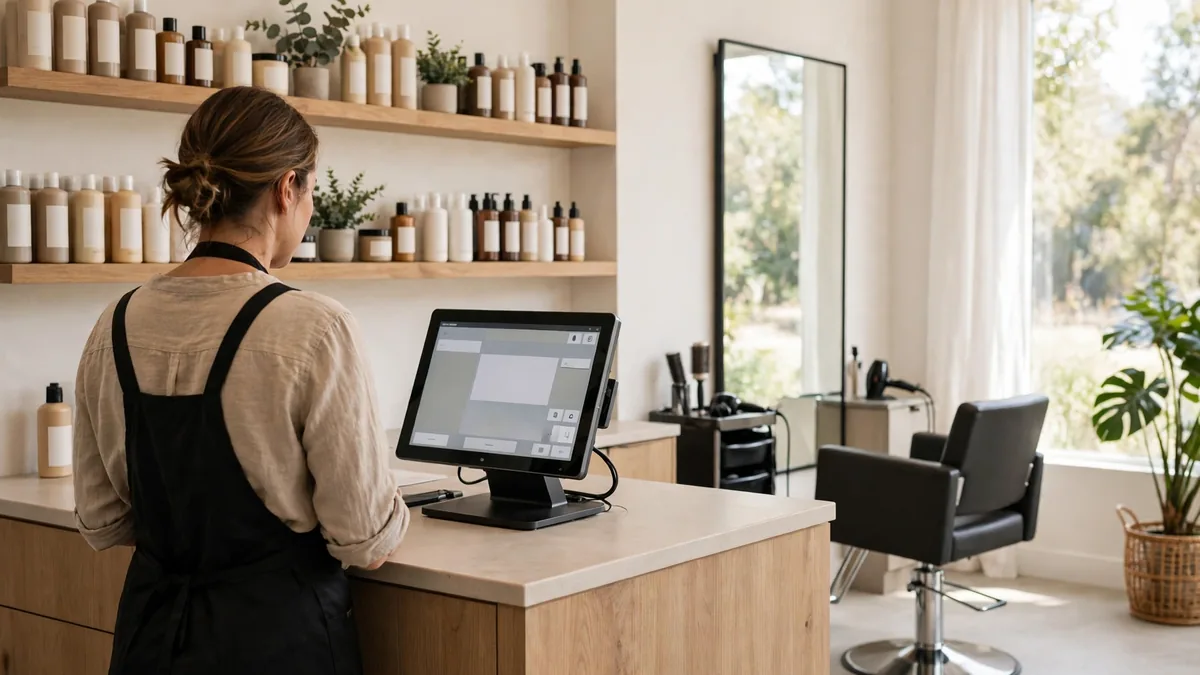
Salon payroll is trickier than it looks from the chair. Stylists may earn an hourly wage, a commission on every service, or a mix of both, while tips arrive in cash, on cards, and through apps. Add part-time staff and booth renters, and payday turns into a puzzle. The best payroll software for salons handles commissions, tips, and mixed pay types without forcing the owner to rebuild every pay run by hand.
What matters most in a salon is different from what matters in an office. An owner needs commission tracking per stylist, tip reporting across every channel, and support for part-time and booth-rental arrangements. Low per-person costs matter too, since salon teams are often small and margins are thin.
This shortlist covers eight options, from payroll tools built for hourly and commission teams to full platforms pairing payroll with scheduling and HR. Square Payroll leads for salons already using Square, while Gusto leads for owners wanting a full-service standalone tool.
Key takeaways
- Square Payroll is the best pick for salons already using Square for payments and point of sale.
- Homebase pairs free scheduling with payroll, which suits salons with many part-time stylists.
- Gusto is the best overall choice for salons that want full-service tax filing and easy onboarding.
- Commission and tip handling should decide the pick, since they cause the most payroll errors.
- Check current pricing before buying, since per-person fees decide the real monthly cost.
At a glance: the shortlist
| Product | Best for | Starting price | Standout limit |
|---|---|---|---|
| Square Payroll | Salons on Square | About $35 per month + $5 per person | Best inside Square |
| Gusto | Best overall | About $40 per month + $6 per person | Full-service tax filing included |
| Homebase | Part-time teams | Free scheduling; payroll from about $40 per month | Payroll is an add-on |
| OnPay | Simple flat pricing | About $40 per month + $6 per person | One flat rate, no tiers |
| QuickBooks Payroll | QuickBooks users | About $45 per month + $5 per employee | Best with QuickBooks Online |
| Patriot Software | Lowest cost | About $17 per month + $4 per employee | Basic plan lacks full tax filing |
| SurePayroll | Small teams | About $20 per month + $5 per employee | Fewer HR extras |
| Rippling | Payroll plus HR and IT | About $8 per user per month + payroll add-on | Costs rise with modules |
Square Payroll — Best for salons on Square
Square Payroll is the natural fit for a salon that already takes payments through Square. Service sales, product sales, tips, and hours flow into payroll, and the owner can run payroll from the same dashboard used at the front desk. It supports hourly and salaried staff, pays by direct deposit, and files payroll taxes.

The pricing is simple: a flat monthly base plus a per-person fee, with a contractor-only plan for salons that use booth renters or temporary help. The best HR software for salons covers hiring and onboarding for the same kind of team. Square Payroll starts at about $35 per month plus $5 per person, and buyers should check current pricing.
Pros: Tight Square integration, simple flat pricing, automatic tax filing, contractor-only plan.
Cons: Limited outside Square, thinner HR features, commission tools are basic.
Gusto — Best overall
Gusto is the most complete payroll option for a salon that has grown past a handful of chairs. It runs payroll in a few clicks, files federal, state, and local payroll taxes, and handles new-hire reporting and year-end forms. Staff can onboard themselves, set up direct deposit, and view pay stubs online.
The interface is plain and friendly, which matters when payroll is one of many weekly jobs. Higher plans add time tracking, benefits, and hiring tools, and contractor payments cover booth renters. Gusto starts at about $40 per month plus $6 per person, and buyers should check current pricing.
Pros: Full-service tax filing, simple interface, contractor payments included, good employee self-service.
Cons: Per-person fees add up, higher plans cost much more, limited support hours on the basic plan.
Homebase — Best for part-time teams
Homebase starts as a scheduling tool and adds payroll on top, which is exactly the combination a salon needs. Managers build shifts, stylists clock in from a phone, and the hours flow straight into payroll. That link removes the weekly job of copying timesheets into a separate system.
Scheduling is free for basic use, with paid plans adding hiring and team messaging. The payroll add-on handles tax filing, direct deposit, and year-end forms. Homebase payroll starts at about $40 per month plus a per-person fee. It is best for salons with many part-time stylists.
Pros: Schedule-to-payroll link, free scheduling tier, mobile clock-in, easy for hourly staff.
Cons: Payroll is an add-on, not a standalone, fewer accounting integrations, limited benefits tools.
OnPay — Best for simple flat pricing
OnPay keeps pricing simple: one monthly rate plus a per-person fee, with every feature included. There are no tiers, no feature gates, and no upgrade pitch in the middle of a payroll run. It covers payroll, tax filing, direct deposit, and new-hire reporting.
The interface is clean, setup is quick, and OnPay handles multi-state payroll plus hourly, salary, tips, and bonus pay. That range matters for salons paying stylists in different ways. OnPay starts at about $40 per month plus $6 per person, and buyers should check current pricing. It is a strong pick for owners who want one price and everything included.
Pros: One flat price with all features, clean interface, multi-state support, includes basic HR tools.
Cons: Fewer third-party integrations, no free tier, benefits administration is basic.
QuickBooks Payroll — Best for QuickBooks users
QuickBooks Payroll is the natural choice for salons that already run their books in QuickBooks Online. Payroll entries flow straight into the accounts, so service income, product sales, and payroll stay in one place. It handles direct deposit, tax calculations, and filings for employees and contractors.
Setup is guided, and most owners can run their first payroll the same day. Automated tax filing is included on the higher tiers, while the entry tier leaves filing to the owner in some states. QuickBooks Payroll starts at about $45 per month plus $5 per employee.
Pros: Deep QuickBooks integration, guided setup, handles employees and contractors, strong reporting.
Cons: Costs rise with add-ons, full tax filing needs a higher tier, interface can feel busy.
Patriot Software — Best for lowest cost
Patriot Software is the cheapest full payroll option on this list, and it is built for very small businesses that want the basics done well. The basic plan covers payroll runs, direct deposit, employee self-service, and tax calculations at a low monthly price. The full-service plan adds tax filing for owners who want that work handled for them.
The trade-off is clear: the low price buys a simpler product with limited HR extras. Patriot Software starts at about $17 per month plus $4 per employee for basic payroll, and buyers should check current pricing. Owners who want filings handled should price the full-service plan instead.
Pros: Lowest starting price, simple to learn, US-based support, clear upgrade path to full service.
Cons: Basic plan lacks tax filing, fewer integrations, limited HR features.
SurePayroll — Best for small teams
SurePayroll is a straightforward payroll service for salons with a handful of staff. It runs payroll online or from a mobile app, handles tax filing and payments, and files year-end forms. The dashboard focuses on the payroll run itself, which keeps it easy to use.
Time tracking and workers’ compensation administration are available as add-ons for hourly help. SurePayroll starts at about $20 per month plus $5 per employee, and buyers should check current pricing. It is a good fit for owners who want payroll and nothing else.
Pros: Low cost, easy payroll runs, mobile app included, automatic tax filing.
Cons: Few HR extras, limited integrations, support can be slow at peak times.
Rippling — Best for payroll plus HR and IT
Rippling combines payroll, HR, and IT management in one system, which suits salon groups that want a single source of truth for their team. When a new hire joins, Rippling runs payroll, sets up accounts, and orders devices in one flow. When someone leaves, it removes access everywhere at the same time.
The payroll side handles tax filing, direct deposit, and year-end forms for hourly, salaried, and contractor pay. Rippling starts at about $8 per user per month plus a payroll add-on, and buyers should check current pricing.
Pros: Payroll, HR, and IT in one system, strong automation, detailed labour reporting, good for multi-location teams.
Cons: Costs rise with modules, setup is involved, more than a small salon needs.
How to choose
Start with how your stylists are paid. If everyone earns commission, make sure the tool tracks commission per person and per service before you buy. If the team mixes hourly staff, commissioned stylists, and booth renters, pick a tool that handles all three. Tip handling comes next: tips arrive through cards, cash, and apps, and the tool must capture them all.
Next, count the real monthly cost: multiply the per-person fee by your headcount and add the base fee. Finally, check whether the tool connects to your booking and point-of-sale system, since that link removes the manual work that causes most payroll errors. The best HR software for small businesses is a useful companion guide for owners who want hiring and onboarding covered alongside payroll.
Checklist: before you pay
- Confirm the tool handles commission pay per stylist and per service.
- Confirm tip reporting covers cash, card, and booking-app tips.
- Count the total monthly cost, base fee plus per-person fees, for your actual headcount.
- Test the free trial with a real payroll run before moving your team over.
- Check the renewal price and whether the first-year discount expires.
- Confirm you can export payroll data and employee records if you leave.
Frequently asked questions
What payroll software works best for a small salon?
Square Payroll is the best fit for a small salon already using Square, since sales, tips, and hours flow into payroll. OnPay and Gusto are strong standalone alternatives with full-service tax filing.
Can payroll software handle commission pay?
Most payroll tools handle commission, but the depth varies. Square Payroll and QuickBooks Payroll track commission well when sales flow through the same system. Test commission calculations with real sales data before switching.
How does payroll software handle tips?
Most salon payroll tools let you record tips and include them in pay calculations and tax reporting. Square Payroll handles tips well, since tips often come through the point of sale.
What is the difference between an employee and a booth renter?
An employee works for the salon and is paid wages, while a booth renter pays rent for a chair and runs their own business. The distinction affects taxes and filings, so confirm each person’s status first. Contractor plans cover booth renters in most tools.
What does salon payroll software cost?
It depends on headcount. Small salons can start at about $35 to $45 per month plus $5 to $6 per person. Larger groups pay quote-based prices. Always count the total, not just the base price.
Do I need HR software as well as payroll software?
Not always. Payroll tools cover pay and taxes, while HR tools cover hiring, onboarding, and staff records. Salons with high staff turnover often benefit from both, and the best HR software for hospitality is a useful comparison for any small business with shift-based, customer-facing staff.
The bottom line
For most small salons, Square Payroll is the best pick when the salon already runs on Square, and Gusto is the best pick for salons wanting a full-service standalone tool. Part-time-heavy salons should look at Homebase, and salon groups should look at Rippling.
Whatever you choose, test it with real commission and tip data before payday, confirm tax filing covers your state, and check current pricing before buying.