Best project management software for game development teams in 2027 has to handle work that most project tools were never built for. A game is not a list of tickets. It is art, code, audio, design and testing moving together toward a ship date, and a single slipped asset can hold up an entire level. The right tool keeps that chaos visible without adding busywork for the people actually building the game.
Game teams also work in sprints, milestones and vertical slices, often across disciplines that speak different languages. Programmers want bug tracking and version control links, artists want visual boards and asset approvals, and producers want one honest view of what is done, what is blocked and what is at risk. A tool that serves only one of those groups will be quietly ignored by the others.
This guide compares eight tools that game teams actually use, from dedicated game production software to flexible work platforms. Prices are approximate starting prices, so check current pricing before you buy. The shortlist below gives the quick answer; the sections that follow explain where each tool wins and where it falls short.
Key takeaways
- HacknPlan is the best dedicated option for game teams, because it was built around game design documents, milestones and asset tracking.
- Jira is the best choice for larger studios with engineering-heavy workflows, strong agile reporting and deep integrations.
- ShotGrid is the best fit for studios with heavy art and animation pipelines that need asset review and version tracking.
- Asana, Monday.com and ClickUp work best for smaller teams that want a flexible board without a steep learning curve.
- Expect to pay roughly $5 to $12 per user per month for most paid plans, with free tiers that suit very small teams.
At a glance: the shortlist
| Product | Best for | Starting price | Standout limit |
|---|---|---|---|
| Jira | Large studios and agile teams | From about $7.75 per user per month | Can feel heavy for small teams |
| HacknPlan | Game-specific production | Free tier; paid from about $6 per user per month | Smaller integration library |
| Asana | Cross-discipline coordination | From about $10.99 per user per month | Advanced features sit on higher plans |
| Monday.com | Visual planning and milestones | From about $9 per user per month | Costs climb with larger teams |
| ClickUp | All-in-one value | From about $7 per user per month | Many features can overwhelm new users |
| Notion | Design docs and wikis | From about $10 per user per month | Weaker native sprint reporting |
| ShotGrid | Art and animation pipelines | From about $35 per user per month | Expensive and complex to set up |
| Trello | Simple boards for small teams | Free tier; paid from about $5 per user per month | Limited reporting and scale |
Jira — Best for large studios
Jira is the default project tracker for many professional studios, and that is no accident. Its Scrum and Kanban boards, sprint planning, backlog grooming and release tracking map cleanly onto how games are built in milestones.
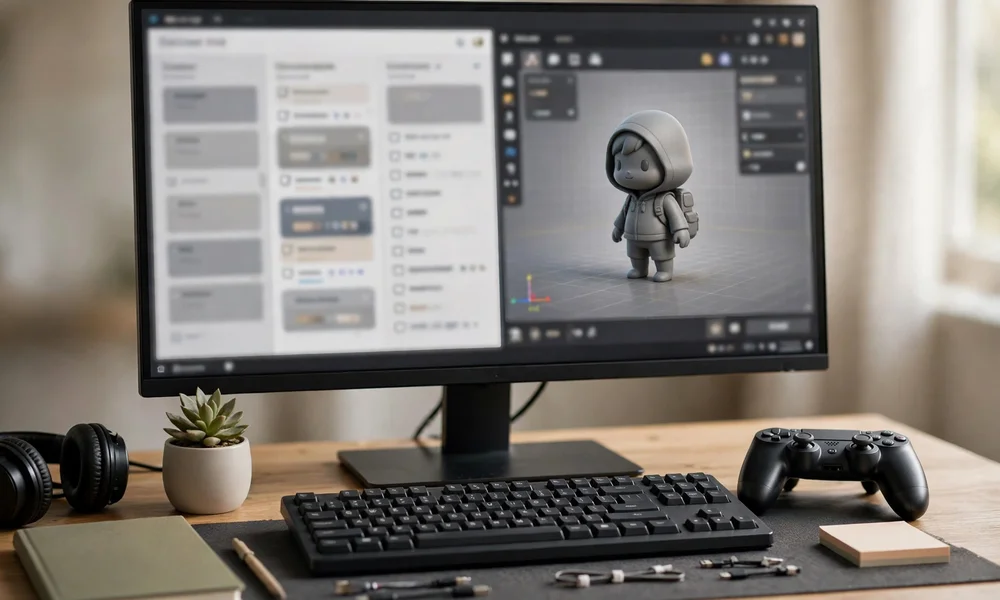
Jira also connects with the tools game developers already live in, including Git-based version control, Slack, Confluence and build systems. For a broader comparison of the category, see our guide to the best project management software overall.
Pros: Powerful agile workflows, strong reporting, huge integration library, scales to hundreds of people.
Cons: Steep learning curve, administration overhead, can feel slow and heavy for small indie teams.
HacknPlan — Best for game-specific production
HacknPlan was designed for game development rather than adapted to it, and the difference shows. It combines task boards with a game design document section, so mechanics, levels and systems live next to the tasks that implement them. Milestones track progress toward a vertical slice or a demo, and the board categories reflect game production stages instead of generic workflow labels.
For indie teams and small studios, HacknPlan hits a useful middle ground. It is simpler than Jira, cheaper than ShotGrid, and it speaks the language of game production from the first screen.
Pros: Built for game production, design documents included, simple milestone tracking, generous free tier.
Cons: Fewer third-party integrations, less powerful reporting than Jira, smaller community.
Asana — Best for cross-discipline coordination
Asana suits game teams where producers coordinate artists, designers, writers and programmers who each have their own tools. Its timelines, portfolios and workload views make it easy to see who is overloaded and which milestone is at risk, without forcing everyone into a developer-centric workflow.
The interface is clean and approachable, which helps non-technical team members actually use it.
Pros: Easy to learn, strong timeline and workload views, good for mixed teams, solid integrations.
Cons: Sprint and bug tracking are less deep than Jira, key features require paid plans, per-user pricing adds up.
Monday.com — Best for visual planning
Monday.com appeals to game teams that think visually. Colourful boards, timelines and dashboards make the state of a project obvious at a glance, which helps when producers brief stakeholders or publishers.
Pros: Highly visual boards, flexible columns, useful automations, good dashboards for stakeholders.
Cons: Expensive at scale, less depth for code and bug workflows, setup takes time.
ClickUp — Best all-in-one value
ClickUp tries to replace several tools at once, combining tasks, docs, whiteboards, goals and time tracking in a single workspace.
Pros: Low starting price, docs and tasks in one place, many views, generous free tier.
Cons: Overwhelming number of options, performance can lag on large projects, setup discipline required.
Notion — Best for design docs and wikis
Notion is the strongest choice for the documentation side of game development. Game design documents, lore bibles, meeting notes, art references and onboarding guides all fit naturally into its pages and databases, and tasks can be linked directly to the design they implement.
Pros: Excellent documentation and wikis, flexible databases, good for design docs, affordable.
Cons: Weak agile reporting, no native bug tracking depth, can get messy without structure.
ShotGrid — Best for art and animation pipelines
ShotGrid, formerly Shotgun, is built for the production pipelines of film, animation and games. It tracks assets, versions, reviews and shots through a pipeline, so an art lead can see exactly which version of a character model is approved, who reviewed it and what notes were given.
Pros: Best-in-class asset and version tracking, strong review workflows, built for creative pipelines.
Cons: Expensive, complex setup, overkill for small teams, needs pipeline expertise.
Trello — Best for simple small-team boards
Trello is the simplest tool on this list, and sometimes simple is what a small team needs. A board with lists for backlog, in progress, review and done is enough to run a game jam team or a two-person indie project, and anyone can learn Trello in minutes.
Pros: Very easy to use, free tier is useful, fast to set up, good for small teams.
Cons: Limited reporting, weak for large projects, relies on add-ons for depth.
How to choose
Start with team size and discipline mix. A solo developer or a three-person indie team should pick HacknPlan or Trello and spend the saved money and time on the game itself. A mid-sized studio with programmers, artists and designers needs a tool that serves all three groups, which points to Jira, Asana or ClickUp. A studio with a heavy art pipeline should look seriously at ShotGrid, even at its higher price.
Next, check the integrations that matter to your workflow. Version control, build notifications, chat and asset tools should connect without custom work. Distributed teams face the same coordination problem as other remote groups, so our guide to the best project management software for remote teams is a useful cross-check.
Finally, trial the tool on a real slice of work before committing. Run one sprint or one milestone in it, with the actual team, and see whether tasks get updated or quietly abandoned.
Budget deserves the same honest test. Add up the per-user price for everyone who needs a seat, including contractors, testers and part-time contributors, and compare that total with the free tier limits. A tool that looks cheap at five users can become expensive at fifty, while a tool with a higher headline price may include the reporting and integrations that would otherwise cost extra.
Checklist: before you pay
- Run a free trial on a real milestone, not a demo project.
- Confirm the per-user price at your actual team size, including guests and contractors.
- Check that version control, chat and build tools integrate cleanly.
- Test how the tool tracks milestones, builds and asset approvals.
- Make sure artists and designers find the interface usable, not just programmers.
- Confirm you can export tasks and data if you switch tools later.
Frequently asked questions
What is the best project management software for game development teams?
HacknPlan is the best game-specific option for small and mid-sized teams, while Jira is the best choice for larger studios with engineering-heavy workflows. ShotGrid leads for art-heavy pipelines. The right pick depends on team size, budget and how much of the work is art versus code.
Is Jira good for game development?
Yes, Jira works well for game development, especially in larger studios. Its agile boards, sprint planning and integrations fit milestone-based production, though small teams often find it heavy and prefer a simpler tool such as HacknPlan or Trello.
Do indie game developers need project management software?
Small indie teams can manage with a simple board such as Trello, but even a two-person team benefits from a shared task list and a milestone view. Once a project has more than a few dozen tasks or a fixed ship date, a dedicated tool saves more time than it costs.
What is HacknPlan used for?
HacknPlan is a project management tool built for game development. It combines task boards with game design documents and milestone tracking, so teams can plan mechanics, levels and systems alongside the tasks that build them.
How much does game development project management software cost?
Most options start at roughly $5 to $12 per user per month, with free tiers for small teams. ShotGrid is the exception at around $35 per user per month. Prices change often, so check current pricing for the plan and team size you need.
Can one tool run a whole game studio?
Many studios use one main tracker plus a documentation tool. A common setup is Jira or HacknPlan for tasks and Notion for design documents. Agencies face a similar juggling act with mixed client work, which is why our best project management software for agencies guide covers related trade-offs.
The bottom line
For most game development teams in 2027, HacknPlan is the best starting point because it was built for how games are actually made, and Jira is the best upgrade when a studio grows into serious agile reporting and engineering scale. Small teams should keep it simple with HacknPlan or Trello, while art-heavy studios should budget for ShotGrid.
Whatever you choose, the tool matters less than the habit. Pick one, run a real milestone in it, and make sure every discipline updates it daily. A board that reflects the real state of the game is the difference between a controlled launch and a last-minute crunch.