

The best project management software for hybrid teams in 2027 keeps office and remote work in one place, so nobody has to guess what is happening, who owns a task, or when it is due. Hybrid work fails when half the team lives in chat, the other half in email, and the plan itself sits in a spreadsheet only one person updates. The tools below replace that scramble with a shared board, a clear timeline, and updates that reach everyone at the same time, wherever they work.
What matters most for a hybrid team is not the longest feature list. It is visibility, flexibility, and low friction. A good tool shows work in progress at a glance, lets people update tasks in seconds from a laptop or phone, and handles time zones, part-time office days, and async comments without extra meetings. It should also connect with the apps a team already uses, from chat and calendars to file storage and time tracking.
We compared the leading options on hybrid-friendly features, ease of use, pricing, automation, reporting, and integrations. The shortlist covers eight tools, from simple boards for small teams to full work management platforms for larger groups. Asana leads overall for its balance of structure and simplicity, Monday.com suits visual planners, and ClickUp offers the most value for money.
Key takeaways
- Asana is the best overall choice for hybrid teams, with clear timelines, goals, and workload views.
- Monday.com is best for visual planning, with colourful boards and dashboards that suit mixed teams.
- ClickUp is the best value option, packing docs, goals, and time tracking into one low-priced plan.
- Most paid plans start at about $5 to $11 per user per month, with free plans for small teams.
- Avoid tools that need heavy setup or constant admin work, because hybrid teams need software that runs itself.
At a glance: the shortlist
| Product | Best for | Starting price | Standout limit |
|---|---|---|---|
| Asana | Overall hybrid teams | About $10.99 per user per month | Free plan limited to 10 users |
| Monday.com | Visual planning | About $9 per user per month | Free plan limited to 2 users |
| ClickUp | Value for money | About $7 per user per month | Can feel busy for new users |
| Notion | Docs and planning in one place | About $10 per user per month | Weaker native time tracking |
| Trello | Simple boards | About $5 per user per month | Weak reporting on basic plans |
| Smartsheet | Structured project plans | About $9 per user per month | Less friendly for casual users |
| Wrike | Cross-team workflows | About $10 per user per month | Learning curve on advanced plans |
| Teamwork | Client-facing hybrid teams | About $10.99 per user per month | Best features need higher plans |
Asana — Best overall
Asana gives hybrid teams a clear, calm view of work. Tasks, deadlines, and owners sit in one place, and the timeline, board, and list views let each person work the way they prefer. Workload view helps managers spot who is overloaded before deadlines slip, and goals link daily tasks to bigger outcomes. The interface is clean, the mobile app is strong, and most teams can start in a day. For a broader comparison of the category, see our guide to the best project management software for teams of all sizes.
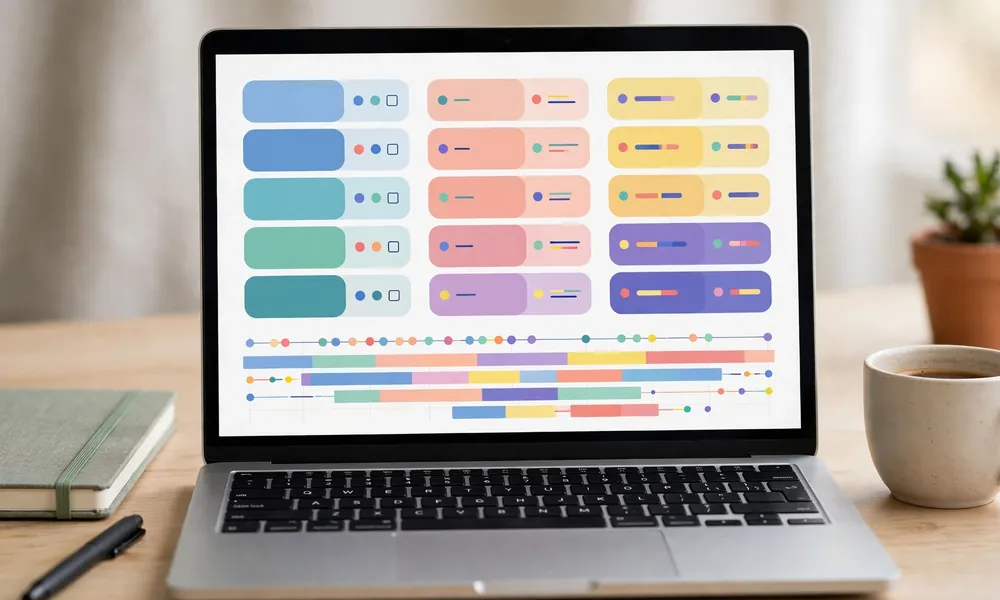
Templates cover launches and onboarding, rules move tasks automatically, and integrations include Slack, Google Workspace, and Microsoft Teams. Pricing is approximate, so check current pricing before buying.
Pros: Clear timelines and workload views; strong mobile app; wide integrations; good templates.
Cons: Free plan limited to 10 users; advanced reporting needs higher plans; costs rise with large teams.
Monday.com — Best for visual planning
Monday.com suits hybrid teams that think in colour and columns. Boards show status, owner, and due date at a glance, and dashboards turn that data into charts without a spreadsheet. Automations handle reminders, status changes, and handoffs, which cuts the check-in meetings hybrid teams often dread. The setup is visual and fast, and templates cover marketing, product, HR, and operations work.
Docs and forms let teams plan campaigns and track budgets beside their tasks. Pricing is approximate, so check current pricing before buying.
Pros: Highly visual boards and dashboards; strong automations; many templates; easy to learn.
Cons: Free plan limited to 2 users; costs add up per seat; some views need paid plans.
ClickUp — Best value for money
ClickUp packs an unusual amount into one tool: tasks, docs, whiteboards, goals, time tracking, and chat. For hybrid teams on a budget, that matters, because it replaces several subscriptions at once. The free plan is generous, and the paid plan starts at about $7 per user per month, which undercuts most rivals with a similar feature set.
The trade-off is density: new users need a short setup period to agree on how they will use it. Pricing is approximate, so check current pricing before buying.
Pros: Generous free plan; docs, goals, and time tracking included; low starting price; many views.
Cons: Busy interface for beginners; setup takes time; mobile app can feel crowded.
Notion — Best for docs and planning in one place
Notion suits hybrid teams that live in documents as much as in tasks. Meeting notes, project briefs, wikis, and task boards sit in the same workspace, so remote staff can read the context behind a task instead of asking for it in chat. It is a calm, flexible tool for teams that value written clarity.
Teams needing workload balancing or heavy reporting may need add-ons, but for knowledge-heavy teams its blend of docs and tasks is hard to beat. Pricing is approximate, so check current pricing before buying.
Pros: Docs, wikis, and tasks in one workspace; flexible databases; good templates; clean design.
Cons: Weaker native time tracking; limited workload views; needs setup to work as a project tool.
Trello — Best for simple boards
Trello is the simplest tool on this list, and that is its strength. Hybrid teams can run stand-ups from a board, with remote members moving their own cards and adding comments as work progresses. Power-Ups add calendars, automation, and integrations, and the mobile app is fast and easy to use.
Larger teams with many dependencies will outgrow it, but for straightforward work it stays fast and friendly. Pricing is approximate, so check current pricing before buying.
Pros: Very easy to learn; fast mobile app; low starting price; useful automations.
Cons: Weak reporting on basic plans; limited handling of dependencies; not built for complex portfolios.
Smartsheet — Best for structured project plans
Smartsheet feels like a spreadsheet with project management built in, which suits hybrid teams that plan in rows, dates, and dependencies. Remote staff can update their rows from anywhere, and managers get roll-up reports across many projects without chasing updates.
Creative teams may find it plain, but operations and delivery teams often love its rigour. Pricing is approximate, so check current pricing before buying.
Pros: Strong Gantt and dependency handling; good reporting; forms and approvals included; familiar spreadsheet feel.
Cons: Less friendly for casual users; interface feels plain; higher plans needed for advanced features.
Wrike — Best for cross-team workflows
Wrike is built for work that crosses departments, which is common in hybrid companies where marketing, product, and operations share projects. Dashboards show real-time status, and time tracking helps managers balance hybrid workloads fairly. It scales well, from a single team to a whole organisation.
Wrike takes longer to set up than Trello or Asana, but for larger hybrid teams with formal processes, it earns its place. Pricing is approximate, so check current pricing before buying.
Pros: Strong cross-team workflows; proofing and approvals; resource management; good dashboards.
Cons: Learning curve on advanced plans; setup takes time; free plan is limited.
Teamwork — Best for client-facing hybrid teams
Teamwork suits hybrid teams that serve clients, such as agencies, consultancies, and service firms with staff split between office and home. Billing and budgeting tools help teams track whether client work stays profitable, which matters when part of the team works remotely and hours are harder to see.
The best reporting and automation features sit on higher plans, but for client work it is a strong, focused choice. Pricing is approximate, so check current pricing before buying.
Pros: Client access controls; time tracking and billing; clear project views; good for service teams.
Cons: Best features need higher plans; fewer templates than rivals; limited free plan.
How to choose
Start with how your team actually works. A small team with simple projects will be happier with Trello or Notion, while a larger team with deadlines, dependencies, and reporting needs Asana, Monday.com, or Wrike. Check the free trial first, and run a real project through it with both office and remote staff before you pay.
Also weigh integrations and async features: a hybrid tool must work with your chat, calendar, and file storage. AI features can cut admin time, as our guide to the best AI tools for project management shows. Finally, check data export and cancellation terms.
Checklist: before you pay
- Run a free trial with a real project and both office and remote staff.
- Check the renewal price, not just the first-year or monthly headline price.
- Confirm cancellation terms and how to export your tasks and files.
- Test the mobile app, because remote staff often work from phones.
- Check limits on users, projects, storage, and automations on your chosen plan.
- Ask support how fast they reply, and test it during the trial.
Frequently asked questions
What is the best project management software for hybrid teams?
Asana is the best overall choice for most hybrid teams, thanks to clear timelines, workload views, and a strong mobile app. Monday.com suits visual planners, ClickUp offers the best value, and Trello is best for simple boards.
Do hybrid teams need special project management features?
Yes. Hybrid teams need async comments, clear ownership, visible deadlines, and good mobile access, so office and remote staff stay in sync without extra meetings. Time zone handling and integrations with chat and video tools also matter.
Is there a good free project management tool for hybrid teams?
Yes. ClickUp, Trello, Asana, and Notion all offer free plans for small teams. Free plans usually limit users, storage, or reporting, so check the limits before you commit your whole team to one.
How much does project management software cost for a hybrid team?
Most paid plans start at about $5 to $11 per user per month when billed annually. Costs rise with team size and premium features, so budget for every seat, including freelancers and part-timers.
Tracking hours across office and home can help managers balance workloads fairly, and our guide to the best time tracking software covers the leading options for hybrid teams.
Can project management software replace meetings for hybrid teams?
It can replace many status meetings, because tasks, comments, and dashboards show progress without a call. It cannot replace all meetings, and hybrid teams still need regular live check-ins for planning, feedback, and team connection.
Should a hybrid team use one tool or several?
One main tool is usually better, because work stays in one place and nobody has to check several apps. Use integrations for chat, files, and calendars, and add a second tool only for a clear gap, such as specialist time tracking or budgeting.
The bottom line
For most hybrid teams, Asana is the safest pick in 2027: it is clear, flexible, and easy for office and remote staff to use together. Monday.com is the best choice if your team thinks visually, ClickUp is the best value, and Trello or Notion suit smaller or document-heavy teams. Pick the tool your team will actually open every day, trial it on a real project, and agree on how you will use it before you pay.
Watch for pricing changes and new AI features through 2027. The right choice keeps hybrid work visible, simple, and fair for everyone, wherever they sit.



