Small teams have the same projects as big companies — launches, clients, deadlines, and deliverables — but with a fraction of the people and none of the admin support. A project management tool for a small team has to be light, fast, and cheap. If it needs a training session or a dedicated admin, it is the wrong tool. The best options disappear into the background and let a team of three to ten people just get on with the work.
The tools below all work for small teams, but they solve different problems. Trello is the simplest way to keep track of who is doing what, Asana is the strongest all-rounder as the team grows, ClickUp packs the most features into a free plan, and Notion is the best place to keep everything — tasks, docs, and plans — in one workspace. The right pick depends on how your team works today and how fast you expect to grow.
This guide compares seven platforms on price, ease of use, small-team features, and reporting, so you can pick one and start using it today. Every price is an approximate starting price, and plans change often, so check the current plan details before you buy.
Key takeaways
- Trello is the best overall pick for most small teams, with the simplest interface and a generous free plan.
- Asana is the best choice for teams that are growing, with timelines and automation that scale smoothly.
- ClickUp gives the most features on its free plan, including docs, goals, and time tracking.
- Notion is the best option when the team needs tasks, docs, and a wiki in a single workspace.
- Start free and upgrade only when you hit a limit — every tool on this list has a free plan worth using.
At a glance: the shortlist
| Product | Best for | Starting price | Standout limit |
|---|---|---|---|
| Trello | Most small teams | Free; paid from about $5/user/month | Automation is limited on the free plan |
| Asana | Growing teams | Free; paid from about $11/user/month | Free plan caps at 10 collaborators |
| ClickUp | Feature-rich free plan | Free; paid from about $7/user/month | Free plan caps storage at 100 MB |
| Notion | Tasks plus docs and wiki | Free; paid from about $10/user/month | Weaker at deadline-driven projects |
| Monday.com | Visual team tracking | From about $9/user/month | Minimum of 3 seats on paid plans |
| Basecamp | Simple flat pricing | From about $15/user/month | Fewer views and automations |
| Todoist | Personal task lists | Free; paid from about $4/user/month | Not built for team projects |
Trello — Best overall
Trello is the simplest tool on this list, and for a small team that simplicity is the whole point. A board is a set of columns, cards move from left to right, and anyone can understand it in five minutes. There is no setup project, no workflow configuration, and no training session. A team can create a board for a launch, a client, or a sprint and start working immediately.
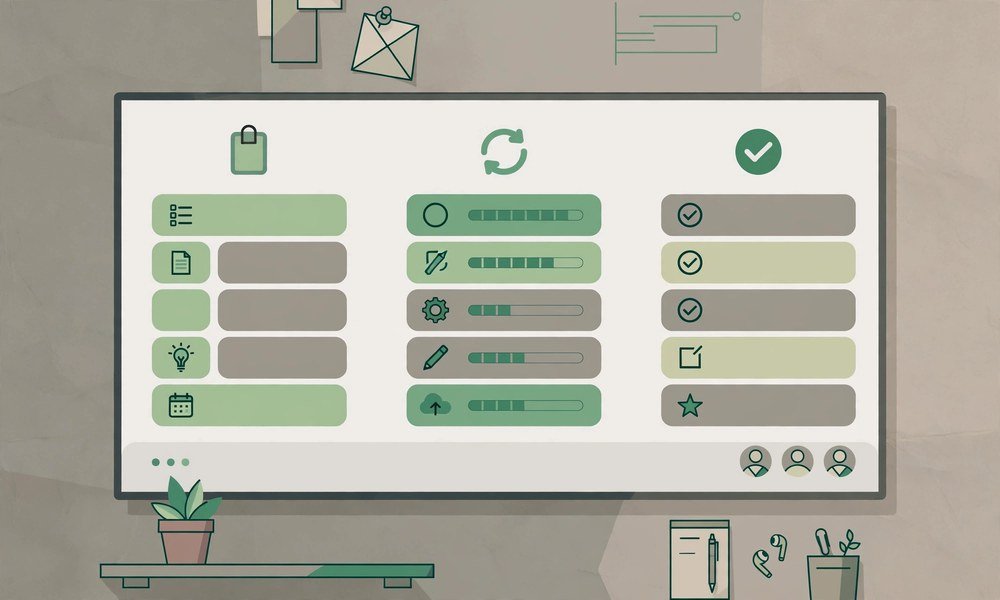
The free plan includes unlimited cards and up to 10 boards per workspace, which covers most small teams entirely. Paid plans from about $5 per user per month add unlimited boards, advanced checklists, and more automation. Trello is less suited to complex reporting or multi-project portfolios, but for a small team that needs to know who is doing what, it is hard to beat. For a broader view of the category, see our guide to the best project management software overall.
Pros: easiest tool to learn, generous free plan, ideal for small teams, very low cost.
Cons: weak reporting, limited automation on the free plan, not built for complex programmes.
Asana — Best for growing teams
Asana is the tool to pick when a small team expects to grow. It starts simple — tasks, owners, and deadlines — and adds timelines, workflow automation, and portfolio views as the team and the workload expand. A team of four can use it like a to-do list, and a team of forty can use it to run a whole company, without switching tools or migrating data.
The free plan supports up to 10 collaborators, which covers most small teams, and paid plans from about $11 per user per month add timelines, automation, and reporting dashboards. Templates cover product launches, marketing campaigns, and onboarding, so a growing team does not have to invent its processes from scratch. The trade-off is cost: Asana is pricier per seat than Trello or ClickUp once the team grows past the free plan.
Pros: scales smoothly as the team grows, clear task ownership, excellent templates, strong timelines.
Cons: free plan limited to 10 collaborators, pricier per seat, no built-in time tracking on lower plans.
ClickUp — Best feature-rich free plan
ClickUp gives a small team tasks, docs, goals, time tracking, and chat in one workspace, which is valuable when the team cannot afford five separate tools. The free plan includes unlimited tasks and members, docs, and 100 MB of storage, which is more generous than any other tool on this list. Paid plans from about $7 per user per month add unlimited storage, goals, and advanced automations.
The trade-off is complexity. ClickUp has so many features that a small team should spend an afternoon setting up templates and turning off what it does not need. Done well, it can replace a task tool, a wiki, and a time tracker at once. Done badly, the team will ignore it and go back to chat messages and spreadsheets.
Pros: most generous free plan, docs and time tracking included, strong automations, good value paid plans.
Cons: steep learning curve, interface can feel cluttered, setup takes time.
Notion — Best for tasks plus docs and wiki
Notion is the best choice when a small team’s problem is not just tasks, but everything around them: meeting notes, project docs, onboarding guides, and a shared wiki. Tasks, pages, and databases live in one workspace, so the plan for a launch and the documents behind it sit side by side instead of in three different tools.
The free plan covers small teams well, and paid plans from about $10 per user per month add unlimited file uploads and better admin controls. Notion is weaker than Asana or Trello at deadline-driven project tracking — there is no native timeline on the free plan — so it works best for teams whose work is document-heavy, or alongside a simple task board.
Pros: tasks, docs, and wiki in one place, flexible databases, good for onboarding, generous free plan.
Cons: weaker at deadline-driven projects, can get messy without structure, permissions need a paid plan.
Monday.com — Best for visual team tracking
Monday.com suits small teams that like visual boards and want reporting from day one. Status columns, timelines, and dashboards make it obvious what is on track and what is stuck, and automations can send reminders when a deadline approaches or a client approves a deliverable. It is more structured than Trello, which helps teams that need a clear process.
Pricing starts at about $9 per user per month with a three-seat minimum, and there is no free plan, only a trial. That makes Monday.com a paid commitment from the start, but the dashboards and automations justify it for teams that report to clients or managers regularly. Our guide to the best AI tools for workflow automation covers automating the routine parts of team work.
Pros: excellent dashboards, strong automations, visual and flexible, good for client reporting.
Cons: no free plan, three-seat minimum, costs add up as the team grows.
Basecamp — Best for simple flat pricing
Basecamp is the simplest paid option on this list, with a flat price and a deliberately small feature set: to-do lists, message boards, schedules, docs, and file storage, all in one calm interface. There are no endless customisations and no automation builders to configure. For a small team that wants one place for everything and no learning curve, that restraint is a feature.
Pricing is about $15 per user per month, or a flat monthly rate for unlimited users on the Pro plan, which can be excellent value for a growing team. The trade-off is flexibility: Basecamp has fewer views, no Gantt charts, and limited automations. Teams that need agile features or deep reporting should look elsewhere.
Pros: simplest paid option, flat pricing for unlimited users, no learning curve, everything in one place.
Cons: few views and automations, no Gantt charts, not suited to agile teams.
Todoist — Best for personal task lists
Todoist is the best tool on this list for personal productivity, and it works for very small teams that mostly need shared task lists rather than full project management. Its interface is the fastest here, with natural-language dates, priorities, and filters that make capturing tasks effortless. A team of two or three can share projects, assign tasks, and comment without any setup at all.
The free plan covers the basics, and paid plans from about $4 per user per month add reminders, filters, and more projects. Todoist is not built for team projects with timelines, dependencies, or reporting — a team that outgrows shared lists will need Asana or Trello — but for getting organised quickly, it is unmatched.
Pros: fastest and simplest interface, cheapest paid plan here, excellent personal productivity, easy to start.
Cons: not built for team projects, no timelines or Gantt charts, weak reporting.
How to choose
Start with how your team actually works today. If work lives in chat messages and memory, Trello will bring order in an afternoon. If the team is growing and needs structure that scales, Asana is the safer long-term pick. If the budget is zero and the team needs everything in one place, ClickUp’s free plan covers the most ground. And if documents and tasks are equally important, Notion keeps them together.
Then test with a real project, not a demo. Give the whole team a week on the free plan with actual work, and watch which tool they open without being asked. For startups weighing the wider software stack, our guide to the best project management tools for startups covers the options in more depth.
Checklist: before you pay
- Start on the free plan — every tool on this list has one worth using, except Monday.com and Basecamp.
- Test with a real project and the whole team for at least a week.
- Check the renewal price and what happens when you outgrow the free plan.
- Make sure you can export your data — your project history belongs to you.
- Count all users, including part-timers: some tools charge per seat for everyone.
- Confirm the tool covers what you actually need — timelines, docs, or reporting — before paying for features you will not use.
Frequently asked questions
Which project management tool is best for a small team?
Trello is the best all-round choice for most small teams, with the simplest interface and a generous free plan. Asana is better for teams that expect to grow quickly.
What is the best free project management tool for small teams?
ClickUp’s free plan covers the most ground at no cost, with unlimited tasks and members. Trello’s free plan is simpler and easier to learn, and Asana’s free plan suits teams of up to 10.
Can a small team use these tools for client work?
Yes. Trello, Asana, and Monday.com all work well for client projects, with boards per client and clear task ownership. Monday.com is the strongest for client reporting, with dashboards that show progress at a glance.
Which tool is easiest to learn?
Trello is the easiest by far — a board of cards that anyone understands in minutes. Todoist is the next simplest for teams that mainly need shared task lists.
Do small teams need paid plans?
Usually not at first. Most small teams can run on a free plan for months. Upgrade when you hit a limit that matters — more boards, automations, or reporting — rather than paying from day one.
What is the cheapest good option for a small team?
ClickUp and Trello are both free to start, and Todoist’s paid plan from about $4 per user per month is the cheapest paid option. Asana’s free plan covers teams of up to 10 at no cost.
The bottom line
For most small teams, Trello is the pick: it is free to start, takes minutes to learn, and keeps everyone aligned without meetings. Choose Asana if the team is growing fast, ClickUp if you need the most features for free, and Notion if tasks and documents belong together.
Whatever you choose, start free and test with real work. The tool your team actually opens every day is the right one, and the best time to find that out is during a free trial, not after a year-long contract.
Note: Prices and plans change. Check the product’s current plan details before buying — no link is provided here by design, all links in this article go to other occcy.com guides.