Best snow removal business software in 2027 does far more than store customer addresses. It turns a storm forecast into a finished route, sends crews out with the right jobs in the right order, records what was cleared, and gets the invoice paid before the snow melts. For a snow removal company, that speed matters because the work is urgent, weather-driven, and often done in the dark, in bad conditions, against a clock set by the next storm.
The right system depends on the size of the operation and the kind of work it does. A two-truck residential plowing business needs fast seasonal contracts, simple route lists, and card payments. A commercial snow and ice management company needs per-visit pricing, salt usage tracking, site photos, and proof of service for every property. A company that plows in winter and landscapes in summer needs one system that handles both seasons without rebuilding its customer list twice a year. The products below cover all three, and each one is judged on the same points: scheduling, routing, quoting, seasonal contracts, invoicing, payments, customer communication, mobile apps, and price.
This shortlist focuses on software built for field service work, not general business tools stretched to fit snow removal. Every product here has a working mobile app for crews, a way to send quotes and invoices, online payment collection, and tools for handling recurring seasonal work. Prices are starting prices as listed publicly and can change, so check current pricing before buying.
Key takeaways
- Jobber is the best overall choice for most small and mid-sized snow removal companies because it covers seasonal contracts, scheduling, invoicing, and payments in one clean system.
- Housecall Pro is the strongest pick for crews that want simple scheduling, automated reminders, and fast card payments without a long setup.
- ServiceTitan is the best fit for large commercial snow and ice operations that need job costing, dispatch boards, and detailed reporting.
- Per-visit pricing, route density, and proof of service matter more than a long feature list, so pick the tool that handles your busiest storm day well.
- Always run a trial during a real storm week if you can, because that is when weak scheduling, routing, and mobile apps show up.
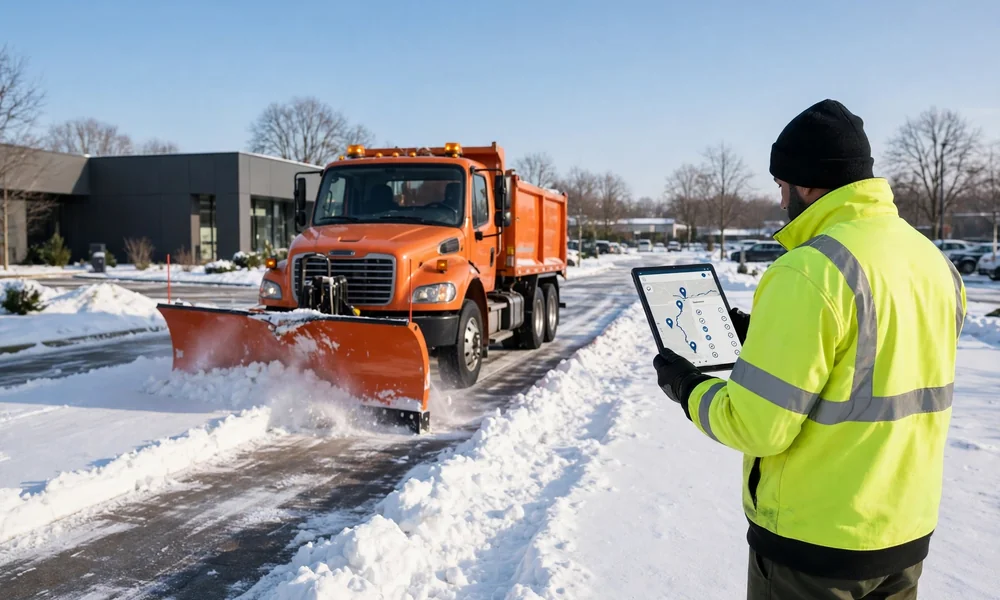
At a glance: the shortlist
| Product | Best for | Starting price | Standout limit |
|---|---|---|---|
| Jobber | Most snow removal companies | From $49 per month | One user on the entry plan |
| Housecall Pro | Simple scheduling and fast payments | From $49 per month | Automation is limited on the basic plan |
| ServiceTitan | Large commercial operations | Custom pricing | Higher cost and longer setup |
| FieldEdge | Dispatch-heavy teams | Custom pricing | Interface takes time to learn |
| Workiz | Phone-first booking and dispatch | From $65 per month | Some advanced reports need higher plans |
| JobProgress | Estimates and job tracking | From $69 per user per month | Per-user pricing adds up fast |
| Kickserv | Small teams on a budget | From $49 per month | Fewer automation options than larger tools |
| ServiceM8 | Small crews and simple jobs | Free starter plan, then paid | Advanced features need add-ons |
Jobber — Best overall
Jobber is the best overall snow removal business software for most companies because it handles the full seasonal cycle in one place. You can build a seasonal contract for a residential driveway, set the visit schedule, dispatch the crew, record the completed visit, and send the invoice without switching tools. That matters in snow removal, where a single storm can create dozens of visits in one night and every one of them needs to be billed.
Payments are built in. Jobber Payments lets customers pay by card online, and the system can charge a card on file for a seasonal contract, which is a big help when a company has hundreds of residential customers to bill after every storm. Automatic reminders chase overdue invoices, and the customer hub lets clients see their quotes, jobs, and payment history without calling the office. For a snow company, the best internal comparison is a business that runs the same kind of seasonal field work, and our guide to the best landscaping business software shows how the same tools handle quoting, routing, and recurring visits in a neighbouring trade.
Pros: Complete quoting, scheduling, invoicing, and payments in one system; strong mobile app with photos and signatures; seasonal contracts and recurring visits handled well; easy for new staff to learn.
Cons: Entry plan allows only one user; advanced automation and reporting sit on higher plans; per-visit pricing needs careful setup for depth-based snow rates.
Housecall Pro — Best for simple scheduling and fast payments
Housecall Pro is the strongest pick for snow removal crews that want simple scheduling, automated reminders, and fast card payments without a long setup. It is built for field service businesses that book jobs by phone, text, and online form, and it keeps the workflow short: a job comes in, it goes on the schedule, a crew completes it, and the customer gets an invoice they can pay from their phone.
The dispatch board is the heart of the product. A dispatcher can see every crew, every job, and every time slot on one screen, and drag jobs between crews when a truck breaks down or a storm shifts. That flexibility is valuable in snow removal, where plans change at 3 a.m. when the forecast moves. Automated text and email reminders tell customers when a crew is on the way, which cuts down on the calls that flood the office during a storm.
Pros: Very easy to set up and use; strong dispatch board and automated customer messages; online booking for on-call jobs; fast card payments and invoice reminders.
Cons: Reporting and job costing are lighter than enterprise tools; automation is limited on the basic plan; per-push depth pricing needs manual setup.
ServiceTitan — Best for large commercial operations
ServiceTitan is the best fit for large commercial snow and ice management operations that need job costing, dispatch boards, and detailed reporting. It is an enterprise-grade platform, and it shows in the depth: every job carries its own costs, labour, materials, and margin, and managers can see which contracts, routes, and crews are actually making money.
Pros: Deep job costing, dispatch, and reporting; strong proof of service with photos and timestamps; flexible pricing for seasonal, per-visit, and per-push contracts; good commercial client communication.
Cons: Higher cost than the rest of this list; longer setup and training time; more than a small residential plow business needs.
FieldEdge — Best for dispatch-heavy teams
FieldEdge is a strong choice for snow removal teams that live on the dispatch board. It is built around getting the right crew to the right property at the right time, and it handles the fast re-scheduling that a storm demands. When a truck is delayed or a new on-call job comes in, a dispatcher can reassign work in seconds and the crew sees the change on the mobile app straight away.
The interface is powerful but takes time to learn, and the price is quoted rather than published, so a company needs to talk to the sales team to get a figure. Companies that already run a dispatch-heavy operation will get the most from it, while a small residential plow business may prefer a simpler tool. For a mid-sized to large snow contractor with several crews on the road at once, FieldEdge is a solid, proven option.
Pros: Strong dispatch board and fast re-scheduling; pricebook pricing for standard snow services; good mobile app with photos and signatures; recurring seasonal work handled well.
Cons: Interface takes time to learn; pricing is custom and not published; setup is heavier than simpler tools.
Workiz — Best for phone-first booking and dispatch
Workiz is the best pick for snow removal companies that take most of their jobs by phone. Its call handling tools show the dispatcher the caller’s history as the phone rings, so a returning customer can be booked in seconds without asking for their address and service history again. During a storm, when the phone does not stop ringing, that speed is a real advantage.
The dispatch and scheduling tools are built for speed as well. Jobs can be booked, assigned, and moved between crews from one screen, and automated messages keep customers updated when a crew is on the way. Online booking is available too, so homeowners can request a one-time plow visit without calling, and the request appears in the schedule for the dispatcher to confirm.
Pros: Excellent phone booking with caller history; fast dispatch and scheduling; useful automations for reminders and follow-ups; online booking for on-call jobs.
Cons: Advanced reporting needs higher plans; less depth on commercial job costing; pricing starts higher than some rivals.
JobProgress — Best for estimates and job tracking
JobProgress is a strong option for snow removal companies that put estimates and job tracking first. It is built for contractors who need to price a job properly, track it through to completion, and keep a clear record of every step. For snow work, that means detailed seasonal proposals, clear per-visit pricing, and a job history that shows exactly what was done at each property.
The estimating tools are the standout. A company can build a professional seasonal proposal with service levels, optional extras such as sidewalk salting or roof snow clearing, and terms that the customer approves online. Once approved, the job moves into scheduling and production tracking, so the office can see which jobs are booked, which are in progress, and which are finished. That visibility is useful when a storm creates a sudden spike in work and the dispatcher needs to know what is still outstanding.
The per-user pricing means costs grow as the team grows, so a company with many crew members should work out the total monthly cost before committing. The interface is also more detailed than the simplest tools, which is a strength for estimating but a learning curve for new staff. For a snow contractor that wins work on the quality of its proposals and wants tight job tracking, JobProgress is worth a close look.
Pros: Strong estimating and proposal tools; clear job tracking from approval to completion; good mobile app with photos and status updates; useful integrations.
Cons: Per-user pricing adds up with a large crew; more detailed interface takes time to learn; entry cost is higher than some simpler tools.
Kickserv — Best for small teams on a budget
Kickserv is a good fit for small snow removal teams that want a solid system without paying enterprise prices. It covers the essentials: customer records, scheduling, dispatch, invoicing, and payments, in a clean interface that a small office can learn quickly. For a company with one or two trucks and a few hundred residential customers, that is often all that is needed.
The scheduling tools handle recurring seasonal work, so a residential plow route can be set up once and repeated all winter. Crews see their jobs on the mobile app, mark them complete, and add notes or photos. Invoices go out automatically after a visit, and customers can pay online by card. The system also supports estimates, so a company can send a seasonal quote and get it approved before the first snowfall.
One practical benefit is the focus on the basics done well. The customer list is easy to search during a storm, the schedule is easy to read, and the invoices are easy to send. In snow removal, where the busiest days are chaotic, a simple system that everyone actually uses beats a powerful system that only the office manager understands.
Pros: Affordable for small teams; quick to set up and learn; recurring seasonal scheduling works well; simple invoicing and online payments.
Cons: Fewer automation options than larger tools; reporting is lighter; less suited to large commercial portfolios.
ServiceM8 — Best for small crews and simple jobs
ServiceM8 is the best choice for very small snow removal crews that want to start simple and pay only for what they use. It has a free starter plan for a small number of active clients, which makes it a low-risk way to try a proper job management system before committing to a monthly subscription. For a new plow business with a short customer list, that is a useful on-ramp.
The core workflow is straightforward: a job is created, scheduled, assigned to a crew member, completed on the mobile app, and invoiced. The app is well designed, with job details, customer history, photos, and payment collection in one place. Crews can see their day at a glance, and the office can see which jobs are done and which are still open.
For a one-truck or two-truck operation, the simplicity is the attraction. There is no long setup, no training course, and no big monthly bill before the first storm. As the business grows, the paid plans add capacity, and the add-ons fill gaps. It is not the tool for a ten-truck commercial operation, but for a small crew getting organised, it is a sensible place to start.
Pros: Free starter plan for small client lists; clean and easy mobile app; simple job workflow from booking to invoice; low cost to start.
Cons: Advanced features need paid add-ons; dispatch and reporting are lighter than enterprise tools; less suited to large commercial portfolios.
How to choose
Start with the kind of work you actually do, not the feature list. A residential plow company with 200 driveways needs route density, seasonal contracts, and fast billing. A commercial snow and ice company with 30 shopping centres needs proof of service, salt tracking, and job costing. A company that plows in winter and does yard work in summer needs one customer list that serves both seasons. Write down your three busiest storm-day problems, then pick the tool that solves those three first.
Next, look at pricing the way your customers pay you. If most of your income is seasonal contracts paid up front or in instalments, you need a system that handles recurring billing and card-on-file payments well. If most of your income is per-visit or per-push, you need a system that makes it easy to record each visit, attach a photo, and send the invoice the same night. Getting paid quickly matters in a seasonal business, because the costs arrive all at once and the income has to keep up. Our guide to the best invoicing software explains how to compare billing and payment features across field service tools.
Then test the mobile app the way a crew member would use it: with gloves on, in the cold, in the dark, with a poor signal. The app should show the next job, the address, the service notes, and a way to mark the job complete and add a photo, all in a few taps. If the app is slow or confusing in the yard, it will be worse in a storm. Ask for a trial during a real storm week if you can, and run one crew on the new system while the rest of the business runs as normal.
Checklist: before you pay
- Run a free trial during a real storm week, with one crew using the mobile app on live jobs.
- Check the renewal price, not just the first-month or first-year offer, and work out the cost per user per month.
- Confirm you can export your customers, contracts, and job history at any time without paying extra.
- Test seasonal contracts, per-visit pricing, and per-push pricing with your own rates before you commit.
- Check the cancellation terms, including any minimum contract length and what happens to your data if you leave.
- Ask support a real question during the trial and time the reply, because storm-season support matters more than sales-season promises.
Frequently asked questions
What is the best snow removal business software for a small company?
Jobber is the best overall choice for most small snow removal companies because it covers seasonal contracts, scheduling, invoicing, and payments in one system that is easy to learn. Housecall Pro is a strong alternative if you want the simplest possible setup and fast card payments, while ServiceM8 is a good low-cost starting point for a one-truck or two-truck business.
How much does snow removal business software cost?
Most of the tools in this list start at around $49 to $69 per month, with higher plans adding users, automation, and reporting. Enterprise tools such as ServiceTitan and FieldEdge use custom pricing, and payment processing fees are charged on top of the subscription. Always work out the total monthly cost, including per-user fees and add-ons, before you commit.
Can snow removal software handle seasonal contracts?
Yes. All eight products in this list support recurring jobs or seasonal contracts in some form. You set up the customer once for the winter, define the service level and price, and the system generates the visits automatically. The best tools also let you bill the contract in instalments or charge a card on file, which keeps cash flow steady through the season.
Do I need route optimisation for snow plowing?
Route optimisation helps any plow business with more than a handful of stops, because it groups nearby properties together and cuts driving time between jobs. On a residential route, that means more driveways cleared per hour and less fuel used. It matters most on large routes, but even a small company benefits when a storm creates a long list of visits in one night.
How do I prove a snow visit happened?
Use a system with a mobile app that records the time, location, and a photo for each completed job. Crews should photograph the cleared driveway or salted walkway, and the system should store that photo against the job record. That proof protects you if a customer disputes a visit, and it gives commercial property managers the record they need for their own reporting.
Can one system handle snow removal in winter and landscaping in summer?
Yes, and that is one of the main reasons to choose a general field service tool rather than a snow-only system. Jobber, Housecall Pro, and the other tools here all handle both kinds of work with the same customer list, the same scheduling, and the same invoicing. A business that runs two seasonal trades from one system saves the cost and confusion of maintaining two customer lists, and the same seasonal logic applies in both trades, as our guide to the best roofing business software shows for another weather-driven field service.
The bottom line
For most snow removal companies, Jobber is the safest pick: it covers seasonal contracts, scheduling, routing, invoicing, and payments in one system, and it is easy enough for a small team to run through a busy winter. Housecall Pro is the best choice if you want the simplest setup and the fastest payments, while ServiceTitan is the right tool for a large commercial operation that needs job costing and detailed reporting. Kickserv and ServiceM8 are the sensible budget options for small crews, and FieldEdge, Workiz, and JobProgress each suit a particular way of working, from dispatch-heavy teams to phone-first booking and estimate-led sales.
Whatever you choose, decide before the first storm, not during it. Set up your seasonal contracts, test your routes, and run a trial with one crew while the weather is still calm. The software that looks best in a demo is not always the one that holds up at 3 a.m. in a blizzard, so pick the tool that handles your busiest storm day well, and stick with it for the whole season.