Design work is hard to price when nobody knows how long it takes. The best time tracking software for design teams in 2027 connects hours to projects, clients, and revisions, so a studio can quote with confidence, bill fairly, and see which kinds of work actually make money. It turns a vague sense of being busy into numbers a lead can act on.
What matters most for design teams is the link between time and the client. Per-project and per-task tracking, revision counts, and billable versus non-billable splits show whether a project is profitable or quietly losing money.
The shortlist below covers eight tools that fit design work, from free trackers for small studios to automatic capture for busy teams. Toggl Track leads for its balance of simplicity and reporting, Harvest is the strongest pick for client billing, and Timely suits teams that hate manual timers. Prices are approximate starting prices; check current pricing before buying.
Key takeaways
- Toggl Track is the best overall pick for design teams, with fast timers and clear per-project reports.
- Harvest is the best choice for client billing, pairing time with expenses and invoicing in one place.
- Clockify is the best free option, with unlimited users and projects on its free plan.
- Automatic tracking from Timely cuts manual entry, but costs more per user than simple timers.
- Avoid tools without per-client reporting; design decisions need data you can slice by project and client.
At a glance: the shortlist
| Product | Best for | Starting price | Standout limit |
|---|---|---|---|
| Toggl Track | Overall design teams | From about $9 per user, per month | Advanced reports need a paid plan |
| Harvest | Client billing | From about $11 per user, per month | Free plan covers one seat only |
| Clockify | Free tracking | Free; paid from about $4 per user, per month | Forecasting and scheduling cost extra |
| Timely | Automatic tracking | From about $9 per user, per month | No free plan for teams |
| Paymo | Project budgets | From about $6 per user, per month | Smaller integration library |
| Everhour | Task-tool workflows | From about $8.50 per user, per month | Best features need a connected task tool |
| Hubstaff | Distributed teams | From about $7 per user, per month | Screenshots can feel intrusive |
| TimeCamp | Value for money | Free; paid from about $3 per user, per month | Interface feels dated |
Toggl Track — Best overall
Toggl Track is the easiest time tracker for a design team to adopt, and that matters more than any single feature. A one-click timer, a clean weekly view, and project tags mean designers actually log their hours instead of reconstructing them on Friday afternoon. Time lands against projects, clients, and billable flags without a training session.
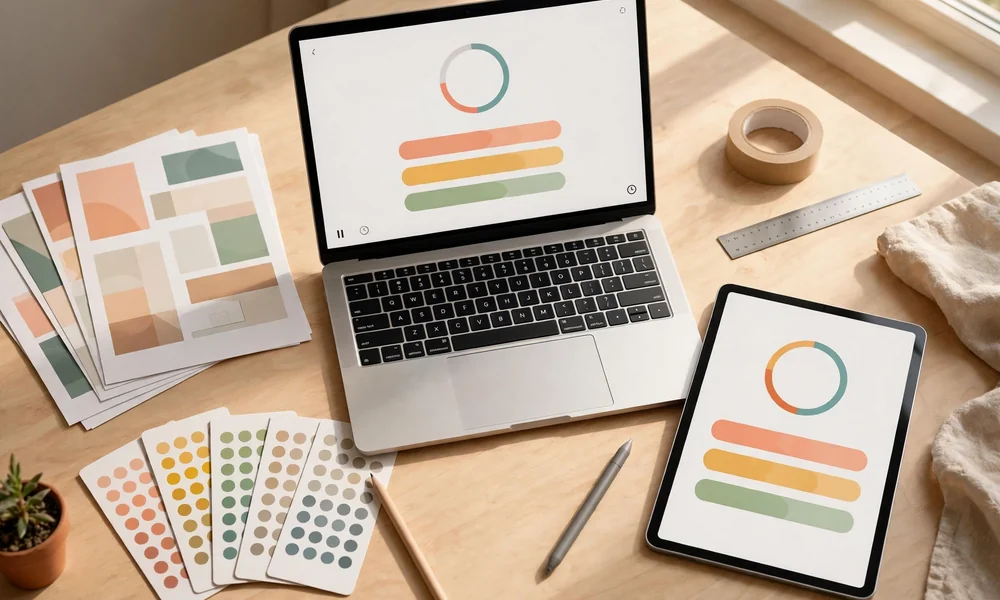
Where it earns its place for design teams is reporting. Studio leads can compare estimated versus actual hours per project, spot the clients whose revision rounds keep overrunning, and export clean summaries for invoicing. Integrations with common task and calendar tools keep the timer close to the work, so tracking never becomes a separate chore.
Pros: Fast to start, clear reports, strong integrations, gentle learning curve.
Cons: Advanced reporting and billable rates sit on paid plans; no built-in scheduling.
Harvest — Best for client billing
Harvest suits design teams that bill clients by the hour. It pairs time tracking with expense capture and invoicing, so a studio can turn tracked hours into an accurate invoice without retyping numbers between tools. Budget alerts flag a project the moment it crosses a threshold, rather than at the end of the month.
Its timer is simple and its reports are readable, though it is less flexible than Toggl Track. The free plan covers a single seat, so even a small studio will need a paid plan. For teams where accurate billing is the main reason to track time, Harvest earns its price quickly, and designers who bill as individuals can compare it with a guide to the best invoicing software for freelancers.
Pros: Strong budgets, expenses and invoicing, clear alerts, trusted by small studios.
Cons: Free plan is one seat only; fewer workflow integrations than rivals.
Clockify — Best free option
Clockify gives small design teams a genuinely useful free plan, with unlimited users, projects, and time entries. That makes it the safest starting point for a studio that wants to prove the value of tracking before spending anything. Timers, manual entries, a calendar view, and basic reports all work without a card.
The trade-off is depth. Forecasting, scheduling, and approval workflows arrive on paid plans, and the interface is plainer than Toggl Track. For a small team that mainly needs honest hours per project and per client, that trade-off is easy to accept.
Pros: Free plan is genuinely usable, unlimited users, simple setup.
Cons: Advanced planning features cost extra; reports are less polished than Toggl Track.
Timely — Best for automatic tracking
Timely removes the timer entirely. It records work automatically from the apps, documents, and meetings a person uses, then drafts a private timeline the user reviews and approves. For design teams that lose hours to forgotten timers, that automation recovers time that would otherwise never be logged or billed.
The catch is price and control. There is no free team plan, and leads need to respect that the draft timeline is private until the user confirms it. Reporting covers projects, clients, and capacity, and the interface is calm and well designed. Teams that value accuracy over manual discipline will find it worth the cost.
Pros: Automatic capture, private drafts, strong project reporting.
Cons: Higher starting price, no free team plan, less hands-on control.
Paymo — Best for project budgets
Paymo combines time tracking with project management, which suits design teams that want one tool for tasks, hours, and budgets. Designers track time against tasks, leads watch budget burn in real time, and invoices can be generated from the same numbers.
Its integration library is smaller than Toggl Track or Clockify, so teams with an unusual stack should check compatibility first. For a studio that wants tracking and project management together, Paymo is the most complete option at its price.
Pros: Tracking plus project management, live budget views, invoicing built in.
Cons: Fewer third-party integrations; task features are lighter than dedicated tools.
Everhour — Best for task-tool workflows
Everhour lives inside the tools design teams already use, adding timers and estimates directly to tasks. That closeness is its main strength: time is logged against the exact card or board item being worked on, so reports line up with the project plan instead of a separate system. Budget tracking, cost rates, and schedule views build on that foundation.
It works best when the team already runs its work in a supported task tool, and it is less useful as a standalone tracker. Pricing is reasonable for the depth it adds, and the reporting is strong for leads who want estimates versus actuals at task level.
Pros: Deep task integration, task-level budgets, good estimate tracking.
Cons: Depends on a connected task tool; standalone use is limited.
Hubstaff — Best for distributed design teams
Hubstaff is built for teams spread across time zones. It combines time tracking with activity levels, optional screenshots, and payroll-friendly reports, which helps managers run a distributed studio without constant check-ins. Scheduling options extend it to hybrid roles too.
The monitoring features are the main judgement call. Activity tracking and screenshots can build trust when used openly, and destroy it when sprung on a team. Used transparently, Hubstaff gives remote design leads the visibility they need; used quietly, it creates more problems than it solves.
Pros: Strong remote visibility, scheduling, payroll-ready reports.
Cons: Screenshots and activity monitoring need clear team agreement.
TimeCamp — Best for value for money
TimeCamp is the budget pick that still covers the essentials. A free plan handles basic tracking, and paid plans start low while adding invoicing, billing rates, and productivity reports. Automatic tracking and keyword-based categorisation help designers who forget to start a timer, and the reports cover projects, clients, and teams.
The interface feels dated next to Toggl Track and Timely, and some advanced features are less polished. For a small studio watching every subscription, though, TimeCamp delivers the core of time tracking at a price that is hard to beat.
Pros: Very low starting price, free plan available, invoicing included.
Cons: Dated interface; some reports feel less refined than rivals.
How to choose
Start from the decision the data must support. If the goal is accurate client billing, pick a tool with strong invoicing and budget alerts, such as Harvest or Paymo. If the goal is better project estimates, Toggl Track or Everhour fit better. If the goal is simply knowing where the week went, an automatic tracker such as Timely removes the logging burden entirely.
Next, check the integrations. A tracker that does not connect to the team’s task tool will slowly be abandoned, however good its reports look in a demo. Run a two-week trial on a live client project, compare estimated versus actual hours, and ask the team what annoyed them. Studios that also track project spending should look at a guide to the best expense tracking software for agencies alongside this shortlist.
Checklist: before you pay
- Run a free trial on a live client project, not a demo, and compare estimates with actuals.
- Confirm per-client and per-project reporting, plus export to CSV or a spreadsheet.
- Check the renewal price, not just the first-month or introductory rate.
- Confirm how cancellation works and whether historical data stays exportable.
- Test the integrations with the team’s task tool, calendar, and invoicing stack.
- Agree the team’s rules on screenshots and activity monitoring before switching anything on.
Frequently asked questions
What is the best time tracking software for design teams?
Toggl Track is the best overall choice for most design teams, thanks to fast timers and clear per-project reports. Harvest is the best pick for client billing, while Clockify is the best free starting point for small studios.
Should design teams track revision rounds separately?
Yes. Revisions are where design projects most often overrun, and tracking them separately shows which clients or project types need tighter scope or a different price. A lumped total hides the problem.
How much should a design team pay per user?
Most good tools start at roughly $3 to $11 per user, per month, with free plans available from Clockify and TimeCamp. Check current pricing before buying, and compare annual billing against monthly billing.
Do design teams need automatic time tracking?
Not always. Manual timers give cleaner project attribution when the team is disciplined about starting and stopping them. Automatic tracking helps when hours keep going missing, and tools such as Timely recover that lost time without extra effort.
Can time tracking help a studio price projects better?
Yes, when estimates are compared with actuals after every project. The comparison shows which kinds of work consistently overrun, and that evidence makes the next quote more honest.
Should teams use screenshots and activity monitoring?
Only with open agreement. Monitoring can help distributed teams stay aligned, but it must be announced, explained, and limited to work hours. When capacity planning is also on the agenda, a guide to the best AI tools for resource management pairs well with tracked hours to plan who is free for the next project.
The bottom line
For most design teams, Toggl Track is the right default: quick to adopt, honest in its reports, and strong enough to support client billing and project reviews. Harvest is the pick when invoicing is the priority, Clockify when budget is zero, and Timely when manual timers keep failing.
Whatever tool wins the trial, the value comes from reviewing the numbers together after each project. Track time against real client work, compare estimates with actuals, and let the data decide what the next project should cost.