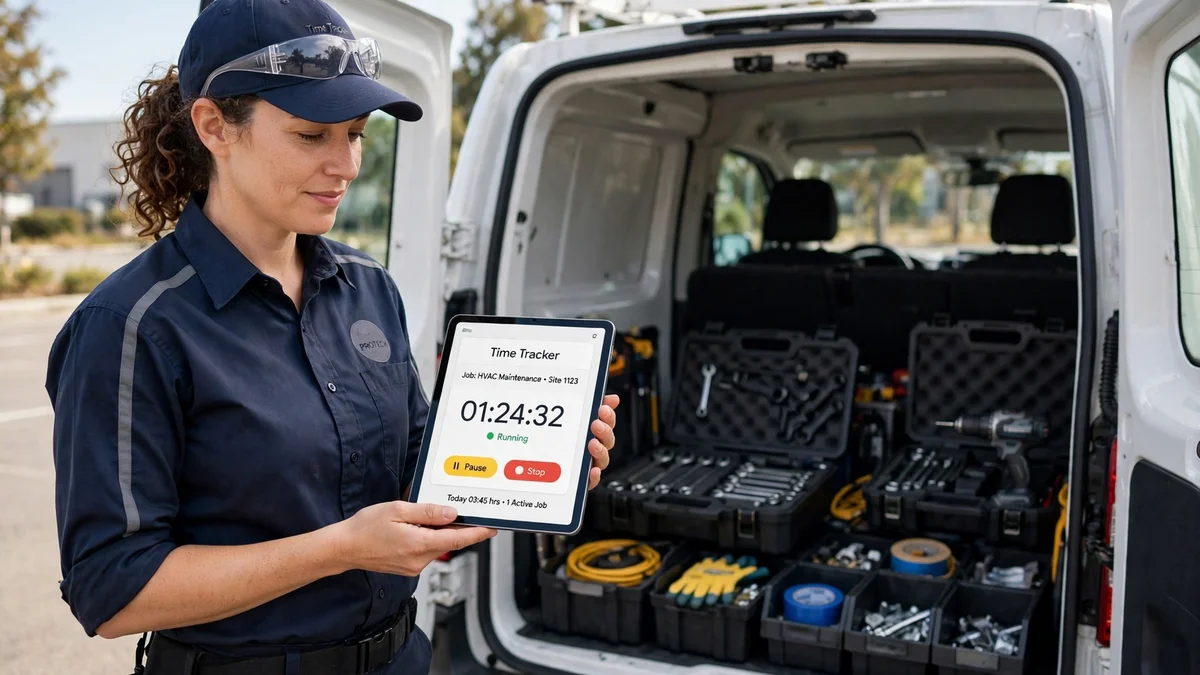
Field service work happens on the road, on site, and often offline, which is why the best time tracking software for field service in 2027 looks different from a desk-based timer. The right tool must start a job with one tap, keep counting through a dead zone, record travel time honestly, and turn the day into a clean timesheet and an accurate customer invoice.
The tools in this guide were chosen for crews who move between jobs: plumbers, electricians, HVAC technicians, cleaners, landscapers, and repair teams. Each one offers a strong mobile app, GPS or location features, and job and customer records.
The shortlist below covers eight tools, from dedicated field time trackers to full job management platforms. Hubstaff leads for GPS time tracking, ClockShark leads for construction-style crews, and Jobber leads for small service businesses that also need quoting and invoicing.
Key takeaways
- Hubstaff is the best overall choice for field service teams that need GPS tracking, timesheets, and payroll in one place.
- ClockShark is the best pick for construction and trade crews that need job costing and simple crew timesheets.
- Jobber is the best all-in-one option for small service businesses that also need quotes, scheduling, and invoicing.
- Timeero and QuickBooks Time are the strongest choices for teams that need reliable GPS clock-ins and overtime rules.
- Check offline mode, GPS accuracy, and the per-user price before you commit, because prices and plans change.
At a glance: the shortlist
| Product | Best for | Starting price | Standout limit |
|---|---|---|---|
| Hubstaff | Overall GPS tracking | From about $4.99 per user, per month | Monitoring features need clear team rules |
| Timeero | GPS clock-ins | From about $4 per user, per month | Smaller feature set than full job platforms |
| ClockShark | Trade and construction crews | From about $8 per user, per month | No free plan beyond a trial |
| Connecteam | Team communication | From about $29 per month for small teams | Time features are one part of a larger app |
| Jobber | Small service businesses | From about $29 per user, per month | Higher starting price for solo operators |
| Housecall Pro | Home services | From about $59 per user, per month | Price rises quickly with add-ons |
| ServiceTitan | Larger service companies | Custom pricing | Too large and costly for small crews |
| QuickBooks Time | Payroll and overtime | From about $20 per month plus about $8 per user | Best value when paired with QuickBooks |
Hubstaff — Best overall
Hubstaff is the strongest all-round time tracker for field service because it was built for people who work away from the office. Staff clock in from a mobile app, GPS records where the job started and ended, and managers see live timesheets, activity levels, and project budgets without phoning the crew for updates.

Hubstaff also handles scheduling, payroll, and invoicing, so the hours logged on site can flow straight into pay runs and customer bills. Geofenced clock-ins can restrict clocking to the job site, which cuts buddy punching and keeps records honest. For managers comparing wider job platforms, our roundup of the best field service management software covers the full job-management side in more depth.
Pros: Reliable GPS and geofenced clock-ins; scheduling and payroll built in; clear utilisation reports.
Cons: Monitoring features need clear team rules; setup takes care; some features sit on higher plans.
Timeero — Best for GPS clock-ins
Timeero focuses on one job and does it well: proving who was where, and for how long. Its GPS tracking follows the crew through the day, records mileage, and lets managers see the route between jobs, which helps with both billing and route planning. Clock-ins can be restricted to a job location, and the app works offline, syncing when the signal returns.
Pros: Accurate GPS tracking and mileage; offline mode; simple one-tap clock-ins.
Cons: Smaller feature set than full job platforms; limited invoicing; fewer integrations.
ClockShark — Best for trade and construction crews
ClockShark is built for construction, landscaping, and trade crews, where the working day is split across several job sites and the timesheet must match the job cost. Staff clock in to a specific job, managers see who is on site in real time, and the day’s hours roll up by job, task, and employee.
Pros: Job-based clock-ins suit trade crews; strong scheduling and job costing; clean QuickBooks integration.
Cons: No permanent free plan; interface is functional rather than polished; reporting depth varies by plan.
Connecteam — Best for team communication
Connecteam combines time tracking with the day-to-day communication that field teams actually need: schedules, forms, checklists, and chat in one app. A technician can clock in, open the job form, complete a checklist, and message the office without switching apps, which cuts the missed updates that slow a field day down.
Pros: Time tracking plus chat, forms, and schedules; useful free plan for small teams; easy mobile app.
Cons: Time features are one part of a larger app; advanced reporting needs a paid plan; setup of forms takes time.
Jobber — Best for small service businesses
Jobber is a full job platform with time tracking built into the workflow, which suits small service businesses that need more than a timer. A job moves from quote to schedule to invoice in one place, and the time spent on site is recorded against the job so the final invoice reflects the real work, not an estimate.
Pros: Quotes, scheduling, time, and invoicing in one tool; professional customer-facing documents; good mobile app.
Cons: Higher starting price for solo operators; time tracking is simpler than dedicated trackers; add-ons raise the cost.
Housecall Pro — Best for home services
Housecall Pro is designed for home service companies that book jobs online, dispatch technicians, and take payment on site. Its time tracking records the hours spent on each job, while dispatch, online booking, and customer notifications keep the day moving without constant phone calls.
Pros: Strong dispatch and online booking; on-site payments; clear job profitability reports.
Cons: Price rises quickly with add-ons; time tracking is part of a large platform; setup needs care.
ServiceTitan — Best for larger service companies
ServiceTitan is the heavyweight option for larger field service companies that run dozens of technicians across several trades. It combines scheduling, dispatch, CRM, estimating, invoicing, and time tracking in one system, with reporting that covers the whole business rather than a single crew.
Pros: Deep job, CRM, and reporting features; strong dispatch for large teams; detailed profitability views.
Cons: Custom pricing and high cost; too large for small crews; implementation takes time and training.
QuickBooks Time — Best for payroll and overtime
QuickBooks Time, formerly TSheets, is the safest pick for field teams that already run payroll through QuickBooks. Staff clock in from a mobile app with GPS, managers approve timesheets, and approved hours flow into payroll with overtime rules applied, which removes the manual retyping that causes most payroll errors.
It also offers scheduling, job costing, and mileage tracking, and the reports show labour cost by job and employee. For contractors, the money side matters as much as the hours, so pairing this with our guide to the best expense tracking software for contractors gives a complete picture of job costs, including materials and expenses.
Pros: Excellent QuickBooks payroll integration; GPS clock-ins and overtime rules; scheduling and mileage included.
Cons: Best value only when paired with QuickBooks; pricing is a base fee plus per-user cost; interface can feel busy.
How to choose
Start with how your crew works. If technicians move between several job sites a day, GPS clock-ins and offline mode are essential, which points to Hubstaff, Timeero, or ClockShark. If the business also needs quoting, scheduling, and invoicing, a platform such as Jobber or Housecall Pro will replace several tools at once, even at a higher price.
Next, test the mobile app in the field, not just in the office. Ask two technicians to use it for a week on real jobs, including a site with poor signal, and check whether the hours, the job names, and the travel time come back clean. Also confirm how the tool handles overtime, breaks, and travel time, because those rules differ by team and by region, and they cause most payroll disputes.
Finally, check the price at your real crew size and confirm the renewal terms. A low per-user price can hide a base fee, and a platform price can hide add-ons for payments or dispatch. Confirm how easy it is to export timesheets and job data, and whether the vendor offers onboarding help for the crew.
Checklist: before you pay
- Test the mobile app on real jobs, including a site with poor signal, for at least a week.
- Confirm offline mode, GPS accuracy, and geofenced clock-ins work on your crew’s phones.
- Check how travel time, breaks, and overtime are recorded and approved.
- Compare the total price at your real crew size, including base fees and add-ons.
- Test exporting timesheets and job-cost reports, so you are never locked into one vendor.
- Agree the rules with the crew first: when to clock in, what counts as travel, and who approves timesheets.
Frequently asked questions
What is the best time tracking software for field service?
Hubstaff is the best overall pick for most field service teams because it combines GPS clock-ins, timesheets, scheduling, and payroll in one reliable mobile app. ClockShark is the best choice for trade and construction crews, and Jobber is the best all-in-one option for small service businesses.
Do field service time trackers work offline?
Yes, most of the tools in this guide, including Hubstaff, Timeero, and ClockShark, work offline and sync when the signal returns. Always test offline mode on a real job site before you commit, because signal strength varies by location and by phone.
How does GPS time tracking work for field teams?
Staff clock in from a mobile app, and the tool records the location and time of the clock-in, and in some tools the route between jobs. Geofencing can restrict clock-ins to the job site. Teams should be told clearly what is recorded and why, and the data should be used for billing and payroll, not for constant surveillance.
How much does field service time tracking software cost?
Most dedicated trackers start at about $4 to $8 per user, per month, while full job platforms start higher, from about $29 to $59 per user, per month. Check the current pricing for your exact crew size before buying.
Can time tracking software handle job costing?
Yes. Tools such as ClockShark, Hubstaff, and QuickBooks Time record hours against a job and apply labour rates, so managers can see the labour cost of each job and quote the next one more accurately. Invoicing is cleaner still when expenses are tracked too, as covered in our guide to the best invoicing software for contractors.
How do I get a field crew to use a time tracker?
Keep it to one tap: clock in at the job, clock out when done. Choose a tool with a simple mobile app, explain what the data is used for, and show the crew that accurate hours mean accurate pay. Fix confusing job names quickly, and review the first week’s timesheets together so mistakes are caught early.
The bottom line
For most field service teams, Hubstaff is the safest starting point: it handles GPS clock-ins, timesheets, and payroll without forcing the business onto a full job platform. If your crew is in construction or a trade, start with ClockShark. If the business needs quoting, scheduling, and invoicing in the same system, choose Jobber or Housecall Pro.
Whichever tool you pick, test it with two technicians on real jobs for a week before you pay. The right tracker is the one the crew actually uses on site, in poor signal, at the end of a long day, because a perfect timesheet built on missing hours is worth less than a simple one built on complete ones.