
Creating an online course in 2027 is easier than it has ever been, and harder in a different way. The tools are powerful, affordable, and full of features, but there are so many of them that choosing the wrong one can waste weeks. A good course tool should handle video, lessons, quizzes, payments, and students in one place, without forcing the creator to become a web developer.
The best tools for creating online courses share a simple pattern. They let a teacher record or upload lessons, organise them into modules, add quizzes and assignments, set a price, and publish a course page that students can buy and join. The differences sit in the details: how much control the creator has over design, how much the platform charges, and how well it handles marketing and student progress.
This guide looks at the tools that work best for independent creators, small businesses, and teachers in 2027. It covers all-in-one platforms, specialist course builders, and the supporting tools for video, quizzes, and editing, so a creator can pick a setup that fits their subject, audience, and budget.
Key takeaways
- The best course tool depends on the creator’s goal: selling a course, teaching a team, or building a membership.
- All-in-one platforms such as Kajabi, Teachable, and Thinkific suit creators who want hosting, payments, and marketing together.
- Simpler tools such as Podia and LearnWorlds suit beginners who want a fast launch with less setup.
- Video quality, quizzes, and student progress tracking matter more than extra features most creators never use.
- Check transaction fees and monthly costs together, because a cheap plan with high fees can cost more than a higher plan.
What the best course tools actually do
A course creation tool is more than a video host. At its core, it organises learning into a clear path: a student signs up, works through lessons in order, completes quizzes, and finishes with a certificate or a clear outcome. The best tools make that path obvious, so students do not get lost or give up halfway through.
Teachable is one of the most popular choices for independent creators. It offers course pages, payment processing, student management, and basic marketing tools, with a simple builder that does not require coding. It suits creators who want to sell a course quickly and focus on content rather than design. Its transaction fees on lower plans are a real cost to check before committing.
Thinkific is a close alternative, with strong course building, quizzes, assignments, and a free plan that lets creators test the platform before paying. It gives more control over the course player and student experience than some rivals, and it works well for teachers who want to build a branded school rather than a single course page.
Kajabi is the most complete all-in-one option, combining courses with websites, email marketing, funnels, and memberships. It is more expensive than Teachable or Thinkific, but it can replace several other tools at once. It suits creators who run a business around their courses, rather than selling one course as a side project.
Podia is simpler and friendlier, with courses, digital downloads, webinars, and memberships in one clean dashboard. It suits beginners and creators who want to launch fast without learning a complex system. LearnWorlds, by contrast, focuses on interactive learning, with video quizzes, interactive ebooks, and detailed student analytics for teachers who care about engagement.
Why choosing the right tool matters
The tool a creator picks shapes the student’s experience. A clear lesson layout, fast video loading, and simple navigation keep students watching. A confusing layout, slow pages, or a checkout that fails will lose students before they even start, no matter how good the lessons are.
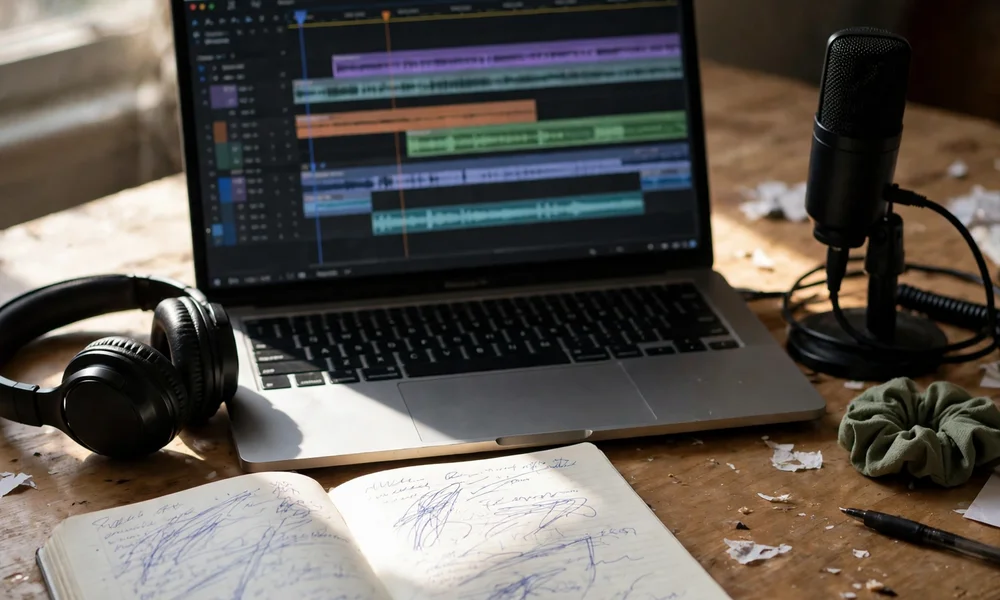
It also shapes the creator’s workload. A tool with good templates, bulk upload, and simple quiz building can save hours every week. A tool that needs workarounds for basic jobs, such as drip-feeding lessons or sending a certificate, will add friction to every new course. Creators should test the exact workflow they will use daily, not just the demo.
Marketing is the third factor that matters. Some platforms include email, landing pages, and affiliate tools, while others expect the creator to bring their own marketing stack. A creator with an existing audience may not need built-in marketing, while a creator starting from zero will benefit from a platform that helps them find and convert students.
Payments and pricing are part of the same decision. Some tools charge a monthly fee plus a transaction fee, others charge only a monthly fee, and some take a share of each sale. A creator selling a high-priced course will care more about transaction fees than a creator selling a low-priced course to many students, so the maths should be done with real numbers.
The background: how course tools changed
Online courses used to mean long videos on a marketplace, where the platform owned the audience and set the price. Creators earned a share, but they had little control over branding, pricing, or student data. That model still exists, and marketplaces such as Udemy and Skillshare can bring new students, but many creators now prefer to own their audience.
The shift came with all-in-one platforms that let a creator host a course on their own branded site, set their own price, and keep student emails. That control matters for building a business, because a creator can follow up with students, sell a second course, and build a membership without paying a marketplace for access to their own audience.
Video tools improved at the same time. Creators can now record with a phone, edit with simple software, and upload in high quality without a studio. Tools for screen recording, captions, and interactive video have made lessons clearer and more engaging, even for creators working from a home desk.
Artificial intelligence has added another layer in 2027. Many course tools now offer AI help with lesson outlines, quiz questions, captions, and transcripts. These features save time, but they do not replace good teaching. The best courses still come from a creator who knows the subject and the student, and uses AI to speed up production rather than to write the course.
Creators who want to compare the specialist options in more depth should read our guide to the best course creation software in 2027, which looks at the leading builders side by side, including pricing, features, and who each one suits best.
The caveats that matter
No course tool is perfect, and the caveats are worth reading before paying for a year upfront. The most common problem is lock-in: moving a course, student list, and payment history from one platform to another is rarely simple. Creators should check export options before committing, and keep their own backup of videos and student emails.
Transaction fees are the second trap. A low monthly price can hide a high fee on every sale, and that fee adds up fast on a popular course. Always add the monthly fee and the transaction fee together for a realistic month, using the creator’s actual course price and expected sales.
Design limits are a third caveat. Many platforms offer templates, but customising them beyond the basics can be difficult without code. Creators who care deeply about branding should test the design options before buying, and check how the course looks on a phone, where most students will watch.
| Detail | What is known |
|---|---|
| Teachable | Simple to launch, good payments, check transaction fees |
| Thinkific | Strong course builder, useful free plan, good branding |
| Kajabi | Most complete all-in-one, higher price, replaces other tools |
| Podia | Beginner friendly, fast launch, courses plus downloads |
| LearnWorlds | Interactive learning, video quizzes, detailed analytics |
| Marketplaces | Udemy and Skillshare bring students, but less control and lower margins |
| Video and editing | Good recording, captions, and editing matter as much as the platform |
| Best overall fit | Pick by goal: sell fast, teach deeply, or build a business |
Finally, check what happens if the creator stops paying. Some platforms keep courses live on a free plan with limits, while others lock access until payment resumes. That detail matters for a creator who takes a break or has a slow month.
Checklist: picking a course tool honestly
- Write down the course goal: sell, teach a team, or build a membership.
- Test the student view on a phone, not just the creator dashboard.
- Add monthly fees and transaction fees together for a realistic month.
- Check export options for videos, students, and course content.
- Record one full lesson and upload it before committing to a plan.
- Ask whether you need built-in marketing, or already have an audience.
That checklist prevents the most common mistake: buying a powerful platform, then discovering it does not fit the creator’s subject or audience. A short trial with a real lesson, a real quiz, and a real checkout will reveal more than any feature comparison.
For creators who plan to sell through their own site rather than a marketplace, the best online course platforms for small business in 2027 covers the options built for small teams, including pricing, team features, and how each platform handles branding and payments.
Frequently asked questions
What is the best tool for a first online course?
For a first course, Teachable, Thinkific, or Podia are good starting points. They are simple to set up, handle payments and students, and let a creator launch without learning a complex system.
Should I sell on a marketplace or my own platform?
A marketplace can bring new students, but it controls pricing and takes a larger share. A creator’s own platform gives more control and higher margins, but needs the creator to bring their own audience.
How much does it cost to create an online course?
Costs vary widely. A creator can start on a free plan with a phone and a microphone, or pay for a premium platform, editing software, and a camera. The course content matters more than the equipment.
Do I need video for an online course?
Video is the most common format, but it is not the only one. Text lessons, audio, quizzes, and interactive exercises can work well, especially for subjects that suit reading and practice rather than watching.
Can I move my course to another platform later?
Moving is possible, but rarely simple. Videos and text can usually be exported, while student progress, quizzes, and payment history may not transfer cleanly, so check export options before choosing.
How long does it take to create a course?
A short course can take two to four weeks, while a full course can take two to three months. Planning the outline, recording lessons, and testing the student experience take longer than most first-time creators expect.
The bottom line
The best tools for creating online courses in 2027 are the ones that let a creator focus on teaching, not on technology. Teachable and Thinkific suit most independent creators, Kajabi suits creators building a business, Podia suits beginners who want a fast launch, and LearnWorlds suits teachers who want interactive learning.
Before choosing, test the student experience, add up the real monthly cost, and record one full lesson. The platform that feels simplest for the creator and clearest for the student is usually the right one, even if it is not the most powerful on paper. And for creators turning a course into income, the guide to ways to make money online in 2027 covers the wider options, from courses and memberships to digital products and freelancing.
Note: Pricing, plans, and features change often. Check the current plan details on each tool’s own pricing page before buying, and test the platform with a real lesson during a free trial.