
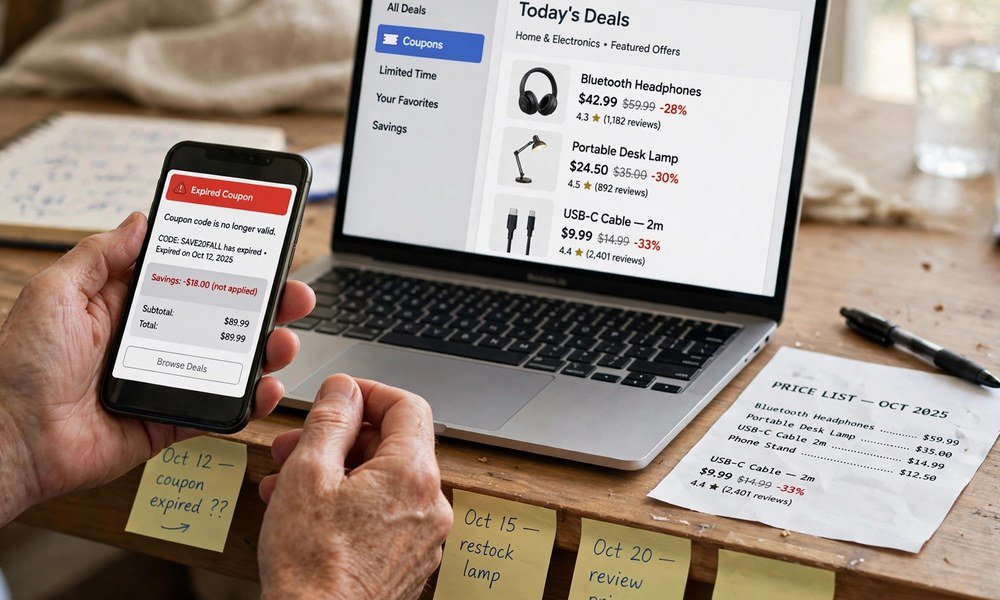
A deals page goes stale faster than almost any other page on a small business website. An offer ends on a Friday, the code stops working on a Saturday, and the page still shows the discount on Monday. Visitors who try to claim it meet a dead code, and some of them do not come back. The eight tools in this roundup watch the page itself: they check that every offer is still live, every code still works, and every discount still leaves a margin.
These are page upkeep tools, not deal display tools. They do not build popups, bars, or countdown timers. They audit, monitor, and remind. The distinction matters because a business can have the best looking deals page on the web and still lose sales to an expired offer that nobody removed.
We judged each tool on the real work of running a deals page week to week. First, freshness: the tool must show what changed on the page and when. Second, expiry: end dates must be visible and warned about before they pass. Third, broken codes and links: dead offers must be easy to find. Fourth, margin: the tool must help the team see what a discount costs. ContentKing leads overall, Visualping leads for change spotting, and Screaming Frog leads for a full audit.
Key takeaways
- ContentKing is the best overall pick for keeping a deals page accurate, with real time monitoring and alerts when page content changes or breaks.
- Visualping is the best pick for spotting price and offer changes on the page, with a free plan for a small number of checks.
- Screaming Frog and Ahrefs Site Audit are the best picks for a full scheduled audit of links, codes, and page errors.
- Airtable is the best pick for the deal register itself, holding end dates, margins, and owners in one place.
- Start with one monitor and one register, and check the page against real orders weekly for the first month.
What managing a deals page actually means
A deals page is a list of live offers, and managing it means keeping that list true. Every entry answers four questions: what is on offer, what it costs now, when it ends, and what to do next. When any of those answers goes out of date, the page starts to mislead visitors. Our explainer on what a business website deals page is sets out the idea in full, and this roundup covers the tools that keep it working after launch.
The work falls into three routines: a weekly freshness pass, an expiry sweep for offers ending in the next seven days, and a margin review that asks whether the discount still earns money after product, packing, and delivery costs.
How the eight tools were judged
Every tool here was judged on the same four tests. Freshness asks whether the tool shows what changed on the deals page and when it changed. Expiry asks whether end dates are visible and warned about in advance. Broken codes and links asks whether dead offers can be found without clicking every entry by hand. Margin asks whether the tool helps the team see the cost of each discount.
We also weighed fit for a small business, favouring tools that start fast and cost little at first. Our roundup of tools for managing website deals covers popups and timers that surface offers, while this roundup covers the upkeep of the page itself.
1. ContentKing — Best overall
ContentKing watches pages around the clock and alerts the team the moment content changes, breaks, or disappears. For a deals page, that means an alert when an offer vanishes, a price changes, or a link starts to fail. Plans start from about 39 dollars per month, with a free trial. Pros: real time alerts and a clear change history. Cons: the price is higher than a simple page monitor.
2. Visualping — Best for spotting changes
Visualping checks a page on a schedule and sends an alert with a visual comparison when anything changes. A small business can point it at the deals page and see which offer changed, which price moved, and which banner disappeared. The free plan covers a small number of checks each month, and paid plans start from about 13 dollars per month. Pros: simple to set up, with visual diffs anyone can read. Cons: it reports changes but does not judge them, so a human still decides whether a change is a problem.
3. Screaming Frog SEO Spider — Best for a full audit
Screaming Frog crawls a website and reports every broken link, redirect, missing page, and error in one list. Run it against the deals page and it finds dead offer links and pages that return errors. The free version covers up to 500 URLs, and the paid licence costs about 199 pounds per year. Pros: thorough and fast. Cons: it is a desktop tool that needs a scheduled run.
4. Ahrefs Site Audit — Best for scheduled audits
Ahrefs Site Audit crawls the site on a schedule and flags broken links, redirect chains, and pages with errors, with a health score that shows whether the deals page is getting better or worse. Plans start from about 99 dollars per month for the full Ahrefs suite. Pros: scheduled crawls and clear health reporting. Cons: the price buys a full SEO suite, which is more than a deals page alone needs.
5. Little Warden — Best for expiry monitoring
Little Warden watches the small things that expire quietly: domains, certificates, and links that stop working. A deals page team can use it to watch the pages behind each offer, so an expired landing page is flagged before a customer meets it. Plans start from about 12 dollars per month. Pros: cheap and focused. Cons: it watches pages and domains, not discount codes, so code testing still needs a manual check.
6. Airtable — Best for the deal register
Airtable holds the deal register: one row per offer, with the end date, the code, the margin, and the owner. Views can show only the offers ending this week, or only the offers below a margin threshold. The free plan covers a small team, and paid plans start from about 20 dollars per user per month. Pros: flexible and visual. Cons: it is a register, not a monitor, so it only works if the team updates it.
7. Distill Web Monitor — Best budget monitor
Distill watches parts of a page, not just the whole page, so it can watch the price of one offer or the code box of another. It runs as a browser extension and a cloud service, with a free plan and paid plans from about 15 dollars per month. Pros: precise part page monitoring and a free plan. Cons: the free plan limits how often checks run.
8. Checkbot — Best free broken link checker
Checkbot is a free browser extension that checks every link on a page and reports the broken ones in seconds. It is the fastest way to sweep a deals page before a big promotion: open the page, run the check, and fix every dead link it finds. Pros: free and instant. Cons: it checks links only, not codes, prices, or expiry dates.
What the tools do not fix
No tool in this roundup writes the offer, sets the price, or talks to a customer. A monitor can report that a code stopped working, but only a person can test the replacement code at checkout. A register can show that a margin is thin, but only the owner can decide whether the discount is worth it. The tools remove the finding work, not the deciding work.
The caveats that matter
Prices below are approximate starting prices from late 2026. A free plan may cap the number of checks, and a monitor may only watch the page, not the checkout behind it. Test the tool on one offer before pointing it at the whole page.
| Detail | What is known |
|---|---|
| Best overall | ContentKing, real time change alerts, from about 39 dollars per month |
| Best for spotting changes | Visualping, visual comparisons, free plan, paid from about 13 dollars per month |
| Best for a full audit | Screaming Frog, desktop link crawl, free to 500 URLs, licence about 199 pounds per year |
| Best for scheduled audits | Ahrefs Site Audit, scheduled crawls, health score, from about 99 dollars per month |
| Best for expiry monitoring | Little Warden, watches expiring pages and domains, from about 12 dollars per month |
| Best for the deal register | Airtable, one row per offer, free plan, paid from about 20 dollars per user per month |
| Best budget monitor | Distill Web Monitor, watches parts of a page, free plan, paid from about 15 dollars per month |
| Best free link checker | Checkbot, free browser extension that finds broken links on a page in seconds |
Two of the eight tools do the same broad job in different ways, so a small team does not need both. Pick one monitor and one auditor, then add the register.
Checklist: keeping a deals page honest
Use these checks before a promotion goes live and once a week while it runs.
- Every offer on the page is still live, with an end date that has not passed.
- Every code on the page works at checkout, tested with a real order.
- Every link on the page leads to a live offer, not an error or a redirect loop.
- Every price on the page matches the price at checkout, including the discount.
- Every discount still leaves a margin after product, packing, and delivery costs.
- Every expired offer is removed from the page the same day it ends.
Frequently asked questions
What does managing a deals page mean?
It means keeping the list of offers true: removing what ended, fixing what broke, and checking what each discount costs.
How is this different from deal management tools?
Deal management tools surface offers with popups, bars, and timers. The tools here watch the page itself, checking freshness, expiry, broken codes, and margins.
Do I need all eight tools?
No. Most small businesses need three: one monitor, one auditor for broken links, and one register for dates and margins.
How often should a deals page be checked?
Once a week at minimum, and on the day any offer starts or ends. A page with daily offers needs a daily check.
Can a free tool do the job?
Yes, for a small page. Visualping has a free plan, Checkbot is free, and Airtable has a free plan. The three together cover monitoring, link checks, and the register.
What is the most common deals page mistake?
Leaving an expired offer on the page. It costs trust first and sales second, because a visitor who meets a dead code often leaves without trying another offer.
Coupons sit next to deals on most small business sites, and our roundup of tools for managing website coupons covers the tools that keep code pages accurate.
The bottom line
A deals page earns trust by staying true, and staying true is a routine, not a launch event. One monitor, one auditor, and one register will keep most small business deals pages accurate with a weekly check of a few minutes.
ContentKing is the strongest single pick for a team that can afford it, while Visualping, Checkbot, and Airtable cover the same three jobs free for a small page. Test every code at checkout, and remove every expired offer the day it ends.
Note: prices are approximate starting prices from late 2026 and change often, so check current pricing before buying, and test every tool on one offer before pointing it at the whole page.