
A sitemap is the list that tells search engines which pages exist on a site, and in what order they matter. For a small business, a stale sitemap is a quiet problem: new pages stay hidden, old pages keep getting crawled, and search results lag behind the real site. The right tool keeps that list current without manual edits, submits it to search engines, and shows the page structure in a form a non technical owner can read.
This roundup ranks seven tools for managing a small business website sitemap page in 2027. The ranking weighs automatic updates, submission to search engines, visual structure, support for images and video pages, and price. A tool that builds the sitemap once and never updates it ranks low. A tool that updates the list each time a page is added, and flags pages that should not be listed, ranks high.
The shortlist covers two WordPress SEO plugins, a standalone generator, a visual mapper, a planning tool, an affordable audit suite, and a desktop generator. Yoast SEO leads for WordPress owners. XML-Sitemaps.com leads for sites outside WordPress. The best choice for most small businesses is the tool that already sits inside the site platform, so the sitemap updates itself.
Key takeaways
- Yoast SEO is the best overall pick for WordPress sitemap management.
- Rank Math is the best free WordPress alternative with strong sitemap controls.
- XML-Sitemaps.com suits sites outside WordPress that need a standalone file.
- Dyno Mapper and Slickplan help owners see and plan the page structure.
- Submit the sitemap after every major change, and check the coverage report.
At a glance: the shortlist
| Tool | Best for | Starting price | Standout limit |
|---|---|---|---|
| Yoast SEO | WordPress sitemaps | Free, premium from about 99 dollars per year | Premium features need a paid plan |
| Rank Math | Free WordPress controls | Free, pro from about 59 dollars per year | Many settings can overwhelm new users |
| XML-Sitemaps.com | Standalone sitemaps | Free to 500 pages, paid from about 4 dollars per month | Free tier stops at 500 pages |
| Dyno Mapper | Visual sitemaps | From about 49 dollars per month | Price is high for a very small site |
| Slickplan | Planning structure | Free trial, paid from about 13 dollars per month | Planning tool, not a live sitemap host |
| SE Ranking | Affordable audits | From about 52 dollars per month | Sitemap checks sit inside a larger suite |
| A1 Sitemap Generator | Desktop generation | Free trial, licence from about 69 dollars | Desktop only, manual upload needed |
1. Yoast SEO — Best overall
Yoast SEO builds and updates the XML sitemap for a WordPress site at once, with no manual file edits. Each new post or page joins the sitemap when it is published, and each deleted page leaves it, so the list stays current without a weekly chore. The sitemap splits by type, with separate lists for posts, pages, and other content, which keeps each file small and easy for search engines to read. The free version covers the core sitemap for most small sites.
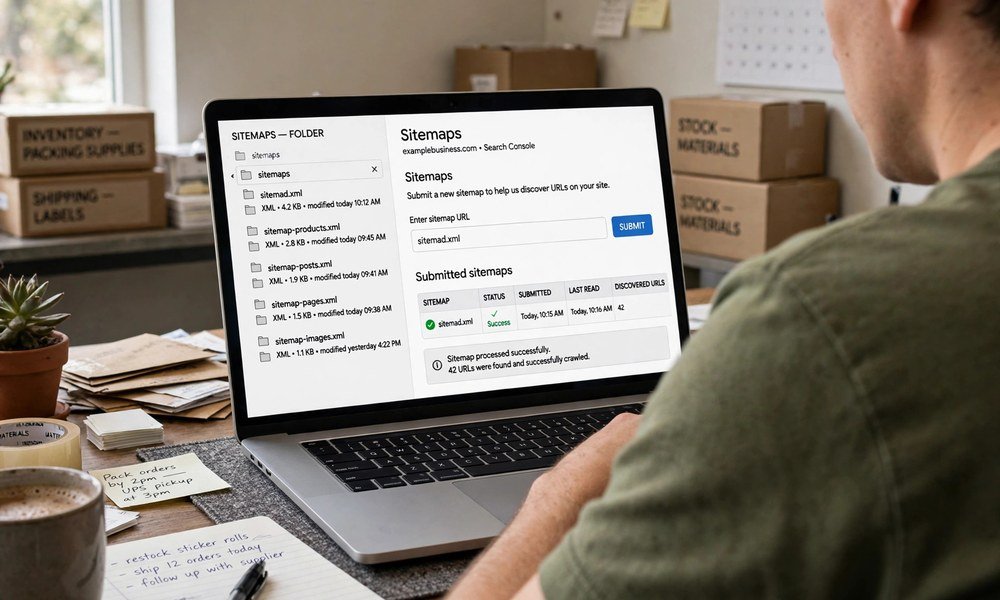
The settings let an owner exclude a page type or a single page, which matters for thank you pages, draft pages, and other pages that should not appear in search results. The plugin also adds image data to the sitemap, so images on key pages get listed too. For the basics of what the file holds, read our guide to what a business website sitemap is for small businesses before changing any setting.
Pros: automatic updates, clean split by content type, simple exclusion controls. Cons: premium features need a paid plan, some settings sit deep in menus, WordPress only.
2. Rank Math — Best free WordPress alternative
Rank Math is a free WordPress SEO plugin with detailed sitemap controls that rival paid tools. It builds the XML sitemap at once, updates it on publish, and lets an owner include or exclude posts, pages, products, and custom types with simple toggles. The sitemap index lists each section in one place, and the plugin pings search engines when the list changes, which speeds up discovery of new pages.
Pros: strong free sitemap controls, image and video support, fast ping on changes. Cons: dense settings panel, WordPress only, some features need the pro plan.
3. XML-Sitemaps.com — Best standalone generator
XML-Sitemaps.com is a web based generator that crawls a site and builds a sitemap file to download and upload. It suits a site that does not run WordPress, or a static site with no SEO plugin, because it needs no install on the site itself. The free version covers up to 500 pages, which fits most small business sites. The paid plans raise the limit and add scheduled generation, so the file can refresh without a manual run.
Pros: works on any platform, no install needed, free to 500 pages. Cons: manual upload step, free tier limit, scheduled runs need a paid plan.
4. Dyno Mapper — Best visual sitemap
Dyno Mapper turns a site crawl into a visual map, with each page shown as a box linked to its parent page. That view makes structure problems obvious: a page buried five levels deep, a section with no clear parent, or a set of orphan pages with no links in. The tool also tracks content, keywords, and analytics for each page, so an owner can see which pages earn visits and which pages sit idle.
Pros: clear visual structure, orphan page detection, useful for redesigns. Cons: high price, more than a basic sitemap needs, learning curve for new users.
5. Slickplan — Best for planning structure
Slickplan is a planning tool for drawing a site structure before building it, or before a redesign. An owner drags page boxes into a tree, adds notes to each page, and exports the plan as a sitemap file or a diagram. The tool also crawls an existing site and turns the live structure into a diagram, which shows how the current site actually looks, not how the owner remembers it.
Pros: easy drag and drop planning, crawl to diagram, low starting price. Cons: not a live sitemap host, manual sync after planning, limited audit features.
6. SE Ranking — Best affordable audit
SE Ranking is an SEO suite with a website audit that checks the sitemap as part of a wider technical review. The audit reports missing sitemap files, pages that are listed but return errors, and pages that exist but are missing from the sitemap. That last check is the useful one, because it catches new pages that never joined the list. The audit can run on a schedule, so the sitemap stays checked without a manual run.
Pros: affordable suite, finds pages missing from the sitemap, scheduled audits. Cons: sitemap tools are basic, no visual map, limits vary by plan.
7. A1 Sitemap Generator — Best desktop generator
A1 Sitemap Generator is a desktop tool that crawls a site and builds XML, image, video, and HTML sitemaps from the results. It runs on the owner computer, so the crawl speed and the page limit depend on the machine, not on a cloud plan. The tool lets an owner filter by page type, exclude sections, and split large sitemaps into smaller files, which helps a site with many pages stay within the file size limits that search engines prefer.
Pros: one off licence, detailed filters, multiple sitemap types. Cons: desktop only, manual upload needed, no automatic updates.
How to choose
Start with the site platform. A WordPress site should use Yoast SEO or Rank Math, because the sitemap then updates itself on every publish, with no upload step. A site outside WordPress should use XML-Sitemaps.com for a simple file, or A1 Sitemap Generator for a larger site with many sections. A business planning a redesign should add Slickplan or Dyno Mapper for the visual view, then let the plugin keep the live file current.
When the choice is close, pick the tool with the clearest coverage report, because a report that shows which pages are missing from the sitemap gets used, while a dense report gets ignored. Our guide to how to create a business website sitemap in 2027 covers the planning side of the same job, so the tool choice and the page structure stay in step. A clear report also helps an owner prove that a new page joined the list, which is the point of the whole exercise.
Checklist: before you pay
- Check that the sitemap updates itself when a page is added or deleted.
- Confirm that pages that should stay private can be excluded from the list.
- Check the page limit against the true page count, including old posts.
- Confirm that image and video pages are covered where the site needs them.
- Look at the renewal price, not only the first month or first year price.
- Confirm that the file can be submitted to Google and Bing from the same tool.
Frequently asked questions
How often should a sitemap update?
It should update at once when a page is added, changed, or deleted. A plugin does this by default. A manual generator needs a new run after each major change, at least once a month.
Does a sitemap guarantee that pages will rank?
No. A sitemap helps search engines find pages, but ranking depends on content, links, and quality. A page can be listed and still not rank, and a page can rank without being listed, though listing helps discovery.
Should every page be in the sitemap?
No. List the pages that should appear in search results. Exclude thank you pages, admin pages, duplicate pages, and pages with no useful content, so search engines spend crawl time on the pages that matter.
What is the difference between an XML sitemap and an HTML sitemap?
An XML sitemap is a file for search engines, with page addresses and update dates. An HTML sitemap is a page for visitors, with links to the main sections. Most small sites need the XML file first.
How do I know if the sitemap worked?
Check the coverage report in Google Search Console a few days after submission. It shows how many listed pages were found and indexed, and flags any errors in the file itself.
Where do I submit the sitemap after building it?
Submit it in Google Search Console and Bing Webmaster Tools. Our guide to how to submit your sitemap to Google in 2027 walks through the submission step and the follow up checks.
The bottom line
For most small businesses, Yoast SEO is the best first tool for sitemap management on WordPress, Rank Math is the best free alternative, and XML-Sitemaps.com covers sites outside WordPress. A business planning a redesign should add a visual mapper, and a business that wants one affordable suite should look at SE Ranking. The tool matters less than the routine: keep the list current, exclude the pages that should stay private, and check the coverage report after each major change. Treat a falling count as a signal to inspect the file before the next submission.
Watch the coverage count after each submission, and resubmit after the next site change. Prices and limits change, so check current pricing before buying a paid plan, and test the free tier on the real site first.
Note: Prices and plans change. Check the current plan details before buying — no link is provided here by design, all links in this article go to other occcy.com guides.