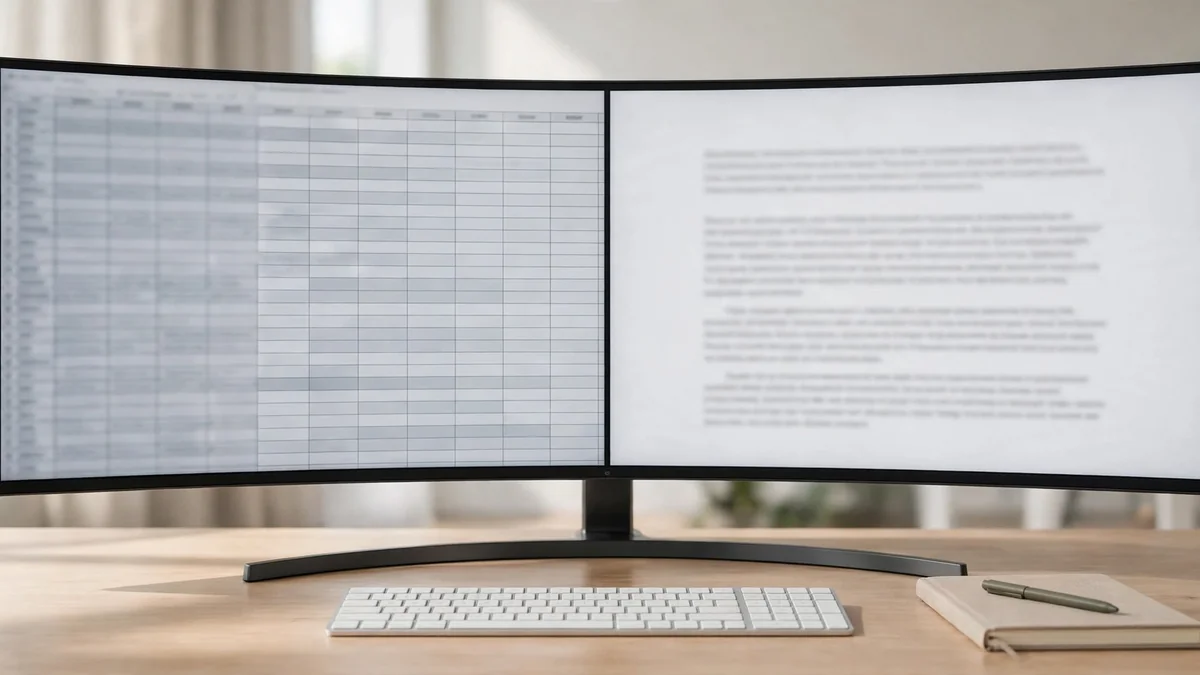
Best ultrawide monitors for work in 2027 have quietly become the default desk upgrade for people who live in spreadsheets, timelines, and documents. A 34-inch or 40-inch ultrawide replaces two separate screens with one seamless panel, so you can keep email, a document, and a video call open side by side without bezels cutting through the middle of your workspace.
The format works because modern work is wide, not tall. A 21:9 or 32:9 panel gives you room for two full windows at once, which cuts the constant alt-tabbing that breaks concentration. The best work ultrawides also bring high resolution, accurate colour, USB-C laptop charging, and a KVM switch for two machines.
We compared the current field on panel size, resolution, colour accuracy, connectivity, and price, and picked seven monitors that cover every desk and budget, from a $399 entry point to a 40-inch flagship. Prices below are approximate starting prices — check current pricing before you buy.
Key takeaways
- The Dell UltraSharp 40 U4025QW is the best overall ultrawide for work, with a huge 5K2K panel and a full Thunderbolt hub built in.
- The LG 34WQ75C-B is the best value 34-inch ultrawide, with USB-C charging and solid colour for around $549.
- A 34-inch 3440 by 1440 panel is the sweet spot for most desks — big enough to replace two monitors, small enough to fit.
- USB-C with at least 65 watts of charging turns the monitor into a one-cable docking station for a laptop.
- Curved panels help at 38 inches and above, but a flat 34-inch screen is fine for most people.
At a glance: the shortlist
| Monitor | Best for | Starting price | Standout feature |
|---|---|---|---|
| Dell UltraSharp 40 U4025QW | Most professionals | From $1,799 | 40-inch 5K2K with Thunderbolt hub |
| LG 34WQ75C-B | Best value | From $549 | 34-inch with USB-C charging |
| Samsung ViewFinity S65UC | Curved value | From $649 | 34-inch 1000R curve with USB-C |
| Dell UltraSharp 34 U3425WE | Office setups | From $899 | 120Hz IPS Black with KVM |
| LG 38WR85QC-W | Large screens | From $999 | 38-inch 1600p with 144Hz |
| BenQ PD3420Q | Designers | From $799 | Factory-calibrated colour accuracy |
| Gigabyte G34WQC A | Budget gaming and work | From $399 | 34-inch 144Hz at a low price |
Dell UltraSharp 40 U4025QW — Best overall
The Dell UltraSharp 40 U4025QW is the most capable work monitor in this roundup. Its 40-inch curved panel runs at 5120 by 2160 resolution, sharp enough for small text and wide enough for three windows. The IPS Black panel delivers deep contrast for an office display, and it covers 99 percent of the DCI-P3 colour space, so design work looks accurate too.

Connectivity is where it earns its premium price. A Thunderbolt 4 hub delivers up to 140 watts of laptop charging, plus Ethernet, DisplayPort, HDMI, and a KVM switch for two computers. If you are building a serious home office, pair it with a well-chosen display from our guide to the best monitors for home offices to compare sizes before you commit to 40 inches.
Pros: Huge sharp 5K2K panel; full Thunderbolt hub with 140W charging; excellent colour and contrast.
Cons: Expensive; needs a deep desk; 120Hz is wasted on pure office work.
LG 34WQ75C-B — Best value
The LG 34WQ75C-B is the ultrawide most people should buy. Its 34-inch 3440 by 1440 IPS panel is bright and colour-accurate enough for everyday design and photo work, and USB-C with 90 watts of charging means a laptop connects with a single cable. The stand adjusts for height and tilt, and the slim bezels keep the desk looking tidy.
It is not a gaming monitor — the 60Hz refresh rate is standard for office panels — but for documents, spreadsheets, and video calls it is all you need. At around $549, it delivers most of what the premium models offer for a third of the price.
Pros: Great price; USB-C with 90W charging; accurate colour for the price.
Cons: 60Hz only; basic speakers; no KVM switch.
Samsung ViewFinity S65UC — Best curved value
The Samsung ViewFinity S65UC brings a 1000R curved panel to the budget end of the ultrawide market. The aggressive curve wraps the 34-inch screen around your field of view, which makes the edges feel closer. The 3440 by 1440 VA panel has strong contrast, and HDR10 support adds punch to video.
USB-C with 90 watts of charging is included, along with a KVM switch and a built-in speaker. Head-on the image is rich and punchy. For the price, it is the best curved ultrawide for a home office.
Pros: Immersive 1000R curve; strong contrast; USB-C charging and KVM included.
Cons: Narrower viewing angles than IPS; colour accuracy trails IPS rivals.
Dell UltraSharp 34 U3425WE — Best for office setups
The Dell UltraSharp 34 U3425WE is the office workhorse of this list. Its 34-inch IPS Black panel runs at 3440 by 1440 with a smooth 120Hz refresh rate, and the contrast is noticeably deeper than a standard IPS screen, which makes text easier on the eyes during long days. Dell’s factory calibration keeps colours accurate out of the box.
The hub is generous: Thunderbolt 4, DisplayPort, HDMI, Ethernet, and USB ports, plus a KVM switch and 90 watts of charging. Dell’s three-year warranty with advance exchange is the best support package here. It costs more than the LG, but for a monitor you will stare at eight hours a day, the build quality justifies it.
Pros: Deep-contrast IPS Black panel; full Thunderbolt hub; excellent warranty.
Cons: Costs more than budget 34-inch rivals; no built-in webcam; 120Hz is overkill for office use.
LG 38WR85QC-W — Best large screen
The LG 38WR85QC-W is for people who find 34 inches just a little too small. Its 38-inch panel runs at 3840 by 1600, which adds meaningful vertical space over a 34-inch model. The 144Hz refresh rate keeps scrolling smooth, and the Nano IPS panel covers 98 percent of DCI-P3.
The gentle 2300R curve keeps the edges in comfortable view. USB-C with 90 watts of charging and a KVM switch are included. The main cost is desk space: at nearly a metre wide, it needs a deep desk and a strong arm or stand.
Pros: Extra vertical space at 1600p; smooth 144Hz; wide colour coverage.
Cons: Very wide — needs a deep desk; premium price; heavy.
BenQ PD3420Q — Best for designers
The BenQ PD3420Q is built for colour-critical work. It ships factory-calibrated with a report in the box, covering 98 percent of DCI-P3 and 100 percent of sRGB, and it includes BenQ’s Hotkey Puck for switching between colour modes without digging through menus. For graphic designers and photo editors, that out-of-the-box accuracy is the whole point. For more colour-accurate options, see our guide to the best monitors for graphic design.
The 34-inch 3440 by 1440 IPS panel is flat rather than curved, which many designers prefer for straight lines, and USB-C with 65 watts of charging handles most laptops. The refresh rate is 60Hz, which is fine for design work but less smooth than the 120Hz and 144Hz panels here.
Pros: Factory-calibrated colour accuracy; handy Hotkey Puck; flat panel suits design work.
Cons: 60Hz only; 65W charging is low for larger laptops; no KVM.
Gigabyte G34WQC A — Best budget pick
The Gigabyte G34WQC A is the cheapest way into a proper ultrawide. Its 34-inch 3440 by 1440 VA panel runs at 144Hz, which makes scrolling and window movement feel noticeably smoother than a 60Hz office screen, and the 1500R curve adds a bit of immersion. For the price, the image quality is good in a bright room.
It is clearly a budget panel in other respects: no USB-C, no KVM, and colour accuracy that is fine for office work but not for design. If you want ultrawide screen space and a high refresh rate for the least money, though, nothing else here comes close.
Pros: Lowest price here; smooth 144Hz; decent image for the money.
Cons: No USB-C or KVM; colour accuracy is basic; limited stand adjustment.
How to choose
Start with size. A 34-inch 3440 by 1440 panel is the sweet spot for most desks: wide enough to replace two monitors, small enough to fit on a standard desk, and cheap enough to be a sensible buy. Step up to 38 or 40 inches only if you have a deep desk and genuinely need the extra width, since the price jumps sharply. Programmers often prefer the taller 38-inch panels — our roundup of the best monitors for programming covers that angle.
Next, check connectivity. USB-C with at least 65 watts of charging turns the monitor into a docking station, so your laptop connects with one cable. If you switch between a work laptop and a personal machine, a KVM switch is worth having. For colour work, look for factory calibration and DCI-P3 coverage above 95 percent; for general office use, a standard IPS panel is fine.
Finally, think about curve and refresh rate. A gentle curve helps at 38 inches and above but matters little at 34 inches. A 120Hz or 144Hz panel feels smoother, but 60Hz is perfectly fine for documents and email — do not pay a premium for refresh rate you will not notice.
Checklist: before you buy
- Measure your desk depth — 38-inch and 40-inch panels need at least 70cm.
- Check your laptop’s USB-C port supports video output, not just charging.
- Confirm the monitor’s USB-C charging wattage covers your laptop.
- Test the return window in case the curve or size does not suit you.
- Budget for a monitor arm if your desk is shallow or the stand is too deep.
- Check the warranty — three years with advance exchange is the standard to expect.
Frequently asked questions
Is an ultrawide monitor better than two monitors?
For most people, yes. One ultrawide gives you the same screen space without a bezel in the middle, uses one cable, and takes up less desk depth. Two monitors still win if you need one screen in portrait or want to mix sizes.
What size ultrawide is best for work?
34 inches at 3440 by 1440 is the sweet spot for most desks. It fits a standard desk, replaces two 24-inch monitors, and is available at every price point.
Do I need USB-C on a work monitor?
If you use a laptop, yes — USB-C with at least 65 watts of charging lets you connect display, charging, and peripherals with a single cable, which keeps the desk clean and the setup simple.
Are curved ultrawide monitors good for office work?
Yes, especially at 38 inches and above, where the curve brings the edges into comfortable view. At 34 inches the benefit is small, so a flat panel is fine and often cheaper.
What resolution should I choose?
3440 by 1440 is the standard for 34-inch panels and is sharp enough for text work. At 38 inches and above, look for 3840 by 1600 or 5120 by 2160 to keep text crisp.
Can I use an ultrawide monitor for video calls?
Yes. Video calls run in a window alongside your other work, which is exactly what ultrawides are for. None of these monitors has a built-in webcam, so pair yours with a dedicated camera for the best call quality.
The bottom line
For most professionals, the LG 34WQ75C-B is the smart buy: a sharp 34-inch panel, USB-C charging, and accurate colour for around $549. If you want the best ultrawide for work full stop, the Dell UltraSharp 40 U4025QW is in a class of its own, with a huge 5K2K panel and a Thunderbolt hub that replaces a docking station.
Designers should shortlist the BenQ PD3420Q for its calibrated colour, and budget buyers get most of the experience from the Gigabyte G34WQC A for $399. Measure your desk, check your laptop’s USB-C support, and check current pricing before you order.