
For photographers, a USB-C hub is not a convenience, it is the bottleneck between a shoot and a finished edit. The best USB-C hubs for photographers in 2027 move hundreds of raw files fast, read SD and CFexpress cards without fuss, drive a colour-accurate monitor, and charge the laptop while the import runs.
The wrong hub turns that workflow into a chore. Slow card readers make a wedding import take an hour, and a hub without enough bandwidth stutters when you scrub through 4K footage. Photographers need fast card slots, high-speed data ports and reliable power delivery in one device.
We picked eight hubs built for photo work, from compact card-reader hubs for the field to full Thunderbolt docks for the editing desk. The Satechi USB4 Multiport Adapter leads for most photographers, the CalDigit TS3 Plus is the best desk dock, and the Anker PowerExpand Elite is the best all-rounder. Prices below are approximate starting prices, so check current pricing before you buy.
Key takeaways
- The Satechi USB4 Multiport Adapter is the best USB-C hub for photographers overall, with fast UHS-II SD and microSD slots and 4K 60Hz output.
- UHS-II card readers matter more than port count: they cut raw import times roughly in half compared with UHS-I readers.
- Thunderbolt docks are worth it if you edit from external SSDs or drive a high-resolution monitor while importing.
- Look for at least 85W power delivery so the laptop charges while you import and edit.
- CFexpress shooters should check card support, since most hubs read SD only and need a separate reader.
At a glance: the shortlist
| Product | Best for | Starting price | Standout limit |
|---|---|---|---|
| Satechi USB4 Multiport Adapter | Best overall | $99 | SD only, no CFexpress |
| Anker PowerExpand Elite 13-in-1 | Best all-rounder | $179 | Large for travel |
| CalDigit TS3 Plus | Best desk dock | $249 | Thunderbolt 3, not 4 |
| OWC Thunderbolt Hub | Fast external drives | $169 | No Ethernet port |
| UGREEN Revodok Max 213 | Best value 13-in-1 | $149 | Card reader is UHS-I only |
| HyperDrive Dual 4K HDMI Hub | Dual-monitor editing | $199 | Needs a compatible laptop for dual 4K |
| Plugable TBT3-UDV | Budget Thunderbolt dock | $199 | 60W charging only |
| Belkin USB-C 6-in-1 Multiport Adapter | Field and travel | $79 | Fewer ports, no Ethernet |
Satechi USB4 Multiport Adapter — Best overall
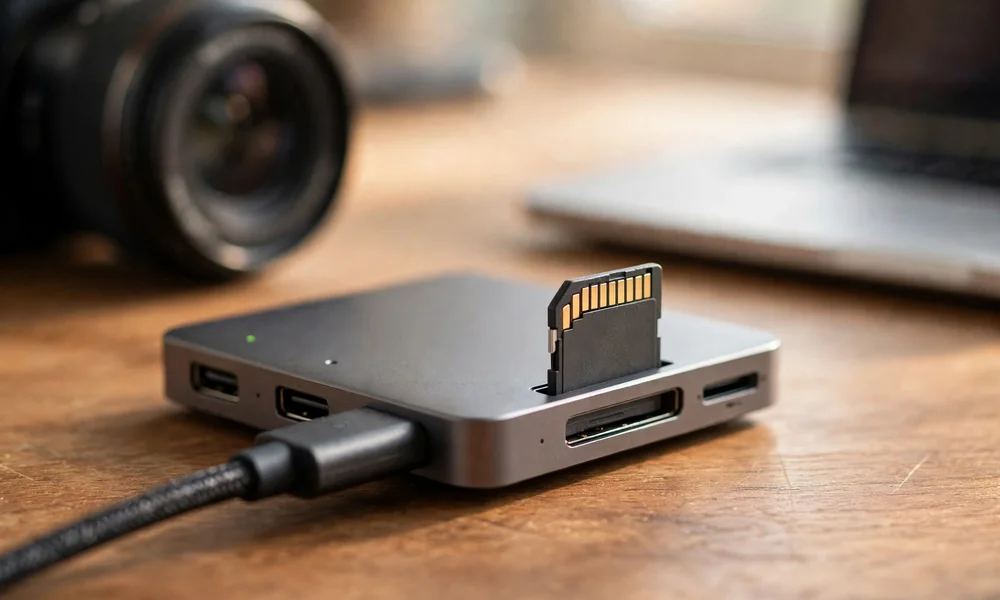
The Satechi USB4 Multiport Adapter is the hub most photographers should buy first. It combines UHS-II SD and microSD card slots, HDMI 4K 60Hz, two USB-A 10Gbps ports, two USB-C ports and 100W pass-through charging in a slim aluminium body that fits in a camera bag. Its UHS-II reader imports raw files at up to 312MB/s, roughly twice the speed of UHS-I readers.
USB4 bandwidth also moves files to an external SSD at full speed while driving a 4K monitor. It is bus-powered and works on Mac and Windows without drivers, though CFexpress shooters still need a dedicated reader.
Pairing the hub with a capable editing machine matters too, and our roundup of the best ultrabooks covers light laptops that handle photo editing well on location.
Pros: UHS-II SD and microSD slots, USB4 speeds, 4K 60Hz, 100W charging, compact.
Cons: No CFexpress support, bus-powered so it cannot run many high-draw devices at once.
Anker PowerExpand Elite 13-in-1 — Best all-rounder
The Anker PowerExpand Elite is the hub for photographers who want every port in one box. Its 13 ports include HDMI 4K 60Hz, DisplayPort, three USB-A ports, two USB-C ports, Gigabit Ethernet, UHS-II SD and microSD slots, and a 3.5mm audio jack, with 85W charging.
The UHS-II reader keeps imports fast, and the dual video outputs let you run a second monitor for panels and thumbnails while the main display shows the image. At around $179 it is good value for a desk hub that never moves.
Pros: 13 ports, UHS-II card slots, dual video output, powered dock, 85W charging.
Cons: Bulky with a power brick, 85W may not charge high-end laptops quickly.
CalDigit TS3 Plus — Best desk dock
The CalDigit TS3 Plus has been a favourite on editing desks for years, and it still earns its place. It offers 15 ports, including two Thunderbolt 3 ports, DisplayPort 1.2, USB-A and USB-C, Gigabit Ethernet, SD and audio, with 87W charging. The Thunderbolt ports daisy-chain a fast RAID or SSD array for your photo library.
Its UHS-II reader keeps imports fast, though it is Thunderbolt 3 rather than 4 and uses DisplayPort instead of HDMI. For a photographer with a Thunderbolt laptop and a big external library, it remains excellent value at around $249.
Pros: 15 ports, UHS-II reader, daisy-chain Thunderbolt, proven reliability, Gigabit Ethernet.
Cons: Thunderbolt 3 only, DisplayPort instead of HDMI, ageing design.
OWC Thunderbolt Hub — Best for fast external drives
The OWC Thunderbolt Hub is built around speed. Its four Thunderbolt ports and single USB-A port let you connect several high-speed SSDs at once, which suits photographers who keep their library on external drives and edit directly from them.
The trade-offs are clear: there is no Ethernet port, no HDMI, and no built-in card reader, so you will still need a separate SD reader and a monitor adapter. At around $169 it is a specialist tool, but for photographers whose bottleneck is drive speed, it is the fastest option here.
Pros: Four Thunderbolt ports, very fast SSD speeds, compact, daisy-chaining.
Cons: No card reader, no Ethernet, no HDMI, 60W charging only.
UGREEN Revodok Max 213 — Best value 13-in-1
The UGREEN Revodok Max 213 packs 13 ports into a dock costing around $149, including dual HDMI, DisplayPort, three USB-A ports, two USB-C ports, Gigabit Ethernet, SD and microSD slots, and a 3.5mm jack, with 100W charging.
The catch is the card reader: it is UHS-I only, so imports run at roughly half the speed of the UHS-II hubs on this list. If you shoot large weddings or events and import thousands of raw files, that difference adds up.
Pros: 13 ports for around $149, dual HDMI, 100W charging, Gigabit Ethernet.
Cons: UHS-I card reader only, plastic-heavy build.
HyperDrive Dual 4K HDMI Hub — Best for dual-monitor editing
The HyperDrive Dual 4K HDMI Hub is made for photographers who edit with two screens: one for the image, one for tools and thumbnails. It drives two 4K 60Hz displays, and includes UHS-II SD and microSD slots, two USB-A ports, USB-C, Gigabit Ethernet and 100W charging.
Dual 4K output depends on your laptop supporting it, so check your machine’s specs before buying; some laptops limit the second display to 30Hz or 1080p. The hub is compact for what it does, and at around $199 it is cheaper than a full Thunderbolt dock for the same two-monitor setup.
Pros: Dual 4K 60Hz HDMI, UHS-II card slots, Gigabit Ethernet, 100W charging.
Cons: Dual 4K needs a compatible laptop, fewer USB-A ports than rivals.
Plugable TBT3-UDV — Best budget Thunderbolt dock
The Plugable TBT3-UDV is the cheapest way into a proper Thunderbolt desk setup, at around $199. It offers dual 4K display support, Gigabit Ethernet, five USB-A ports, USB-C, SD card support and audio, with 60W charging.
The 60W charging is the weak point, since many editing laptops need more, and the SD reader is UHS-I rather than UHS-II. It is also Thunderbolt 3, not 4. For a photographer whose laptop charges adequately at 60W, the TBT3-UDV is a practical compromise.
Pros: Five USB-A ports, dual 4K support, Gigabit Ethernet, around $199.
Cons: 60W charging only, UHS-I card reader, Thunderbolt 3.
Belkin USB-C 6-in-1 Multiport Adapter — Best for field and travel
The Belkin 6-in-1 is the hub to carry on a shoot. It is small, light and tough, with HDMI 4K 60Hz, two USB-A ports, a USB-C data port, SD and microSD slots, and 100W pass-through charging.
The card slots are UHS-I, so imports are slower than the Satechi, and there is no Ethernet port, which rarely matters in the field. At around $79 it is the cheapest hub on this list and a sensible backup to keep in the camera bag.
Pros: Small and light, 4K 60Hz, 100W charging, around $79, reliable brand.
Cons: UHS-I card reader only, no Ethernet, only six ports.
How to choose
Start with your cards. If you shoot SD, a hub with UHS-II slots such as the Satechi or the Anker PowerExpand Elite will halve your import times. If you shoot CFexpress, no hub on this list reads those cards, so budget for a dedicated CFexpress reader and choose your hub for its other ports instead.
Next, think about where you edit. A field hub should be small, bus-powered and tough, like the Belkin 6-in-1. A desk hub should be powered, with dual video outputs and enough USB ports for drives, a printer and a tablet.
Finally, check power delivery and ergonomics. The hub should charge your laptop at 85W or more while you work, and our guide to the best laptop stands for desks is worth reading when you set up your editing space.
Checklist: before you pay
- Check whether your cards are SD, microSD or CFexpress, and confirm the hub’s reader matches.
- Prefer UHS-II readers if you import large numbers of raw files regularly.
- Confirm the hub’s video output supports your monitor’s resolution and refresh rate.
- Match power delivery to your laptop’s charger, aiming for 85W or more.
- Count your drives, printer and tablet, and leave at least one spare USB port.
- Test the hub with your own cards and laptop during the return window.
Frequently asked questions
What is the fastest way to import photos through a hub?
Use a hub with a UHS-II SD reader and a UHS-II card, connected to a USB-C port with at least 10Gbps bandwidth. That combination imports raw files roughly twice as fast as UHS-I.
Can a USB-C hub drive a colour-accurate 4K monitor?
Yes. Any hub on this list with HDMI 4K 60Hz or DisplayPort can drive a 4K editing monitor at full resolution. Colour accuracy depends on the monitor and its calibration, not the hub, so the hub’s job is simply to deliver a stable 60Hz signal without compression.
Do I need Thunderbolt for photo editing?
Not necessarily. Thunderbolt helps when you edit from fast external SSDs or run dual high-resolution monitors.
Will a hub charge my laptop while I import photos?
Yes, if its power delivery is high enough. Hubs with 85W or 100W charging keep most editing laptops charged during imports. Bus-powered hubs pass the laptop’s own charger power through, so keep the charger connected to the hub rather than the laptop.
Can I edit photos from an external drive through a hub?
Yes, and many photographers do. Use the hub’s fastest USB-C or Thunderbolt port for the drive, keep the drive on a short quality cable, and avoid daisy-chaining it behind slower devices. Our guide to the best budget tablets under $300 covers affordable options for that.
Is a cheap hub safe for my memory cards?
Generally yes, but cheap hubs with poor power management can drop a card mid-transfer, which risks corrupting files. Never remove a card while the light is flashing, and always keep a backup before formatting a card.
The bottom line
For most photographers, the Satechi USB4 Multiport Adapter is the right buy: fast UHS-II card slots, USB4 speeds, 4K 60Hz video and 100W charging for around $99. If you edit at a desk, add the Anker PowerExpand Elite or the CalDigit TS3 Plus for a full powered setup, and keep the Belkin 6-in-1 in your camera bag for field work.
Whatever you choose, match the hub to your cards and your monitor first, then to your budget, and check current pricing before you buy.