
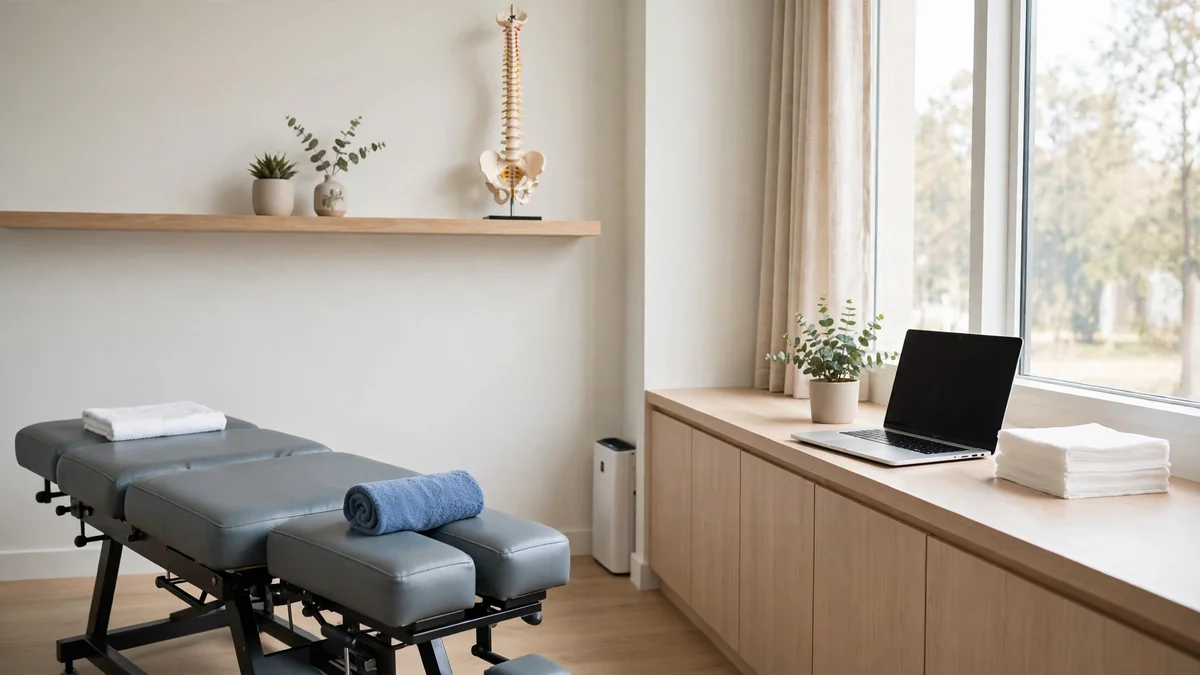
Best VPN services for chiropractors in 2027 protect the patient records, booking systems, and payment details that run through a modern clinic every day. A chiropractor’s network carries intake forms, treatment notes, insurance claims, and card payments, often across a front desk, several treatment rooms, and a home office. A virtual private network encrypts that traffic, so a weak clinic Wi-Fi network or a public connection on the road cannot expose it to anyone listening in.
The right VPN for a chiropractic clinic is not the same as the right VPN for streaming. Chiropractors need a service with a strict no-logs policy that has been independently audited, a kill switch that blocks traffic if the connection drops, and apps that work without fuss on the front-desk computer, the treatment-room tablet, and the phone used for telehealth consults.
We compared the leading services on privacy audits, connection speed, ease of use, device limits, and price, with a clinic’s daily routine in mind. The shortlist below covers solo practitioners, multi-room clinics, and chiropractors who split time between the clinic and home. NordVPN leads for most chiropractors, Surfshark is the best value for a whole clinic, and Proton VPN is the strongest pick for chiropractors who want a free tier to start with.
Key takeaways
- NordVPN is the best VPN for chiropractors overall, with audited no-logs protection, fast speeds, and a Meshnet feature for secure remote access.
- Surfshark is the best value for clinics, because one subscription covers unlimited devices at a low starting price.
- Proton VPN is the best free option, with a genuinely useful free tier and strong privacy protections from Switzerland.
- A VPN encrypts your connection but does not make a clinic compliant on its own.
- Always use a kill switch and check current pricing before you buy.
At a glance: the shortlist
| Service | Best for | Starting price | Standout limit |
|---|---|---|---|
| NordVPN | Most chiropractors | From about $3.09 per month | 10 devices at once |
| ExpressVPN | Simple setup | From about $4.99 per month | 8 devices at once |
| Surfshark | Whole clinics | From about $1.99 per month | Unlimited devices |
| Proton VPN | Free tier | From about $3.59 per month | 10 devices at once |
| Mullvad | Maximum anonymity | About 5 euros per month | 5 devices at once |
| CyberGhost | Easy streaming and browsing | From about $2.03 per month | 7 devices at once |
| Private Internet Access | Budget and customization | From about $2.03 per month | Unlimited devices |
NordVPN — Best overall
NordVPN is the best VPN for chiropractors in 2027 because it covers every part of the job well. Its no-logs policy has been audited several times, it runs more than 7,000 servers in 165 locations, and its speeds keep video consults smooth even on a busy clinic connection. The apps are clean and simple, which matters when you want to connect once in the morning and forget about it.

Two features stand out for clinic work. Meshnet lets you reach files on your office computer from home through a private network, which is handy when you need to check a schedule or a patient note after hours. The service also includes a reliable kill switch on every platform, so a dropped connection never leaks unprotected traffic.
The same qualities that make NordVPN strong for chiropractors also make it a solid pick in other care professions, and the best VPN services for nurses share many of the same privacy demands. NordVPN accepts cash and cryptocurrency payments for chiropractors who want an extra layer of privacy when signing up.
Pros: Audited no-logs policy, fast speeds, Meshnet remote access, strong kill switch.
Cons: Best price needs a long-term plan, desktop app has more features than the mobile app.
ExpressVPN — Best for simple setup
ExpressVPN is the easiest service on this list to set up and use. Its apps look nearly identical on every device, so switching between the front-desk computer, a treatment-room tablet, and a phone means no relearning. The Lightway protocol connects in seconds and holds a stable connection through long video consults, and its no-logs policy has been independently audited.
ExpressVPN runs more than 3,000 servers across 105 countries, which is plenty for a clinic that works from one place and travels occasionally. The main drawback is price: it costs more than most rivals, and there is no free tier, so budget-conscious solo practitioners may prefer a cheaper option.
Pros: Very easy to use, fast stable Lightway protocol, audited no-logs policy.
Cons: Higher price than rivals, no free tier, fewer advanced features for power users.
Surfshark — Best value for clinics
Surfshark is the best VPN for a chiropractic clinic with several practitioners, because one subscription covers unlimited devices. Every chiropractor in the clinic, plus the front desk and any shared tablets, can run the same account at the same time. That makes it far cheaper per person than services that charge per device, and the starting price of about $1.99 per month on a long plan is among the lowest here.
Speeds are good enough for HD video consults, and the service includes a kill switch, a CleanWeb tracker blocker, and a rotating IP feature. Its no-logs policy has been audited.
Pros: Unlimited devices, very low starting price, CleanWeb tracker blocking.
Cons: Speeds can vary, some settings are buried in menus.
Proton VPN — Best free option
Proton VPN is the strongest pick for chiropractors who want to try a VPN before paying, because its free tier is genuinely useful rather than a teaser. The free plan has no data cap and the same strict no-logs policy as the paid plans. It is limited to a handful of countries and one device, but it is enough to protect sessions on a single laptop while you decide.
The paid plan adds Secure Core routing, NetShield ad blocking, and support for up to 10 devices. Proton is based in Switzerland, which has strong privacy laws, and its apps are open source.
Pros: Best free tier available, Swiss jurisdiction, open-source apps.
Cons: Free tier limited to one device, paid plan costs more than the cheapest rivals.
Mullvad — Best for maximum anonymity
Mullvad takes a different approach from every other service on this list: it does not ask for your name or email address at all. You get a randomly generated account number, and you can pay in cash sent by mail if you want no payment trail at all.
It costs a flat 5 euros per month and covers up to 5 devices. Mullvad has been independently audited, its apps are open source, and it includes a kill switch that blocks connections outside the VPN tunnel entirely.
Pros: No personal details needed, flat transparent price, strong kill switch.
Cons: Smaller server network, no free tier, fewer streaming-friendly features.
CyberGhost — Best for ease and streaming
CyberGhost is a good fit for chiropractors who want a VPN that simply works with minimal setup. Its apps label servers by purpose, so you can pick one for streaming or browsing without technical know-how. With more than 11,000 servers in 100 countries, it has one of the largest networks available, and the starting price of about $2.03 per month is easy on a solo clinic budget.
Its no-logs policy has been audited, it supports up to 7 devices at once, and it includes a kill switch and an ad blocker.
Pros: Huge server network, servers labeled by purpose, low starting price.
Cons: Speeds vary by server, some features are limited on iOS.
Private Internet Access — Best for budget and customization
Private Internet Access, often called PIA, is the most customizable VPN on this list. Its open-source apps let you adjust encryption levels and connection protocols to suit your needs. It also covers unlimited devices on one subscription, which makes it a strong budget pick for a small clinic.
Its no-logs policy has been tested in court, where it produced no user data. The starting price of about $2.03 per month is among the lowest here, and it includes a kill switch, ad blocking, and a dedicated IP option. The interface is more technical than rivals.
Pros: Unlimited devices, very low starting price, highly customizable apps.
Cons: Interface feels technical, speeds vary by server.
How to choose
Start with privacy, because that is the whole point for a chiropractor. Look for a no-logs policy that has been independently audited, not just claimed in marketing. Prefer services that publish their audit reports. A kill switch is non-negotiable: without one, a dropped connection exposes your traffic without warning.
Next, test speed on your actual setup. Run a video consult through the VPN before your first patient, and try the servers nearest your clinic. A service that is fast on paper but slow on your clinic connection will cost you more in frozen calls than it saves in fees.
Finally, think about how the service fits your clinic. A solo chiropractor can pick almost any service here, while a multi-room clinic should weigh device limits and per-person cost. The same privacy logic applies across care and research work, and the best VPN services for researchers show how another profession with sensitive records handles the same choice. Buy the longest plan only after a trial or money-back period, and check current pricing before you pay.
Checklist: before you pay
- Confirm the no-logs policy has been independently audited.
- Test a full video consult through the VPN before your first patient call.
- Turn on the kill switch and confirm it blocks traffic when the VPN connection drops.
- Check the renewal price, not just the introductory price, and set a reminder before renewal.
- Make sure the device limit covers every device you use for clinic work, including shared front-desk devices.
- Use the money-back guarantee or free trial first, and confirm cancellation is simple.
Frequently asked questions
Do chiropractors need a VPN?
Yes, if you work online, on clinic Wi-Fi, or from home. A VPN encrypts your connection so patient notes and payment details are far harder to intercept.
Does a VPN make a chiropractic clinic HIPAA compliant?
No, not on its own. A VPN is one layer of protection, but compliance depends on your full setup, including booking, record storage, and device security.
Can I use a free VPN for clinic work?
You can, but choose carefully. Proton VPN’s free tier is trustworthy because it has no data cap and the same no-logs policy as its paid plans. Many other free VPNs fund themselves with ads or data collection, which defeats the purpose.
Will a VPN slow down my video consults?
A good VPN slows your connection only slightly, usually by an amount you will not notice on decent broadband. Pick a server close to your location and test a call before your first consult.
Can I use one VPN subscription for my whole clinic?
It depends on the service. Surfshark and Private Internet Access allow unlimited devices on one account. Other services limit you to between 5 and 10 devices.
What should I do if the VPN disconnects during a consult?
Your kill switch should block traffic automatically, which protects your data but may drop the call. Reconnect the VPN first, then rejoin the consult. best VPN services for pharmacists recommend never continuing a confidential call on an unprotected connection.
The bottom line
For most chiropractors, NordVPN is the best choice in 2027, because it combines an audited no-logs policy, fast speeds for video consults, and Meshnet at a fair price. Surfshark is the best pick for a clinic that needs unlimited devices on one budget, and Proton VPN is the best way to start free without giving up privacy.
Whichever service you choose, turn on the kill switch, test it on a real video call, and check current pricing before you buy. It is a simple, affordable layer of protection for the trust your patients place in you.



