

In a first-person shooter, your mouse is your aim. The difference between a good wireless gaming mouse and a mediocre one is measured in milliseconds of latency, grams of weight, and the consistency of the sensor when you flick across the pad. In 2027, the best wireless mice are as fast as wired ones, and the old argument for a cable is effectively over.
This guide covers seven wireless mice built for FPS games. Every pick uses a sensor with no acceleration or smoothing, a polling rate of at least 1,000 Hz, and a weight under 70 grams, because those are the numbers that matter when you are tracking a moving target. Prices start around $99 and run to about $189.
The best overall pick is the Logitech G Pro X Superlight 2, which remains the benchmark for competitive play. If you want the lightest possible mouse, the Finalmouse UltralightX is the pick, and the Razer Viper V3 Pro is the best alternative for larger hands. The shortlist below is ordered by what each mouse does best in FPS games.
Key takeaways
- The Logitech G Pro X Superlight 2 is the best overall FPS mouse: proven sensor, 60 g weight, and 8,000 Hz polling.
- The Razer Viper V3 Pro is the best alternative for larger hands, with a slightly bigger shape and the same top-tier sensor.
- Weight matters more than extra buttons in FPS games; under 60 g is ideal for flick shots.
- An 8,000 Hz polling rate reduces latency, but only on a fast PC with a high-refresh monitor.
- Battery life of 90 hours or more means you will rarely charge mid-session, even at high polling rates.
At a glance: the shortlist
| Mouse | Best for | Starting price | Standout limit |
|---|---|---|---|
| Logitech G Pro X Superlight 2 | Best overall | From $159 | No Bluetooth mode |
| Razer Viper V3 Pro | Best for larger hands | From $159 | No RGB lighting |
| Pulsar X2V2 | Best value | From $99 | Smaller side buttons |
| Finalmouse UltralightX | Lightest mouse | From $189 | Hard to buy, limited stock |
| Logitech G502 X Lightspeed | Best with extra buttons | From $139 | Heavier at 99 g |
| Razer DeathAdder V3 Pro | Best ergonomic shape | From $149 | Right-handed only |
| Glorious Model O 2 Wireless | Best budget FPS mouse | From $99 | Honeycomb shell divides opinion |
Logitech G Pro X Superlight 2 — Best overall
The Superlight 2 is the mouse that professional FPS players use more than any other, and the reason is simple: it does everything well and nothing badly. It weighs 60 grams, uses Logitech’s Hero 2 sensor with no acceleration, and polls at 8,000 Hz with the included receiver. The shape is a safe, symmetrical design that suits claw and fingertip grips, and the battery lasts around 95 hours.
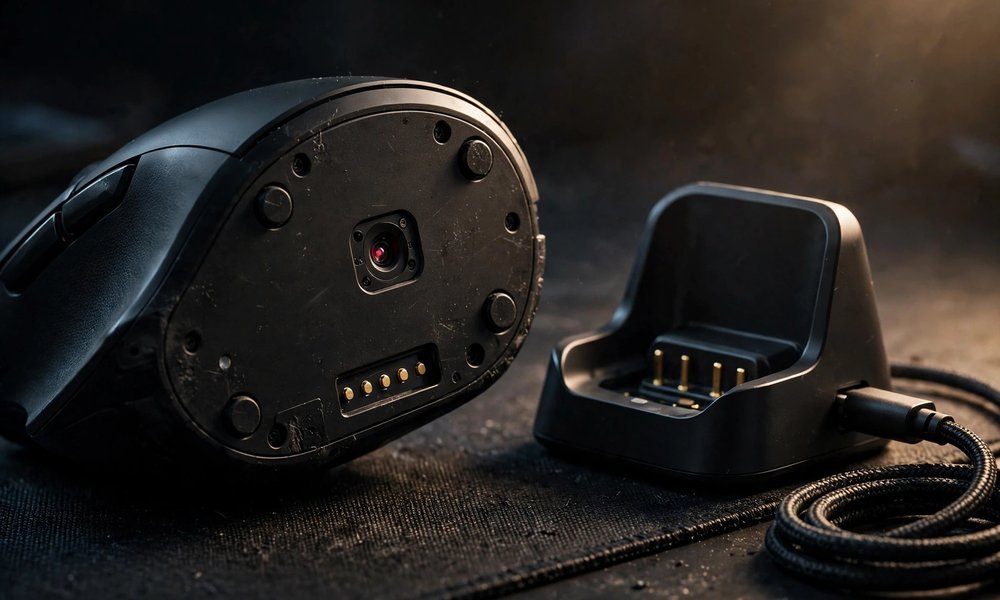
The switches are Logitech’s Lightforce optical-mechanical hybrids, which feel crisp and avoid double-click issues. There is no Bluetooth, no RGB, and no extra buttons beyond the standard set, because none of those things help you aim. If you want one mouse for competitive FPS, buy this one. Players with small hands should also look at our best gaming mice for small hands guide, which covers lighter and narrower options.
Pros: Proven tournament shape; excellent sensor; 8,000 Hz polling; long battery life; very light.
Cons: No Bluetooth; no RGB; premium price; side buttons only on the left.
Razer Viper V3 Pro — Best for larger hands
The Viper V3 Pro is Razer’s answer to the Superlight 2, and it is the better choice if you have larger hands. It is slightly longer and wider, with a flatter hump that suits palm and claw grips, and it weighs 54 grams, making it one of the lightest mice in this list. The Focus Pro 35K sensor tracks flawlessly at any speed, and the 8,000 Hz HyperPolling receiver is included in the box.
Razer’s optical switches are rated for 90 million clicks and feel consistent over time. The battery lasts around 90 hours at 1,000 Hz, dropping to about 30 hours at 8,000 Hz, so competitive players will charge more often. There is no RGB and no Bluetooth, which keeps the weight down and the price focused on performance.
Pros: Extremely light; great for larger hands; top-tier sensor; 8,000 Hz receiver included.
Cons: Battery drains fast at 8,000 Hz; no Bluetooth; no RGB; side buttons are small.
Pulsar X2V2 — Best value
The X2V2 gives you most of the Superlight 2’s performance for around $99. It weighs 53 grams, uses a 26,000 DPI optical sensor with no smoothing, and polls at 8,000 Hz with the optional receiver. The shape is a safe symmetrical design that works for most grips, and the build quality is excellent for the price, with no creaks or flex.
The side buttons are smaller than Logitech’s, and the software is simpler, but neither matters much in an FPS game. If you want a competitive mouse without paying a premium, the X2V2 is the best value in this guide.
Pros: Very light; excellent sensor; low price; solid build; 8,000 Hz support.
Cons: Small side buttons; basic software; 8,000 Hz receiver sold separately.
Finalmouse UltralightX — Lightest mouse
The UltralightX weighs 47 grams, making it the lightest mouse in this guide by a clear margin. That weight difference is noticeable in fast flicks and long sessions, and it is why the UltralightX has a devoted following among competitive players. The sensor is a custom 26,000 DPI optical with no smoothing, and it polls at 8,000 Hz.
The catch is availability. Finalmouse sells in limited batches, stock sells out quickly, and the price sits near $189. If you can buy one at retail, it is the lightest competitive mouse available. If you cannot, the Pulsar X2V2 is the closest alternative you can actually buy. For longer sessions, our best ergonomic mice guide covers shapes that reduce wrist strain, which matters when you play for hours.
Pros: Lightest mouse available; excellent sensor; 8,000 Hz polling.
Cons: Hard to buy; expensive; no software customisation to speak of; small company support.
Logitech G502 X Lightspeed — Best with extra buttons
The G502 X Lightspeed is the pick if you play FPS games but also want buttons for abilities, weapons, and macros. It has 13 programmable controls, a dual-mode scroll wheel, and a shape that suits palm grips, all in a wireless mouse that weighs 99 grams. That is heavier than the other mice here, but the extra weight is the price of the extra controls.
The Hero 25K sensor is excellent, the battery lasts around 140 hours, and the Powerplay wireless charging mat is supported if you want to never plug in. For players who switch between FPS and other genres, the G502 X is the most versatile mouse in this list.
Pros: Many programmable buttons; excellent sensor; long battery life; Powerplay support; dual-mode scroll wheel.
Cons: Heavier than pure FPS mice; expensive; shape divides opinion.
Razer DeathAdder V3 Pro — Best ergonomic shape
The DeathAdder V3 Pro is the best ergonomic FPS mouse, with a sculpted right-handed shape that fills the palm and supports the thumb. It weighs 63 grams, uses the same Focus Pro 35K sensor as the Viper V3 Pro, and polls at 8,000 Hz with the included HyperPolling receiver. The battery lasts around 90 hours at 1,000 Hz.
It is right-handed only, so left-handed players should look at the Viper V3 Pro instead. For palm-grip players who want comfort without giving up competitive performance, the DeathAdder V3 Pro is the best choice in this guide.
Pros: Comfortable ergonomic shape; top-tier sensor; light for its size; 8,000 Hz receiver included.
Cons: Right-handed only; no RGB; premium price.
Glorious Model O 2 Wireless — Best budget FPS mouse
The Model O 2 Wireless is the cheapest competitive mouse in this guide at around $99, and it is the best budget pick for FPS games. It weighs 68 grams, uses a 26,000 DPI optical sensor, and polls at 1,000 Hz, which is enough for most players. The honeycomb shell keeps the weight down and the airflow up, although some players dislike the look and feel of the holes.
The software is straightforward, the battery lasts around 110 hours, and the shape suits medium to large hands. It is not as refined as the Superlight 2, but for the price it is hard to beat. If you are building a full setup on a budget, our best gaming desks for small rooms guide helps you fit a proper FPS setup into limited space.
Pros: Low price; light; long battery life; good sensor.
Cons: Honeycomb shell divides opinion; 1,000 Hz polling only; software is basic.
How to choose
Start with grip and hand size. Palm grips suit larger, ergonomic mice like the DeathAdder V3 Pro. Claw and fingertip grips suit smaller, symmetrical mice like the Superlight 2 and Viper V3 Pro. Measure your hand and check the mouse dimensions before buying, because a shape that does not fit your hand will hurt your aim more than any sensor difference.
Then think about weight. Under 60 grams is ideal for fast flick shots, and under 70 grams is fine for most players. Above 80 grams, you will feel the difference in long sessions. Polling rate matters too, but only on a fast PC: 8,000 Hz helps on a high-refresh monitor, and 1,000 Hz is enough for everyone else.
Checklist: before you pay
- Measure your hand and match it to the mouse shape; grip style matters more than brand.
- Check the weight: under 60 g is ideal for FPS, under 70 g is fine for most players.
- Confirm the sensor has no acceleration or smoothing, and the polling rate is at least 1,000 Hz.
- Check battery life at your polling rate, not just the headline figure.
- Make sure the mouse works with your operating system and game, including any software you need.
- Test the return policy, because mouse shape is personal and hard to judge from a review.
Frequently asked questions
Is wireless as fast as wired for FPS games?
Yes. The best wireless mice in this guide have lower latency than most wired mice, thanks to 8,000 Hz polling and modern wireless protocols. The old argument for wired mice is effectively over.
What weight is best for an FPS mouse?
Under 60 grams is ideal for fast flick shots, and under 70 grams suits most players. Heavier mice cause more fatigue in long sessions and make precise flicks harder.
Does 8,000 Hz polling make a difference?
It reduces latency slightly, but only on a fast PC with a high-refresh monitor. On a 60 Hz display, 1,000 Hz polling is enough, and 8,000 Hz drains the battery much faster.
How long should a wireless gaming mouse battery last?
Look for at least 70 hours at 1,000 Hz. The mice in this guide range from 90 to 140 hours, which means charging once a week or less.
Are optical switches better than mechanical switches in a mouse?
Optical switches avoid double-click issues and last longer, which matters in competitive play. The difference in feel is small, and both types are fine for most players.
Can I use a gaming mouse for work too?
Yes. The Superlight 2 and Viper V3 Pro work well as everyday mice, although their minimal buttons and lack of Bluetooth make them less versatile than a dedicated office mouse.
The bottom line
Buy the Logitech G Pro X Superlight 2 if you want the proven benchmark for competitive FPS. Buy the Razer Viper V3 Pro if you have larger hands, and the Pulsar X2V2 if you want nearly the same performance for around $99.
Whatever you choose, prioritise shape and weight over extra features. A mouse that fits your hand and disappears during a firefight will improve your aim more than any sensor specification on a box.
Note: Prices and plans change. Check the product’s current plan details before buying — no link is provided here by design, all links in this article go to other occcy.com guides.



