
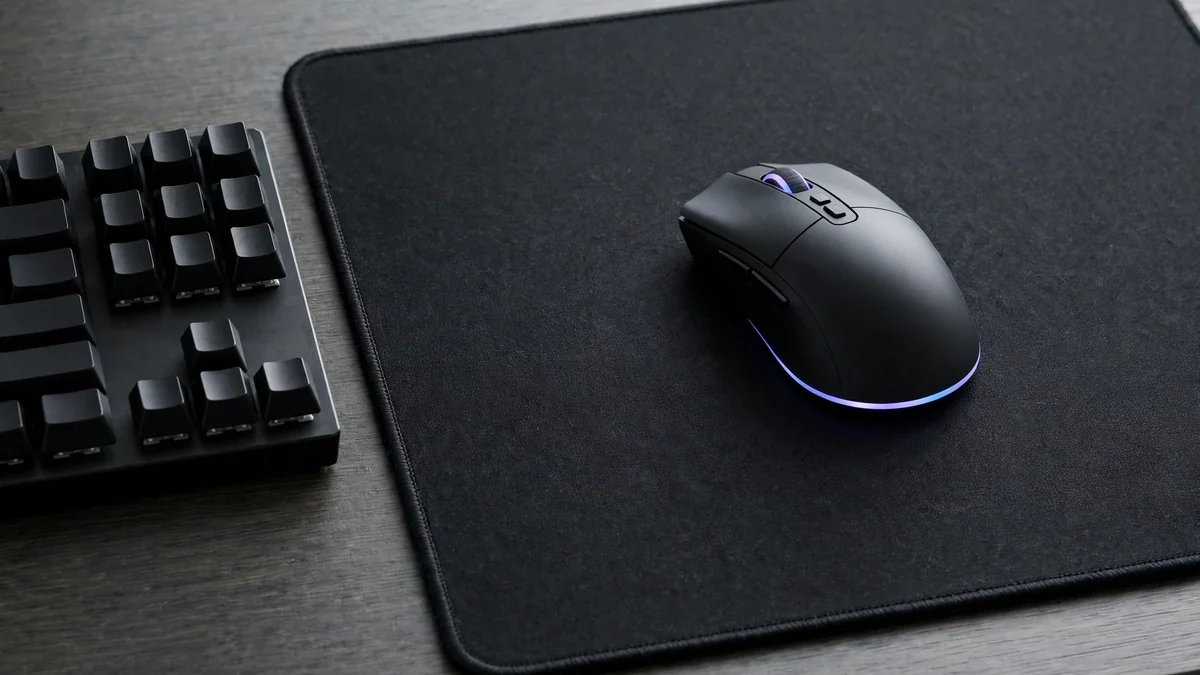
The best wireless mice for gaming in 2027 close the last real gap between wireless and wired play. Modern wireless mice now report at 8,000 Hz, weigh under 50 grams, and hold a charge for a week of heavy sessions. This list focuses on mice that are fast, light, and comfortable over long sessions.
What matters most depends on your games. Competitive shooters reward the lightest mouse with the highest polling rate, while MMO and strategy players need extra buttons and a shape that suits long sessions. Hand size and grip style matter just as much as the sensor. Price is a guide, not a verdict, since several mid-range models now match flagship sensors.
The shortlist covers seven mice: the best overall, the best for esports, the best for button-heavy games, the best for comfort, the best mid-range option, the best budget pick, and the best for claw grip.
Key takeaways
- The Logitech G Pro X Superlight 2 is the best overall wireless gaming mouse for most players.
- The Razer Viper V3 Pro is the best choice for competitive esports.
- The Logitech G305 Lightspeed is the best budget pick at around $49.
- Weight and shape matter more than brand: match the mouse to your hand and grip.
- Check current pricing before buying, since gaming mice are discounted often.
At a glance: the shortlist
Prices below are approximate starting prices; check current pricing before buying, since gaming gear is discounted often.
| Mouse | Best for | Starting price | Standout limit |
|---|---|---|---|
| Logitech G Pro X Superlight 2 | Best overall | From $159 | Few extra buttons |
| Razer Viper V3 Pro | Esports and shooters | From $159 | Minimalist, no RGB |
| Logitech G502 X Lightspeed | MMO and button-heavy games | From $139 | Heavier at 99 grams |
| Razer Basilisk V3 Pro | Comfort and customisation | From $159 | Heavier than esports mice |
| SteelSeries Aerox 5 Wireless | Lightweight mid-range | From $139 | Honeycomb shell divides opinion |
| Logitech G305 Lightspeed | Budget gaming | From $49 | Older sensor, AA battery |
| Asus ROG Keris II Ace | Claw grip | From $149 | Smaller brand ecosystem |
Logitech G Pro X Superlight 2 — Best overall
The Logitech G Pro X Superlight 2 is the mouse most competitive players would pick if they could only own one. It weighs 60 grams, uses the Hero 2 sensor rated to 32,000 DPI, and runs at up to 8,000 Hz wireless polling with the included Lightspeed receiver. Battery life is rated at up to 95 hours.
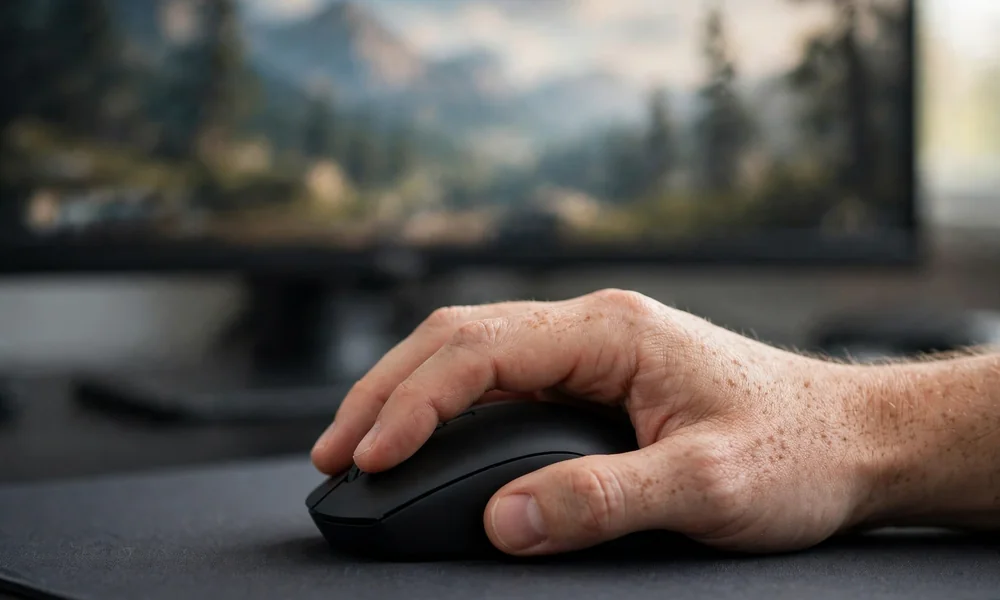
The switches are light-touch optical-mechanical hybrids, which feel crisp without the double-click problems of older designs. There is no RGB and only five buttons: this mouse is built for performance, not show. For everyday work, our guide to the best wireless mice for work covers quieter, office-friendly options.
Pros: Excellent sensor and 8,000 Hz wireless performance; light at 60 grams.
Cons: Few extra buttons for MMO play; no RGB lighting.
Razer Viper V3 Pro — Best for esports
The Razer Viper V3 Pro is built for one job: competitive shooters. It weighs just 54 grams, uses the Focus Pro 35K optical sensor, and ships with an 8,000 Hz HyperPolling dongle in the box rather than as an add-on. Battery life is rated at up to 90 hours at 1,000 Hz, dropping to around 30 hours at 8,000 Hz.
There is little to get in the way: no side RGB strips, no extra buttons beyond the standard set, and a smooth matte coating that stays grippy without feeling sticky. The optical switches are rated for 90 million clicks. If you play Valorant, Counter-Strike 2, or Apex Legends seriously, this is the mouse most pros reach for.
Pros: Extremely light at 54 grams; 8,000 Hz polling included; top-tier sensor accuracy.
Cons: Battery drains fast at 8,000 Hz; minimalist design lacks extra buttons.
Logitech G502 X Lightspeed — Best for MMO and button-heavy games
The Logitech G502 X Lightspeed is the pick for players who need buttons. It carries thirteen programmable controls, including a dual-mode scroll wheel and a DPI-shift button under the thumb for sniper scopes. The Hero 25K sensor is accurate, and the mouse weighs 99 grams.
The shape is the familiar G502 silhouette, sculpted for right-handed palm and claw grips, with a thumb rest that makes long MMO raids comfortable. Battery life is rated at up to 140 hours, one of the best figures on this list. If your games are World of Warcraft, Final Fantasy XIV, or strategy titles, this is the mouse to buy.
Pros: Thirteen programmable buttons; excellent dual-mode scroll wheel; very long battery life.
Cons: Heavy at 99 grams for fast shooters; right-handed only.
Razer Basilisk V3 Pro — Best for comfort and customisation
The Razer Basilisk V3 Pro is the most customisable mouse on this list. It has eleven programmable buttons, a tilt-click scroll wheel with smart free-spin, and RGB lighting across the base and scroll wheel. The Focus Pro 30K sensor is accurate to 30,000 DPI, and the mouse supports 8,000 Hz wireless polling with an optional dongle. Battery life is rated at up to 90 hours.
The Basilisk stands out in software. Razer Synapse lets you set per-game profiles, adjust lift-off distance, and tune the scroll wheel resistance, and the sniper button under the thumb drops sensitivity while held. The trade-off is weight: at 112 grams it is the heaviest mouse on this list.
Pros: Very comfortable ergonomic shape; eleven programmable buttons; deep software customisation.
Cons: Heavy at 112 grams; full polling rate needs a separate dongle.
SteelSeries Aerox 5 Wireless — Best lightweight mid-range
The SteelSeries Aerox 5 Wireless proves that a mid-range mouse can feel like a flagship. It weighs 74 grams thanks to a perforated honeycomb shell, uses the TrueMove Air sensor with 18,000 CPI, and connects over 2.4 GHz wireless or Bluetooth. Battery life is rated at up to 180 hours on Bluetooth and around 80 hours on 2.4 GHz.
The honeycomb shell keeps the weight down and the airflow up, which helps in long sessions, but some players dislike the feel of holes under their palm. The shell is rated IP54 for dust and water resistance, a rare feature for a gaming mouse. If you want a light mouse with more buttons than an esports model, the Aerox 5 is the sensible middle ground.
Pros: Light at 74 grams with nine buttons; dual wireless and Bluetooth; very long Bluetooth battery life.
Cons: Honeycomb shell is not for everyone; sensor is a step below the flagships.
Logitech G305 Lightspeed — Best budget
The Logitech G305 Lightspeed remains the best budget wireless gaming mouse, even years after launch. It uses the older Hero 12K sensor, still accurate and consistent for most players, and it runs on a single AA battery for up to 250 hours. The shape is a compact, symmetrical design that suits small to medium hands.
There are no luxuries here: no RGB, no rechargeable battery, no 8,000 Hz polling, and only six buttons. What you get is a reliable wireless connection, a proven sensor, and money left over for a good mousepad. For younger players, a second setup, or anyone trying wireless gaming without spending $150, the G305 is still the smartest buy. Our guide to the best luxury gaming accessories shows where to spend the money you save.
Pros: Very affordable at around $49; excellent battery life; reliable wireless connection.
Cons: Older sensor and 1,000 Hz polling only; uses disposable AA batteries.
Asus ROG Keris II Ace — Best for claw grip
The Asus ROG Keris II Ace is the best wireless gaming mouse for claw-grip players. It weighs 54 grams, uses the ROG AimPoint Pro sensor rated to 42,000 DPI, and supports 8,000 Hz wireless polling with the included ROG Polling Rate Booster. The low, symmetrical shape has a narrow waist that lets claw-grip players lift and reposition the mouse easily.
The switches are ROG optical micro switches, rated for 100 million clicks, and they can be swapped without soldering if you prefer a different feel. Battery life is rated at up to 107 hours at 1,000 Hz, falling at higher polling rates. The Armoury Crate software is less polished than Logitech G Hub or Razer Synapse, but it covers the essentials.
Pros: Very light at 54 grams; excellent sensor and 8,000 Hz support; shape suits claw grip.
Cons: Software is less polished than rivals; smaller accessory ecosystem.
How to choose
Start with your hand, not the spec sheet. Measure your hand from wrist to middle fingertip: under 17 cm usually means a small mouse such as the G305 or Keris II Ace, 17 to 19 cm suits medium mice such as the Superlight 2, and over 19 cm points to larger mice. Then check your grip: palm grips want a taller, sculpted shape, claw grips want a low, narrow mouse, and fingertip grips want the lightest mouse you can find.
Next, match the mouse to your games. Shooter players should prioritise weight under 60 grams and 8,000 Hz polling, while MMO and strategy players should prioritise buttons and comfort over weight. Battery life matters too: a mouse that dies mid-match is worse than a slightly heavier one.
Checklist: before you pay
- Measure your hand and check the mouse dimensions against your grip style.
- Confirm whether the 8,000 Hz receiver is included or sold separately.
- Check battery life at the polling rate you will use.
- Make sure the mouse has enough buttons for your games.
- Check current pricing and warranty terms.
- Confirm the return policy, in case the shape does not suit your hand.
Frequently asked questions
Are wireless gaming mice as fast as wired mice now?
Yes. The best wireless mice in 2027 poll at 8,000 Hz, faster than most wired mice, with effectively the same latency in real play. The remaining differences are battery life and weight, not speed.
What weight should a gaming mouse be?
For competitive shooters, most players prefer under 60 grams, because lighter mice make fast flick shots easier. For MMO and strategy games, weight matters less than buttons and comfort, and many players are happy with 90 to 110 grams.
What is polling rate, and does 8,000 Hz matter?
Polling rate is how often the mouse reports its position to the computer each second. At 8,000 Hz it reports eight times as often as at 1,000 Hz, which makes movement smoother. The difference is real in fast shooters, but most casual players will not notice it.
How long does a wireless gaming mouse battery last?
It varies widely. Lightweight esports mice last 30 to 95 hours depending on polling rate, while heavier mice can reach 140 hours or more. The G305 runs for up to 250 hours on a single AA battery. Check the rating at the polling rate you use.
Do I need a special mousepad for a wireless gaming mouse?
No, any clean, flat mousepad works well with a modern optical sensor. A large pad gives you more room for low-sensitivity aiming. Avoid glossy or reflective surfaces, which can confuse older sensors.
Which wireless gaming mouse is best for small hands?
The Logitech G305 Lightspeed and the Asus ROG Keris II Ace both suit smaller hands, thanks to their compact, low shapes. If you want a flagship sensor in a small package, try the Razer Viper V3 Pro. Our guide to the best gaming headsets covers the audio side of a competitive desk.
The bottom line
The Logitech G Pro X Superlight 2 is the best wireless mouse for gaming for most players in 2027, because it balances weight, sensor, battery, and shape better than any rival. Competitive shooter players should look at the Razer Viper V3 Pro, MMO players at the Logitech G502 X Lightspeed, and budget buyers at the Logitech G305.
Whichever mouse you choose, the rule is simple: match it to your hand and your games first, and worry about the spec sheet second. A mouse that fits is worth more than a faster sensor in a shape you fight every match.



