

Is DDR5 actually faster in everyday use, or is DDR4 still the smarter buy in 2026? That question comes up in almost every build thread, and the honest answer depends on what you do with your machine. Memory has quietly become one of the most confusing parts of a PC build: two generations sit side by side on store shelves, prices swing wildly, and marketing slides promise the world. This guide cuts through the noise with the underlying specs, the real-world differences, and a few practical tips that save people from expensive mistakes.
The short version first
DDR5 is the newer memory standard, and it is now the default for new mainstream platforms. DDR4 is the older standard, still widely available and still perfectly capable. They are not interchangeable: different physical keying, different voltages, different slot requirements. You pick one when you pick your motherboard, and that choice locks you in.
The practical split in 2026 looks like this:
| Factor | DDR5 | DDR4 |
|---|---|---|
| Standard published | 2021 (JESD79-5) | 2014 (JESD79-4) |
| Base speed | 4800 MT/s and up | 2133–3200 MT/s typical |
| Nominal voltage | 1.1 V | 1.2 V |
| Channel design | Two 32-bit subchannels per DIMM | Single 64-bit channel |
| On-module power management | Yes (PMIC on the DIMM) | No, regulated by the board |
| On-die ECC | Part of the spec | Not part of the spec |
| New mainstream platforms | Yes | Legacy and budget only |
That table is the skeleton. The interesting parts are in the joints.
Why DDR5 was designed the way it was
DDR5 did not just crank the clock speed. It changed how memory talks to the CPU. Each DDR5 DIMM splits its 64-bit pathway into two 32-bit subchannels, which means the memory controller can service two smaller requests in parallel instead of one big one. For workloads that fire off lots of small, scattered reads, that design change matters more than raw bandwidth numbers suggest.
Two other design shifts are worth knowing. First, DDR5 modules carry a PMIC (power management IC) directly on the stick, moving voltage regulation off the motherboard. Second, the spec includes on-die ECC, error correction that happens inside the DRAM chip itself. To be clear, on-die ECC is not the same as server-grade ECC memory; it protects data inside the chip, not the whole pathway. Some buyers conflate the two, and that leads to bad purchasing decisions.
The DDR5 standard itself was published by JEDEC, the industry body that sets memory specifications, in July 2021 as JESD79-5. DDR4 dates back to 2014. That seven-year gap explains a lot: DDR4 had years to mature, bin, and drop in price before DDR5 showed up.
Platform support: the real decision point
Here is the part that actually decides the question for most people. You do not choose between DDR5 and DDR4 in the abstract; you choose a motherboard, and the motherboard chooses for you.
Intel’s consumer DDR5 support arrived with 12th Gen Core (Alder Lake) in late 2021. AMD followed with Ryzen 7000 on the AM5 socket in September 2022. Since then, new mainstream platforms have gone DDR5-only, while DDR4 support has retreated to older sockets and budget boards. A handful of early Intel boards shipped with either DDR4 or DDR5 variants of the same model, which is a classic source of confusion in the used market. (DDR5 SDRAM)
The practical takeaway: if you are building new in 2026, you are almost certainly buying DDR5. If you are upgrading an existing DDR4 machine, you are almost certainly keeping DDR4, because switching means a new board and often a new CPU. That single fact kills most upgrade fantasies before they start.
Does DDR5 actually feel faster?
Sometimes, and less often than the spec sheet implies. The honest breakdown:
Gaming. DDR5’s advantage varies heavily by title and resolution. At 1080p with a fast GPU, some games show meaningful gains from the extra bandwidth; at 4K, where the graphics card is the bottleneck, the difference often shrinks to noise. Any single benchmark you see online is not generalizable, and that includes the impressive ones. A balanced view of what hardware actually delivers in 2026 helps here, and it is the same lens worth applying to phones and consoles: best phones 2026 shows how spec-sheet wins and real-world wins are not always the same thing.
Productivity and creative work. Large datasets, video editing, compression, and virtualization tend to benefit from DDR5’s bandwidth and subchannel design. If your work involves moving big files around all day, the upgrade is easier to justify.
Everyday tasks. Browsing, office work, and media playback will not feel different. Anyone claiming otherwise is measuring with a stopwatch and a lot of hope.
Integrated graphics. This is the sleeper case. Systems running on integrated graphics share memory bandwidth with the GPU, so faster memory can produce a genuinely noticeable jump. Budget builds with no discrete card get more from memory speed than most buyers expect.
The DDR4 question in 2026: still alive, still complicated
DDR4 has had a strange few years. Multiple memory makers have announced end-of-life timelines at various points, and those dates differ by vendor and have shifted more than once. Do not trust a single “DDR4 is discontinued” headline; check the specific vendor notice before assuming a module will vanish.
What is clear is that DDR4 remained in production and price-competitive through 2024 and 2025, and the DDR5 price premium narrowed considerably. Beyond that, the 2026 market picture is genuinely uncertain. Memory pricing has been volatile, and anyone quoting a firm DDR4 phase-out date without a primary source is guessing. The same volatility logic applies across the hardware world: component pricing and availability swing fast, as the shifting landscape around Black Friday car deals: best offers and prices for 2026 illustrates for a completely different market.
The practical rule: buy DDR4 only if you already own a DDR4 platform or you find a genuinely good deal on a DDR4 board-and-CPU combo. Buying DDR4 for a brand-new build in 2026 is a dead end, because your next upgrade will force a full platform change anyway.
Common mistakes people make
These come up constantly in build help threads, and each one costs real money.
Mistake 1: Buying the wrong generation by accident. DDR4 and DDR5 modules are keyed differently and will not fit each other’s slots. People order the wrong kit, discover it does not seat, and blame the motherboard. Check the board’s memory support list before checkout, every time.
Mistake 2: Assuming more MHz always wins. A high-speed DDR5 kit that your board or CPU cannot stabilize will run slower than a modest kit that runs at its rated speed. Stability beats headline numbers.
Mistake 3: Mixing kits. Two separately purchased kits, even of the same model, are not guaranteed to run together at rated speed. Buy one matched kit sized for your needs.
Mistake 4: Ignoring the memory controller. On DDR5 platforms, running four sticks instead of two often forces lower speeds. Two larger modules usually beat four smaller ones for stability and speed.
Mistake 5: Overpaying for speed you cannot use. If your workload is GPU-bound gaming at high resolution, spending extra on the fastest bin is money burned. Put it into the graphics card instead.
What actually works in practice
A few habits that consistently produce good outcomes:
- Check the motherboard’s qualified memory list before buying any kit.
- Buy a single matched kit at the capacity you need, ideally two modules rather than four.
- Enable the board’s memory profile (XMP or EXPO) in BIOS; without it, fast memory runs at slow default speeds.
- Test stability after enabling the profile with a memory stress tool before trusting the system with real work.
- If a kit will not run at its rated speed, drop one step rather than fighting it; the performance difference is usually tiny and the stability gain is real.
That last point matters more than reviews admit. A stable system at 6000 MT/s beats a crashing system at 7200 MT/s every single day of the week.
Where the rest of the hardware market is heading
Memory does not exist in a vacuum, and 2026’s hardware landscape is unusually turbulent. Consoles and handhelds are shifting under buyers’ feet, with rumors like the Nintendo Switch 2 Lite Samsung 8LPU Plus chip rumor 2026 circulating while platform owners reshuffle. On the PC side, the Steam Deck out of stock alternatives 2026 situation shows how supply shocks push buyers toward different hardware entirely. Even the software layer is moving: engine choices shape hardware demands, which is why the Roblox Studio vs Unity vs Godot 2026 comparison matters for anyone building rather than just playing.
The through-line is simple. Hardware decisions made in isolation age badly. Memory choice should follow from the platform, the workload, and the budget, not from a benchmark screenshot.
Conclusion: who should buy what
For a new build in 2026, DDR5 is the correct answer, and it is barely a debate. New mainstream platforms are DDR5-only, the price gap has narrowed, and the standard’s design advantages are real even when they are subtle. Buy a matched two-module kit, enable the memory profile, verify stability, and move on.
For existing DDR4 owners, the answer is equally clear: keep your DDR4. The performance difference does not justify a new motherboard and possibly a new CPU. Spend that money on storage, a graphics card, or simply saving it.
The murky middle is budget builders and integrated-graphics systems, where DDR5’s bandwidth advantage shows up most clearly and the platform cost is lowest. That is where the upgrade pays for itself fastest.
DDR5 vs DDR4 in 2026 is not really a memory question. It is a platform question, and once you frame it that way, the answer usually picks itself.
Frequently asked questions
Can I put DDR5 in a DDR4 motherboard?
No. The modules are physically keyed differently and run at different voltages, so a DDR5 stick will not fit a DDR4 slot and vice versa. The motherboard determines which generation you can use, full stop.
Is DDR5 noticeably faster than DDR4 for gaming?
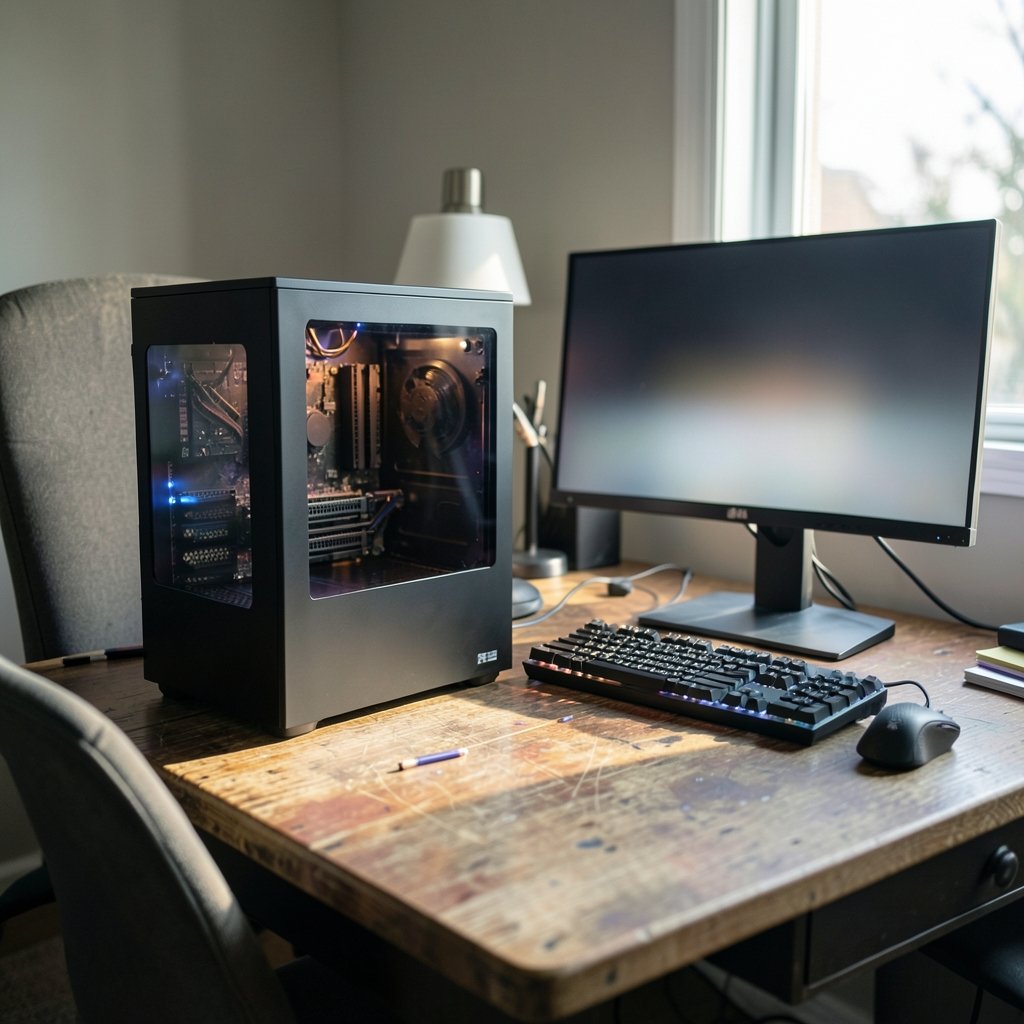
It depends on the game, the resolution, and the rest of the system. At high resolution, where the graphics card is the bottleneck, the difference is often small. At lower resolution with a fast GPU, some titles show clear gains. No single benchmark tells the whole story.
Is DDR4 being discontinued in 2026?
Memory makers have announced end-of-life timelines at various points, and those dates differ by vendor and have shifted. Buyers should check the specific manufacturer’s notice rather than trusting a general claim. DDR4 hardware remains widely available, though its long-term future is clearly limited.
What is on-die ECC, and does it replace ECC memory?
On-die ECC is error correction built into the DDR5 DRAM chip itself, part of the standard’s design. It is not the same as server-grade ECC memory, which protects the wider data pathway. They solve different problems, and on-die ECC does not make a desktop a server.
Do I need to enable anything in BIOS to get full memory speed?
Yes. Fast memory runs at slow default speeds until you enable the board’s memory profile, usually called XMP or EXPO. After enabling it, run a memory stress test to confirm stability before relying on the system.
Should I buy two memory sticks or four?
Two is usually the better choice on DDR5 platforms. Running four modules often forces the memory controller to lower speeds for stability. Two larger modules typically deliver better performance than four smaller ones.
