

Which premium controller will still feel worth its price after a year of daily play? That question matters more than any spec sheet. The DualSense Edge and the Xbox Elite Wireless Controller Series 2 both launched years ago, and both have been through price changes, firmware updates, and plenty of online debate. If someone is choosing between them in 2027, the smart approach is not to memorize launch-day numbers. It is to learn how to judge the everyday experience: comfort, battery habits, stick wear, software, and platform fit.
Why 2027 Changes the Comparison
The DualSense Edge arrived on January 26, 2023. The Xbox Elite Series 2 has been around since November 4, 2019, with a cheaper Core version following in 2022. By 2027, both are mature products with long track records. That is actually good news for buyers, because the real-world strengths and weaknesses are well documented.
It also means launch prices no longer tell the whole story. The Edge started at $199.99, while the Elite Series 2 started at $179.99 and the Core at $129.99. In 2027, bundles, sales, and regional pricing will differ, so treat any price you read as a starting point to check, not a fact.
One more thing: both controllers are expensive enough that console pricing becomes part of the decision. If someone is still choosing a platform, a look at the broader picture, like this breakdown of the PS5 vs Xbox Series X in 2026, helps frame whether a $180 to $200 controller even fits the budget.
The Short Version: How They Differ
| Feature | DualSense Edge | Xbox Elite Series 2 |
|---|---|---|
| Designed for | PS5, with PC support | Xbox consoles and Windows PC |
| Back controls | Two back buttons plus two function buttons | Four rear paddles |
| Stick modules | Replaceable, sold separately | Replaceable parts and tool included in box |
| Trigger stops | Yes, adjustable | Yes, adjustable |
| On-board profiles | Multiple, switched with Fn buttons | Multiple, switched with a profile button |
| Battery | Internal, shorter than a standard DualSense | Internal, rated up to about 40 hours |
| Weight | Roughly 330 g | Roughly 280 g |
Those numbers come from manufacturer specs and should be rechecked before buying. The bigger point is that the two controllers solve the same problem in different ways.
Comfort Over Long Sessions
Everyday play means two-hour sessions, not ten-minute demos. Weight and shape matter more than any feature list.
The Elite Series 2 is the lighter of the two at roughly 280 grams, and its shape follows the familiar Xbox outline. Players with larger hands often find it settles naturally. The DualSense Edge is heavier at roughly 330 grams and keeps the PS5 controller’s wider, rounder body. Its grip texture and slightly chunkier feel suit some hands and tire others.
Practical tip: hold both for at least twenty minutes if possible. A controller that feels fine in a store can feel very different at the end of a long session. Also check the back buttons. The Edge has two back buttons plus two function buttons, while the Elite has four paddles. Four paddles give more mapping options, but they are also easier to press by accident until someone adjusts their grip.
Battery Life and Charging Habits
This is where the everyday experience diverges most sharply.
Microsoft rates the Elite Series 2 at up to about 40 hours per charge. Real-world results are usually lower, especially with rumble and headsets, but most players charge it weekly rather than nightly. The DualSense Edge has a shorter battery life than the standard DualSense, a trade-off widely reported since launch. Heavy players may find themselves charging every session.
That difference changes behavior. A long battery means the controller lives on the couch. A short battery means a charging dock becomes part of the setup. Neither is a dealbreaker, but anyone who hates cable management should weigh it heavily. Manufacturer battery claims are not independent lab tests, so look for hands-on reports before trusting any single figure.
Stick Wear and Drift: The Long-Term Cost
Stick drift is the quiet killer of premium controllers. Both the Edge and the Elite Series 2 use potentiometer-based sticks, which wear over time and can drift. The difference is what happens next.
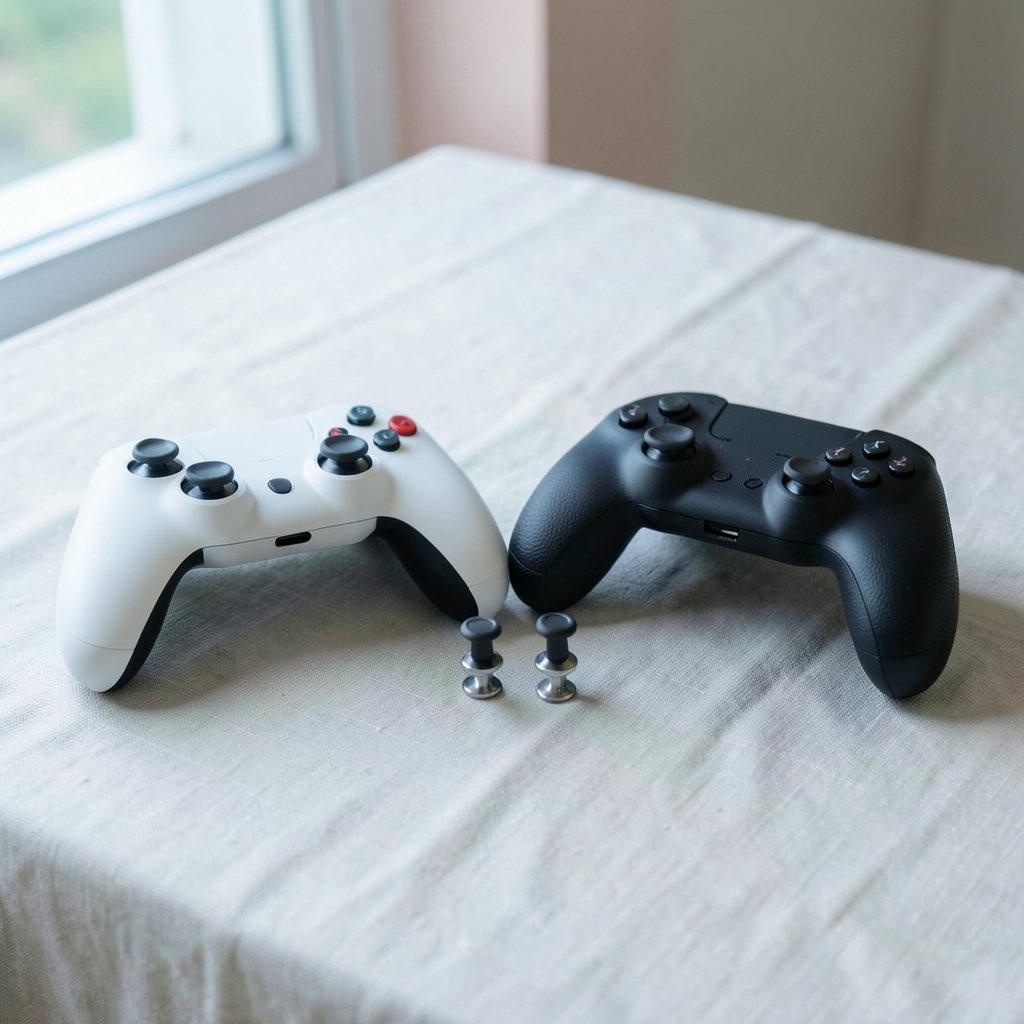
The DualSense Edge uses swappable stick modules. When a stick drifts, the module can be replaced without buying a new controller. The catch is that modules are sold separately, so the fix costs money and depends on local stock. (Haptic technology)
The Elite Series 2 includes a tool and spare parts in the box, but a drifting stick usually means an out-of-warranty repair or a new unit. That is a real long-term cost difference.
Practical tip: keep spare modules or parts on hand before drift appears. Waiting until a stick fails mid-game is the worst time to shop. Also check the current warranty terms in your region, since repair policies for both controllers have changed over the years.
Triggers, Profiles, and Software
Both controllers offer adjustable trigger stops, which shorten travel for shooters and racing games. Both store multiple profiles on the controller itself, so settings travel with the hardware.
The difference is the software ecosystem. The Elite Series 2 pairs with the Xbox Accessories app, where button mapping, stick sensitivity curves, and vibration settings live. The DualSense Edge relies on PS5 system settings, with profiles switched using the Fn buttons.
In practice, the Xbox app offers deeper tuning, while the PlayStation approach is faster to adjust mid-session. Neither is clearly better. It depends on whether someone enjoys tinkering or wants to set it once and forget it.
Platform Fit Decides More Than Anything
This is the simplest filter, and the one people skip. The DualSense Edge is built for PS5, with PC support. The Elite Series 2 is built for Xbox and Windows PC. Cross-platform use is limited on both.
If someone plays mostly on PS5, the Edge is the natural pick. If Xbox or PC is home, the Elite Series 2 wins by default. Buying the “better” controller for the wrong platform is the most common expensive mistake in this category.
PC players have a third path to consider. A living-room PC setup changes the calculus entirely, and a walkthrough of the Steam Machine vs Xbox Series X first boot shows how much setup friction matters when a controller is part of the plan.
Latency, Noise, and the Small Stuff
Both controllers are wireless, and both support wired mode, which reduces latency. For most players the difference is imperceptible. Competitive players should test wired mode anyway, since it costs nothing.
Noise is underrated. The Elite Series 2 has a reputation for clicky paddles and buttons, which some players love and housemates do not. The DualSense Edge is generally quieter but heavier. Neither is silent.
Then there is repairability. Independent teardown guides are worth reading before buying any premium controller, because they show what is serviceable and what is glued shut. A controller that can be opened and fixed is a controller that lasts.
A Practical Evaluation Checklist
Before spending $130 to $200, run through these steps:
- Confirm the platform. PS5 points to the Edge; Xbox or PC points to the Elite Series 2.
- Hold both for twenty minutes if possible, focusing on weight and back-button placement.
- Check current prices in your region, including bundles. Console price tracking helps here, and this look at the Xbox Series X vs PS5 price shows how fast those numbers move.
- Price spare stick modules or repair options for the model you choose.
- Read the current warranty terms, since they vary by region and have changed over time.
- Decide whether battery life or swappable sticks matters more to your habits.
If the budget is tight, a standard controller plus a game is often the smarter buy. A look at the Xbox Series X price in 2026 shows how quickly accessory money adds up next to console costs. (Understanding WCAG 2.1 accessibility guidelines)
Common Mistakes People Make
The biggest mistake is buying for specs instead of habits. A player who charges nightly will not care about a 40-hour battery. A player who never remaps buttons will not use four paddles.
The second mistake is ignoring stick wear. Premium controllers are an investment, and drift is the most likely failure. Swappable modules are a genuine advantage for long-term ownership.
The third mistake is assuming cross-platform support. Neither controller is a universal solution. Check compatibility before buying, not after.
The fourth mistake is trusting launch reviews. Firmware updates, price cuts, and repair programs have all changed since 2023. Look for recent hands-on reports.
Conclusion
The DualSense Edge and the Xbox Elite Series 2 are both excellent controllers, and neither wins outright in 2027. The Edge offers swappable stick modules and deep PS5 integration, at the cost of battery life and weight. The Elite Series 2 offers a lighter body, longer battery, and four paddles, but stick repairs are less convenient and it is locked to Xbox and PC.
The right choice comes down to platform, hand size, charging habits, and tolerance for maintenance. Evaluate those four things honestly, check current prices and warranty terms, and the decision becomes much simpler than the spec sheets suggest.
FAQ
Which controller is better for PS5?
The DualSense Edge. It is designed for PS5, integrates with system settings, and supports swappable stick modules. The Elite Series 2 is built for Xbox and PC, so cross-platform use on PS5 is limited.
Does the DualSense Edge have better battery life?
No. The Edge has a shorter battery life than the standard DualSense, a trade-off reported since launch. The Elite Series 2 is rated at up to about 40 hours per charge, though real-world results are usually lower.
Can I use the Xbox Elite Series 2 on a PlayStation?
Not natively. It is designed for Xbox consoles and Windows PC. Some third-party adapters exist, but they add cost and complexity, and support varies.
Which controller handles stick drift better?
The DualSense Edge, because its stick modules are replaceable. When a stick drifts, the module can be swapped without replacing the whole controller. The Elite Series 2 includes spare parts and a tool, but a drifting stick usually means a repair or a new unit.
Is the Elite Series 2 worth it in 2027?
It depends on platform and habits. For Xbox and PC players who want a light controller with long battery life and four paddles, it remains a strong pick. Check current prices and warranty terms before buying.
How many back buttons does each controller have?
The DualSense Edge has two back buttons plus two function buttons. The Xbox Elite Series 2 has four rear paddles. Four paddles offer more mapping options, but they are easier to press by accident.
Both controllers also support button remapping and sensitivity adjustments, so the deciding factor is how often those features get used. A player who sets a profile once and never opens the software again gains little from the Elite’s deeper tuning. Someone who constantly tweaks curves and dead zones will notice the gap immediately. Practical tip: before buying, list the three games played most often and check whether each controller’s profile system supports them. Racing games reward trigger stops; fighting games reward precise d-pads; shooters reward paddle mapping. Matching the hardware to the actual library is more useful than comparing spec sheets. Finally, buy from a retailer with a clear return window. Hands-on time at home, with your own games and your own hands, settles more questions than any review can.



