
Most small businesses do not lose their data in a dramatic cyber attack. They lose it to something ordinary: a laptop stolen from a car, a hard drive that stops spinning on a Monday morning, a staff member who deletes the wrong folder, or a ransomware message after someone clicked a convincing email. The result is the same either way, and it is usually worse than owners expect.
A proper backup is not a single copy of your files on a spare drive. It is a system with more than one copy, stored in more than one place, checked regularly, and tested by actually restoring from it. Businesses that have that system recover in hours. Businesses that do not can spend weeks rebuilding.
This guide explains how to back up a small business properly in 2027: what to back up, where to keep the copies, how often to run them, and how to test that the whole thing works before the day you actually need it.
Key takeaways
- Follow the 3-2-1 rule: three copies of your data, on two different kinds of storage, with one copy off site.
- Automate your backups, because a backup that depends on someone remembering to do it will eventually be missed.
- Back up more than files: include email, accounting records, customer databases, website content and passwords.
- Test a restore at least every three months, because an untested backup is only a hope, not a plan.
- Ransomware can encrypt connected backups too, so keep at least one copy disconnected or immutable.
What a proper backup actually means
A proper backup has three qualities: it is complete, it is automatic, and it is restorable. Complete means it covers everything the business would need to keep trading. Automatic means it runs on a schedule without anyone remembering. Restorable means someone has practised bringing the data back.
The standard framework is the 3-2-1 rule, and it still holds in 2027. Keep three copies of your data: the original and two backups. Store them on two different types of media, such as a cloud service and an external drive, so a single failure cannot take out both. Keep one copy off site, so a fire, flood or theft at your premises does not destroy everything at once.
What counts as business data is broader than most owners think. It includes documents and spreadsheets, but also email, accounting files, customer records, website content, booking systems, point-of-sale data, photos of completed work, contracts and licences. A backup that saves the documents folder but not the accounting database fails on the day it matters most.
Cloud services complicate this. If your business runs on cloud tools, many owners assume their data is backed up. It is not, or at least not in the way you need. Cloud providers protect their own infrastructure, but they generally do not guarantee to restore a file your staff deleted six months ago, or a mailbox wiped by a compromised account. Services like Google Workspace and Microsoft 365 need their own backup.
The first step is an inventory. List every place business data lives: each computer, each phone, each cloud account, the accounting system, the till, the booking tool and the website. That list becomes the backup plan, and it usually reveals at least one system nobody had thought about.
How the backup system works in practice
A practical setup has three layers. The first is continuous cloud backup of every work computer, copying files as they change and keeping older versions. This protects against everyday disasters: a deleted file, a broken laptop, a spilt coffee. Recovery takes minutes.
The second layer is a scheduled backup of your cloud services and business systems: a third-party tool that backs up email and cloud documents nightly, plus a weekly export of accounting data and customer records. These backups are stored in a separate cloud account from the one they protect, so a problem with your main account does not take the backup with it.
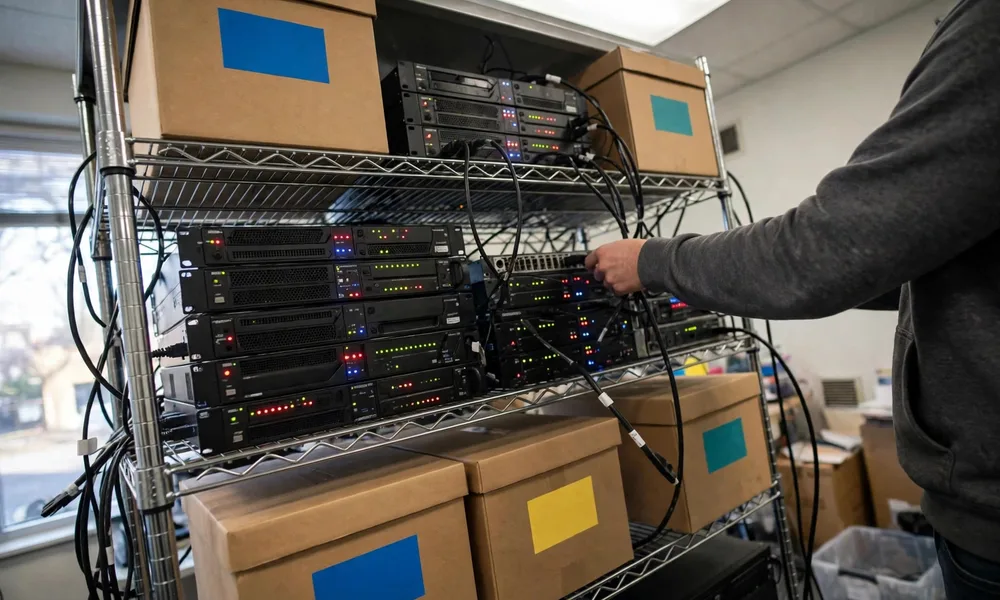
The third layer is a local, offline copy. An external hard drive, updated weekly and then disconnected or stored off site, gives you a copy that no hacker and no cloud outage can touch. It is the slowest layer to restore from, and the one most businesses skip, but it is also the layer that saves businesses when ransomware encrypts everything connected to the network.
Automation ties the layers together. Each layer should run on a schedule without human involvement, and someone should receive a report when a backup fails. A backup job that fails silently for three months is worse than no backup at all, because it creates a false sense of safety.
Retention and encryption matter too. Keeping only the latest copy is risky, because a corrupted file will overwrite the good one. Keep daily versions for a month, weekly versions for three months, and monthly versions for a year. Backups should be encrypted in transit and at rest, and a regular review of your defences, such as the steps in our guide to running a cybersecurity audit for a small business, will show up the gaps a backup alone cannot fix.
The mistakes that undo good intentions
The most common failure is the backup that nobody tests. A large share of small businesses with backups have never tried restoring from them, and when they do, they discover the backup was incomplete or corrupted. A test restore every three months is the single most valuable habit in this guide, and it takes less than an hour.
The second failure is backing up to a drive that stays plugged in. A USB drive permanently attached to the main computer will protect against a hard drive failure, but not against ransomware, which encrypts every drive it can see, or theft, which takes the computer and the drive together. Connect the drive for the backup, then disconnect it and store it elsewhere.
The third failure is the single point of failure in the person. In many small businesses, one person knows where the backups live, what the passwords are, and how to restore. If that person is on holiday, ill, or has left, the backup may as well not exist. Write the recovery steps down and make sure at least two people know how to follow them.
Costs also catch businesses out, though usually in the other direction. A proper backup for a small business is usually a few dollars per user per month, plus a drive or two. That is a small fraction of the cost of a single day without your customer records. Cloud spending has a habit of growing quietly, and our explainer on how cloud costs spiral and how to stop them covers the same problem from the billing side.
The caveats that matter
Backup is not a substitute for security, and it is not a guarantee of instant recovery. A backup protects your data, but it does not stop an attack, and restoring a large amount of data takes time. The table below summarises the honest limits and trade-offs.
| Detail | What is known |
|---|---|
| The 3-2-1 rule | Three copies, two types of storage, one copy off site, plus one offline or immutable copy |
| What to back up | Files, email, accounting, customer records, website, bookings and passwords |
| How often | Continuous for work computers, nightly for cloud services, weekly for offline copies |
| Typical cost | A few dollars per user per month for cloud backup, plus an external drive |
| Biggest risk | An untested backup that turns out to be incomplete or corrupted when needed |
| Ransomware protection | Only an offline or immutable copy is safe from encryption of connected drives |
| Recovery time | Minutes for a single file, hours to days for a full system restore |
| Retention to aim for | Daily versions for a month, weekly for three months, monthly for a year |
Two caveats deserve extra attention. First, restoring from a cloud backup depends on your internet connection. Downloading hundreds of gigabytes over a slow connection can take days. Know your restore options before you need them, and keep the most critical data in a backup you can reach quickly.
Second, privacy rules apply to backups too. If your business holds customer personal data, your backups hold it as well, and they need the same protection as the live systems: encryption, access control, and a retention policy that deletes old copies. The access controls that protect your live systems, including the principles behind zero trust security for small businesses, apply to backup storage just as much as to the systems being backed up.
Checklist: a backup plan you can trust
- List every place business data lives, including cloud accounts, the website and the till.
- Set up continuous cloud backup on every work computer and automate the rest.
- Keep one copy off site and one copy offline or immutable against ransomware.
- Test a full restore every three months and fix whatever the test reveals.
- Write down the recovery steps and make sure two people know how to follow them.
- Check the backup failure notifications every day, and treat a missed backup as urgent.
Frequently asked questions
How often should a small business back up its data?
Work computers should back up continuously, so a file is copied within minutes of changing. Cloud services and business systems should back up at least nightly, and an offline copy should be updated weekly.
Is cloud backup enough on its own?
Usually not. Cloud backup is excellent for everyday recovery, but it depends on your internet connection and your cloud account staying in good standing. A local offline copy protects against ransomware and outages that cloud backup alone cannot cover.
What is the 3-2-1 backup rule?
Keep three copies of your data, on two different types of storage, with one copy off site. Many businesses now add a fourth element, keeping one copy offline or immutable so ransomware cannot encrypt it.
How much does business backup cost?
For a small business, cloud backup typically costs a few dollars per user per month, plus the one-off cost of an external drive. The total is usually far less than the cost of one day without your data.
How do I know my backup actually works?
Restore from it. Pick a folder, restore it to a test location, and check that the files open and are current. Do this every three months, and after any major change to your systems.
What should I do first if my business has no backup at all?
Start with the simplest step today: turn on continuous cloud backup for every work computer and set up a backup for your email and cloud documents. Then list the other systems, add them one at a time over the next two weeks, and schedule your first test restore. A partial backup today is far better than a perfect plan that never starts.
The bottom line
A proper backup for a small business in 2027 is not complicated, but it is a system, not a single purchase. Three copies, two kinds of storage, one off site, one offline. Automated, encrypted, and tested every three months. The cost is small and the setup takes an afternoon.
The businesses that survive data loss are not the ones with the most expensive tools. They are the ones that did the boring work in advance: the inventory, the automation, the test restore, the written recovery plan. Do that work this week, while everything is still fine, and the day something goes wrong will be an inconvenience instead of a crisis.
Note: Backup tools, prices and features change regularly, so check the current terms of any service before you buy, and confirm that it covers the specific systems your business actually uses.