Learning how to build an AI chatbot for your website without coding is now a realistic weekend project for a small business owner. No-code chatbot builders have moved past simple button menus. The current generation reads your website, help pages, and product descriptions, then answers visitors in plain language, day and night, without any code.
The change matters because the first minutes of a visit decide whether a stranger becomes a customer. A visitor who cannot find an answer in thirty seconds usually leaves, and a contact form promising a reply tomorrow does not help someone deciding right now. An accurate chatbot keeps that visitor on the page and points them to the right product.
This guide walks through the whole build, from picking a platform to going live, using only no-code tools. You will not need a developer or a server. What you will need is a clear idea of the questions your visitors ask, a few hours of focused time, and the discipline to test the bot like a stranger.
Key takeaways
- No-code chatbot builders in 2027 read your website and answer visitors without any programming.
- The quality of the bot depends on the material you feed it: clear help pages matter more than the platform.
- Most builds take a few hours, and the main cost is a monthly subscription, not a developer.
- A good bot knows its limits and hands over to a human instead of guessing at prices.
- Testing with real visitor questions before launch catches most trust-damaging mistakes.
At a glance: building a no-code AI chatbot in 2027
| Detail | What is known |
|---|---|
| Skill needed | None in programming; a web dashboard is enough |
| Typical build time | A few hours for a first version; a day for a polished one |
| Typical cost | Monthly subscription, from free plans to mid-range paid tiers |
| How the bot learns | Reads your website pages, documents, and FAQs |
| How it goes live | A small embed snippet or a plugin, pasted into your site |
| Biggest risk | Confident wrong answers about prices, stock, or policies |
| Best first use | Answering repeat questions and routing visitors to the right page |
| Human backup | Live chat handover or a contact form when the bot cannot answer |
Step 1: Decide what the chatbot is for
Before you open any builder, write down the five questions your visitors ask most often. Check your email inbox, your contact forms, and any live chat history you have. Most small sites find the same themes repeat: prices, delivery, stock, and contacting a human.
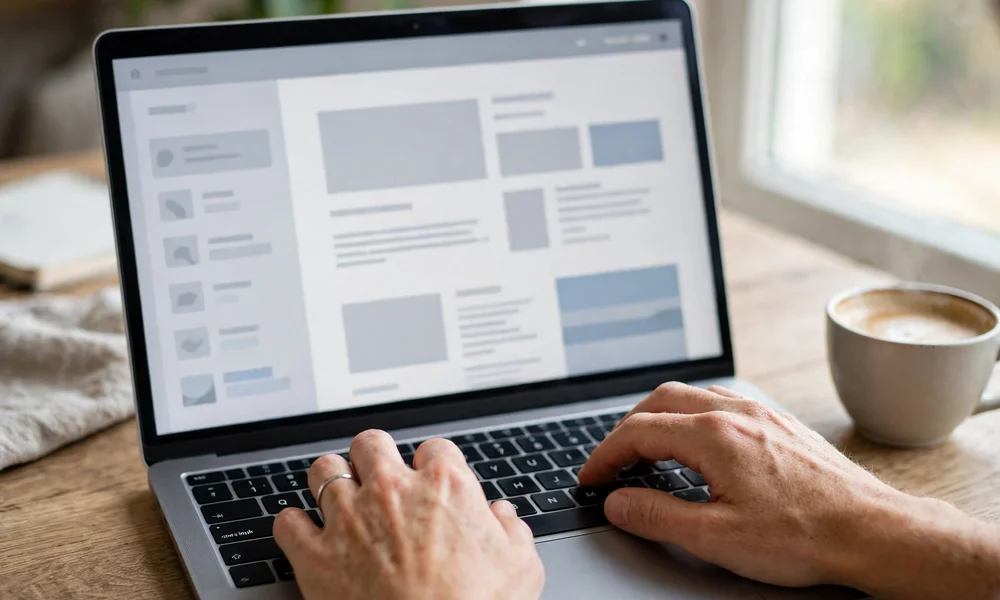
Keep the list short. A bot built to answer everything usually answers nothing well. Pick one clear job for the first version, such as answering product questions and pointing visitors to the right page. Add booking or lead collection later.
Also decide what the bot must never do: invent a price, promise a delivery date, or confirm stock it cannot check. These limits become your rules in the builder. Our report on how to use AI for customer support without losing the personal touch covers the same balance: automation should take the repetitive work and leave the judgement calls to people.
Step 2: Pick a no-code chatbot platform
No-code chatbot platforms fall into a few clear groups. Website chatbot builders answer questions from your content in a chat bubble on your pages. Helpdesk tools add ticketing and a shared inbox, so a human can take over smoothly. For a first build, a dedicated website chatbot builder is simplest.
Compare platforms on what matters: which website platforms they support, whether they read your content automatically, how many conversations the plan includes, and whether a human can take over mid-conversation. Test the free tier before paying: build a small version, ask it ten real questions, and see how many answers are accurate. Note how the bot handles the unknown: the best builders offer a fallback message, such as a contact form, instead of inventing an answer.
Step 3: Train the chatbot on your content
Training is the step most people rush, and it decides quality. A no-code bot learns from the material you give it, so gather your best sources first: product and service pages, your FAQ page, shipping and returns information, and pricing pages. Fix out-of-date pages first: the bot repeats what you feed it.
Most builders offer two ways to add knowledge: let the tool read your pages from your website address, or upload documents and paste text yourself. Use the automatic option for a quick start, then add the pages it missed by hand. A short document of your most common questions, written in the exact words customers use, is often the most useful training file you can add. After uploading, ask the bot the questions you care about most.
Step 4: Design the conversation
Conversation design sounds technical, but it is really about manners. A short, honest greeting works best, such as a welcome message saying what the bot can help with. Avoid pretending the bot is human: visitors who discover they have been talking to a machine feel tricked, and that feeling lasts longer than the conversation.
Write the greeting, the fallback message, and the handover message yourself, in your own voice. The greeting should offer two or three starting points, such as prices or finding a product. The fallback should admit the limit plainly and offer a next step, such as a contact form. Keep replies short: two or three sentences, with a link to the full page for more detail.
Step 5: Add the chatbot to your website
Adding the bot to your site is the most mechanical step. The usual method is a small embed snippet: the builder gives you a few lines of code to paste into your site’s settings, often in a field labelled for header or footer code. WordPress, Shopify, Wix, and Squarespace all have a place for this, and many builders also offer a plugin that does the same job.
Choose where the bot appears. Most sites show it on every page, but that is not always wise: a chat bubble on a checkout page can distract a buyer at the worst moment. Start with the pages where questions are most common. Our guide to the best AI tools for customer support compares builders with this kind of placement control. Test on a phone too: most visitors will meet your bot on a small screen.
Step 6: Test it like a visitor, then launch
Testing is a short routine you repeat. Start with your most common questions and ask each one exactly as a customer would phrase it, including typos and informal wording. Then ask the awkward ones: a question about a product you no longer sell, a request for a discount, and a complaint. Note every wrong or odd answer.
Next, test the edges. Ask the same question two different ways and check whether the answers agree. Change a detail, such as a different city or product size, and see whether the bot notices. Ask something the bot should refuse, such as a made-up price, and confirm it hands over to a human instead of guessing. Invite two or three real people to try the bot before launch; their questions will differ from yours.
Troubleshooting: when your chatbot gives wrong answers
Wrong answers almost always come from the training material, not the platform. If the bot quotes an old price, the old price is still somewhere in its knowledge. Search your documents and your website for that figure and update or remove it, then retrain the bot. Most builders refresh content with a single click; check it actually ran before you test again.
If the bot answers confidently about a topic you never trained it on, your settings are too loose. Look for a control that limits answers to your own content, sometimes called strict mode, and turn it on. Review the fallback settings too: the bot should offer a human or a contact form when it is unsure, not fill the gap with a guess.
How to choose the right setup for your site
Your site’s size and purpose should drive the choice. A small site needs a simple builder with a clean chat window and a fair monthly price. A shop with hundreds of products needs a tool that reads product pages automatically. A service business that takes bookings needs a bot that collects a name, a date, and a phone number.
Think about who answers when the bot cannot. If you are a one-person business, the handover might be an email you answer within a day, and the bot should say so honestly. If you have a small team, a shared inbox where anyone can pick up the conversation is worth paying for: a bot that drops a visitor into silence is worse than no bot. Our comparison of Lovable vs Bolt for AI apps shows how two no-code tools can look similar yet suit very different jobs.
Checklist: before your chatbot goes live
Run through these checks and fix anything that fails before you launch.
- Your five most common visitor questions each get a correct answer.
- Outdated prices, discontinued products, and draft pages are out of the training set.
- The bot admits when it does not know and offers a human or a contact form.
- The greeting, fallback, and handover messages are in your own voice.
- The chat window works on a phone and does not cover key buttons or content.
- Three real people outside your business have tried it and the worst problems are fixed.
Frequently asked questions
Can I really build an AI chatbot without coding?
Yes. No-code builders handle the technical work: they read your website, generate answers, and give you a snippet or plugin for the chat window. Your job is to supply training material and test the answers.
How much does a no-code AI chatbot cost?
Many builders offer a free tier with a limited number of conversations, and paid plans run from a modest monthly fee upward depending on volume and features. The main cost is the subscription, not setup.
How long does it take to build one?
A first working version takes a few hours if your website content is already clear and up to date. A polished version takes about a day of small fixes over a week.
Will the chatbot replace my customer support?
No, and it should not. It handles repeat questions and routes visitors to the right page, freeing up time for the complex conversations that need a person. The best setups treat the bot as a first line, not a replacement.
What happens when the chatbot does not know the answer?
That depends on your settings. A well-set-up bot says it does not know and offers a contact form or a live chat handover. A badly set-up bot guesses, the most common cause of lost trust.
Do I need to update the chatbot after launch?
Yes. Update the training material whenever you change a price, add a product, or rewrite a help page, and review the logs weekly at first. Real visitor questions will show you what to add next.
The bottom line
Building an AI chatbot for your website without coding is a practical project, not a technical one. The tools are ready, the setup takes hours, and the hard part is the part you already know: understanding what your visitors ask and answering clearly. Get the training material right, keep the bot honest about its limits, and test it like a stranger.
Start small, launch quietly, and improve from real conversations. A bot that answers five questions well and hands over the rest will do more for your site than an ambitious one that guesses. The goal is to help a visitor find what they came for.