
A booking system on a business website lets a visitor choose a service, pick a time that is actually free, and confirm the appointment without a phone call or a string of emails. The visitor sees real availability, the business receives a structured booking with the details it needs, and both sides get a confirmation they can check later.
Setting one up in 2027 is a practical job, not a software project. Most small businesses already have a website on WordPress or a website builder, and both routes now include booking tools that handle calendars, reminders, payments, and cancellations. The work that matters is the setup around the tool: the services on offer, the working hours, the buffer time between appointments, the deposit rules, and the messages that go out before and after each visit.
This guide walks through that setup in order, from the first decisions about services and staff to the launch checks that catch double bookings and silent failures. It is written for a small business owner, not a developer, and it assumes the business already takes appointments by phone, email, or a paper diary and wants the website to take over most of that work.
Key takeaways
- List each service separately, with its own length, price, and staff member, so the calendar can never offer a time that does not fit.
- Set real working hours, buffer time, and a booking cutoff, because the calendar is only as honest as the rules behind it.
- Take a deposit or card details for high value appointments, and keep the payment step short so it does not scare away genuine bookings.
- Send an automatic confirmation at once, a reminder the day before, and a follow up after the visit.
- Test the full booking flow on a phone as a customer before launch, and test it again after every change to the site.
What a website booking system actually does
A website booking system is a calendar, a form, and a set of rules working together. The visitor picks a service, sees the days and times that are free for that service, enters a name and contact details, and confirms. Behind the scenes the system blocks that slot, adds the booking to the staff calendar, sends a confirmation to the visitor and to the business, and starts the reminder sequence. Nothing about the visit itself changes, but the administration around it becomes automatic.
The difference from a simple enquiry form is important. A contact form on a business website collects a message and leaves the business to propose a time, wait for a reply, and then confirm. A booking system removes those extra steps. The visitor leaves the website with a confirmed time, and the business leaves the day with a diary that is already filled.
How to set up the system step by step
Start with the service list, before touching any software. Write down every service the business offers by appointment, the length of each one, the price, and who can deliver it. A haircut that takes forty five minutes, a colour appointment that takes two hours, and a consultation that takes thirty minutes are three different services, even if the same person delivers all three. If two services share a name but take different lengths, split them now, because a calendar cannot guess which length the visitor meant.
Next, set the working hours for each member of staff, including lunch, days off, and holidays. Add buffer time between appointments, usually ten to fifteen minutes, so one late finish does not push the whole day back. Add a booking cutoff as well, so a visitor cannot book a slot that starts in twenty minutes when the business needs an hour to prepare. These rules feel fussy at the setup stage, and they save more trouble than any other part of the system.
Then choose the tool. On WordPress, booking plugins connect the website to the staff calendars and handle payments through a payment provider. On website builders such as Squarespace, Wix, and Shopify, a booking feature is usually built in or available as an add on.
Connect the tool to the website, add the services and hours, and link the payment step. For most small businesses, a deposit of twenty to fifty per cent works well for longer or higher value appointments, while short appointments can stay free to book. Keep the payment screen to one step, show the total before the visitor pays, and state the cancellation terms on the same screen.
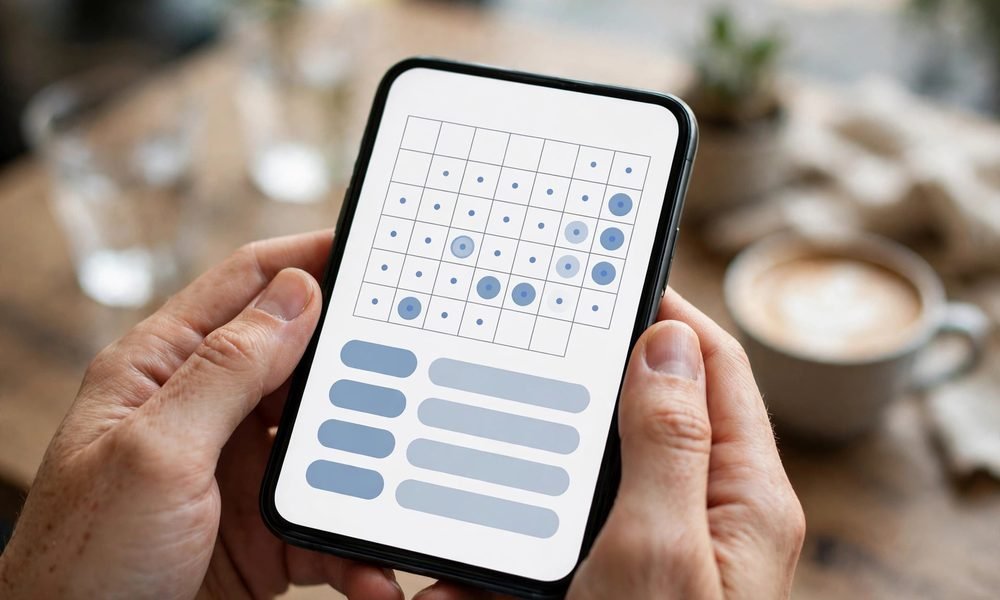
Choosing the right setup for the business
There is no single booking setup that fits every small business, because the shape of the working day differs so much. A clinic with three practitioners and a waiting room needs a different system from a sole trader who visits customers at home. The clinic needs a calendar per practitioner, a waiting list, and a reception view of the whole day. The sole trader needs travel time between jobs, a map of the working area, and a way to block out a whole afternoon for a long job.
Payment habits matter as well. Businesses that lose money when a customer does not turn up, such as salons, clinics, and therapists, benefit most from deposits and card details taken at booking. Businesses that sell short, low cost appointments, such as a quick consultation, often do better with free booking and a reminder, because a payment step would put off more visitors than it protects. The right answer depends on the cost of an empty slot, not on what other businesses do.
The caveats that matter
A booking system can fail quietly, and the quiet failures are the expensive ones. The most common is a calendar that stops syncing, so the website offers times that are already taken in the staff diary, or hides times that are actually free. The second is a confirmation email that lands in spam, so the visitor turns up at the wrong time or does not turn up at all.
| Detail | What is known |
|---|---|
| Core job | Show real availability, take a confirmed booking, and send confirmations and reminders |
| Best fit | Services with fixed lengths, repeatable appointments, and a set working day |
| Setup time | A basic system can be live in a day, with a week of testing and fixes after launch |
| Payments | Deposits suit high value appointments, free booking suits short low cost ones |
| Biggest risk | A calendar that stops syncing, so the website offers times that are already taken |
| Reminders | Confirmation at once, reminder the day before, follow up after the visit |
| Staff setup | One calendar per person, with own hours, buffer time, and days off |
| Human backup | Keep a phone number visible for urgent, complex, or unusual bookings |
Checklist: launching a booking system honestly
- Every service has its own length, price, and staff member, with no two services sharing a confusing name.
- Working hours, lunch, buffer time, holidays, and a booking cutoff are set for each member of staff.
- The calendar syncs both ways with the diary the staff actually use, and a test change appears in both places.
- A full booking was made on a phone, the confirmation arrived, the reminder arrived, and the slot was blocked.
- Deposits, cancellation terms, and the total price are shown before the visitor pays anything.
- A reschedule link, a cancellation link, and a phone number are visible on the booking page and in every message.
Frequently asked questions
How long does it take to set up a booking system?
A basic system can be live in a day if the service list and working hours are already decided. Most businesses need a further week of testing, because the first bookings reveal the gaps: a service with the wrong length, a lunch break that was not blocked, or a reminder that arrives at the wrong hour. Plan for that week, and do not announce the booking page widely until the test bookings have worked.
Do customers need an account to book?
No, and for most small businesses an account requirement does more harm than good. A guest booking with a name, an email address, and a phone number is enough for the business to confirm and remind. Accounts suit businesses with repeat bookings and a loyalty scheme, where the customer gains something from signing in. For a first booking, keep the form to the details needed for that visit.
Should a booking system take payment in advance?
It depends on the cost of an empty slot. For long, high value, or hard to fill appointments, a deposit protects the business and still leaves most genuine customers happy to book. For short or low cost appointments, free booking with a reminder usually brings in more bookings than a payment step would save. State the amount, the refund rule, and the cancellation deadline on the payment screen.
What happens when a customer does not turn up?
The booking stays in the diary as a missed appointment, and the business should follow up once with a polite message offering to rebook. A pattern of missed appointments from the same person is a reason to ask for a deposit next time. A pattern across many customers is a sign that the reminder is arriving too late, too early, or not at all, and the message timing should be checked first.
Can a booking system work with more than one member of staff?
Yes, and that is one of the main reasons to use a proper system rather than a single shared calendar. Each member of staff gets a calendar with their own hours and services, and the visitor either picks a person or takes the next free slot. The reception view shows the whole day at once, so a phone enquiry can be booked into the right diary without a separate check.
How do customers reschedule or cancel a booking?
Every confirmation and reminder should include a reschedule link and a cancellation link, with a clear deadline for free cancellation. A visitor who can move a booking in thirty seconds is far more likely to free the slot than a visitor who has to phone during working hours. Set the deadline in the booking rules, show it in the message, and honour it without argument when a customer uses it in time.
The bottom line
A booking system earns its place when it removes work from the business and removes friction from the customer. The setup that does that is rarely the one with the longest feature list. It is the one where the services are named clearly, the hours are honest, the calendar syncs, the price is shown before payment, and the messages arrive on time. Get those five things right, and the system will quietly fill the diary while the business gets on with the work itself.
Start small, test as a customer, and fix what the test bookings reveal before telling the world the page is live. A live chat option on the same website can catch the visitors who need a quick answer before they book, and website analytics will show whether the booking page is being found and finished, or found and abandoned. Those two checks, made in the first month, tell the business more about the system than any feature comparison ever will.
Note: booking rules, deposit amounts, and cancellation terms should match the real policy of the business and the consumer rules in its region, so check the local rules before publishing prices or deadlines on the booking page.