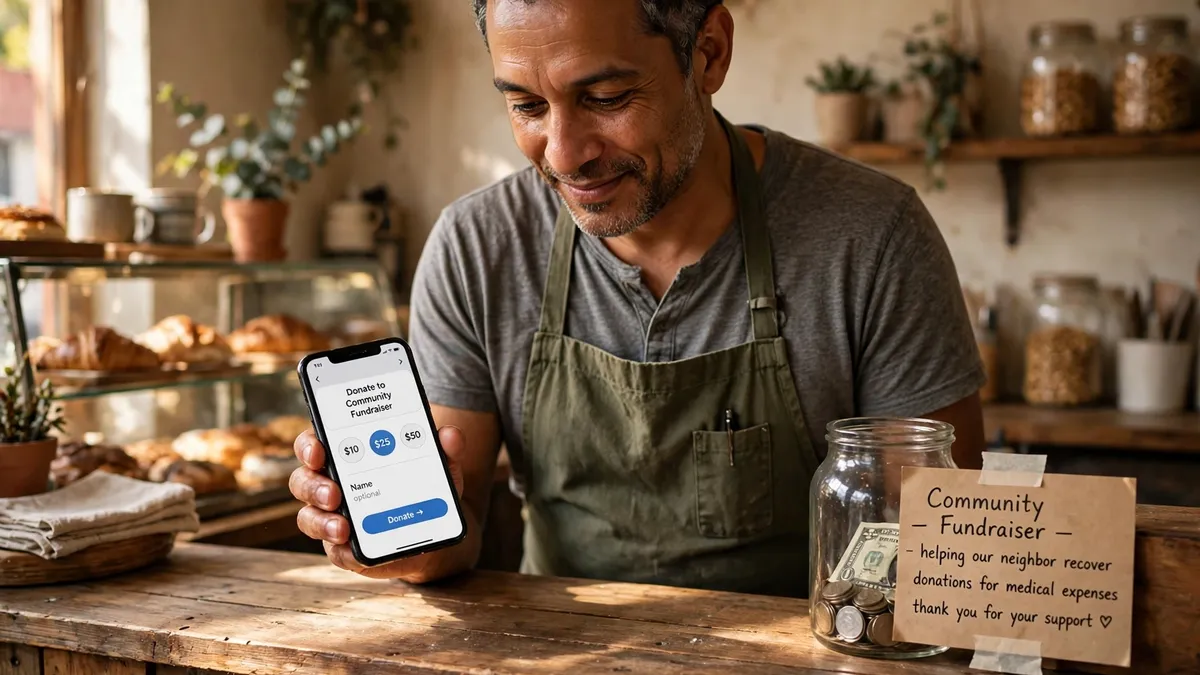
A donation page turns a business website into a place where visitors can give money in a few minutes, without a phone call and without a paper form. The setup is not complicated, but the details decide whether donors finish the form or leave halfway through it.
The work falls into five parts: a clear purpose for the gift, a short form that asks for little, a payment connection that handles cards and wallets, a thank you that arrives at once, and a record that the business can reconcile at the end of the month. Each part is simple on its own.
This guide walks through the whole setup in order, from the first decision about purpose to the final test before the page goes live. It covers the page structure, the payment connection, the amounts to offer, and the checks to run before sharing the link.
Key takeaways
- A donation page needs one clear purpose, a short form, and a payment connection that accepts cards and wallets.
- Offer three or four preset amounts plus a custom amount.
- Recurring gifts need a clear monthly option and a simple way for donors to stop or change the gift.
- Test the full flow with a real test payment before the page goes live, including the thank you and the receipt.
- Keep a record of every gift, check the payout timing, and confirm the tax and receipt rules that apply.
What a donation page is and what it has to do
A donation page is a single page on a business website where a visitor can give money to support a cause, a project, or a community effort.
The best donation pages answer three questions in the first few seconds. The first question is what the money is for, stated in one plain sentence. The second question is how much to give, answered with a few preset amounts that fit the audience. The third question is whether the gift is safe, answered with a secure payment form, a short privacy note, and a recognisable payment method.
Small businesses use donation pages for more reasons than many owners expect. A bookshop may raise money for a school library, a cafe may collect funds for a staff hardship pot, and a studio may fund a free community class.
There are two broad ways to build the page. The first is a form on the business website itself, connected to a payment provider, so donors never leave the site. The second is a link to a hosted donation page run by a donation platform, which keeps the payment work off the site entirely. A comparison of donation platforms for nonprofits can help narrow the choice, and the right answer depends on how much control the business wants and how much time it can spend on upkeep.
How the money moves from a donor to the business
When a donor fills in the form and clicks the donate button, several steps happen in a few seconds. The payment provider checks the card or wallet details, asks the card network or bank for approval, and sends the result back to the website. If the payment is approved, the website shows a thank you message, the donor receives a receipt by email, and the money is scheduled for payout to the business bank account.
The money does not arrive in the bank account at once. Most providers pay out on a schedule, often the next working day or within three to five working days, and some hold a small reserve for new accounts. The fee is usually a percentage of each gift plus a small fixed amount, and the fee is taken before payout.

The payment connection is the part of the setup that needs the most care. The business needs a provider account, a bank account for payouts, and a secure connection on the website, which means a valid security certificate and a payment form that never stores card numbers on the site itself. The provider handles the card details, and the website only receives a confirmation that the payment succeeded.
Choosing the provider is a separate decision from building the page, and it is worth reading a guide to choosing a payment gateway for a business website before signing up, because the gateway decides which payment methods donors can use, how fast payouts arrive, and what the total fees look like across a month of gifts.
Recurring gifts add one more step. A monthly gift needs the donor to agree to repeat billing, a clear statement of the amount and the date, and a simple way to pause or cancel. The provider stores the payment method securely and charges it on the agreed schedule.
The setup steps in order
Step one is the purpose. Write one sentence that says what the money will do, and put it at the top of the page.
Step two is the amounts. Offer three or four preset amounts that match the audience, plus a custom amount field for donors who want to give more or less.
Step three is the form itself. Keep it short: name, email address, amount, and payment details. Add an optional message field so donors can leave a note, and a checkbox for a monthly gift.
Step four is the payment connection. Connect the form to the payment provider, add the payment methods the donors actually use, and set the currency to match the audience. Test the connection with the provider test mode first, then with a small real gift that is refunded afterwards.
Step five is the thank you and the follow up. Write a thank you message that appears on screen at once, and a receipt email that arrives within a minute. The receipt should show the amount, the date, and the purpose of the gift, and it should come from an address the donor recognises.
Step six is the launch check. Open the page on a phone and on a laptop, fill in the form as a donor would, and confirm that every step works. Check the page load speed, because a slow page loses donors before the form even appears. A guide to setting up an online store on a business website covers several of the same launch checks, and the habits transfer well to a donation page.
The caveats that matter
The most common problem is a page that asks for too much. A form with ten fields, a required account creation step, and a separate confirmation page will lose donors at every step. The second most common problem is a page that never explains where the money goes.
Fees deserve a frank look before launch. The provider fee, the payout timing, and the cost of refunds should all be written down and compared across two or three providers.
Tax and receipt rules vary by country and by the type of organisation, and they should be checked before the first gift arrives. A registered charity may need to issue a particular form of receipt, while a small business collecting for a cause may need to be clear that gifts are not tax deductible. The page should state the position plainly, and the business should keep records that match the receipts issued.
Fraud is rare on small donation pages, but it happens, usually as a test of stolen card details through many small gifts. The provider fraud tools, a minimum gift amount, and a simple check that blocks rapid repeat gifts from the same source will catch most of it.
| Detail | What is known |
|---|---|
| Purpose of the page | One clear sentence at the top, stating what the money will do |
| Preset amounts | Three or four amounts that fit the audience, plus a custom amount field |
| Form fields | Name, email, amount, and payment details, with nothing extra unless needed |
| Payment connection | Provider handles card details, website receives only a confirmation |
| Typical fee example | About 2.9 percent plus 30 cents per gift, taken before payout |
| Payout timing | Often the next working day to five working days, with possible reserves for new accounts |
| Recurring gifts | Clear monthly option, donor agreement, and a simple way to pause or cancel |
| Launch check | Full test gift on phone and laptop, receipt email, and record in the dashboard |
Privacy is the last caveat, and it matters more than most owners expect. Donors give an email address and a name, and many give a message as well. The page should say what the business will do with those details, offer an option to give without public recognition, and never publish a donor list without clear permission.
Checklist: before the donation page goes live
Use these checks before sharing the link with anyone outside the team.
- The purpose is stated in one sentence at the top, and the page shows a real photo of the people or place involved.
- The form asks only for name, email, amount, and payment details, with a custom amount field and a monthly option.
- The payment connection accepts cards and at least one wallet, and a test gift completed the full flow.
- The thank you message and the receipt email both arrive, showing the amount, the date, and the purpose.
- The gift appears in the provider dashboard with the right amount, and the payout schedule is confirmed.
- The tax and receipt wording is checked, the privacy note is in place.
Frequently asked questions
How much should a donation page ask for?
Offer three or four preset amounts that match the audience, plus a custom amount field. A community page often works well with 5, 10, 25, and 50 dollars, while a larger project may suit 25, 50, 100, and 250 dollars.
Does a donation page need a separate payment provider?
Yes, in almost every case. The provider checks the card, handles the security, and pays the money into the business bank account.
Can donors give every month from the same page?
Yes. Add a checkbox or a toggle for a monthly gift beside the one off option, and show the amount and the date clearly.
What fees will the business pay on each gift?
Most providers charge a percentage of the gift plus a small fixed amount, often around 2.9 percent plus 30 cents, with extra charges for cross border gifts, refunds, and chargebacks.
How long does it take for donated money to reach the bank?
Most providers pay out on a schedule of one to five working days, and some hold a reserve for new accounts. The schedule should be confirmed in the provider dashboard before launch,
Should the page show the names of donors?
Only with clear permission. Offer an option to give anonymously, and never publish a donor list without asking first.
The bottom line
A donation page works when it is short, honest, and easy to finish. One clear purpose, three or four sensible amounts, a short form, a secure payment connection, and a thank you that arrives at once will raise more than a long page with a dozen fields and a vague request.
The page is not finished at launch. Check the first week of gifts, read the messages donors leave, and fix anything that confused them.
Note: Fees, payout timing, and tax rules vary by provider and by country, so confirm the numbers in the provider dashboard and check the receipt rules that apply to the business before the first gift arrives.