
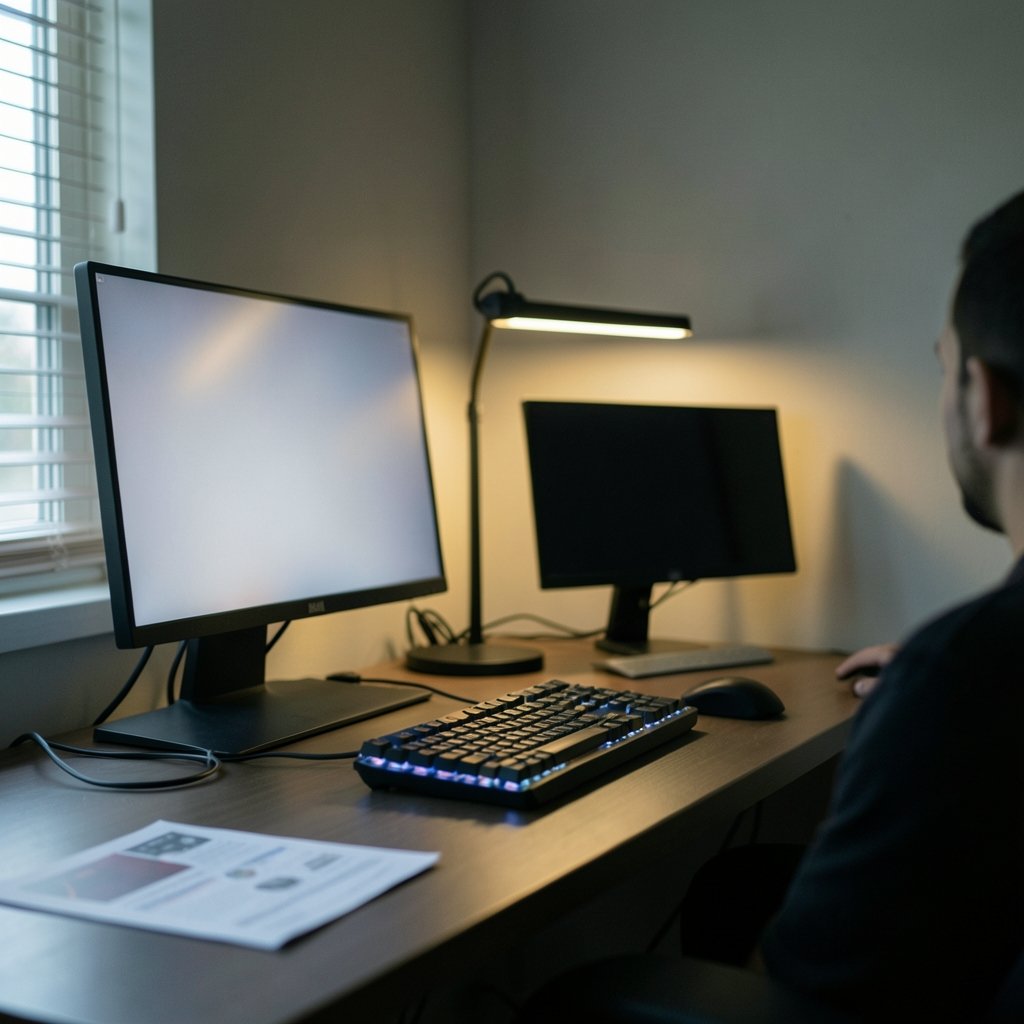
What if the biggest factor in your next monitor purchase isn’t the panel at all, but the lamp sitting three feet behind your chair? Gamers spend hours comparing specs, watching reviews, and arguing about contrast ratios, yet many overlook the one variable that quietly reshapes everything they see: the light in their room. In 2027, as OLED and Mini LED monitors push into new brightness territory, that overlooked variable matters more than ever.
Why Room Lighting Decides More Than the Panel
A monitor doesn’t create contrast in a vacuum. It creates contrast relative to whatever light is bouncing around the room. In a bright space, light reflects off the screen surface and off the walls, lifting the darkest parts of the image into a washed-out gray. That reflected light sets a floor on how deep black can look, no matter how good the panel is.
This is standard display-measurement reasoning. Contrast is measured differently in dark rooms and lit rooms because ambient light changes what the eye actually perceives. A display that looks stunning in a blacked-out room can look flat and hazy in a sunlit one, and the reverse is also true.
For gamers, this cuts two ways. First, it changes how impressive a monitor looks moment to moment. Second, it changes how much a specific panel technology’s weakness actually shows up in daily use. OLED and Mini LED fail in opposite ways, and room lighting determines which failure you notice.
OLED’s Real Weakness Isn’t Peak Brightness

Marketing loves big peak-brightness numbers. OLED panels can hit impressive brightness on small, bright highlights, which is why HDR explosions and neon signs pop so hard. But when most of the screen is bright, OLED dims. This is automatic brightness limiting (ABL), and it exists to protect the panel and manage power.
In practice, that means a full-screen bright sky, a snow level, or a sunlit desert can look dimmer than expected on OLED. Mini LED, with its local dimming backlight, sustains higher full-field brightness because it isn’t limited the same way.
In a bright room, this dynamic shifts. When ambient light is already lifting the black floor, OLED’s per-pixel dimming advantage gets compressed. The deep blacks that make OLED famous in a dark room become less dramatic when reflections are competing with them. Meanwhile, OLED’s dimming on large bright areas becomes more noticeable because your eyes are adapted to a brighter environment. (OLED)
In a dim room, the script flips. OLED’s ability to turn individual pixels completely off produces clean, halo-free dark scenes. That near-black response is where OLED feels almost magical, and it’s exactly the kind of advantage that a dark room preserves and a bright room erodes.
Mini LED’s Blooming Problem Is a Lighting Problem
Mini LED’s headline weakness is blooming, sometimes called haloing. Bright objects on dark backgrounds get a soft glow around them because the backlight zones can’t perfectly match the shape of the bright object. A small bright cursor on a black screen, a subtitle, or a starfield can all show a faint aura.
Here’s the key insight: blooming is most visible in dark rooms. When the room is bright, reflected light lifts the black level around the bright object, and the halo blends into that lifted floor. The artifact doesn’t disappear, but it becomes far less obvious.
This is why two reviewers can describe the same Mini LED monitor in opposite terms. One tests in a blacked-out room and calls the blooming distracting. Another tests in a normally lit office and barely notices it. Neither is wrong. They’re describing different viewing conditions.
If you want to understand the mechanics more deeply, this explanation of how mini led blooming subtitles actually reduces halo in certain content types is worth a read, because subtitle rendering and UI elements are where the effect shows up most.
The Comparison Table That Changes With the Lights
The same two monitors can rank differently depending on the room. Here’s how the trade-offs shift:
| Factor | Dark Room Winner | Bright Room Winner |
|---|---|---|
| Perceived black depth | OLED | Roughly tied |
| Full-screen brightness | Mini LED | Mini LED |
| Halo and blooming visibility | OLED | Mini LED (less visible) |
| HDR highlight punch | OLED | Mini LED |
| Dimming on large bright scenes | Mini LED | Mini LED |
| Glare and reflections | Depends on coating | Depends on coating |
Notice that OLED only clearly wins one row in a bright room, and even that is contested. In a dark room, OLED’s advantages multiply. This is the single most practical takeaway for 2027 buyers: match the panel to the room, not to the spec sheet.
Glossy vs Matte: The Variable Nobody Talks About
Here’s a mistake many gamers make. They fixate on OLED versus Mini LED and ignore the screen coating. In a lit room, veiling glare and reflections can dominate perceived contrast regardless of panel type. A glossy OLED facing a window can look worse than a matte Mini LED in the same spot.
Before buying, think about where light sources sit relative to your seating position. A window behind you reflects directly into your eyes. A lamp to the side creates a bright streak across the panel. Matte coatings scatter reflections and reduce sharp mirror images, but they can slightly soften fine detail and add a faint haze of their own.
The honest answer is that coating often matters more than panel technology in a bright room. Two OLED monitors with different finishes can feel like different products. If your room is bright and you can’t control the light, prioritize a good anti-glare treatment over the OLED-versus-Mini LED debate.
What HDR Content Expects From Your Room
HDR is mastered for a controlled, dim viewing environment. Reference viewing conditions assume low ambient light so that highlights can stand out against deep shadows. When you watch HDR in a bright room, you’re departing from the intent of the people who graded the content.
This affects both technologies. On OLED, the dimming of large bright areas fights against your light-adapted eyes. On Mini LED, the extra brightness helps the image hold up, but the lifted black floor makes shadow detail look muddier than the creators intended.
The practical fix is simple: control the light. Blackout curtains, bias lighting behind the monitor, and dimmable lamps do more for HDR impact than most panel upgrades. A modest monitor in a well-controlled room often beats a flagship in a glare-filled one.
Burn-In, Static HUDs, and Long-Term Ownership
Room lighting doesn’t cause burn-in, but it belongs in the buying decision. OLED monitors can develop image retention and permanent burn-in from static elements like health bars, minimaps, and fixed UI. This is a long-term concern independent of how bright your room is, but it matters for gamers who play the same title for hundreds of hours.
Mini LED has no burn-in risk because it uses an LCD panel with a backlight. If you’re the kind of player who leaves a game paused for hours or grinds the same interface daily, that reliability difference may outweigh OLED’s dark-room advantages.
A sensible habit regardless of panel: enable pixel-shift features, hide static HUDs where the game allows it, and let the monitor run its refresh cycles. These routines reduce risk without demanding much effort.
Practical Setup Tips That Actually Work
Most viewing-experience problems are solvable with setup, not spending. Here’s what tends to work in practice:
- Position the monitor so no window or lamp sits directly behind your head or directly in front of the screen.
- Add bias lighting behind the monitor to reduce the contrast between the bright screen and a dark wall, which eases eye strain in dim rooms.
- Use dimmable lighting and aim for a moderate ambient level rather than pitch black or full daylight.
- Match screen brightness to the room instead of maxing it out, since an overly bright panel in a dark room causes its own fatigue.
- Test the monitor in your actual room during the return window, ideally at the same time of day you usually play.
Common mistakes include judging a monitor in a store’s bright showroom and expecting the same look at home, and buying based on peak-brightness numbers without considering how the panel handles large bright scenes. Another frequent error is ignoring reflections until after the return period ends.
If you’re weighing light-source technology at the projector level too, the same room-lighting logic applies, and this breakdown of laser vs led projector which light source fits your room covers the parallel trade-offs. For desk setups, matching a display to your workflow matters as much as raw specs, which is why a guide to the best monitors mac mini matching display your desk workflow can help you think about placement and lighting together.
The 2027 Outlook: Brighter Panels, Same Physics
Roadmaps promise brighter OLED through new panel structures and higher-zone-count Mini LED with improved backlights. Some of these will ship at consumer prices; some won’t. Treat any confident claim that 2027 solves OLED’s full-field brightness or eliminates Mini LED blooming as speculative until independent testing confirms it.
What won’t change is the physics. Ambient light will still lift perceived black levels. Blooming will still be more visible in the dark. HDR will still be mastered for dim rooms. Better panels narrow the gaps, but they don’t erase the role of your room.
That’s why the smartest 2027 buying strategy is boring and effective: measure your room’s light, decide whether you can control it, then pick the panel whose weakness you can live with. Gamers who love dark, cinematic titles and can dim the lights should lean OLED. Gamers in bright, multi-use rooms or who worry about burn-in should lean Mini LED.
Conclusion
The OLED versus Mini LED debate isn’t really a debate about panels. It’s a debate about rooms. OLED shines when the lights are low, delivering halo-free dark scenes and dramatic highlights. Mini LED holds up when the lights are up, sustaining brightness and hiding its blooming where reflections already soften the blacks. Neither wins everywhere, and the spec sheet won’t tell you which one fits your space. Look at your window, your lamp, and your wall color before you look at the review scores. The monitor that matches your room will always feel like the better purchase, because in the end, you’re not just buying a panel. You’re buying a viewing experience, and the light around it is half the picture.
FAQ
Is OLED or Mini LED better for a bright room?
Mini LED usually holds up better in a bright room because it sustains higher full-field brightness and its blooming is less visible when ambient light lifts the black floor. OLED’s deep blacks lose some impact under strong reflections, though a good anti-glare coating can narrow the gap considerably.
Does room lighting really change how a monitor looks?
Yes, significantly. Ambient light reflects off the screen and raises the darkest level your eyes perceive, which compresses contrast. The same monitor can look dramatic in a dark room and flat in a sunlit one, and the effect differs between OLED and Mini LED.
Why is Mini LED blooming less noticeable in a bright room?
Blooming is a glow around bright objects on dark backgrounds. In a bright room, reflected light already lifts those dark areas toward gray, so the halo blends into the surrounding brightness. In a dark room, the halo stands out against true black and becomes far more distracting.
Should I use bias lighting with an OLED gaming monitor?
Bias lighting behind the monitor is a good idea for most setups. It reduces the contrast between a bright screen and a dark wall, which eases eye strain during long sessions. It also adds a small amount of ambient light that can slightly soften OLED’s dimming on large bright scenes.
Does HDR look worse in a bright room?
HDR is mastered for a dim, controlled viewing environment, so a bright room departs from that intent. Highlights compete with reflections, and shadow detail looks muddier on both panel types. Controlling the light does more for HDR impact than most hardware upgrades.
Will 2027 monitors make room lighting irrelevant?
Unlikely. Brighter OLED and higher-zone Mini LED will narrow the gaps, but ambient light will still lift perceived black levels and blooming will still show more in the dark. Better panels reduce the differences without removing the influence of your room.



