Quick Answer: Are premium capture cards worth it for a small gaming channel?
It depends. A premium capture card pays off when a creator streams from a console, runs a dual-PC setup, or needs clean 4K passthrough to a TV, while a single gaming PC with a modern GPU often does the same job through free software encoding. The main alternatives are internal PCIe cards, external USB models, and built-in GPU encoders, and each one fits a different workflow and budget. Before buying, compare the setup type, passthrough versus capture resolution, USB bandwidth, HDCP handling, bundled software, and total price.
What if the single most expensive box in a small streamer’s setup is also the one piece of gear doing the least work? That question comes up constantly in creator forums, and the honest answer surprises people. A capture card is not magic. It is a bridge between a video source and a computer, and whether that bridge is worth several hundred dollars depends almost entirely on what sits on the other side of it.
This guide breaks down where premium cards earn their price, where they quietly waste money, and how a small channel should decide.
What a capture card actually does, and why price varies so much
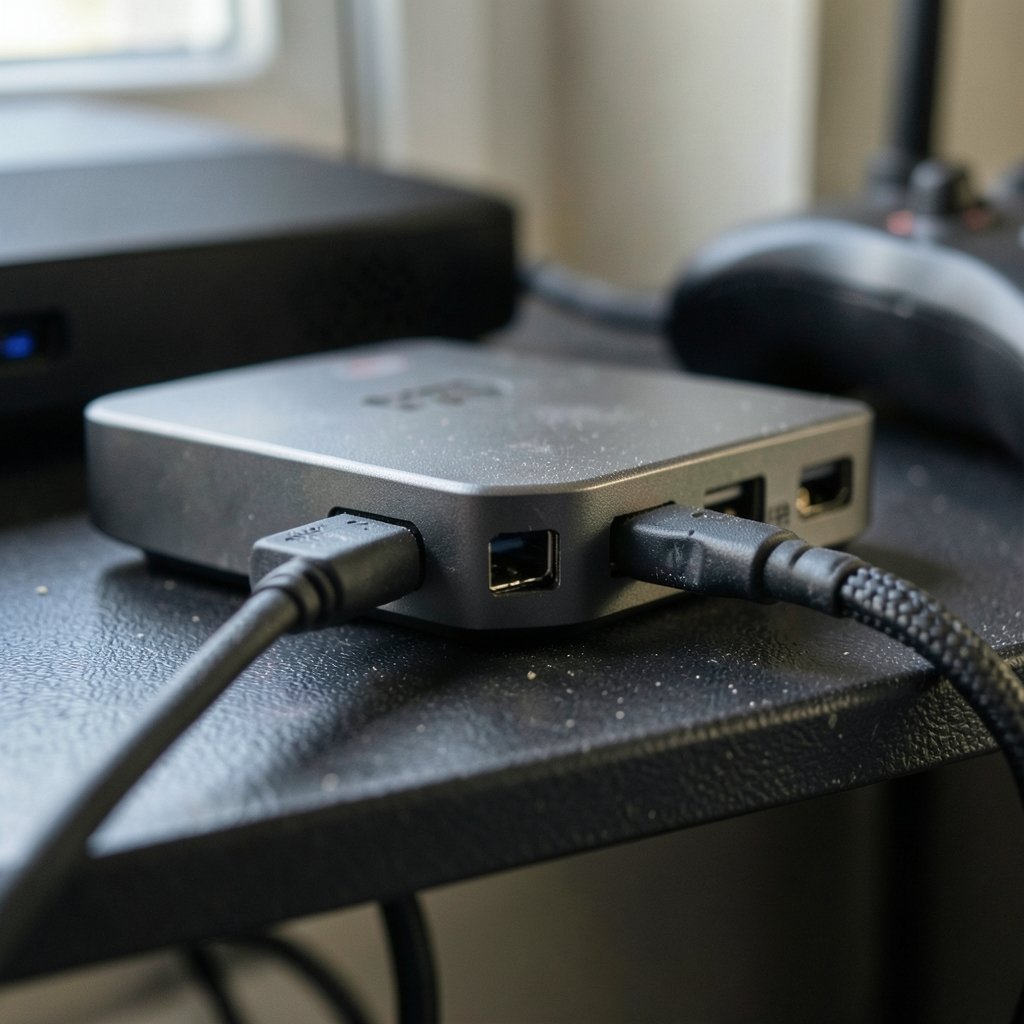
A capture card takes an HDMI signal from a console, camera, or second PC and converts it into a video feed the streaming computer can read. That is the whole job. The price differences come from how well a card does it: maximum resolution and frame rate, whether it passes HDR through untouched, how much latency it adds, and how stable its drivers are over years of use.
Two broad classes dominate the market. Internal PCIe cards sit inside the PC and generally offer lower latency and higher bandwidth. External USB cards plug in with a cable, which makes them simpler for console setups and laptops. Neither class is universally better. The right pick depends on the machine doing the encoding and the source being captured.
There is also a spec trap worth naming early. Many premium cards advertise 4K60 HDR passthrough while capturing at 1080p60 or 1440p60 to the PC. Passthrough means the signal reaching the TV looks perfect. Capture means what the stream actually receives. Buyers regularly pay for passthrough quality they never use because they game on the same monitor they stream from.
The single-PC question: do you even need one?
Here is the uncomfortable truth for PC players. If the gaming PC and the streaming PC are the same machine, a capture card is usually redundant. Modern GPUs carry dedicated hardware encoders, and free software like OBS can grab the game window directly with almost no performance cost.
NVIDIA’s hardware encoder, NVENC, arrived with Kepler GPUs in 2012 and improved dramatically with the Turing generation in 2018. AMD offers equivalent encoding hardware. For a small channel pushing 1080p60 at a reasonable bitrate, that built-in encoder is genuinely good enough. Anyone weighing a GPU upgrade against a capture card should read up on which graphics cards are actually worth buying for everyday use before spending on capture hardware, because the GPU often solves the problem more cheaply.
The practical rule: single PC, modern GPU, streaming to one platform at 1080p60? Skip the card. Spend the money on a better microphone or lighting instead. Viewers forgive soft video far faster than they forgive bad audio.
Where premium cards genuinely earn their price
Console streaming
This is the strongest case, and it is not close. A PS5, Xbox, or Switch cannot run OBS. Without a capture card, console streaming means relying on the console’s built-in broadcast tools, which are limited in scene control, overlays, and audio mixing. A capture card gives the console a path into the full streaming software stack. For a console-focused channel, the card is not a luxury. It is the foundation.
Dual-PC setups
Creators who run a dedicated gaming rig and a separate streaming rig need a card to move video between them. In that architecture, a quality card with low latency and reliable drivers matters a great deal. The tradeoffs between cloud and local streaming architectures are worth understanding too, and a comparison of Xbox cloud gaming versus PS Plus Premium architecture choices shows how differently these platforms handle the video pipeline.
Camera capture and multi-source production
Streamers running a dedicated camera, a console, and a second computer simultaneously need multiple HDMI inputs. Premium cards with clean multi-device support and solid bundled software earn their keep here.
Where premium cards quietly waste money
The most common mistake is buying a top-tier card for a setup that cannot use its headline features. A few patterns show up again and again:
- Paying for 4K capture when streaming at 1080p. Most platforms compress hard. The extra resolution rarely reaches viewers.
- Buying a card for a single-PC setup that already has a capable GPU. The built-in encoder handles it for free.
- Ignoring USB bandwidth. External cards are constrained by the port they use. USB 3.0/3.1 Gen 1 at 5 Gbps is commonly cited as sufficient for uncompressed 1080p60, while 4K60 HDR passthrough typically needs USB 3.2 Gen 2 at 10 Gbps or a PCIe slot. Plugging a premium card into a slow port wastes the premium.
- Forgetting HDCP. HDMI content protection can block capture of protected content. Many cards handle game content fine but choke on other sources, and some setups need a splitter. Check this before assuming a card is broken.
- Trusting latency marketing. “Zero-latency passthrough” claims vary widely by card, resolution, and whether HDR is enabled. Independent hands-on measurements beat spec sheets every time.
Budget, mid-tier, and premium: a realistic comparison
Pricing shifts constantly and varies by region, so treat the figures below as rough tiers rather than quotes. As of early 2025 knowledge, budget USB cards sat around $100 to $150, mid-tier models around $150 to $250, and premium 4K60 PCIe or USB cards at $250 to $400 and up.
| Tier | Typical price band | Best for | Main tradeoff |
|---|---|---|---|
| Budget USB | ~$100–$150 | 1080p60 console streaming, first setup | Limited passthrough, simpler software |
| Mid-tier USB or PCIe | ~$150–$250 | 1080p60 or 1440p60 with cleaner passthrough | Fewer inputs, occasional driver quirks |
| Premium PCIe or USB | ~$250–$400+ | 4K60 HDR passthrough, dual-PC, multi-source | Cost, plus features a small channel may never use |
The pattern is clear. The jump from budget to mid-tier buys real quality-of-life improvements. The jump from mid-tier to premium buys features that only matter if the workflow demands them.
The factors that matter more than raw specs
For a small channel, software quality often outweighs spec sheet numbers. Premium cards typically bundle better capture utilities and receive longer firmware support. A card with slightly lower specs and rock-solid drivers will outperform a spec monster that drops frames mid-stream.
Audio sync is the other silent differentiator. Desynced audio is one of the most common complaints from new capture card owners, and it is usually a software or settings issue rather than a hardware failure. Testing sync before a live stream, not during one, saves embarrassment.
It is also worth thinking about the whole setup rather than one component. A streamer agonizing over capture card specs while running a mediocre display is solving the wrong problem, and a guide to whether a gaming monitor is worth buying for beginners in everyday use makes the point well: the weakest link sets the ceiling. The same logic applies to choosing a gaming monitor as a beginner with a practical buying guide in mind. Balance beats brilliance.
A practical decision framework for small channels
Work through these steps in order. Most people find their answer by step three.
- Identify the source. Console, second PC, camera, or the same PC you game on?
- Check the GPU. If it is a modern card with a hardware encoder and the setup is single-PC, software capture is likely enough.
- Confirm the ports. Match the card’s bandwidth needs to the actual USB or PCIe slots available.
- Decide the resolution you truly stream at. Not the resolution you aspire to. The one your platform and audience support.
- Budget for the whole chain. Cables, splitters, and audio interfaces add up.
- Buy mid-tier first if unsure. Upgrading later costs less than overbuying now.
Conclusion
Premium capture cards are worth it for a specific kind of small channel: one built around console streaming, dual-PC production, or multi-source setups where a card is structurally required. For single-PC streamers with a modern GPU, the money is usually better spent elsewhere, at least until the channel outgrows software encoding.
The honest framing is that a capture card is a one-time capital cost, and the question is never “is this card good?” but “does this card solve a problem I actually have?” Answer that first, and the price tag stops being scary. It becomes a number with a job attached.
FAQ
Do I need a capture card to stream from a PS5 or Xbox?
Yes, practically speaking. Consoles cannot run full streaming software like OBS, so their built-in broadcast tools limit scene control, overlays, and audio mixing. A capture card routes the console signal into a computer, which can then run the full production stack. This is the clearest case where even a budget card changes what a channel can produce.
Is USB good enough, or do I need an internal PCIe card?
It depends on resolution and frame rate. USB 3.0/3.1 Gen 1 at 5 Gbps is commonly cited as sufficient for uncompressed 1080p60, while 4K60 HDR passthrough typically requires USB 3.2 Gen 2 at 10 Gbps or a PCIe slot. For 1080p60 console streaming, a good USB card is plenty. For high-bandwidth 4K work, internal PCIe generally offers more headroom and lower latency.
Why is my capture card showing a black screen?
The usual culprit is HDCP, the HDMI content protection standard. It can block capture of protected content, and some sources require a splitter to work around it. Other common causes are a loose cable, the wrong input selected in software, or a resolution mismatch between source and card. Test each link in the chain separately before assuming the card is faulty.
How much should a small channel spend on a capture card?
Most small channels do well in the $100 to $250 range. That buys reliable 1080p60 capture with decent passthrough. Premium cards at $250 to $400 and up make sense only when the workflow genuinely needs 4K60 HDR passthrough, dual-PC routing, or multiple inputs. Spending more than the rest of the setup combined is usually a sign the budget is misallocated.
Can I stream without a capture card at all?
Yes, if the gaming PC and streaming PC are the same machine. Modern GPUs include hardware encoders that handle 1080p60 streaming with minimal performance impact, and free software like OBS can capture the game directly. This route costs nothing extra and works well for most PC-focused channels. Console players and dual-PC creators are the ones who genuinely need dedicated hardware.
Does a more expensive capture card improve stream quality?
Rarely in a way viewers notice. Streaming platforms compress video heavily, so the difference between a mid-tier and premium card often disappears after encoding. What premium cards do improve is reliability, passthrough fidelity, driver support, and input flexibility. Those matter for production sanity, not for pixel quality on the viewer’s screen. A better microphone will move the needle further.