

Is your current PC actually ready for a new graphics card, or will a shiny upgrade turn into a weekend of troubleshooting? That is the question worth answering before spending money on either the AMD Radeon RX 9070 or the NVIDIA GeForce RTX 5070. Both cards arrived in early 2025, and by 2027 they sit in an awkward but interesting spot: mature enough that driver bugs are mostly gone, yet old enough that you should be hunting for deals rather than paying launch prices. The hardware checks, though, haven’t changed at all. A card that doesn’t fit your case or power supply is still a card that doesn’t fit, no matter what year it is.
This guide walks through the practical compatibility checks in the order that saves the most grief, from the power supply outward to the monitor cable. It also flags where the two cards genuinely differ and where the internet exaggerates those differences.
Start With the Power Supply, Not the Card
Almost every failed upgrade story starts here. People buy the GPU first, then discover their power supply either lacks the right connectors or runs out of headroom under load.
Both cards are officially rated with a 650 W recommended system power supply in their reference specifications. That number describes the whole system, not the card alone. A build with a power-hungry CPU, several drives, and a pile of RGB can push close to that ceiling, and board-partner cards with factory overclocks often ask for more than the reference design. If your PSU is a 550 W unit from five years ago, plan to replace it alongside the GPU. It stings, but it is cheaper than a shutdown loop or a dead drive.
The connector situation is where the two cards diverge most in daily life:
| Check | RX 9070 | RTX 5070 |
|---|---|---|
| Reference PSU recommendation | 650 W | 650 W |
| Typical power connectors | Two or three standard 8-pin PCIe | 12V-2×6 (updated 12VHPWR) on reference designs |
| Adapter needed on older PSUs | Usually none | Often yes, depending on PSU cables |
| Practical advice | Count your 8-pin cables | Confirm a native 12V-2×6 cable or a quality adapter |
Adapters work, but every adapter adds a connection point, and connection points are where heat and resistance problems live. If your PSU predates the 12V-2×6 standard, check whether the manufacturer sells a proper cable for your exact model rather than relying on a bundled dongle.
Does the Card Physically Fit?
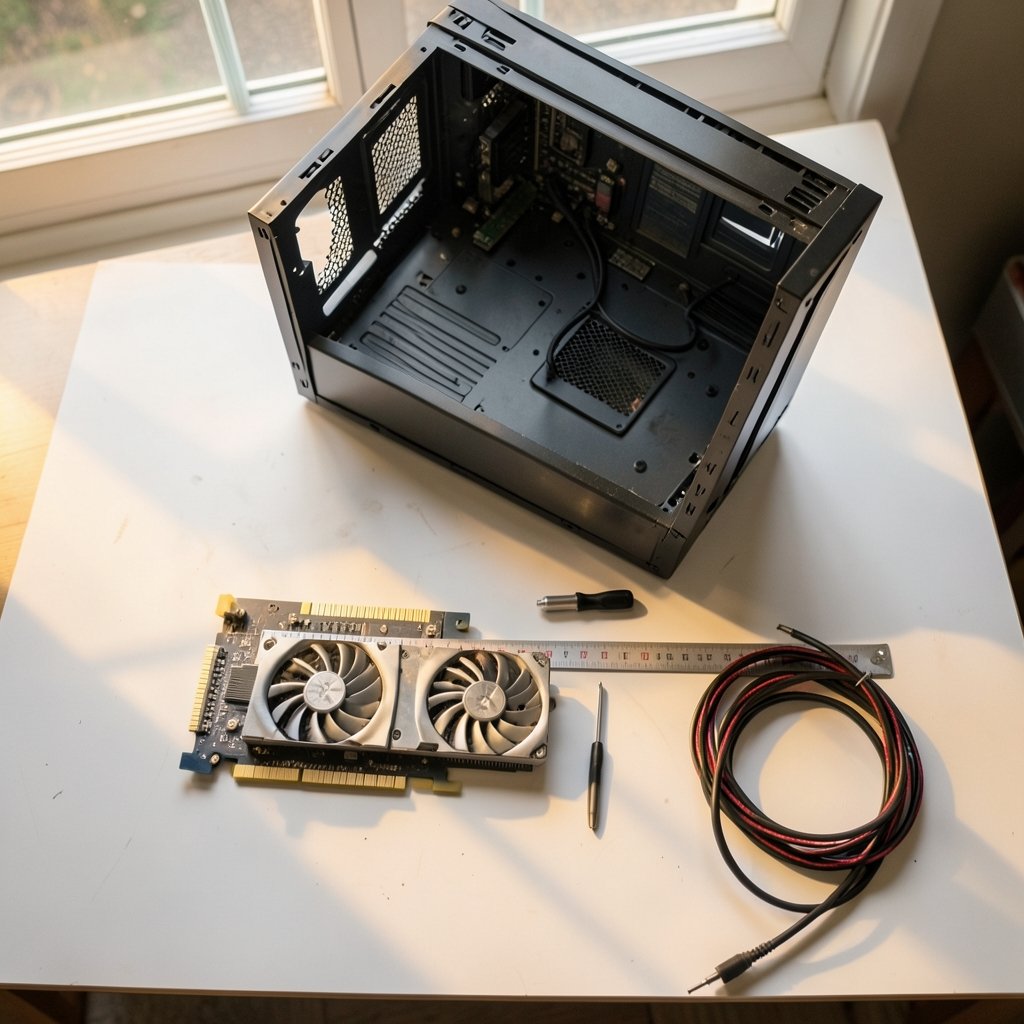
This check takes two minutes and prevents the most embarrassing mistake in PC building: a card that arrives and doesn’t go in.
Measure three things before ordering:
- Length. Board-partner cards range roughly from 267 mm to 304 mm, and some premium models run longer. Compare against your case’s published GPU clearance, not your eyeball estimate.
- Thickness. Most models are dual-slot to about 2.5 slots. A thick card can block a PCIe slot you use for a capture card or sound card.
- Cable clearance. A card that fits can still fail if the power connector sits against the side panel and the cable has to bend sharply. The 12V-2×6 connector in particular needs a bit of straight run before any bend.
Also look at where your case’s front fans and drive cages sit. Removing a cage is fine; removing a riveted bracket is not.
PCIe Slots: Less Drama Than the Forums Suggest
Both the RX 9070 and RTX 5070 are PCIe 5.0 x16 cards. If your motherboard is PCIe 4.0, the card drops to 4.0 speed automatically, and for gaming the difference is small enough that most people will never notice it. PCIe generations are designed to be backward and forward compatible, so a newer card in an older slot is a supported configuration, not a hack. For a plain-language explanation of how the generations relate, the PCI-SIG standards body publishes material on PCIe generation speeds and compatibility. (PCI Express)
Where bandwidth matters more is compute work: local AI models, video rendering, and anything that streams large datasets to and from the card. If that describes your workload, a PCIe 4.0 board is a real consideration, though usually not a dealbreaker.
One more slot detail: a PCIe 5.0 card in an older motherboard may need a BIOS update before it negotiates its link properly. Most boards fall back gracefully, but a few early AM5 and LGA1700 boards had teething issues. Check your motherboard vendor’s support page for your exact model and flash the latest BIOS before the card arrives, not after.
Driver and Operating System Support in 2027
By 2027, both cards have had years of driver work behind them, and the launch-day complaints about crashes and stutter are largely historical. That doesn’t mean support is identical.
On Windows 10 and 11, both vendors ship mature 64-bit drivers, and the installation process is routine. On Linux, AMD’s open-source amdgpu and Mesa stack is generally the simpler path: it is built into most distributions and updates with the kernel. NVIDIA cards need the proprietary driver or the newer open kernel modules, which work well but involve more setup. If you run Linux and value a quiet life, that difference is worth weighing.
There is a broader point here that applies to any upgrade cycle. Hardware compatibility is only half the story; software support windows decide how long a build stays useful. If you are also planning to move an older machine to Windows 11, it is worth checking whether your PC supports Windows 11 before you upgrade anything else, because a platform that fails that check changes your whole upgrade plan. (Intel processor compatibility and socket support overview)
The Monitor Is Part of the Compatibility Chain
A card is only as good as what it can drive. Before buying, match the card’s output spec against your monitor:
- DisplayPort version. Newer DisplayPort revisions carry more bandwidth, which matters for high refresh rates at 4K.
- HDMI version. If you game on a TV, the HDMI version on the card and the TV both need to support the resolution and refresh you want.
- DSC support. Display Stream Compression lets a card hit very high refresh rates at 4K over a single cable. Without it, you may be capped lower than your monitor’s rated maximum.
The VESA standards organization documents DisplayPort and DSC behavior if you want the technical detail. In practice, the check is simple: look up your monitor’s maximum refresh at your resolution, then confirm the card’s port can carry it.
Where the Two Cards Actually Differ
Once compatibility is settled, the choice comes down to priorities. The short version:
- Ray tracing favors NVIDIA. The RTX 5070’s ray tracing hardware is generally stronger, and features like DLSS upscaling have a longer track record.
- Raw raster performance per dollar often favors AMD, and the RX 9070 typically carries more VRAM headroom for texture-heavy games.
- Upscaling quality is closer than it used to be, but game support still tilts toward NVIDIA’s DLSS in older titles.
For a deeper breakdown of how these two cards trade blows at 1440p, including VRAM and upscaling behavior, there is a detailed comparison of the RTX 5070 vs RX 9070 XT at 1440p covering VRAM, ray tracing, and upscaling that goes further than this article can.
It is also worth asking whether you need this tier at all. If your budget is tighter, a comparison of the RTX 5060 Ti 16GB vs RTX 5070 in 2026 shows which card still makes sense for 1440p buyers, and the answer may surprise you.
Common Mistakes That Sink an Upgrade
These come up again and again in build threads and support forums:
- Buying the GPU before checking the PSU. The single most expensive ordering mistake.
- Trusting the case’s marketing clearance number. Some cases quote clearance without front fans installed.
- Skipping the BIOS update. Then spending an evening diagnosing a card that “doesn’t work.”
- Reusing a daisy-chained PCIe cable for a high-draw card. Use separate cables where the PSU provides them.
- Forgetting the CPU. A very old processor will hold either card back in CPU-heavy games. Compatibility isn’t just about slots and watts.
There is a related trap for people who upgrade whole systems rather than single parts: assuming the software you depend on will behave the same on new hardware. That lesson shows up everywhere, from productivity tools to development environments. Anyone weighing a switch of their note-taking app should read about Notion alternatives and their limitations before switching, and developers considering a new editor should look at Cursor alternatives and their real limits before switching. The pattern is the same: verify before you commit.
What About Waiting for the Next Generation?
By 2027, talk of the next GPU generation is everywhere. Rumors about the Nvidia RTX 60 series and whether it skips a 2027 launch in favor of 2026 are worth reading, but they shouldn’t freeze a purchase you need now. A card you can use today beats a rumor you can’t buy. If your current GPU is struggling with the games you actually play, buy for the machine in front of you.
A Practical Checklist Before You Buy
Work through this in order and you will avoid nearly every upgrade pitfall:
- Confirm your PSU wattage and count the connectors the specific card model needs.
- Measure case length, thickness, and cable clearance.
- Check your motherboard’s PCIe generation and install the latest BIOS.
- Verify your monitor’s resolution, refresh rate, and port versions.
- Confirm your operating system and driver situation, especially on Linux.
- Compare the exact board-partner model’s specs, since length, connectors, and clocks vary by manufacturer.
Conclusion
The RX 9070 and RTX 5070 are both capable cards, and in 2027 the compatibility question matters far more than the benchmark gap between them. Check the power supply first, measure the case second, update the BIOS third, and confirm the monitor can actually show what the card can render. Do those four things and the upgrade becomes a boring afternoon of screwing in a card rather than a week of forum posts. The card you choose matters less than the machine you put it in.
FAQ
Is the RX 9070 compatible with a PCIe 4.0 motherboard?
Yes. Both the RX 9070 and RTX 5070 are PCIe 5.0 x16 cards, and PCIe is backward compatible, so they run at PCIe 4.0 speed in an older slot. For gaming the performance difference is small. For heavy compute work that moves large amounts of data, the reduced bandwidth is more noticeable.
Do I need a new power supply for an RTX 5070?
Not necessarily, but check carefully. The reference spec recommends a 650 W system power supply, and the card typically uses a 12V-2×6 connector. If your PSU is older, lower wattage, or lacks that connector, you may need a new unit or a proper manufacturer-supplied cable rather than a bundled adapter.
How much VRAM does each card have?
The RX 9070 generally offers more VRAM than the RTX 5070, which matters for texture-heavy games at high resolutions. Exact capacities vary by model, so confirm on the specific card’s spec sheet before buying.
Will either card work on Linux?
Yes, both work, but the experience differs. AMD’s open-source amdgpu and Mesa drivers are built into most distributions and update with the kernel. NVIDIA cards need the proprietary driver or the newer open kernel modules, which work well but require more setup.
Can my case fit these graphics cards?
Usually, but measure first. Board-partner models run roughly 267 mm to 304 mm long and about two to 2.5 slots thick. Check your case’s published GPU clearance and leave room for the power cable to bend without stress.
Should I wait for the next GPU generation instead?
Only if your current card still meets your needs. Next-generation rumors are always circulating, but a card you can buy and use today beats one that may or may not arrive on a rumored schedule. If your games already struggle, buy for the machine you have.



