The Steam Deck OLED is the better fit for most new buyers, but a well-priced Steam Deck LCD can still make sense for a tight budget. In 2026, the choice is different because Valve no longer sells the LCD as a new model. You will compare the OLED with refurbished or used LCD units instead.
The models differ more in the handheld experience than in raw gaming power. The OLED offers a better screen, longer unplugged play, and newer wireless features. The LCD can still run the same Steam games, so a large saving may matter more than those upgrades.
This comparison helps you weigh the cost against the changes you would notice during everyday play. It also covers refurbished buying, storage, and whether an existing LCD owner should upgrade. The deciding question is whether the OLED’s everyday upgrades justify your extra spend.
Key Takeaways
- The OLED is the stronger all-around choice for most new buyers.
- A trustworthy used or refurbished LCD may suit a tight budget.
- The screen, battery, memory speed, and wireless features differ most.
- Both models share similar core CPU and GPU hardware.
- Current LCD buyers face refurbished and used listings, not new stock.
- Existing LCD owners can keep their device if its limits rarely bother them.
Steam Deck LCD vs OLED: Which Differences Matter Most?
The Steam Deck OLED wins for most new buyers, while a budget-conscious buyer may prefer a verified LCD unit at a much lower price. The strongest differences are in everyday use, not a major change in game speed.
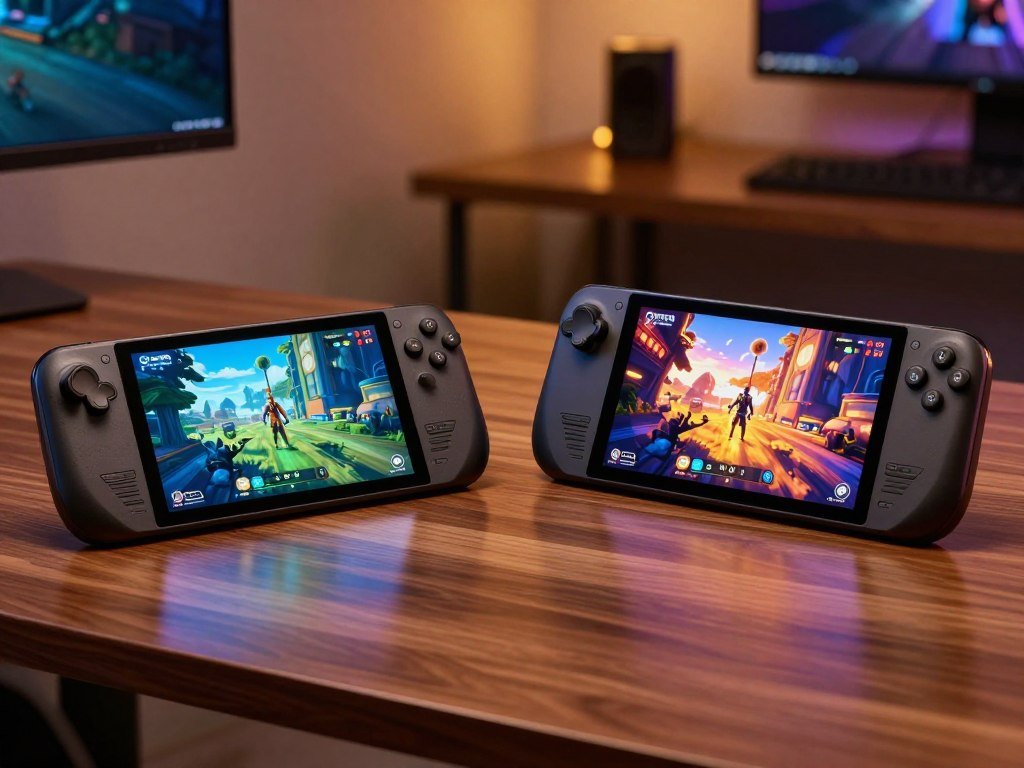
Steam Deck LCD vs OLED specs separate mainly across display, battery, memory speed, connectivity, and storage. The central CPU and GPU remain close, so the models play many of the same games in similar ways. The OLED adds a more vivid screen and newer wireless features.
Choose the OLED for a better handheld experience, or the LCD when a verified used or refurbished unit costs substantially less.
For a first-time buyer, the OLED is the easy default if the added cost fits your budget. An existing LCD owner faces a different choice: an upgrade makes more sense when the screen or unplugged play regularly limits your sessions.
The best deck lcd oled comparison starts with how you play, not a long specification list. Consider where you use the handheld, how often you play away from an outlet, and what you can spend.
Use screen quality, unplugged play, and your total budget as the three deciding factors.
How Different Are the Screens?
The OLED’s deepest advantage is image quality, not a sharper resolution. Its display has richer contrast, HDR support, and a higher refresh rate, while both models show the same number of pixels.
The OLED screen is larger and brighter, but its 1280 x 800 resolution does not add detail. OLED pixels make their own light, so they can switch off for deep blacks. That gives dark scenes more contrast than an LCD backlight can provide.
| Feature | Steam Deck OLED | Steam Deck LCD |
|---|---|---|
| Screen size and type | 7.4-inch HDR OLED, 1280 x 800 | 7-inch bonded LCD, 1280 x 800 |
| Refresh rate | Up to 90Hz | Up to 60Hz |
| Peak brightness and HDR | 1,000 nits HDR, 600 nits SDR | 400 nits, no HDR |
OLED Contrast, HDR, and Brightness
The Steam Deck OLED can reach 1,000 nits for HDR and 600 nits for SDR. Its contrast ratio exceeds 1,000,000:1, and its color gamut covers 110% of P3. The LCD reaches 400 nits.
Those figures matter most in bright rooms and games with dark scenes. HDR can make highlights stand out, while OLED blacks keep shadow detail from looking washed out. The 1TB OLED alone has premium anti-glare etched glass.
Valve lists an OLED display with HDR and up to 90Hz, including a response time below 0.1ms. That quick pixel response can reduce blur in motion, though it does not make every game run faster.
90Hz Versus 60Hz
Refresh rate means the number of times a display can update its image each second. A higher refresh rate can make menus and motion look smoother.
The OLED supports up to 90Hz, compared with up to 60Hz on the LCD. The gain is easiest to notice in smooth menus and lighter games. Demanding games do not necessarily reach 90 frames per second.
A display’s refresh rate and a game’s frame rate are different measures. A screen can refresh at 90Hz while a demanding game runs below that rate. Your experience depends on both.
Same Resolution, Larger Viewing Area
The larger OLED panel uses the same 1280 x 800 resolution as the LCD. Its image does not gain extra pixels, though the larger viewing area can feel more immersive.
The screen change can matter more than its size suggests. Color, contrast, and HDR affect nearly every game, while extra screen area gives menus and text a little more room.
If you play in bright rooms or value dark-scene contrast, compare both panels in the lighting where you normally play.
Which Model Lasts Longer Away From an Outlet?
The OLED has the larger battery and the longer listed gameplay range, though a demanding game can shorten either model’s session. Its 50Wh battery supports a listed range of 3-12 hours, while the LCD’s 40Wh battery is listed at 2-8 hours.
Those ranges are estimates, not a promise for every game or setting. A quick indie game can use far less power than a demanding 3D release. Brightness and frame-rate settings also change how long you can play.
The OLED’s larger battery and more efficient hardware revision help it last longer in many situations. They do not guarantee a fixed percentage gain for every player, since different games place different loads on the device.
Keep these three factors in mind when planning a session:
- Demanding 3D games draw more power and can drain either battery faster.
- Lighter or less demanding games can run longer between charges.
- Screen brightness and frame-rate settings affect battery endurance.
The official specifications list a 50Wh OLED battery and a 40Wh LCD battery, with different estimated play ranges. Both models use a 45W USB-C PD charger, so you do not need a different charger type for the newer model.
A low-power game may keep you playing for hours, while a demanding game can cut that session short. Your settings also shape the result, so use the listed range as a guide rather than a schedule.
For a travel day, pack the charger rather than treating the maximum gameplay estimate as a promise.
Does the OLED Improve Gaming Performance?
The OLED does not bring a new CPU or GPU, so expect a small performance edge rather than a dramatic jump. The core hardware stays close, with more noticeable changes in memory speed and power efficiency.
Steam Deck LCD vs OLED gaming performance is close, with tested gains ranging from a tie to roughly 7%. Both use a Zen 2 four-core, eight-thread CPU and an eight-CU RDNA 2 GPU. The OLED uses a 6nm APU, while the LCD uses a 7nm APU.
| Test or specification | Steam Deck OLED | Steam Deck LCD |
|---|---|---|
| CPU and GPU configuration | Zen 2 4-core, 8-thread; RDNA 2 8-CU | Zen 2 4-core, 8-thread; RDNA 2 8-CU |
| Memory speed | 16GB LPDDR5, 6400 MT/s | 16GB LPDDR5, 5500 MT/s |
| Red Dead Redemption 2 average FPS | 53 FPS at 720p, Vulkan, Favor Performance | 49.7 FPS at 720p, Vulkan, Favor Performance |
| Dying Light 2 average FPS | 45.8 FPS at 720p, Low, FSR Quality | About 6% below OLED in the test |
Same CPU and GPU, Different Efficiency
The CPU runs at 2.4-3.5GHz on both models, and the GPU reaches up to 1.6GHz. The OLED APU has a 4-15W power range. The clock speeds remain the same even as the newer chip uses a smaller process.
The OLED also has 16GB of LPDDR5 memory at 6400 MT/s, compared with 5500 MT/s in the LCD. Faster memory can help in some cases, but it does not guarantee a frame-rate increase in every game.
GamersNexus tested games at 1280 x 720 with frame-rate caps off and tearing allowed. In Red Dead Redemption 2, the OLED averaged 53 FPS and the LCD averaged 49.7 FPS using Vulkan and the upper-end Favor Performance preset.
What the Benchmarks Actually Show
That Red Dead Redemption 2 result was a 7% OLED uplift under those test settings. In Dying Light 2 Stay Human, the OLED averaged 45.8 FPS at 720p, Low, with FSR Quality, about 6% above the LCD.
The benchmark results ranged from a tie to roughly 7% gains. They describe specific test conditions, not a guarantee for every game, patch, or graphics setting.
The official Steam Deck OLED specifications show the shared CPU and GPU setup alongside the faster memory. Memory and battery changed more than the CPU and GPU clocks.
Treat a few extra frames as a bonus, not the main reason to choose the OLED.
How Much Storage Do You Need?
Storage needs depend more on how many large games you keep installed than on which screen you choose. The OLED starts with more internal storage than the listed LCD configuration, but both models accept a microSD card.
The listed OLED models offer 512GB or 1TB of NVMe storage, while the LCD configuration has 256GB. A large game library can fill internal storage quickly, especially if you keep several big releases ready to play.
Choose among three storage routes based on your library and comfort with hardware:
- Choose the built-in capacity that fits the games you keep installed.
- Add a microSD card for expandable space and extra game installs.
- Consider an M.2 2230 NVMe replacement only if you are comfortable opening the device.
Both models support microSD expansion. A card adds room for games, but it does not change the CPU or GPU or make a game run faster.
The LCD uses an M.2 2230 NVMe slot for an internal storage upgrade. Replacing the drive means opening the handheld, so it suits owners who know how to work carefully with small electronics.
A microSD card offers a simpler way to add space without replacing internal storage. You can keep frequently played games on the built-in drive and move other installs to the card.
Estimate your installed library before paying for internal capacity you may not use.
What Changes in the Design and Connectivity?
The OLED fits the same outer dimensions while trimming some weight from the handheld. Both models measure 298 x 117 x 49mm, so existing cases and many accessories should fit the same basic shape.
The OLED weighs about 640g, while a measured LCD unit weighed 676g. The OLED figure is Valve’s approximate listed weight; the LCD figure comes from a test measurement, so they are not identical types of measurement.
Size and Weight in Hand
The smaller weight can make the OLED feel easier to hold during a long handheld session. The difference is modest, but your wrists may notice it more during a long game than during a short check-in.
The outer shell does not grow or shrink between the models. Most physical differences come from the internal revision and lighter OLED build, not a larger footprint.
Cases, grips, and other accessories built around the shared dimensions may work with either model. Check a product’s fit notes before buying, since a tight case can still depend on details beyond the outer measurements.
Wireless, Bluetooth, and USB-C
The OLED supports Wi-Fi 6E and Bluetooth 5.3. The LCD supports Wi-Fi 5 and Bluetooth 5.0. These wireless revisions can matter for downloads, network conditions, and compatible accessories.
Wi-Fi 6E adds access to the 6GHz band when your router and network support it. That band can offer a less crowded path, but it does not improve a connection when the router lacks 6GHz support.
The OLED USB-C port supports DisplayPort output up to 8K at 60Hz or 4K at 120Hz. That can help when you connect an external display with matching support, though the handheld’s game performance still depends on the game and settings.
The outer size stays the same, so a new dock is not required just because you chose the OLED. Check your existing dock’s ports and display limits before planning a high-resolution monitor setup.
Check that your home router supports 6GHz before counting on Wi-Fi 6E’s extra band.
What Do Steam Deck Models Cost in 2026?
The new Steam Deck starts at $789 in the United States, and Valve no longer sells the LCD model new. Refurbished and used listings are the main lower-cost routes for buyers who want an LCD.
The current new model is the OLED, and its May 2026 price increase changed the price, not the hardware. On May 27, the 512GB model rose from $549 to $789, while the 1TB model rose from $649 to $949.
Current US Prices and LCD Availability
In June 2026, a new 512GB OLED costs $789, and a new 1TB OLED costs $949. The Steam Deck OLED launched in November 2023, after the LCD model’s February 2022 launch.
Valve discontinued the LCD in December 2025. Remaining new units sold through by mid-February 2026, so you cannot buy a new LCD from Valve.
The final LCD sale configuration had 256GB of storage. Valve discounted it to $399 before removing it from sale in December 2025.
Refurbished and Used Buying Routes
Valve Certified Refurbished listings in June 2026 included LCD models with a one-year warranty. The prices and configurations were:
| Configuration | Price | Availability or condition |
|---|---|---|
| New OLED 512GB | $789 | New model, June 2026 |
| New OLED 1TB | $949 | New model, June 2026 |
| Refurbished LCD 64GB | $279 | Valve Certified, one-year warranty |
| Refurbished LCD 256GB | $319 | Valve Certified, one-year warranty |
| Refurbished LCD 512GB | $359 | Valve Certified, one-year warranty |
In the same month, Valve Certified Refurbished OLED models cost $629 for 512GB and $759 for 1TB. Those listings also included a one-year warranty.
Before buying a refurbished or used unit, make these three checks:
- Verify the exact storage configuration.
- Test the screen, controls, and ports.
- Confirm the warranty and return terms on the live listing.
A guide to Steam Deck alternatives and used buying routes can help if neither listing type suits your needs.
Check the live listing’s warranty and return terms before paying for any refurbished unit.
What Are the OLED’s Trade-Offs?
The OLED’s main drawback is its higher cost, not a different software ecosystem or a new game library. Both models run SteamOS, so choosing the newer device does not mean changing platforms.
Neither OLED nor LCD is universally better for eye comfort. Your comfort can depend on screen brightness, room lighting, and individual sensitivity. A personal preference for an LCD look or feel is also a fair reason to keep it.
Some people prefer the LCD’s look, while others enjoy the OLED’s contrast and color. That preference is personal, not a sign that one panel type is right for every viewer.
Glare, room lighting, and viewing distance can affect digital eye strain. A review of digital eye strain research discusses these factors without finding that one panel type suits everyone.
If possible, compare the screens in person using a game you know well. Set each display near the brightness you would use at home, rather than judging only from a bright store setting.
If screen comfort is your priority, judge both displays at the brightness you would actually use.
Which Steam Deck Should You Buy?
For most first-time buyers, choose the Steam Deck OLED; choose the LCD only when the savings are important enough to accept its older screen and shorter endurance. The OLED is the default pick, while the LCD is a budget exception rather than a performance alternative.
Choose based on the feature you will notice most in your regular play. The OLED offers a stronger handheld experience, while a well-priced used LCD can leave more room in your budget for games or accessories.
These three recommendations cover the main buyer types:
- Choose the Steam Deck OLED for the strongest all-around handheld experience.
- Choose the 1TB OLED for anti-glare etched glass and more internal storage.
- Consider a refurbished or used LCD when your budget is tight and its condition and total value check out.
The 1TB model is the option with premium anti-glare etched glass. That finish can help when reflections distract you, and its larger internal capacity suits a library with many games installed.
A used LCD can be a sensible entry point if its price is meaningfully lower and its condition checks out. Compare what you would spend in total, including any storage card or replacement accessory you already know you need.
Buyers who mainly want more frames should not treat the OLED as a new performance class. Its core game hardware remains close to the LCD, so the screen and everyday use carry more weight in the decision.
Match your choice to the feature you will use every week, not the one that looks best on a specification sheet.
Is It Worth Upgrading From LCD to OLED?
If your LCD still meets your needs for short or mostly docked sessions, an upgrade is a luxury rather than a necessity. Regular handheld play makes the OLED’s screen and endurance benefits easier to appreciate.
The upgrade makes more sense when you will notice its quality-of-life changes often. A better display and longer unplugged sessions can improve daily use, but near-matching gaming performance alone is not a strong reason to replace a working device.
Keep a working LCD if its limits rarely affect your play. Upgrade when the screen or unplugged sessions become a regular source of frustration.
An LCD owner who plays at a desk or dock may gain little from switching. The external display becomes the focus, and short sessions give the OLED’s handheld changes less time to matter.
For frequent handheld play, the display and battery experience can make an upgrade feel more worthwhile. Think about the last few weeks of play, not an ideal routine you may never follow.
Keep the LCD until its screen or unplugged-play limitations become a regular frustration.
Conclusion
Choose the Steam Deck OLED for the strongest all-around experience, or the Steam Deck LCD when a verified lower-cost unit better fits your budget. The OLED suits most new buyers, while a well-checked LCD can be a sensible choice when the saving is substantial.
Think about whether display and battery improvements would matter during your actual play sessions. Then inspect the matching new, refurbished, or used listing for its storage and condition.
Before you order, check the exact storage configuration and the seller’s current return terms.
FAQ
What are the disadvantages of OLED?
The main disadvantage of the Steam Deck OLED is its higher cost. Whether its contrast and color justify that premium comes down to your preferences and how often you play handheld. Some buyers prefer the look of an LCD, while others do not notice the panel difference enough to pay more. Both versions run SteamOS and use the same game library.
What is the price of the new Steam Deck?
In the United States in 2026, the new 512GB Steam Deck OLED costs $789, and the 1TB model costs $949. Valve no longer sells the LCD model new. Certified refurbished versions have lower prices, though their storage sizes and stock can differ. Compare the exact configuration and warranty, not just the model name, when weighing listings.
Is Steam Deck 2 coming soon?
Valve has not confirmed the alleged 2026 OLED edition or announced a release date for it. Treat retailer listings that claim a new model is coming as unconfirmed unless Valve makes an announcement. The current new model is the Steam Deck OLED. If you need a handheld now, base your decision on models and listings that are actually available.
Is it worth buying Steam Deck OLED now?
Yes, the Steam Deck OLED is the strongest all-around new choice for most buyers. Its screen and longer unplugged play make the biggest difference during handheld use. Compare its current cost with refurbished options, then consider how often those upgrades would matter in your routine. A refurbished model may offer better value if you care more about price than the newest hardware.
Should I get an OLED or LCD Steam Deck?
Choose the OLED for the stronger all-around handheld experience, or consider an LCD when a verified used or refurbished unit saves you a meaningful amount. The OLED is the easier choice for a first-time buyer who can afford it. Check an LCD unit’s condition and return terms before deciding, since a low price matters less if repairs erase the savings.
Is LCD or OLED better for eyes?
Neither LCD nor OLED is universally better for eye comfort. Brightness, room lighting, glare, and individual sensitivity can all shape how a screen feels during play. If you can, compare both panels in person and adjust brightness to a comfortable level. A display type alone cannot tell you which screen you will prefer.
Can you still buy a Steam Deck LCD?
You cannot buy a new LCD from Valve because remaining new units sold through by mid-February 2026. Refurbished and used LCD units may still appear, with availability depending on current listings. The last new LCD configuration had 256GB of storage. Check the specific seller, condition, warranty, and return terms before buying an older handheld.



