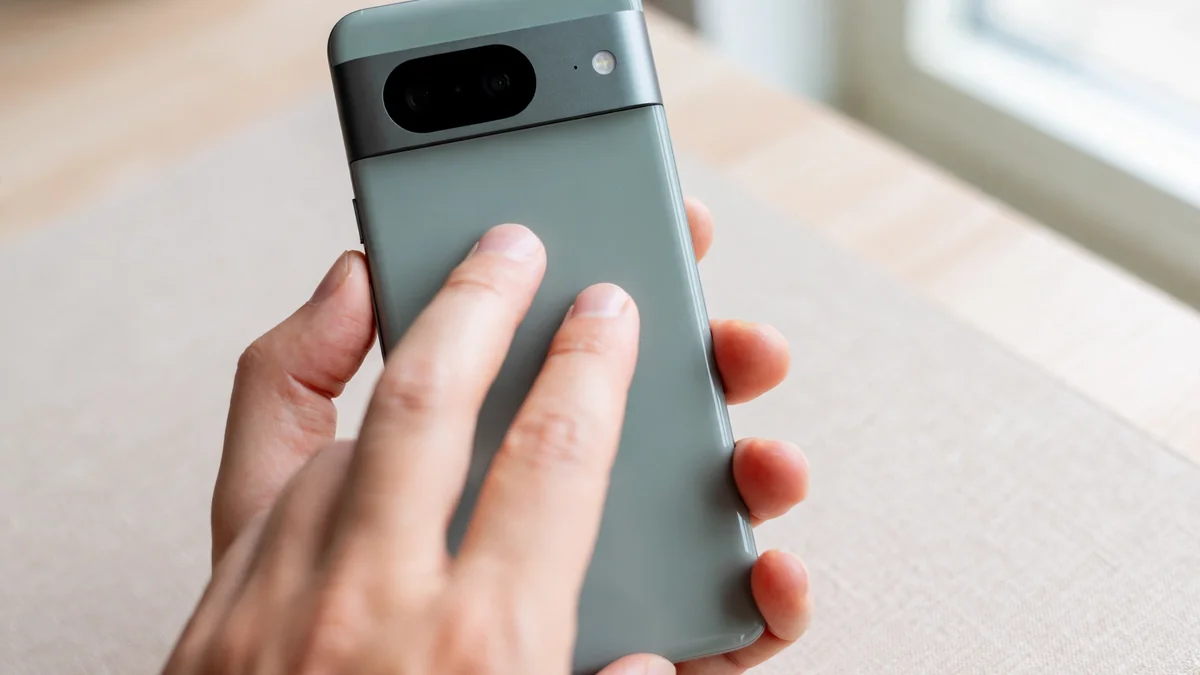
Google Pixel phones are packed with software tricks, but one of the most useful has been hiding in plain sight for years. Quick Tap, the Pixel feature that turns the back of the phone into a shortcut, lets you double-tap the rear panel to run a task of your choice, from switching on the flashlight to opening your favourite app.
The feature earned fresh attention this week after Engadget highlighted it as the most underrated Pixel feature, calling it more versatile than most owners realise. The timing is no accident: the November 2026 Pixel Drop and Android 17 QPR2 brought an upgraded Pixel Search, customisable icon designs, Transit Mode for train commuters, real-time location sharing through Pixel VIPs, and a new Status bar settings menu, so many owners are digging through their settings again and rediscovering what their phones can already do.
Quick Tap has been available since the Pixel 4a with 5G, which means millions of current Pixel owners already have it and have simply never switched it on. It takes less than a minute to configure, it needs no extra app, and once it is set up it quietly removes dozens of small frictions from a normal day.
Key takeaways
- Quick Tap turns a double-tap on the back of a Pixel phone into a customisable shortcut for common tasks.
- It can switch on the flashlight, take a screenshot, play or pause media, open any app, or pull down the notification shade.
- The feature is available on the Pixel 4a (5G) and every newer Pixel, and it is switched on in Settings under System, then Gestures.
- It works even when the phone is locked for actions such as the flashlight, which makes it genuinely useful one-handed.
- A protective case can interfere with detection, so case users may need to tap more firmly or adjust their grip.
What happened
Engadget published a fresh look at Quick Tap this week, describing it as an old, reliable and underrated feature that many Pixel owners have missed entirely. The report framed the feature as a practical answer to a real problem: modern phones are large, menus are deep, and reaching the top of the screen with one hand is awkward.
The renewed attention landed alongside the November 2026 Pixel Drop, which gave Pixel owners plenty of reasons to explore their phones. The Pixel 10 and 11 also gained expanded Gemini Intelligence features and an Extreme Charging Mode. Against that backdrop of headline additions, Quick Tap is the quiet older feature that arguably earns its place more often than any of them.
None of this is new hardware. Quick Tap is a software gesture that detects a double tap on the rear panel. Google has offered it since the Pixel 4a with 5G, and it has survived every major Android update since. Features that confuse people or drain battery tend to disappear quietly. Quick Tap has stayed because it does one simple thing well.
How Quick Tap works
Setting up Quick Tap takes less than a minute. Open Settings, tap System, then Gestures, then Quick Tap to start actions. Choose a single action from a short list, and the phone applies it immediately, with no restart or extra download.
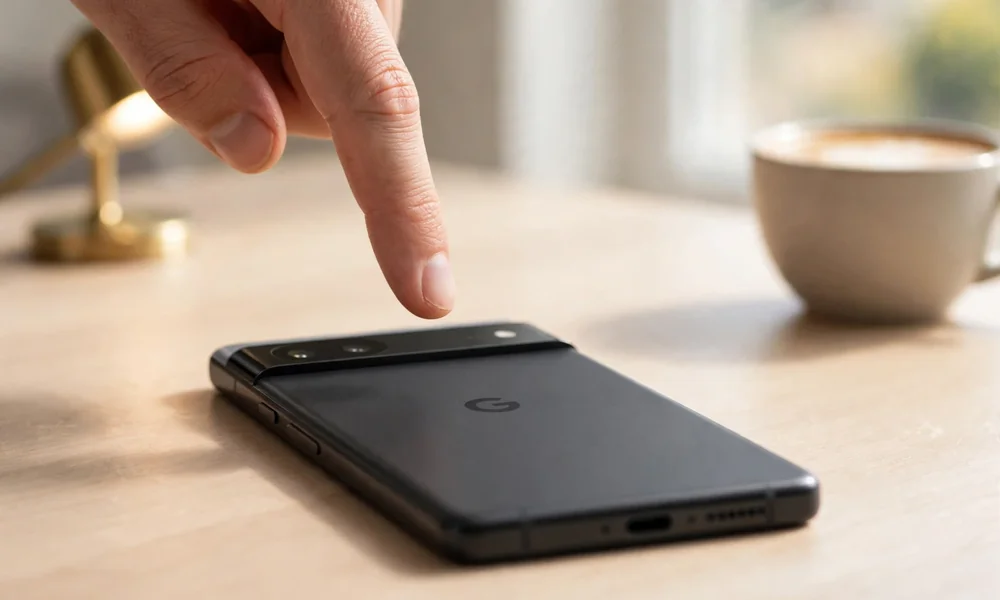
The list of actions is deliberately short. You can set Quick Tap to switch the flashlight on and off, even when the phone is locked, to take a screenshot without holding the power and volume-down buttons, to play or pause media in almost any streaming app, or to open the notification shade.
You can also set Quick Tap to launch any app installed on your phone. That turns the back of the device into a dedicated button for the app you use most, whether that is the camera, a messaging app, or a notes app. For people who open the same app dozens of times a day, that one saved step adds up quickly.
The gesture itself is a firm double tap on the upper half of the rear panel, roughly where your index finger naturally rests when you hold the phone. Two light, deliberate taps are enough, and the phone gives a small vibration to confirm the action has fired. If nothing happens, the usual cause is a tap that was too soft, too slow, or too close to the camera bar.
The background: Pixel gestures have always been about one hand
Quick Tap is not an isolated idea. It belongs to a family of Pixel gestures built up over several generations, all aimed at the same goal: letting you do more with one hand and fewer steps. The Gestures menu in Settings is where they all live, and it is worth a look even if Quick Tap is the only one you end up keeping.
Flip to Shhh is the simplest of the group. Place your Pixel phone face down and it automatically enables Do Not Disturb, which is ideal for meetings, meals, and cinemas. Lift the phone or turn it over and the mode switches off again.
The philosophy behind these gestures is distinctively Pixel. Where Pixel phones have consistently led is in software that removes friction, from Call Screen to Circle to Search. Quick Tap sits squarely in that tradition: it is not flashy, and it makes the phone you already own a little easier to live with. Owners who want to get more from the rest of their Android setup will find similar practical advice in our guide on how to back up your Android phone.
The caveats that matter
Quick Tap is genuinely useful, but it has limits. The most important is the case problem. The feature works best on a bare Pixel phone, and a protective case can muffle the taps enough that the phone misses them. Thicker cases, especially rugged ones with heavy padding, are the worst offenders. If you use a case and Quick Tap feels unreliable, try tapping more firmly or slightly higher on the back.
The second limit is the action list itself. Quick Tap offers one action at a time, not a menu of choices, so you have to pick the single shortcut that matters most to you. Owners who want deeper automation can look at third-party apps such as Tasker, which offer far more complex triggers, though with a steeper learning curve.
The third limit is accidental activation. Because the gesture is a double tap on the back, it can occasionally fire when you set the phone down firmly. In practice this is rare, and the actions on offer are harmless enough that a stray flashlight switch-on is a minor annoyance rather than a real problem. If it happens often, choose a less disruptive action, such as opening the notification shade, or switch the feature off for a while.
| Detail | What is known |
|---|---|
| Feature name | Quick Tap, a double-tap gesture on the back of the phone |
| Availability | Pixel 4a (5G) and every newer Pixel phone |
| Where to find it | Settings, then System, then Gestures, then Quick Tap to start actions |
| Actions offered | Flashlight, screenshot, play or pause media, open an app, notification shade |
| Works when locked | Yes, for actions such as the flashlight |
| Known weakness | Protective cases can reduce detection reliability |
| Extra cost | None, it is built into Pixel software |
| Related features | Flip to Shhh, tap or lift to check notifications |
Checklist: getting the most from Quick Tap
- Open Settings, then System, then Gestures, and switch Quick Tap on before choosing an action.
- Pick the action you use most often, not the one that sounds cleverest, because one shortcut has to earn its place.
- Try the flashlight first if you are unsure, since it works from the lock screen and is useful every day.
- Test the gesture with your case on and off, so you know whether the case is interfering with detection.
- Tap the upper half of the rear panel with two firm, deliberate taps, and wait for the vibration confirmation.
- Revisit the Gestures menu occasionally, because Flip to Shhh is worth enabling alongside it.
What’s next
The November 2026 Pixel Drop shows that Google is still investing in the Pixel experience, and the additions around search, icons, and charging suggest the company sees software as the main reason to choose a Pixel. Quick Tap is unlikely to change dramatically in the near term, because it already does its job well, but the attention it is receiving now may encourage Google to expand the action list. A second gesture or support for routines would be a natural extension, and neither would need new hardware.
The most useful features on a phone are not always the ones announced on stage. They are often the small, quiet additions that sit in a settings menu for years, waiting to be found. Owners who repurpose older hardware will recognise the same idea in our look at how one terminal command gave a forgotten Android device a desk job.
For now, Quick Tap remains what it has always been: a small feature with an outsized effect on daily use. It will not sell a phone on its own, but for the millions of Pixel owners who have never switched it on, it is the closest thing to a free upgrade that their phone will ever get.
Frequently asked questions
What is Quick Tap on a Pixel phone?
Quick Tap is a Pixel feature that turns a double-tap on the back of the phone into a shortcut. You choose one action, such as switching on the flashlight, taking a screenshot, playing or pausing media, or opening an app, and the phone runs it whenever you double-tap the rear panel.
Which Pixel phones support Quick Tap?
Quick Tap is available on the Pixel 4a (5G) and every newer Pixel phone. That covers all current models as well as several older ones, so most Pixel owners reading this will already have the feature.
How do I turn on Quick Tap?
Open the Settings app, tap System, then Gestures, then Quick Tap to start actions. Switch the feature on and pick the action you want from the list. The setting applies immediately, with no restart or extra download needed.
Does Quick Tap work when the phone is locked?
Yes, for suitable actions. The flashlight is the best example: you can switch it on and off with a double-tap even when the phone is locked, which is one of the reasons it is the most popular choice.
Why does Quick Tap not work with my case on?
A protective case can muffle the taps, so the phone does not register them reliably. Thicker and more heavily padded cases cause the most trouble. Try tapping more firmly or slightly higher on the back, and test the gesture with the case removed to confirm whether the case is the cause.
Can Quick Tap do more than one action?
No, Quick Tap offers one action at a time, so you choose the single shortcut that matters most to you. If you want more complex automation, third-party apps such as Tasker can build multi-step routines. For everyday messaging shortcuts, it is also worth checking WhatsApp is testing stickers with sound.
The bottom line
Quick Tap is the kind of feature that is easy to overlook and hard to give up once you start using it. It costs nothing, it takes a minute to set up, and it turns a gesture you can do without looking into a shortcut for the things you do most.
If you own a Pixel, open Settings, then System, then Gestures, and switch Quick Tap on today. Pick the flashlight, the camera, or the app you open most, and give it a week.