Most people who want a password manager that works without server maintenance should choose Bitwarden, while Vaultwarden suits people who specifically want to run their own server. That choice matters at home, where you may want a simple vault without taking on extra infrastructure. Vaultwarden is an unofficial community project, not an official Bitwarden product.
This comparison helps you match each option to your skills, time, and comfort with managing a server. You will also see where the familiar apps fit, and what to weigh before moving a household vault. Treat control over the server, not just the subscription price, as the deciding question.
Key Takeaways
- Bitwarden is the simpler choice if you do not want to run a server.
- Vaultwarden is a community-built server for people who want to self-host.
- Both arrangements can use Bitwarden clients, with some compatibility limits.
- Self-hosting puts updates, secure access, backups, and recovery on you.
- Bitwarden Lite gives individuals an official self-hosting option.
- Choose based on who will operate the server and keep the vault available.
Is Vaultwarden the Same as Bitwarden?
No, Vaultwarden is not the official Bitwarden product; it is a separate Rust implementation of the server API. The Bitwarden Client API is the interface Bitwarden clients use to communicate with a password-vault server. Vaultwarden is an unofficial community-maintained implementation written in Rust, and Bitwarden, Inc. is not associated with it.
Bitwarden clients can connect to either the official Bitwarden server or a Vaultwarden server. In that setup, the clients provide the familiar apps, while Vaultwarden provides the compatible server component. Vaultwarden is not the official server’s code or a fork of Bitwarden’s official product.
Using the same clients does not make the two server projects the same product. Their code, maintainers, and support paths differ, even when a client can perform similar tasks on both.

A familiar Bitwarden client does not turn a community server into an official Bitwarden service.
That distinction matters when you choose who will handle server changes and outages. The practical distinction is who builds and runs the server, not whether the two names refer to the same company.
Vaultwarden vs Bitwarden: What Actually Changes?
The biggest difference is who operates the server, not the password-manager interface you use. A hosted Bitwarden account, official Bitwarden self-hosting, and Vaultwarden are three separate arrangements. Your server choice sets who runs the software and where your clients connect.
Official Bitwarden clients can connect to a self-hosted server by using its custom server URL. That URL points the apps to the server you chose instead of Bitwarden’s hosted service. The comparison below shows the main differences.
| Deployment detail | Bitwarden hosted | Official Bitwarden self-hosted | Vaultwarden |
|---|---|---|---|
| Server operator | Bitwarden | You or your organization | You or your organization |
| Server implementation | Official Bitwarden | Official Bitwarden | Community implementation |
| Client destination | Bitwarden hosted server | Custom server URL | Custom server URL |
| Deployment approach | Managed account | Official server deployment | Community server deployment |
For Vaultwarden vs Bitwarden for self-hosting, Vaultwarden is the lighter community server, while official Bitwarden gives you a first-party server. Either self-hosted arrangement still needs an operator to maintain it.
Choose the deployment model first, then compare its costs and operational demands.
What Official Bitwarden Options Can You Self-Host?
Bitwarden now offers a lighter official self-hosting route as well as its standard organization-oriented deployment. Both are first-party choices, though they differ in setup and intended use. That gives individuals another official option besides the larger server stack.
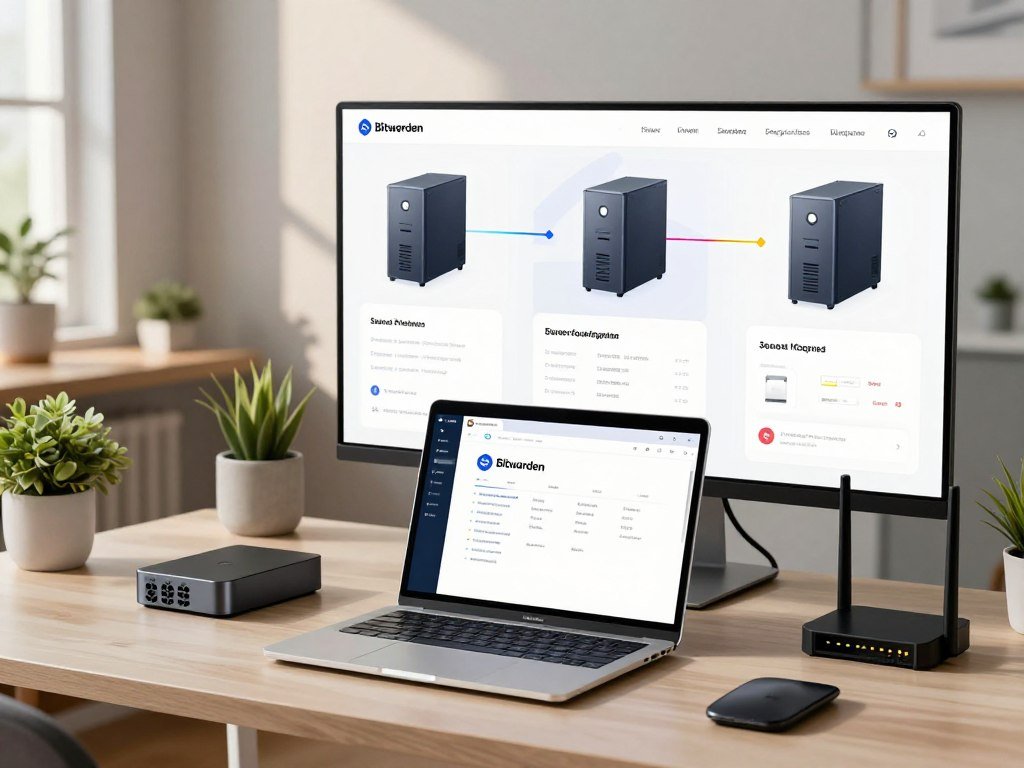
Bitwarden Lite is a single-image deployment, while the standard stack uses eleven containers. The standard official Bitwarden server setup targets organizations and includes more components than many home users need.
The standard organization deployment
The standard deployment uses an eleven-container stack for an organization’s infrastructure. Its multiple parts support an organization-focused setup, but they also mean more components to configure and maintain. A home user who only needs a personal password vault may find that structure heavier than necessary.
This is still the official server, rather than a community implementation. It suits organizations that want first-party server code and can manage the deployment as part of their own systems.
Bitwarden Lite for personal hosting
Bitwarden Lite offers an official single-image option for more compact self-hosting. It was formerly called Bitwarden Unified, and its beta ended in December 2025. That makes Lite a first-party route for individuals who prefer a simpler deployment shape.
Vaultwarden also uses a lightweight single-container approach, but it remains a separate community project. The difference is not only the number of containers: Lite is official Bitwarden software, while Vaultwarden is independently maintained code.
A preference for first-party server code no longer means choosing only the standard multi-container stack.
How Much Do Bitwarden Plans Cost?
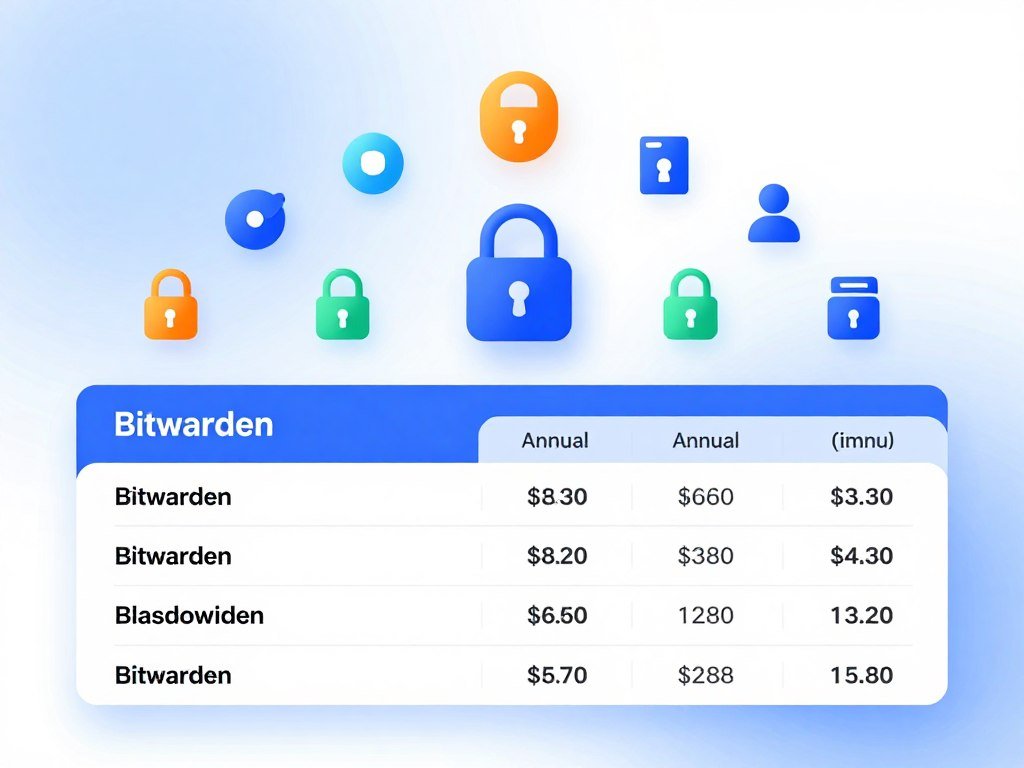
A solo user can begin with Bitwarden’s free plan, while Premium costs $19.80 per year when billed annually. The free tier covers core vault use across devices, while paid plans add tools and sharing options. The listed prices below reflect 2026 plan terms.
Premium costs $1.65 per month, billed annually at $19.80. Families costs $3.99 per month, billed annually at $47.88, and includes up to six users. You can compare these allowances with the features you expect to use.
| Plan | Price | Billing | Main allowance or feature |
|---|---|---|---|
| Free | $0 | Free | Unlimited devices and passwords |
| Premium | $1.65 per month | $19.80 billed annually | Authenticator, attachments, emergency access |
| Families | $3.99 per month | $47.88 billed annually | Up to six users and shared vault items |
| Teams | $4 per user per month | Billed annually | Business sharing and administration |
| Enterprise | $6 per user per month | Billed annually | Enterprise access and security features |
Free and Premium for one person
The free plan includes unlimited passwords and devices, plus browser, mobile, and desktop apps. It also allows free sharing with one other user. Premium adds an integrated authenticator, file attachments, emergency access, security reports, and vault health alerts.
Those paid tools can help if you store files with vault items or want a second person to access your account during an emergency. Bitwarden lists its current plan prices and allowances for individual and group accounts.
Families and business plans
Families includes six Premium accounts, unlimited sharing, unlimited collections, and organization storage. Its six members can share vault items within the family plan. Teams and Enterprise use per-user pricing, billed annually, for business use.
Teams includes administration tools for work groups, while Enterprise adds options for larger organizations. Compare the features you will use with the plan’s user limit before paying for an upgrade.
Do Official Bitwarden Apps Work With Vaultwarden?
Yes, official Bitwarden clients can connect to Vaultwarden when configured with its server URL. That includes the browser extensions and the macOS app, not only mobile devices. The client connects to your chosen server rather than assuming the hosted Bitwarden service.
Compatibility is not universal or guaranteed to continue permanently. Test the client types and tasks that matter to you before relying on a new release. Bitwarden offers password-manager apps for macOS and extensions for major web browsers.
Which official clients can connect?
Vaultwarden with browser extensions can work when the extension is pointed to the Vaultwarden server URL. Vaultwarden on a Mac means using the official macOS client with that server address; it does not mean the Mac must host the server. The clients can also include mobile and command-line tools.
Test the client types you rely on:
- Browser extensions
- Mobile apps
- Desktop apps
- The CLI
Vaultwarden supports personal vaults, Send, attachments, organizations, collections, event logs, two-factor authentication, and emergency access. Support for each feature can still depend on the client and server versions.
What to test before upgrading
Bitwarden client version 2026.7.0 and later requires Vaultwarden 1.37.0 for support. Client version 2026.8.0 and later requires Vaultwarden 1.37.2. New client features may arrive before Vaultwarden’s API supports them.
That gap can affect a single new feature even when older workflows still work. Check login, autofill, sharing, attachments, and any other tasks you depend on after an upgrade. Test the clients and workflows you rely on before treating an upgrade as production-ready.
How Do Security and Trust Differ?
The practical security difference is that the person responsible for the server changes when you self-host. Bitwarden maintains its official server, while a community team maintains Vaultwarden. That change in responsibility affects how quickly you respond to updates and server problems.
Client-side encryption does not protect an exposed, unpatched, or poorly configured server from every risk. Encryption helps protect vault data, but it cannot replace secure operations or erase server risk. The server and its operator remain part of the security picture.
Vaultwarden 1.37.4 is listed as its latest release in 2026. That release includes security fixes for seven listed advisories, with severity ratings from Low to High. Those details do not establish audit parity with Bitwarden or create a universal safety verdict.
Your own setup also includes the device, network, and access rules around the server. A careful operator can reduce common risks, but mistakes or missed updates can still leave data exposed. A password manager security comparison can help you weigh encryption and device access across products.
Keep the server current and assess the security of the whole setup, not encryption alone.
What Does a Vaultwarden Docker Setup Require?
A working container is only the first part of a usable setup, because the web vault also needs a secure browser context. Vaultwarden recommends its published container images through GHCR, Docker Hub, and Quay.io. Persistent storage is also needed so data remains available beyond the container process.
The example Docker command binds the service to 127.0.0.1:8000 and mounts a host directory at /data/. The loopback address limits access to the local machine unless you add a suitable access path. The mounted directory holds persistent data.
Container image and persistent storage
A basic deployment means selecting an image, choosing where data will live, and deciding how clients will reach the service. Vaultwarden’s example command binds to 127.0.0.1:8000 and mounts a host folder at /data/. That binding is a local starting point, not a complete remote-access setup.
Use these steps to plan the deployment:
- Choose a published image from GHCR, Docker Hub, or Quay.io.
- Select persistent storage for the /data/ mount.
- Bind the service to loopback when appropriate.
- Configure HTTPS for the web vault.
- Verify access from the intended client.
HTTPS for local and remote access
The web vault needs HTTPS and a secure context for the Web Crypto API. An ordinary LAN address such as http://192.168.1.20 does not count as a secure context in the same way as http://localhost. That distinction can affect browser use on a local network.
For remote access, a VPN, tunnel, or reverse proxy can provide a route to the server. The certificate must be valid for the requested hostname and trusted by the client device. A certificate that works under another name will not meet that rule.
Check the certificate on the actual hostname and device your clients will use.
What Ongoing Work Does Self-Hosting Add?
With Vaultwarden, the server’s upkeep and the consequences of losing its data fall to the operator. The work includes more than pulling a container: the host, storage, monitoring, updates, HTTPS access, backups, and recovery all need an owner. Someone must own the routine, even when the server runs quietly.
Vaultwarden recommends regular backups of its files and database. Its data-loss warning covers passwords, attachments, and other information handled by the application. A single failed disk or mistaken change can affect more than login details.
Practical duties include:
- Back up the files and database.
- Keep a copy away from the server.
- Monitor whether the service is available.
- Apply server and container updates.
- Test that you can restore the data.
A copy stored only on the same host can disappear with the original if that host fails. Recovery also depends on having a usable backup and knowing how to put it back. Choose a process that someone can carry out when the primary server is unavailable.
A backup is not dependable until you have tested that it can be restored.
Where Do You Get Help With Vaultwarden?
A Vaultwarden problem belongs in the project’s community channels, not in official Bitwarden support. Report issues through the Vaultwarden GitHub project, GitHub discussions, or its community forum. The support path is different because Bitwarden, Inc. does not maintain this server project.
Official Bitwarden support is not a vendor support commitment for Vaultwarden. Community members may help with an issue, but they do not provide the same service obligation as a paid vendor support contract. A clear report can make it easier for others to understand what failed.
Before posting, gather these details:
- The Vaultwarden server version
- The Bitwarden client version
- Logs with secrets removed
- Whether the action works in the bundled web vault
Say what you expected and what happened, without including private vault contents. The bundled web vault test can help show whether a problem comes from the client or the server. Remove secrets and personal data from logs before sharing them.
How Does Vaultwarden Compare With Passbolt, 1Password, and KeePass?
Passbolt is the closest comparison for teams that care about granular permissions, while 1Password and KeePass represent different operating models. Passbolt’s team controls go beyond a basic personal vault, while the other two split between managed cloud access and local storage. Those differences can matter more than a shared open-source label.
Passbolt assigns explicit permissions to individual resources and folders; Vaultwarden uses organization collections and member roles. The two projects also use different encryption key models. The details affect how teams grant access and share secrets.
Passbolt’s permissions and encryption model
Passbolt is an open-source AGPLv3 platform developed by a single commercial vendor. Vaultwarden is a community-driven AGPLv3 implementation of the Bitwarden API, written in Rust. Both offer open code, but their development models differ.
Passbolt assigns Owner, Update, and Read permissions to resources, folders, and nested folders. Vaultwarden handles shared access through organization collections and member roles. That gives Passbolt a more explicit permission scheme for each resource.
Passbolt encrypts each secret for each recipient with OpenPGP keypairs. Vaultwarden uses an account key derived from each user’s master password, plus organization keys for shared items. The encryption models are distinct, so a team should consider how each handles shared secrets.
Passbolt’s team administration and automation
Passbolt Pro offers single sign-on through Microsoft, Google, and OpenID, along with LDAP and Active Directory provisioning. It also provides activity and audit logs and SIEM integration. These tools support teams that need directory-based account management and security review.
Vaultwarden documents OpenID Connect settings for 11 identity providers, including Microsoft Entra ID, Google, Keycloak, and Authentik. Its native LDAP support is limited to invitations and account creation, rather than directory provisioning. It offers basic organization event logging.
For automation, Vaultwarden exposes the Bitwarden CLI for scripting and retrieval. Passbolt provides a JSON REST API, CLI, and software development kits. Consider which tools match the tasks your admin team needs to automate.
How 1Password and KeePass differ
Vaultwarden vs 1Password is mainly a choice between self-hosting and a managed cloud service. 1Password is proprietary and cloud-based, with no official self-hosting option. You can use its managed service without running your own password server.
Vaultwarden vs KeePass compares a server-based sync model with a local database. KeePass stores the database on your device, and you choose how to sync that file across devices. That puts more control over syncing in your hands.
Compare the permission model and day-to-day administration you need, not just whether a product is open source.
Which Password Manager Should You Choose?
For most individuals and nontechnical households, official Bitwarden is the safer practical choice; Vaultwarden wins for operators who value control and can own the work. The simplest fit is a managed account when no one at home wants to run a server. Self-hosting suits someone ready to handle the ongoing duties.
Vaultwarden is not the right default for an organization that requires vendor accountability or a support contract. Bitwarden Teams includes directory synchronization, SCIM provisioning, event logs, and unlimited sharing through collections in 2026. Enterprise adds passwordless SSO integration, granular access control, enterprise policies, and a self-hosting option.
| Reader situation | Better fit | Why |
|---|---|---|
| Individual who wants minimal upkeep | Bitwarden | Managed server and less maintenance |
| Self-hosting hobbyist who wants server control | Vaultwarden | Community server you operate |
| Team needing directory sync and event logs | Bitwarden Teams | Directory synchronization, SCIM, and event logs |
| Enterprise needing SSO and granular access | Bitwarden Enterprise | Passwordless SSO, access controls, and self-hosting |
Teams and Enterprise serve different work needs, so compare the included administration features with your team’s systems. Enterprise users also receive a free Families plan. Bitwarden’s Teams and Enterprise features include tools for business access and account management.
A hobbyist may prefer Vaultwarden because control over the server matters more than a vendor-managed service. That choice works best when an operator can keep it running and respond to problems. Choose the service you can keep accessible, maintained, and recoverable for everyone who depends on it.
Conclusion
If you do not want to be the person responsible for the server, choose official Bitwarden. It is the practical option for people who want a password vault without operating its infrastructure. Vaultwarden fits someone prepared to run and back up a server.
Before moving a household vault, write down who will handle updates, secure access, and recovery. Make sure that person understands the work and can still take it on when the server needs attention. Before migrating, make sure a named person can keep the vault maintained and recoverable.
FAQ
Is Vaultwarden safe for a family vault?
Vaultwarden can work for a family vault, but safety depends on both encryption and careful server operation. The operator must keep the server updated, restrict access, and maintain usable backups. A missed update or exposed server can create risks that encryption alone does not remove. Families should also decide who can restore the vault if the usual operator is unavailable.
Can Vaultwarden keep working if its server is offline?
Some cached client data may remain usable while the Vaultwarden server is offline, but clients cannot sync changes until it is reachable again. A password saved or edited on one device may not appear on another during the outage. Avoid relying on unsynced changes as your only copy, especially when several people share a vault.
Does Vaultwarden work on macOS?
Yes, the official Bitwarden macOS client can connect to Vaultwarden when you enter the custom server URL. That does not mean you must host the Vaultwarden server on your Mac. You can run the server on another computer or host and use the Mac app as a client. Check that the app can reach the server from your network.
Can I move back to Bitwarden after trying Vaultwarden?
Yes, you can move back by exporting the vault and importing it into the destination account. Check important passwords, attachments, shared items, and folders after the move. Some workflows may need to be set up again, so test the features you rely on before removing the old server or account data.
How often should I back up Vaultwarden?
Back up Vaultwarden regularly, with the interval based on how much recent vault data you could afford to lose. More frequent changes may call for more frequent copies. Keep a backup away from the server, and test a restore so you know the files and database can be used. A backup that has never been restored is unproven.
Can I access Vaultwarden through a reverse proxy?
Yes, a reverse proxy can provide access to Vaultwarden, but HTTPS must use a certificate valid for the requested hostname and trusted by the client device. The hostname in the client must match the certificate. Test access from the browser and device you plan to use, since a trusted certificate on one device may not be trusted on another.



