
A business website subscription page is the single page where a visitor stops browsing and starts paying on a schedule. It shows the plans, the prices, and the billing terms in one place. For a small business that sells lessons, software access, a food box, or a monthly delivery, this page is often the most valuable page on the website.
Small businesses often build the page backwards: they pick a tool first, add three price cards, and hope visitors understand what each plan includes. The result is a page that looks finished and sells almost nothing, because the plans are unclear and the renewal terms are hidden.
This article explains the subscription page as a page, not as a setup job and not as the subscription itself. It covers what the page is, the parts a visitor sees on it, how it differs from a newsletter page and a membership page, and why it matters. The wider idea is covered in our explainer on what a business website subscription is for small businesses.
Key takeaways
- A subscription page is one page with one job: help a visitor choose a recurring plan and pay for it without confusion.
- The page has five visible parts: the offer, the plan cards, the renewal terms, the checkout form, and the trust details.
- A subscription page sells a recurring product or service. A newsletter page wins email subscribers. A membership page sells belonging and ongoing access.
- Two plans are enough at launch. Add a third only when customers ask for a middle option.
- The renewal date and the total charge for the first period must appear before the payment button, not after it.
What a business website subscription page actually is
A subscription page is a single page with one job: help a visitor choose a recurring plan and pay for it without confusion. The page shows what each plan includes, what each plan costs, and how often the customer pays. A visitor who must hunt for the real cost will leave.
The page is easy to recognise once the parts are named. At the top sits a headline that states the offer in plain words. Below it sit the plan cards, each showing a name, a price, a billing period, and a short list of what is included. Below the cards sit the renewal terms, the checkout form, and the trust details.
A subscription page is not the subscription itself. A subscription is the payment deal: a schedule of charges in exchange for something that keeps arriving. The page is the place where that deal is explained and sold. The page makes the promise, and the subscription is the keeping of it.
The parts a visitor sees on the subscription page
The headline is the first part a visitor reads. A good headline names the result in the language of the customer: five dinners a week, or two cleaning visits a month with the same cleaner. A weak headline names the plan itself. The visitor cares what it will do for them.
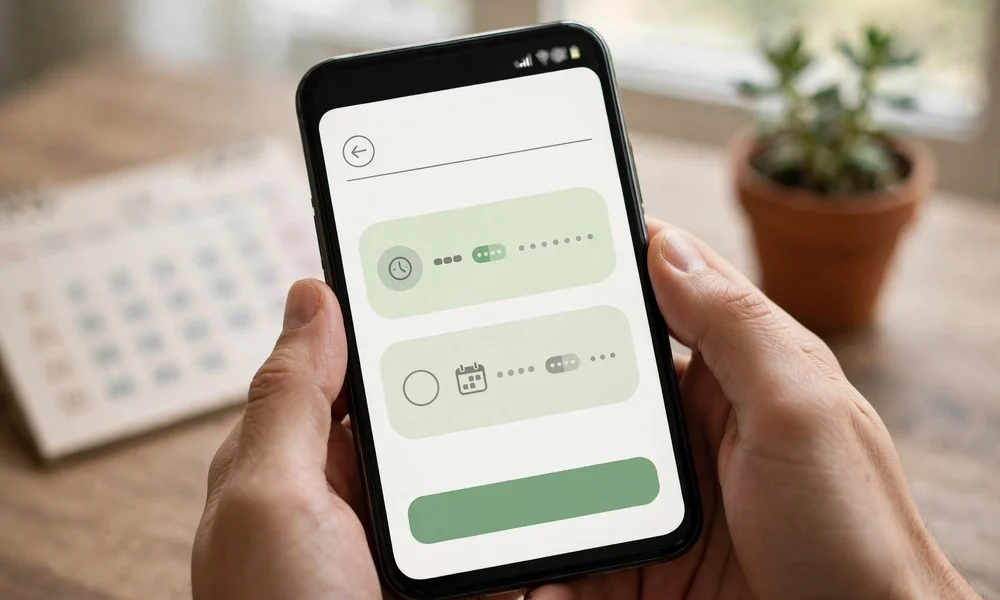
The plan cards are the second part. Each card carries the plan name, the price, the billing period, a short list of what is included, and one button. The lists match across cards, so the difference is visible at a glance. A visitor who cannot tell what the middle plan adds will pick the cheapest plan, or pick nothing at all.
The renewal terms are the third part. The price, the billing period, and the renewal terms belong on the same card, so no visitor has to hunt for the real cost. The renewal date and the total charge for the first period, including tax, must appear before the payment button. A page that hides them until after payment feels dishonest.
The checkout form is the fourth part: one short form, asking for a name, an email address, and the card details, with a wallet option beside the card. The trust details are the fifth part: the refund policy, the cancellation path, and the secure payment note, each in one line.
Why a subscription page matters for a small business
A subscription page matters because recurring revenue changes what a small business can plan. A shop that sells one item at a time must find new buyers every day. A business with subscribers starts each month knowing part of the revenue is already agreed. That certainty lets the owner buy stock and book hours without guessing.
The page also matters because it turns a one time visitor into a repeat customer. Most visitors leave a small business website and never return. A visitor who subscribes will hear from the business again, on a schedule. That return is arranged by the subscription, and the page is where the arrangement starts.
The page suits a business where the value repeats every month and the cost of one more customer stays low. A fitness coach can sell three new workouts a week. A coffee roaster can sell a monthly bag of beans. The common thread is value the customer still wants in month six, not only on day one.
The page is also where the business earns trust on price. A subscription takes money on a schedule, so a wrong charge or a broken renewal is a billing problem, not a minor bug. A page that states the price, the renewal date, and the cancellation path before payment earns trust.
Subscription, newsletter, and membership: three pages that look alike
The closest neighbour is the newsletter page. A newsletter page turns a curious visitor into an email subscriber. It shows what the reader gets and how often the newsletter arrives, and it asks for an email address plus a first name at most. Our explainer on what a business website newsletter page is for small businesses sets out that page in full. A newsletter is an email publication, and the reader usually pays nothing. A subscription page sells a recurring payment. The newsletter page wins a reader. The subscription page wins a paying customer.
The membership page is the second neighbour, and the difference is what the customer pays for. A membership page sells belonging and ongoing access: a dashboard, a community, and new material. Our explainer on what a business website membership page is for small businesses sets out that page in full. A subscription page sells a recurring product or service, such as a monthly delivery, and the checkout is the whole point.
Three tests separate the pages. First, what does the visitor pay for: an email publication, a recurring product, or ongoing access to a member area. Second, what does the visitor get on day one: the next issue, the first delivery, or a login. Third, what ends the deal: unsubscribing, cancelling the plan, or leaving the membership. A page that cannot answer those three questions confuses its own offer, and a confused visitor does not pay.
The caveats that matter
A subscription page creates obligations that a normal sales page does not have. The business takes money on a schedule, so a broken renewal or a wrong charge is a billing problem, not a minor bug. Cards expire, banks block recurring charges, and customers change banks. The page should state how retries work and how the customer can update a card.
The cancellation path must be honest and easy to find. A customer should be able to cancel in one click from the customer portal, with access until the end of the paid period. A clear cancellation path is a selling point, not a risk, because visitors pay more readily when they know they can leave.
Cost creep is the quiet risk. A product box that starts with three items can grow to five without a price change, and a service retainer can grow from two hours a month to four. Each small addition feels generous, but the additions stack up until the margin is gone. The page should promise only what the business can deliver every month at the stated price.
| Detail | What is known |
|---|---|
| Page job | Help a visitor choose a recurring plan and pay for it without confusion |
| Main parts | Offer, plan cards, renewal terms, checkout form, trust details |
| Plans at launch | Two plans are enough at launch |
| Price display | Price, billing period, and renewal terms belong on the same card |
| Difference from newsletter page | Newsletter wins a free email reader; subscription sells a recurring payment |
| Difference from membership page | Membership sells belonging and access; subscription sells a recurring product |
| Cancellation | One click in the customer portal, with access until the paid period ends |
| Biggest risk | Hidden renewal terms and cost creep |
Checklist: judging a subscription page honestly
- Can a stranger state the offer in one sentence after reading the headline?
- Do the plan cards show the price, the billing period, and the renewal terms together?
- Does the renewal date and the total charge for the first period appear before the payment button?
- Is the checkout form one short form, with a card payment and a wallet option?
- Are the refund policy and the cancellation path visible on the page in plain words?
- Can a visitor tell at a glance that this is not a newsletter page or a membership page?
Frequently asked questions
What is a business website subscription page?
It is the single page where a visitor chooses a recurring plan and pays for it. It shows the plans, the prices, the billing terms, and the checkout form in one place.
How is a subscription page different from a subscription?
A subscription is the payment deal itself: a schedule of charges in exchange for something that keeps arriving. The subscription page is the public page where that deal is explained and sold.
How is a subscription page different from a newsletter page?
A newsletter page turns a visitor into an email subscriber, usually for free. A subscription page sells a recurring payment for a product, a service, or access. One wins a reader. The other wins a paying customer.
How is a subscription page different from a membership page?
A membership page sells belonging and ongoing access: a dashboard, a community, and new material over time. A subscription page sells a recurring product or service, such as a monthly delivery, and the checkout is the whole point. A membership often uses a subscription to collect money, but a subscription can exist without any gated area.
How many plans should a subscription page show?
Two plans are the safest start. They give the visitor a real choice without a long comparison. Add a third plan when customers ask for a middle option, and remove a plan when almost nobody chooses it.
Does a small business need a developer to build a subscription page?
No, for a standard page. A subscription plugin or a hosted builder handles the plans, the checkout, and the billing without code. A developer becomes useful only when the business needs a custom checkout flow or a special pricing rule.
The bottom line
A business website subscription page earns its keep when a stranger can understand the offer, compare two plans, see the renewal terms, and pay, all without help and without confusion. That takes a short page, honest plan cards, a short checkout form, and a cancellation path that treats people kindly.
Judge the page by the promise, not by the design. If the offer is clear in one sentence, the renewal date sits before the payment button, and a visitor can tell at a glance that the page sells a recurring product, the page is doing its job. If any of those three things fails, fix that one first.
Note: prices, platform features, and payment rules change often, so confirm the current details before committing to a plan.