

A business website template is a ready made starting point for a small business website. It supplies the layout, the page structure, the fonts, the colours, and the basic blocks for text, photos, buttons, and forms. The owner then replaces the sample words and sample photos with real business details, real services, and real contact information.
The choice matters more than the price. A good template loads fast, reads clearly on a phone, and makes the phone number and the enquiry form easy to find. A poor template hides the contact details, slows the page with heavy effects, and forces the owner to fight the layout on every edit. This article explains what a template is, what it includes, how free and paid options differ, and what to check before choosing one.
Key takeaways
- A template is a prebuilt layout and page set, not a finished website: the owner still adds real words, photos, prices, and contact details.
- Free templates suit a simple site with a tight budget, while paid templates usually add better support, cleaner code, and more layout choices.
- Check speed, phone layout, and the contact path before judging the look: visitors leave a slow or confusing page fast.
- A template should match the business type, the number of pages needed, and the tools the owner already uses.
- Read the licence and the update record before paying: a template with no recent updates can become a security and speed problem.
What a business website template actually is
A template is a set of files that controls how a website looks and how its pages are arranged. On a platform such as WordPress, a template is often called a theme. On a website builder, it is often called a template or a design. The name changes, but the job stays the same: it decides where the menu sits, where the headline goes, how wide the text runs, and how the footer is arranged.
A template also decides what the owner can change without code. Most modern templates include a visual editor where the owner can swap a headline, change a photo, move a block, or add a new section by dragging it into place. The owner does not need to write code to make those changes. The owner does need to know what the business offers, who it serves, and what action a visitor should take next.
A template is different from a wireframe. A wireframe is a plain sketch of a page made before any design exists, with boxes and labels instead of colours and photos. The guide on what a business website wireframe is for small businesses explains that sketch stage in full. A template comes after that stage: it turns the agreed structure into a finished look with real colours, real fonts, and real spacing.
A template is also different from a content management system. The content management system stores the words, the photos, and the pages, and it lets the owner edit them. The template controls how that stored content appears to a visitor. The guide on what a business website CMS is for small businesses explains the system side of that split. A small business needs both parts to work well together.
What a template includes and how it works
Most business templates include a home page, a services page, an about page, and a contact page, plus a blog layout and a standard footer. Some add a pricing page, a gallery page, a testimonials page, and a booking or enquiry form. The exact set varies, but the pattern is steady: the pages a customer expects to find are already in place, in a sensible order, with the contact details easy to reach.
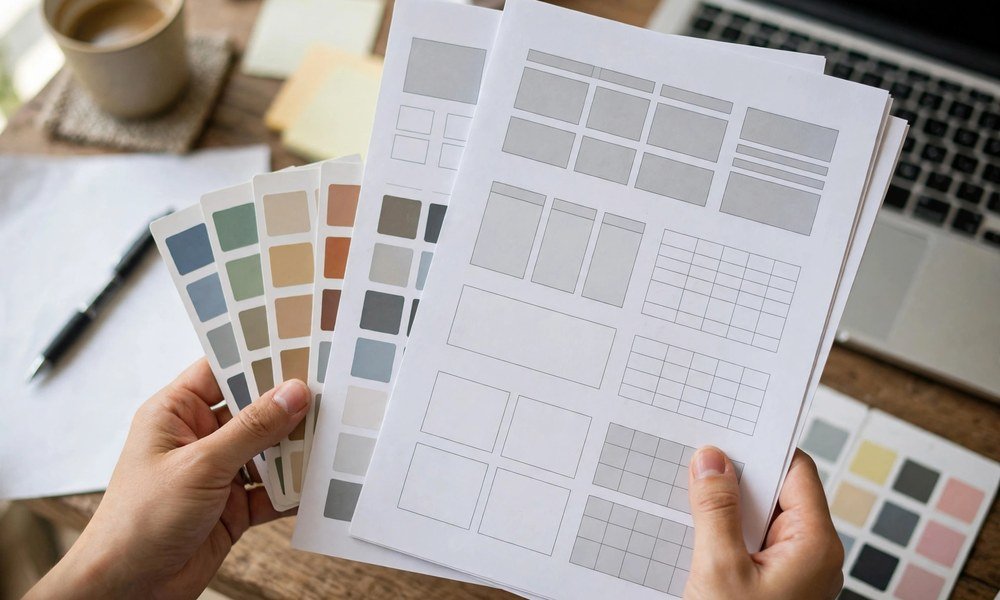
Speed is part of how a template works, and it is easy to overlook. A template with large background videos, heavy animations, and many fonts can look impressive on a fast office computer and load slowly on a phone with a weak signal. More than half of small business visitors arrive on a phone, and many leave a page that takes more than three seconds to load. A clean template with one or two fonts, compressed photos, and no needless effects will serve a small business better than a dramatic template that stalls on mobile data.
Free templates, paid templates, and the real difference
Free templates cost nothing to download and use, and many are good enough for a simple five page site. A free template from the official WordPress directory or from a known builder usually covers the basics: a clear home page, a services page, a contact form, and a phone friendly layout. The limits show up in support and in choice. Free templates often offer fewer layout options, fewer colour controls, and support through a public forum rather than a direct reply.
Paid templates usually cost between 30 and 100 dollars as a one off payment, or a similar amount per year for a licence and updates. That payment buys a wider set of page layouts, more control over fonts and colours, and direct support from the maker. It also buys a stronger reason for the maker to keep the template updated. A template that receives regular updates is less likely to break when the platform updates, and less likely to carry a known security flaw.
The licence matters, and owners often skip it. A free template may allow use on any number of sites, while a paid template may allow use on one site only, with extra sites at extra cost. Some licences allow the owner to change the code, while others forbid resale of the template as a product. For a normal small business site, the licence rarely blocks anything, but the owner should still read the short licence note before paying, and should keep the receipt and the licence key in a safe place.
The checks that matter before choosing a template
Check the phone layout second, before the desktop layout. Open the demo on a real phone, not only in a desktop browser narrowed to a small width. Tap the menu, tap the phone number, fill in the form, and scroll to the bottom. The headline should still make sense, the button should still be easy to tap, and the form should still fit the screen. A template that works on a phone and looks plain on a desktop is a better choice than a template that looks superb on a desktop and breaks on a phone.
Check the contact path fourth. From the home page, a visitor should reach the phone number or the enquiry form in one tap, and the form should ask for only the details the business needs to reply. A form that asks for a full address, a budget, and a preferred date before the visitor has even read the services page will lose enquiries. The template should make the short form easy, and it should keep the phone number visible in the header on every page.
| Detail | What is known |
|---|---|
| Core pages | Home, services, about, and contact pages should be included in a clean order. |
| Phone layout | Menu, phone number, and form should work on a real phone with one hand. |
| Load speed | Text should appear fast, with photos loading after, even on a slow connection. |
| Contact path | Phone number or enquiry form should be reachable in one tap from the home page. |
| Free or paid | Free suits a simple site; paid usually adds support, updates, and more layouts. |
| Licence | Check how many sites the licence covers and keep the receipt and key safe. |
| Update record | A recent update date and recent support replies show the product is still maintained. |
| Editor ease | Headline, photo, and section changes should take minutes, not a full afternoon. |
Checklist: choosing a template without regret
- List the pages the business needs and the main action on each page before opening any template gallery.
- Test the demo on a real phone, and tap the menu, the phone number, and the form before judging the desktop look.
- Time the demo load on a phone connection, and reject any template that shows a blank screen for several seconds.
- Read the licence, check the latest update date, and look for recent support replies from the maker.
- Confirm the template works with the platform and the form tool the business already uses.
- Keep the sample content only as a guide, and replace every sample word and photo with real business details before launch.
Frequently asked questions
Is a business website template the same as a website builder?
No. A template is a design and layout set that runs inside a platform. A website builder is the platform itself, with hosting, editing, and publishing included. A builder offers templates as starting points, while WordPress uses themes as templates that the owner installs on separate hosting.
Can a small business use a free template and still look professional?
Yes, when the template is clean, fast, and well maintained, and when the owner replaces all sample words and photos with real business details. A free template with real photos, clear prices, and a visible phone number will look more professional than a paid template left full of sample text.
How many pages should a template include?
Most small businesses need five to eight pages at launch: home, services, about, contact, and one or two pages for the main offers or the local area served. A template with those pages in a clear order is enough. Extra pages can be added later, when the business has real content for them.
Will changing a template later break the site?
It can disturb the layout, because a new template may arrange the same words and photos in a different way. The words and photos usually survive, but the owner should test the change on a copy of the site first, and should check every page on a phone after the switch.
Does a template affect search rankings?
Yes, through speed, phone layout, and page structure. A fast template with clear headings and a simple menu helps search engines read the site and helps visitors stay longer. A slow template with hidden text and a confusing menu hurts both, even when the words on the page are strong.
When should a small business skip a template and hire a designer?
Skip a template when the site needs a booking system, an online shop with many products, or a custom tool that no template covers cleanly. A designer is also the better choice when the brand needs a distinct look that a shared template cannot provide. For a simple service site, a good template is usually enough.
The bottom line
A business website template is a starting point, not a finished website. It gives a small business the layout, the pages, and the structure that customers expect, and it leaves the owner free to focus on the words, the photos, and the service details that actually win work. The best template is rarely the most dramatic one. It is the one that loads fast, reads clearly on a phone, and makes contact easy.
Choose by testing, not by browsing screenshots. List the pages first, test the demo on a phone, time the load, check the licence and the update record, and try the editor before paying. A template chosen that way will serve the business for years, with small edits instead of a rebuild. The guide on how to run a business website redesign in 2027 explains when a full rebuild is the better move, and what that job involves.
Note: prices, licence terms, and update dates change over time, so check the current template page before paying, and test the demo on a phone before committing to a design.



