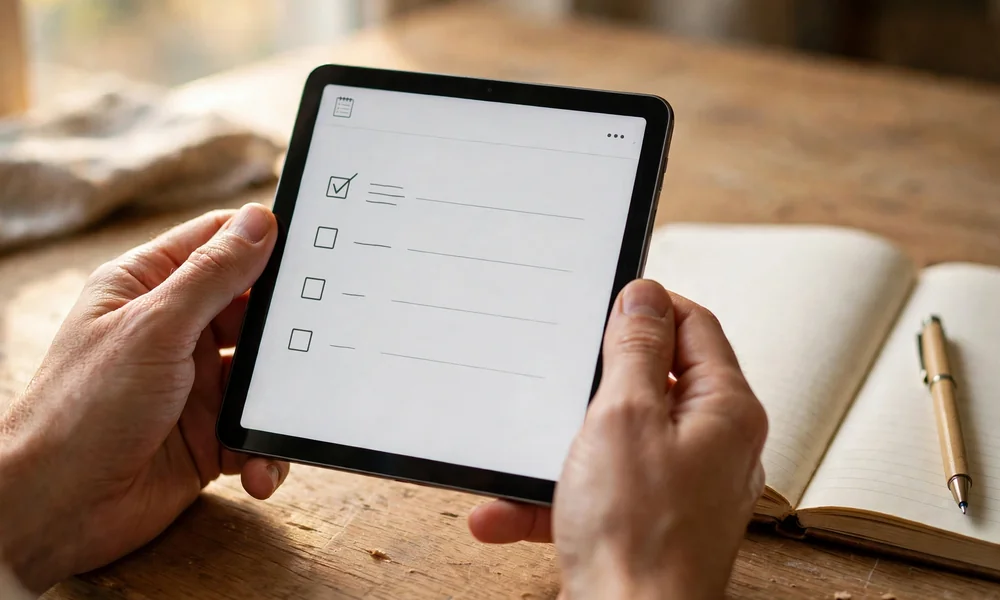
A tablet is a flat, touch-screen computer that is bigger than a phone and smaller than most laptops. It has no attached keyboard, no mouse, and no hinge. You hold it in your hands or prop it on a stand, and you control it by tapping and swiping on the screen.
The tablet sits in the middle of the device family. A phone fits in a pocket but its screen is small for reading and drawing. A laptop has a keyboard and a large screen but it is heavier and needs a desk or a lap. A tablet borrows the phone’s touch interface and the laptop’s larger screen, trading away the keyboard for lightness and speed.
Key takeaways
- A tablet is a touch-screen computer with no keyboard, sized between a phone and a laptop.
- It runs a mobile operating system such as iPadOS or Android, with apps from an app store.
- Most people use tablets for reading, video, browsing, notes, and drawing, not for heavy work.
- Battery life is typically around ten hours, and the device is silent because it has no fan.
- A keyboard case and a stylus can turn a tablet into a light laptop replacement, but not a full one.
Tablet at a glance
| Detail | What it means |
|---|---|
| Definition | A flat touch-screen computer with no attached keyboard, between a phone and a laptop in size |
| Operating systems | iPadOS on iPads, Android on most others, Windows on a few |
| Input | Touch screen, plus an optional stylus and keyboard case |
| Connectivity | Wi-Fi on all models, mobile data on some, Bluetooth for accessories |
| Battery life | About 8 to 12 hours of video or browsing on a charge |
| Main uses | Reading, video, browsing, notes, drawing, and light work |
What a tablet actually is
A tablet is a computer reduced to a single piece: a screen, a battery, and the electronics behind the screen. There is no base, no hinge, and no separate keyboard. The electronics are packed into a case a few millimetres thick, and the whole device usually weighs between 300 and 700 grams. That thinness is the point. A tablet is designed to be held, carried in one hand, and used anywhere without setup.
The screen is the tablet’s defining feature. It is both the display and the input device. You tap to open, swipe to scroll, pinch to zoom, and type on a keyboard that appears on the glass when you need it and disappears when you do not. That sounds simple, but it changes how the device feels: there is no barrier between you and the content, which is why tablets work well for reading, sketching, and showing things to someone sitting next to you.
How a tablet works
A tablet works like a large phone. Press the power button and it wakes in under a second, because it never fully shuts down the way a laptop does. It connects to the internet over Wi-Fi, or over a mobile network if the model has a SIM or eSIM, and it runs apps that you install from an app store. Files, photos, and settings can sync to the cloud, so a document started on a tablet can be finished on a phone or a laptop.
The processor inside the tablet does the same job as the processor in any computer: it runs apps, plays video, and manages the screen. The amount of memory, or RAM, decides how many apps can stay open at once without slowing down, and the storage decides how many films, photos, and apps the tablet can hold. Because tablets use mobile processors, they produce little heat, which is why they have no fan and no vents.
Touch is the main input, but it is not the only one. Most tablets support a stylus, a pen-shaped tool that lets you write and draw with far more precision than a finger. A stylus is pressure-sensitive, so pressing harder makes a thicker line, which makes it useful for artists and for anyone who prefers handwriting to typing. Keyboards connect over Bluetooth or through a magnetic connector, and a tablet with a keyboard case and a trackpad can feel surprisingly close to a small laptop.
Bluetooth is the link that ties those accessories together. A keyboard, a stylus, headphones, and a speaker all connect to the tablet wirelessly, and the way Bluetooth works explains why pairing is usually a one-time step: once the tablet recognises an accessory, it reconnects automatically whenever the accessory is switched on. The practical result is simple: accessories just work after the first setup. For the tablet’s other wireless connection, see our guide to how Wi-Fi works.
The main types of tablet
Tablets fall into three groups by operating system. iPads run iPadOS and come from a single maker, Apple. They have the widest range of tablet-specific apps, the longest software support, and the most polished stylus, the Apple Pencil. They are usually the most expensive option, and they work best if you already use an iPhone or a Mac, because the devices share apps, files, and settings.
Android tablets run Google’s Android and come from many makers, including Samsung, Lenovo, and Xiaomi. They are more varied in price, from budget models under a hundred dollars to premium devices that rival the iPad. Their app selection for large screens is thinner than the iPad’s, but they offer more choice in size, storage, and price, and they connect easily with Android phones. Samsung’s tablets include a stylus in the box, which is a real advantage for note-taking.
Windows tablets are a smaller group. They run the full version of Windows, so they can install the same desktop software as a laptop, and many are sold with a detachable keyboard. They are the closest thing to a laptop in tablet form, but they are heavier, their battery life is shorter, and the touch experience is less polished than on iPadOS or Android. They suit people who need one device to do both jobs and are willing to accept the compromises.
What people actually use tablets for
Reading is the oldest and still one of the best uses. A tablet is the right size for a book page, it holds thousands of books, and its screen works in the dark with a brightness setting that a paper book cannot match. Students use tablets to read textbooks and annotate them with a stylus, and many people read news and magazines on a tablet at breakfast. The screen is large enough that reading feels relaxed rather than cramped.
Video is the other dominant use. Tablets are the device of choice for watching films and shows in bed, in the kitchen, or on a plane, because the screen is big enough to enjoy and the device is light enough to hold for an hour. Streaming apps are designed for touch, and downloading shows for offline viewing makes a tablet a natural travel companion. It is no accident that many households own more tablets than laptops: the tablet is the shared screen.
Notes and drawing are where the stylus earns its keep. Students take handwritten notes in class, designers sketch ideas, and professionals annotate documents and sign forms. The tablet stores every note in one place, makes them searchable, and lets you undo a mistake without crossing anything out. For people who think on paper, a tablet with a stylus is the first digital device that feels like a genuine replacement.
Tablet vs laptop vs phone
The tablet sits between the phone and the laptop, and the comparison depends on the job. Against a phone, the tablet wins on screen size and loses on portability: it cannot fit in a pocket, and it cannot make calls without an app. Against a laptop, the tablet wins on weight, battery life, and simplicity, and loses on typing speed, screen size, and software power.
Benefits and risks
The main benefit is convenience. A tablet wakes instantly, lasts all day, weighs less than a book, and does the everyday jobs of reading, watching, and browsing better than any other device. It is also the easiest computer to share: you can hand it to someone to show them a photo, a map, or a document without worrying about a keyboard or a trackpad getting in the way.
The main risk is buying a tablet for a job it cannot do. People who expect a tablet to replace a laptop entirely are often disappointed when they hit the limits of mobile apps, the slower typing on glass, or the lack of a particular desktop programme. A keyboard case helps, but it does not change the software underneath. If your work depends on desktop software, a laptop is still the right tool.
Security is a smaller risk but a real one. A tablet holds email, photos, and banking apps, so it should have a passcode or fingerprint lock, and it should receive software updates promptly. Lost tablets can often be located and locked remotely, but only if that feature was switched on before the loss. As with any device, the safest habit is to keep the software updated and to use a lock screen that cannot be guessed in a few tries.
Checklist: choosing a tablet
- Decide the main job first: reading and video favour a larger screen, travel favours a lighter one.
- Pick the operating system that matches your other devices, so files and apps carry over.
- Check the app store for the specific apps you need before you buy, not after.
- Buy enough storage for your films and photos, since most tablets cannot be expanded.
- Budget for a case and, if you will write or draw, a stylus and a keyboard.
- Check how many years of software updates the maker promises for that model.
Frequently asked questions
Can a tablet replace a laptop?
For reading, browsing, video, notes, and light office work, yes, especially with a keyboard case. For heavy software or professional editing, no: a laptop is still faster.
Do tablets need a phone contract?
No. Every tablet works on Wi-Fi. Only models with mobile data need a SIM or eSIM, which is useful for travel or work away from Wi-Fi.
What is the difference between an iPad and a tablet?
An iPad is a tablet made by Apple that runs iPadOS. Tablet is the general name for the category, which also includes Android tablets and Windows tablets from other makers.
How long do tablets last?
The hardware typically lasts five years or more, since there are no moving parts. Software support usually runs for four to six years, after which some new apps may stop working, though the tablet itself keeps running.
Can I print from a tablet?
Yes. Modern tablets print over Wi-Fi to most printers, and the printer appears in the share menu of the app you are using. You do not need a cable or a computer in between.
Is a tablet good for children?
It can be, for reading, learning apps, and video, with screen-time limits and content filters switched on. A sturdy case is worth buying, since drops happen.
The bottom line
A tablet is a touch-screen computer that trades a keyboard for portability and simplicity. It is the best device for reading, watching, and taking notes, and a capable one for light work with a keyboard attached. It does not replace a laptop for heavy tasks, but it does a distinct job better than a phone or a laptop.
The practical advice is to buy for the job you actually do. Match the operating system to your other devices, choose a screen size that fits how you will hold it, and budget for a case and a stylus if you plan to write or draw. A tablet bought for the right reasons is one of the longest-lasting and most-used devices in the house.