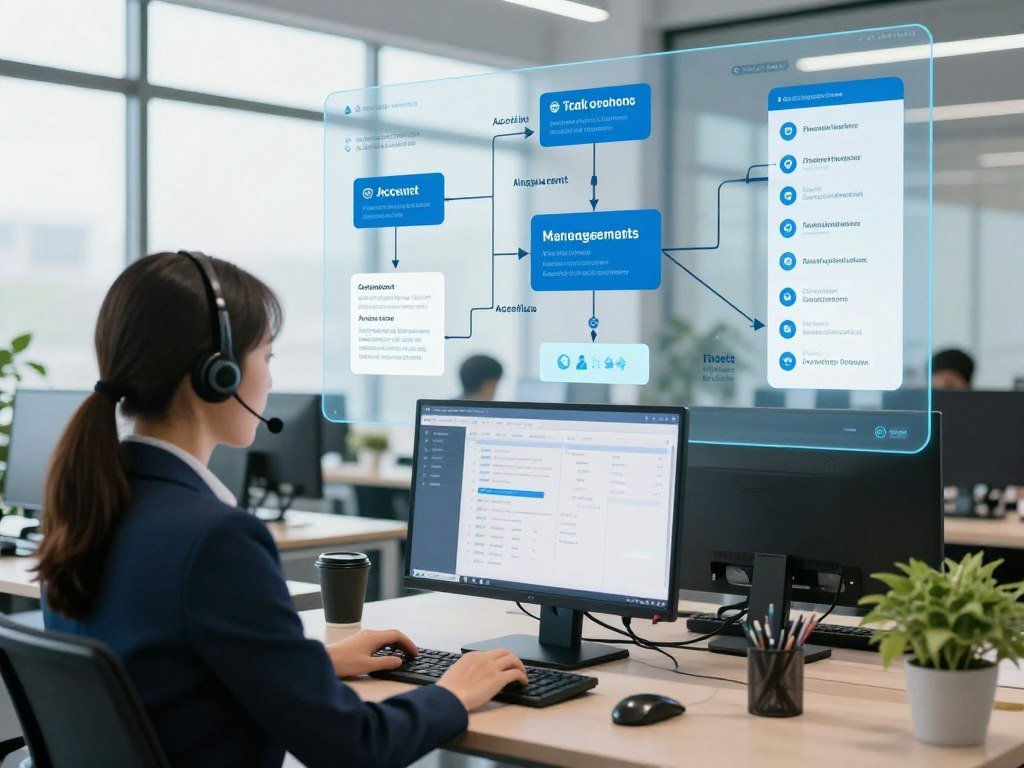
A customer-support model may recognize a problem but still need account data, a policy check, and a ticketing tool before it can resolve the request. AI orchestration helps connect those parts, so the customer gets a useful answer instead of a dead end.
Teams use AI models, apps, and data in many ways, but separate tools do not always work well together. This guide explains how coordination works, where people keep control, and how businesses can start with a practical workflow.
A coordinated workflow makes those separate capabilities useful together while keeping people able to review important actions.
Key Takeaways
- AI orchestration coordinates models, agents, tools, data, and applications across a workflow.
- An orchestrator decides what runs next and carries context between steps.
- Workflow state saves decisions and results so work can continue after a pause.
- Protocols connect components, but they do not replace routing or governance.
- Start with one bounded task, clear permissions, and human review for key actions.
What Is AI Orchestration?
AI orchestration coordinates models, agents, tools, data, and applications so they can complete a multi-step task as one workflow. Rather than simply connecting tools, it determines which step runs next and what information that step needs.
Workflow state is the saved context, decisions, and results that let a multi-step workflow continue from one step to the next. An orchestrator manages that state, along with rules that guide actions and handle errors or approvals.
A useful workflow makes the next action and the information passed to it explicit.
The orchestration layer is the coordination logic between the parts of a system and the application using them. It can route a request to a model, call a tool, or pause for a person.
For example, a support workflow could classify a refund request, look up the account, check a policy, and draft a reply. The orchestrator passes the needed data between steps instead of asking one model to do everything.
A Zapier survey found 44% of enterprises use multiple AI vendors, while about one in three rely on third-party integration or orchestration tools. That mix can make clear handoffs more important.
The coordination must also set limits. A workflow might let a model draft a refund decision but require an employee to approve payment.

The orchestration layer can include rules, code, or a dedicated platform. Its job is to make the handoffs clear, not to replace the models or tools.
A useful orchestration design makes the next action and the information passed to it explicit.
Where Does the Orchestration Layer Fit in an AI System?
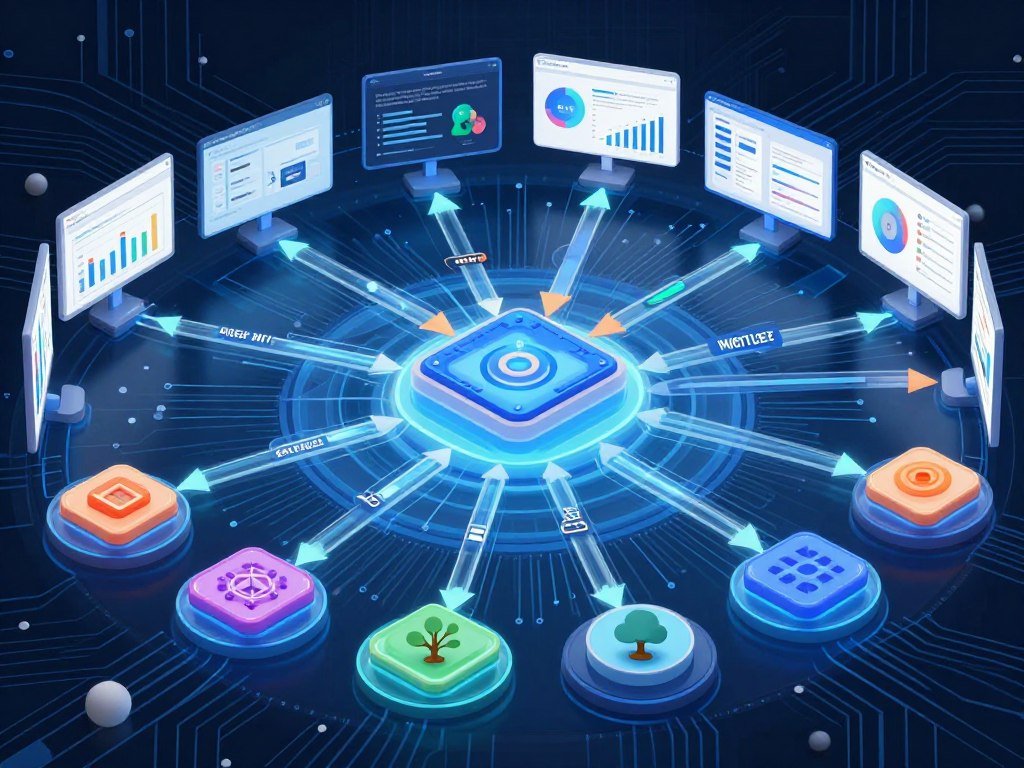
An AI system includes more than the model that generates its response: it also needs data, tools, compute, and a way to connect them. In practice, the orchestration layer coordinates these components without needing to become any of them.
The layer sits between the application and the components that perform or support each task. It can call APIs, pass data along data pipelines, and track results as a workflow runs.
The Components It Connects
Models generate or interpret content, while AI agents can plan and act toward a goal. Tools perform tasks, and APIs connect software parts, such as a model and a ticketing app.
- Models and agents: generate answers, make plans, or perform specialist work.
- Tools and APIs: connect to ticketing apps, search systems, and other services.
- Data stores and pipelines: hold records and move data between steps.
- Compute and applications: run the workflow and present its results.
- State and monitoring: save progress and record what happened.
Databases and compute resources support the work, but the orchestration layer directs how the workflow uses them. The layer can manage data pipelines without storing the data itself.
Design, Runtime, and Operations
During design, a team maps steps, decision rules, and human review points. At runtime, the orchestrator runs those steps, passes context, and updates workflow state.
Operations covers monitoring, error handling, and updates. A team may revise a prompt, adjust a permission, or add a check after reviewing traces.
An API endpoint can connect an application to a model, but application code still needs to validate tool arguments and choose whether an action should run. A Mistral Large 4 API setup guide shows how that model connection works.
Sketching these components and their connections is a practical first step toward finding gaps in an existing system.
How Does Agent Orchestration Work?
In a multi-agent workflow, the orchestrator decides which specialist handles each step and what context that specialist receives. Agent orchestration also tracks progress and controls what each agent may do.
An orchestrator agent selects or coordinates the next agent or tool, while specialist agents perform their assigned work. The orchestrator can pass account details to a policy agent, then send its finding to a response agent.

The Orchestration Layer in Agentic AI
The orchestration layer in agentic AI routes tasks, carries context, and records workflow state. It can also set permissions, such as allowing an agent to read a record but not change it.
The orchestrator may be a dedicated supervisor agent or distributed workflow logic. In either case, it coordinates handoffs rather than doing every specialist task itself.
For a support case, one agent might identify the issue, another might check the policy, and a third might draft a reply. The workflow can pause before sending the reply.
Three Ways Agents Hand Off Work
- Sequential orchestration runs agents in a fixed order. A support agent classifies a request before a policy agent checks it.
- Hierarchical orchestration uses a supervisor to direct specialists. A research supervisor can assign separate agents to find and compare facts.
- Swarm orchestration lets peer agents pass control among themselves. Support agents might exchange a case until one can resolve it.
A fixed order can be easy to inspect, while a supervisor can direct work based on what earlier steps find. Swarm handoffs allow peers to share control, so teams need clear limits.
Use a supervisor pattern when teams need one clear place to control handoffs and review progress.
How Is AI Orchestration Different From Automation and MLOps?
A fixed ticket-routing rule and a workflow that chooses a specialist based on evolving context solve related but different problems. The main difference is how much the next step can change as a task unfolds.
Use traditional workflow automation when every step is known in advance; use AI orchestration when context or model decisions can change the path. MLOps focuses on the machine-learning model lifecycle, not the full business workflow.

| Approach | Focus | What it controls | Key limitation |
|---|---|---|---|
| AI orchestration | Multi-step AI work | Models, agents, tools, and state | Needs rules and oversight |
| Workflow automation | Known process steps | Rules and task order | Less suited to changing context |
| AI agent | Goal-directed work | Its plan and allowed actions | Needs limits and review |
| Agent orchestration | Multi-agent work | Agent handoffs and progress | More handoffs to manage |
| MLOps | Machine-learning lifecycle | Model training and deployment | Does not coordinate every business task |
For example, workflow automation can send every billing ticket to the same queue. AI orchestration can route a case based on its message, account record, and policy result.
An AI agent might review a document and flag a concern. Agent orchestration can assign one agent to find the clause and another to compare it with policy.
Machine learning operations, or MLOps, supports model development, testing, and deployment. Robotic process automation, or RPA, handles user-interface tasks and can serve as one tool within a wider workflow.
Choose the simplest approach that can handle the decisions, state, and oversight your task requires.
What Happens During an Orchestrated Workflow?
A support request can trigger a workflow that classifies the issue, checks account context, and routes a high-risk case for review. Each step uses the prior result to decide what should happen next.
Saved workflow state preserves decisions and intermediate results between steps. If the process pauses for approval, it can continue with the same context instead of starting over.
- A new support request triggers the workflow.
- A model classifies the issue and marks possible risk.
- Tools retrieve account context, such as recent orders or prior tickets.
- A rule routes the case or pauses it for approval.
- The system saves the result and a trace of the actions.
The workflow may use APIs to get account details, call a model, or update a ticket. Each output becomes an input for a later step, and rules can limit which action runs.
A trace records the steps and outputs, helping a team review why a case reached a certain result. The saved state holds the current context, while the trace shows what happened along the way.
Teams can keep agent logic in a GitHub repository and use GitHub Actions to start runs after repository events. GitHub can version and trigger workflow logic, but it is not itself the orchestrator.
Save the workflow state before any pause so an approval or retry can continue with the right context.
What Benefits Does Orchestration Bring to Teams?
A workflow that can be traced, resumed, and governed is easier to operate than a collection of disconnected AI calls. Shared state and records help teams understand progress when a step fails or needs review.
Saved state alone does not ensure automatic recovery after an interruption. A 2026 process-kill test found that all nine tested agent frameworks kept workflow state while waiting for human approval, but none resumed automatically without an external runtime.
The test found different recovery behavior across tools. LangGraph survived a process restart and resumed without repeating completed work.
Mastra saved suspended state in its default LibSQL store and resumed without repeating its first step. It did not detect failure or restart on its own.
Microsoft Agent Framework resumed automatically with its Durable extension. Dapr Agents resumed automatically through Dapr Workflows.
These results show why teams should test both state storage and the runtime that handles a restart. Retries, alerts, and permission controls also shape how safely a workflow runs in production.
A 2026 IBM study reported that organizations using an orchestration-led AI governance layer were around 13 times more likely to scale AI successfully. That finding describes an association, not a promise for every business.
A 2025 SS&C survey found nearly 94% of 1,650 enterprise leaders called process orchestration essential to managing AI end to end. Other enterprise leaders reported that integration remains hard: 78% struggle to connect AI with current systems, and 41% said slow rollouts put them behind competitors.
Shared rules can help teams work across tools without giving every agent broad access. Monitoring can also reveal repeated errors, rising usage, or steps that need human oversight.
Before calling a workflow durable, test both whether its state survives interruption and whether a runtime can restart it.
How Do MCP and A2A Connect Agents and Tools?
MCP helps an agent discover and invoke tools, while A2A provides a standard for agent-to-agent communication. They connect components, but they do not decide the whole workflow.
Protocols do not replace workflow routing, permissions, state management, or governance. An orchestrator still decides which component acts and whether a result needs review.
| Protocol | What communicates | What it standardizes | Practical use |
|---|---|---|---|
| MCP | Agents and tools | Tool discovery and calls | Let an agent search a document store |
| A2A | Agents and agents | Agent communication | Pass a research task to a specialist agent |
A Model Context Protocol, or MCP, server can make tools available to an agent. Agent-to-Agent, or A2A, communication can help separate agents share work across systems.
A July 28, 2026 MCP release candidate removes protocol-level session management. It places protocol version, client information, and capabilities in request metadata.
The candidate adds HTTP headers for protocol version, JSON-RPC method, and the invoked tool, prompt, or resource. It also adds ttlMs for result caching.
Its InputRequiredResult includes requestState, so a tool can ask a user for input without keeping a long-lived connection open. This is a release candidate, not a final standard.
Check the protocol version and implementation support before relying on a release-candidate feature in production.
Which AI Orchestration Tools Fit Different Needs?
A no-code operational platform, a developer framework, a data orchestrator, and a cloud service solve different coordination problems. Start with the work you need to manage, not the longest feature list.
An AI orchestration framework is a developer toolkit for building coordination logic. Frameworks vary in how they handle agent roles, state, data, and deployment.
Frameworks for Building Agent Workflows
LangChain is an open-source framework under the MIT license, and LangGraph provides a stateful runtime for cyclic workflows. In 2026, LangChain had about 134,000 GitHub stars and more than 1,000 integrations, but those counts do not prove quality.
CrewAI supports role-based workflows. Microsoft Agent Framework is the open-source successor to AutoGen and Semantic Kernel, with Python and .NET runtimes at 1.0 GA.
LlamaIndex Workflows suits document-centered, event-driven systems. Google ADK is open source under Apache 2.0 and targets teams working with Google Cloud Platform.
OpenAI Agents SDK is open source under MIT and fits tightly scoped assistants and delegation. Mastra is a TypeScript framework with workflows, memory, retrieval-augmented generation, evaluations, tracing, and a local studio.
Platforms and Infrastructure for Connected Work
Operational platforms, data systems, and cloud services handle different jobs. This comparison pairs five options with a common fit.
| Tool | Category | Best-fit work | Distinguishing feature |
|---|---|---|---|
| Zapier | Operational platform | Connected app workflows | MCP and SDK reach over 9,000 apps |
| Prefect | Data orchestrator | Data pipelines | Coordinates data tasks |
| Amazon Bedrock | Cloud AI service | Model access in AWS | Listed 83 large language models in 2026 |
| Nomad | Infrastructure scheduler | Mixed container workloads | One job syntax for container and non-container work |
| Amazon ECS | Container service | Workloads in AWS | Connects with IAM, CloudWatch, ECR, and load balancing |
Zapier’s MCP and SDK provide access to more than 9,000 apps, with built-in authentication and credentials kept from the model. Prefect focuses on data orchestration, while Amazon Bedrock provides cloud model access.
Amazon ECS connects with AWS IAM, Elastic Load Balancing, CloudWatch, and ECR. Google Cloud Run can scale containers from zero and bills by CPU-second and memory-second.
Kubernetes is a container orchestrator, not a replacement for AI workflow orchestration. As of October 2026, its latest minor branches were 1.37, 1.36, and 1.35; versions 1.19 and newer receive about one year of patch support.
Kubernetes 1.37.1, 1.36.5, and 1.35.9 came out September 15, 2026. Kubernetes 1.34 entered maintenance August 27 and reached end of life October 27, 2026.
A 2026 comparison reported that 82% of container users run Kubernetes in production, while 34% of those teams cite complexity as a top challenge. Kubernetes release and support cycles can also affect how teams plan maintenance.
The right infrastructure depends on the workloads and skills your team already has. A broad app catalog, a data scheduler, and a container service are not interchangeable.
For a separate example of choosing tools around a defined creative task, compare free AI video generators by workflow and export needs.
Match the tool to the workflow first, then check whether it integrates with the models, systems, and controls already in use.
What Should You Check Before Choosing a Platform?
Start by checking whether a platform can control the actions your workflow needs to take and explain what it did afterward. Good control includes clear permissions, useful records, and limits on actions.
Compare six areas: runtime recovery, observability, model choice, integrations, deployment, and governance with total cost. A platform that looks simple in a demo may need extra work to fit your systems.
- Runtime control: Can you set step limits, handle errors, and resume interrupted work?
- Observability: Can staff inspect traces, outputs, and decisions across a run?
- Model choice: Can the workflow use the models your tasks need?
- Integrations: Can it connect to your apps, APIs, and MCP tools?
- Deployment: Can you run it in the cloud, on your own systems, or both?
- Governance and cost: Can you set permissions, approvals, audit logs, and cost limits?
Check how each platform handles human approval and whether its trace shows which tool ran. A record should help you find both the model output and the action that followed it.
For governance, verify controls that matter to your organization. Examples include SOC 2 Type II, GDPR compliance, single sign-on, SCIM, and centralized access controls.
A 2026 survey of 600 enterprise CIOs found that 74% regretted at least one major AI vendor or platform choice made in the prior 18 months. A short test can uncover gaps before a team commits.
Total cost of ownership includes more than the license. Implementation, integration work, governance, and ongoing maintenance all take time and money.
Teams comparing specialized products can also assess AI tools for legal workflows by task fit, traceability, access controls, and implementation cost.
For team workflows, compare AI meeting assistants against the integrations and admin controls your staff needs.
Run a small, representative workflow through the evaluation before committing to a long-term platform choice.
Where Does AI Orchestration Help in Real Workflows?
Fraud review is a strong orchestration use case because a score alone cannot complete the decision or its audit trail. Multiple checks can combine an anomaly score, business rules, and analyst approval.
Orchestration helps when a task needs several data sources, tools, decisions, or people. It can connect those steps while keeping the result and its path available for review.
Supply-chain planning can combine sensor data, stock levels, and delivery updates. If a shipment is delayed, a workflow can compare rerouting options and send a proposed change to a planner.
Internal knowledge management can use retrieval-augmented generation, or RAG. The workflow interprets a query, retrieves documents, ranks them, assembles context, generates an answer, and checks the output.
Software review can coordinate code analysis, continuous integration checks, and human approval. A failed test can send the work back for changes instead of allowing a release.
Teams can describe process steps with Business Process Model and Notation, or BPMN. Case Management Model and Notation, or CMMN, supports adaptive cases and state changes.
Decision Model and Notation, or DMN, can centralize decision rules. These methods can help teams describe a process, but they are not the only way to build it.
Keep high-impact decisions reviewable by a person, even when the surrounding steps run automatically.
How Can a Team Start Building a Multi-Agent AI System?
Start with one contained task whose successful outcome and failure cases your team can recognize. A narrow pilot makes it easier to judge whether the system works before you add more tasks.
Give each agent a distinct role, limited tools, and clear handoff rules. Begin with limited permissions and human review for actions that could affect customers, money, or access.
- Choose one bounded task and define its success measures.
- Assign distinct agent roles and list each agent’s allowed tools.
- Define shared workflow state and rules for handing off work.
- Test approvals, errors, and traces before deployment.
First, assess the systems, data, and governance gaps you already have. Then pilot one workflow with clear key performance indicators, or KPIs.
Before scaling, add data quality gates and observability. The workflow needs clean inputs and useful records before your team can judge its results across more tasks.
Scale to nearby workflows with centralized governance, then optimize performance and cost controls. A new workflow may need different data checks or permissions, even when it uses the same agents.
Test what happens when a tool fails, a model returns an unusable result, or an approval takes longer than expected. A trace should show where the workflow stopped and what state it saved.
Expand only after the pilot shows that its state, permissions, and recovery behavior work as intended.
Conclusion
AI orchestration is most useful when it turns separate AI capabilities into a workflow a team can operate and trust. Models, agents, tools, and data can work together under rules that make actions visible.
Before implementation, write down the workflow owner, saved state, permissions, and point where a person must approve an action. Those details give the team a shared view of control and responsibility.
Choose one repeatable task, map its handoffs and safeguards, and test the smallest useful version first.
FAQ
What is the purpose of an orchestrator agent?
An orchestrator agent selects or coordinates the next agent or tool, passes needed context, and tracks workflow state. It does not replace the specialists doing the work. In a support process, one agent may check policy while another drafts a reply. The orchestrator routes those tasks and can pause before an action that needs a person’s approval.
How to make money with AI automation?
Businesses can earn money by designing, integrating, or maintaining useful automated workflows, or by building a product around one. Income depends on the value customers get and the ongoing work needed to deliver it. For example, a team might charge to connect a client’s intake form, case system, and review process. Automation alone does not guarantee demand or profit.
What is an AI workflow?
An AI workflow is a connected sequence of AI and non-AI steps with a trigger, inputs, decisions, and outputs. It may also save state so work can continue after a pause. A workflow could take a request, classify it, retrieve a record, and draft a response. Some workflows include human approval before sending a message or changing an account.
Is Kubernetes an orchestrator?
Yes, Kubernetes orchestrates container deployment, scheduling, and scaling. That role differs from coordinating AI models, agents, and tools across a business workflow. Kubernetes can run the services that support an AI system, while a separate workflow orchestrator manages tasks such as retrieving data or requesting approval. The two kinds of orchestration can work in the same system.
What is replacing K8s?
No single tool is replacing Kubernetes. Nomad schedules container and non-container workloads with one job-definition syntax, while Amazon ECS manages containers within AWS. Google Cloud Run can run containers and scale them from zero. Each serves different infrastructure needs, and Kubernetes remains an option for teams that want its container management features.
Is Kubernetes made by Google?
Google originally developed Kubernetes, and it is now an open-source project governed through the Cloud Native Computing Foundation. Teams can use it to schedule and manage container workloads across a cluster. Google’s early role does not mean Kubernetes is limited to Google Cloud. It runs in many kinds of infrastructure, including other cloud services and local data centers.
Is Kubernetes still relevant in 2026?
Yes, Kubernetes remains relevant in 2026, and versions 1.37, 1.36, and 1.35 are its latest minor release branches as of October. Kubernetes 1.19 and newer receive about one year of patch support. Teams still need to plan upgrades and maintenance. Other schedulers may fit some workloads better, but Kubernetes continues to be used in production.



