
Remote teams often leave a call with different versions of what was decided and who owns the next step. An AI meeting assistant can record or listen, create a transcript, and summarize the conversation. Some tools also find action items or make past calls searchable. Cross-meeting memory is a searchable record that connects decisions and commitments from one conversation to later conversations and follow-up work. That differs from a recap of one call. The right fit depends on how your team captures audio, shares notes, and sends work to other tools. A useful choice is the one that fits the way your team meets and makes its follow-up easy to verify.
Key Takeaways
- Fathom stands out for teams seeking recurring free recordings, transcripts, and summaries.
- Otter.ai suits transcription-heavy workflows with clear monthly minute needs.
- Fireflies.ai adds shared search and ways to retrieve details across calls.
- Granola and Krisp capture audio without a visible meeting bot.
- Free plans differ in minutes, history, recordings, and AI features.
- Built-in Zoom, Google Meet, or Teams features may cover a single-platform workflow.
Best AI Meeting Assistants for Remote Teams
A team that wants a capable free starting point should shortlist Fathom first. Otter.ai fits teams centered on transcription, Fireflies.ai suits shared search, Granola supports unobtrusive personal notes, and Krisp pairs bot-free notes with audio tools. Each is a different fit, so match the capture method to your calls.
Start with the workflow your team needs most, not the longest feature list. The table offers an editorial starting point, not a claim that one tool works best for every team. A built-in feature from Zoom, Google Meet, or Microsoft Teams may be simpler when your calls stay on one platform.

| Tool | Suggested team fit | Capture approach | Decision prompt |
|---|---|---|---|
| Fathom | Teams seeking recurring free call records | Meeting bot; Mac bot-free beta | Will shared call search matter? |
| Otter.ai | Teams focused on transcription | Meeting capture and transcript | How many minutes do calls use? |
| Fireflies.ai | Teams that share searchable call records | Meeting bot | Where should call details live? |
| Granola | People who want personal notes | Device audio, no bot | Is a personal archive enough? |
| Krisp | People who want notes and audio tools | Bot-free audio capture | Will noise tools help the workflow? |
Choose a capture method your team can use on its actual calls, then make sure the resulting notes reach the people responsible for follow-up.
Fathom, Otter.ai, Fireflies.ai, Granola, and Krisp cover common needs, but their capture and sharing styles differ. Teams may also have platform or access rules that narrow the options before feature comparisons begin.
Use the shortlist to identify two finalists, then compare them against the actual calls and workflows your team needs to support.
What should remote teams compare before choosing a tool?
Start by confirming that the tool can capture the kinds of calls your team actually attends. Compare seven areas: capture method, cross-meeting memory, AI or agent access, integrations, administration and security, data residency, and annual per-seat price.
Platform access can decide whether a meeting assistant works at all. Zoom, Google Meet, and Microsoft Teams are common platforms, but access rules and call types vary across teams.
Capture method and meeting access
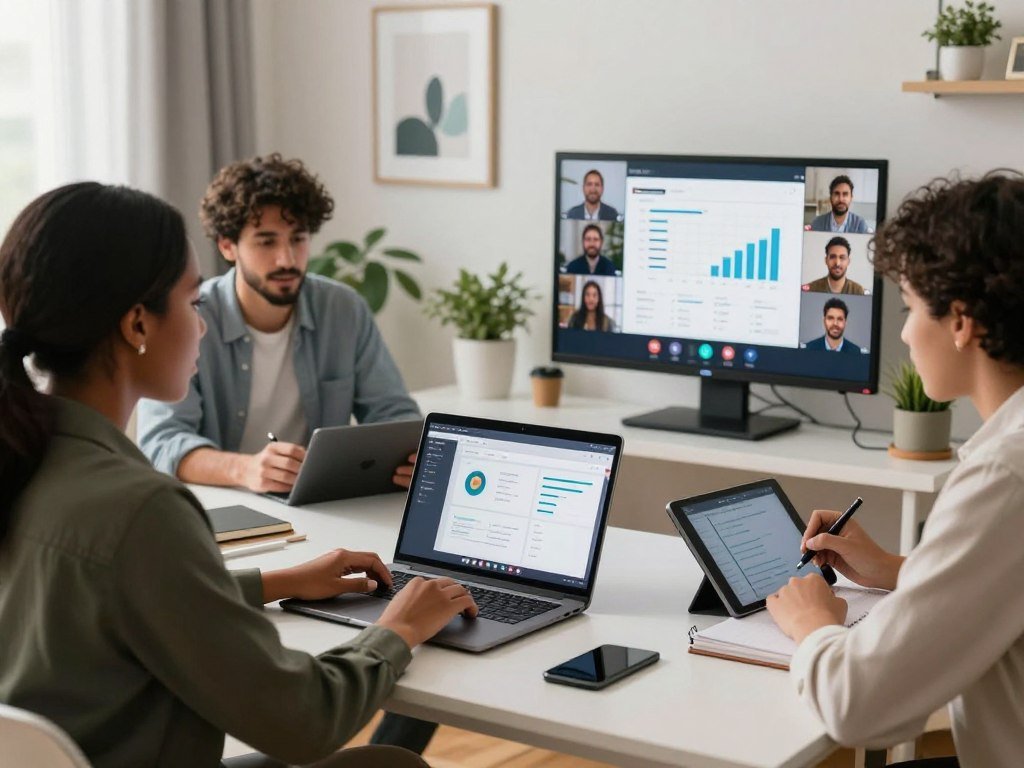
A meeting bot joins the call as a visible participant. Device-based capture listens through a computer or phone, while native capture comes from the conferencing platform itself. Each method has different access needs.
Check whether the tool supports scheduled calls, browser meetings, phone audio, and the platforms your team uses. Some products need permission to join calls or access a device microphone. A feature that cannot reach a meeting cannot produce its transcript.
AI or agent access is another point to review. A connected agent may search across work apps, but its permissions should match the task. For broader tool choices, compare how AI chatbots handle connected apps, inputs, and data controls.
Search, follow-up and integrations
Check whether you can search the transcript, ask questions across calls, and find summaries or action items. A recap may cover one meeting, while cross-meeting memory can connect decisions and commitments over time.
Integrations matter when the team works in a CRM, Slack, or a task tool. Find out whether the assistant sends notes to the right place, or merely offers an export. Also check whether people can edit owners, deadlines, and task wording before sharing.
Admin controls and data handling
Review SSO, access controls, retention settings, and data residency as separate checks. Do not assume a tool offers a feature because another product does. Annual per-seat price also needs a team-size estimate, not just a single-user figure.
- Who can capture the call?
- How can the transcript be searched?
- Can owners and action items be edited?
- Where can notes be sent?
- What can administrators control?
Treat any AI-generated owner or deadline as a draft until a participant has checked it against the conversation.
Which free plans make sense for a remote team?
A “free” label can describe unlimited recordings, a monthly transcription allowance, or only a handful of lifetime recordings. The first limit you hit depends on whether your team records often, needs AI notes, or must keep an archive.
Compare both use limits and how long each plan keeps meeting history. A minutes cap restricts transcript volume; a per-call limit restricts meeting length. A lifetime recording allowance limits total capture, while an AI-query cap limits how often you can ask questions.

| Tool | Included free use | Principal cap | Likely fit |
|---|---|---|---|
| Otter Basic | 300 transcription minutes per user monthly | 30 minutes per conversation; 3 file imports per account lifetime; 25 recent conversations retained | Light transcription use |
| tl;dv | Unlimited video recordings and transcripts | 10 AI-note uses, 10 Ask AI queries, 3-month history | Recording volume with limited AI use |
| Bluedot | 5 recordings per account | Lifetime recording allowance | Limited trial, not an ongoing archive |
Otter Basic offers 300 transcription minutes per user each month, with no rollover. Its 30-minute conversation limit can matter even when the monthly minutes remain. The limit on retained conversations may also affect a team that needs older notes.
tl;dv offers unlimited video recordings and transcripts, but its free tier limits AI-note use and Ask AI queries. Its three-month history sets a separate boundary. A team that records many calls may still need to ration the features used to review them.
Bluedot’s five lifetime recordings make its free tier more like a limited trial than a continuing archive. Free AI meeting minutes are possible through these plans, but the usable volume and history differ. The best free AI minute taker for a team depends on the limit its workflow reaches first.
Before a team adopts a free tier, test whether its archive keeps the conversations the team will need to find again.
Why does Fathom work for teams that want free meeting notes?
Fathom is the clearest starting point for a team that wants recurring meeting records without paying for the basic capture tier. Its free plan includes unlimited meeting recordings, transcripts, and summaries, making it the strongest free-plan choice here for recurring capture.
Fathom’s free plan covers recordings, transcripts, and summaries without a stated usage cap. It can act as a best AI meeting minutes generator for teams that need a written recap from captured calls. A team should still check which outputs it needs and whether shared access matters.

Fathom’s Team plan adds team-oriented value for shared call search. It costs $15 per user per month billed annually and requires at least two users. That minimum can shape the choice for a very small team, especially if only one person will use shared call features.
People looking for a best free AI meeting minutes generator can use Fathom to turn captured calls into transcripts and summaries. The useful question is whether those records support the team’s handoffs, review habits, and follow-up needs.
Fathom also offers a bot-free capture option on Mac, but that option is in beta. Treat it as a limited beta feature, not a general capture mode for every user or device.
Check the two-user minimum against the number of people who will actively use shared call features.
Is Otter.ai a practical choice for transcription-heavy teams?
Otter Pro is a practical paid step for teams that need more than a light monthly transcription allowance. The plan gives each user 1,200 transcription minutes per month, with separate limits on conversation length and imported files.
Compare monthly minutes, call length, and imports before choosing an Otter tier. Otter Pro costs $8.33 per user per month billed annually. Each conversation can last up to 90 minutes, and each user can import 10 audio or video files per month.
Those caps affect different work. A team with many brief calls may use monthly minutes quickly, while a single long session can reach the conversation limit. Imported files also draw on a defined allowance, separate from live meeting transcription.
Otter Business costs $19.99 per user per month billed annually. It includes unlimited meeting transcription and 6,000 imported-file transcription minutes per user each month. Business supports conversations up to four hours and three concurrent meetings.
That tier may suit teams with long calls, substantial imports, or overlapping meetings. Otter lists automatic transcription in English, Spanish, French, German, Japanese, and Chinese. Language availability does not prove how well a transcript handles a particular accent or technical vocabulary.
Among the compared products, Otter is a low-cost paid transcription choice. Its value depends on whether your real meeting volume fits the plan caps, rather than the listed minute total alone.
Estimate both total monthly transcription minutes and the longest expected call before choosing a tier.
Can Fireflies turn calls into searchable team knowledge?
Fireflies is a strong fit when a team needs a searchable shared record rather than isolated call summaries. Its global search and AskFred features can help retrieve content from meetings, summaries, and action items.
Search and sharing can make call records useful beyond the person who attended. Fireflies supports transcription in more than 100 languages. Its free plan has a storage cap, and Pro costs $10 per seat per month billed annually.
AskFred lets users ask about meeting content, while global search helps locate details across a shared workspace. Fireflies also offers an official MCP server for access to transcripts, summaries, and action items. Integrations can connect call information to CRM and collaboration workflows.
Those features may help teams that need to retrieve a detail later, rather than rely on one attendee’s memory. Four practical uses include:
- Finding customer questions that recur across calls.
- Reviewing decisions from several project meetings.
- Searching for action items across calls.
- Sharing call context with collaborators who missed the meeting.
Fireflies’ language range may help teams with multilingual calls, but language support alone does not establish transcript quality. Its free storage cap matters if the team plans to keep a growing archive.
Check the storage allowance against the team’s expected archive size before relying on a free account.
Does tl;dv suit teams that need reports across meetings?
tl;dv fits teams that want to compile patterns from multiple calls instead of reviewing each recap separately. Its multi-meeting reports can help surface recurring topics or collect follow-up items from several conversations.
tl;dv records Google Meet, Zoom, and Microsoft Teams calls. Its reporting across meetings may suit teams that need to compare repeated conversations, while CRM logging can help sales teams place call notes in their work system.
The reporting workflow gives a team another way to review a series of calls. It can help gather repeated questions or check where conversations left open tasks. A report still needs a person to confirm that the details match the recordings.
tl;dv says recordings are hosted and stored in the EU, and it describes its security as SOC 2 certified. Those details may matter to organizations with location or security rules. Compare the stated terms with the organization’s approved setup before adding call records.
Its Pro plan costs 18 euros per seat per month billed annually. That is a euro price, not a dollar equivalent, and the team should weigh its reporting and CRM workflow against its own needs.
Confirm that the tool’s CRM workflow and data-hosting terms match the organization’s approved setup.
Is Granola a good fit for bot-free personal notes?
Granola suits people who want to keep their own notes while software helps organize what they heard. It captures device audio without joining as a meeting bot, giving the user a quieter note-taking setup.
Granola deletes audio after transcription, while useful notes and history can remain. That distinction matters: removing the audio does not mean the resulting notes disappear. Basic is free and includes 30 days of history; Business costs $14 per user per month.
This approach can work well when a person wants software to organize notes without taking over the meeting. Granola may fit:
- An individual’s back-to-back calls.
- Meetings where a visible bot might distract.
- Conversations where the user adds personal notes to AI output.
Device audio gives a different feel from a meeting bot, but the workflow is still software-assisted capture. People comparing note apps can also review this guide to AI apps for work and life.
The 30-day history may not fit someone who needs a long-running archive. A user with a short project cycle may be comfortable with it, while a team tracking decisions over longer periods may need a different history window.
Check whether a 30-day history window is long enough for the projects and conversations you need to revisit.
When is Krisp a better fit for bot-free meeting capture?
Krisp is worth considering when bot-free notes and cleaner call audio are both priorities. It may suit people who want a meeting assistant alongside noise cancellation, rather than a standalone note tool. Its audio tools shape the fit.
Krisp’s free access is a seven-day trial, not a continuing free plan. Its Core plan costs $8 per user per month. The trial gives a short window to assess the workflow before paying.
Krisp claims 96% transcription accuracy across more than 16 languages. That number is a vendor claim, not a result established by independent testing. Language coverage and a stated accuracy rate do not guarantee reliable results in every call.
Test noisy rooms, overlapping speech, and jargon-heavy calls before relying on the transcript. Human review matters most when a missed term could change an action item or a decision. Notes can help, but unclear audio still creates uncertainty.
Teams that already use audio cleanup may value having notes in the same workflow. Others may find a separate meeting assistant simpler, especially when they do not need noise cancellation.
Treat the seven-day access as a short evaluation window, not an ongoing no-cost plan.
What does Bluedot offer teams across devices?
Bluedot’s main point of difference is support for recording across browser, desktop, and mobile devices. That range may help distributed teams capture conversations in different work settings, from a laptop call to mobile use. Its broad device coverage is the central fit question.
Bluedot supports transcription in more than 100 languages, but that does not prove quality for every language or accent. Coverage and accuracy are different things, especially when calls include technical terms or overlapping voices.
Bluedot supports recording on Chrome, macOS, Windows, iOS, Android, and Apple Watch. A team that moves between devices may value that choice, but it should check how each planned workflow works in practice. The same person may use different capture methods on a phone and computer.
Bluedot says it is SOC 2 Type II audited and does not use customer data to train AI models. Those are the company’s stated privacy details. An organization should compare the relevant terms with its own data rules and review process.
Device support can reduce friction for a team that works across settings, but a long list alone does not confirm that every device suits every meeting. The team’s actual language needs also matter.
Before rollout, confirm that the team’s actual devices and language needs are covered by the workflows it plans to use.
Which built-in assistant fits Google Meet, Zoom, or Microsoft Teams?
If a team already pays for one conferencing platform, its built-in recap is the first option to check. Native features can reduce the need to add a separate vendor when calls stay inside one system.
Access depends on the platform’s specific paid plan or license. Google Meet, Zoom, and Microsoft Teams do not offer identical feature sets, so compare the actual output and eligibility rules.
| Platform | Access requirement | Native output or scope |
|---|---|---|
| Google Meet | Eligible Google Workspace edition or Google AI plan | Notes in 8 languages, one language per meeting |
| Zoom | Paid Zoom Workplace Pro or higher | AI Companion included with eligible plan |
| Microsoft Teams | Teams Premium or Microsoft 365 Copilot license | Intelligent recap |
Google Meet note-taking supports eight languages under the stated feature, with one language used per meeting. That can suit calls with a shared language, but does not cover a meeting that needs several note languages at once.
Zoom AI Companion is included with paid Zoom Workplace Pro and higher plans. Teams intelligent recap requires Teams Premium or a Microsoft 365 Copilot license. A team should not assume all participants have the same access simply because the meeting host does.
Staying with one platform can avoid another vendor when the native recap meets the team’s needs. Cross-platform calls, CRM logging, or device-based capture may still call for a separate tool.
Verify the organization’s exact license before promising that every participant can access the same recap features.
What is the best AI minute taker for in-person meetings?
Plaud Note Pro is the dedicated-device option to consider for larger in-person groups, especially when internet access is unreliable. Offline recording can help capture a room without relying on a live online meeting. Software capture offers a lighter setup for smaller rooms or remote-first work.
Plaud Note Pro costs about $179 and includes 64GB of onboard storage. Its four microphones are described for rooms with 6-12 people; Plaud Note has two microphones and is described for 4-6 people.
When a dedicated recorder makes sense
A dedicated recorder can sit in the room and capture an in-person conversation without depending on a computer’s online call setup. Plaud Note Pro has a recording-status screen, while Plaud Note has no screen. The display can help show recording status at a glance.
Plaud Note Pro’s free plan includes 300 transcription minutes per month. Additional minutes require a paid plan. Its battery life is described as about one to two weeks, depending on daily meeting volume.
| Capture option | Microphones or capture method | Stated group-size fit | Practical trade-off |
|---|---|---|---|
| Plaud Note Pro | 4 microphones | 6-12 people | About $179; status screen and 64GB storage |
| Plaud Note | 2 microphones | 4-6 people | No screen; smaller stated group fit |
| Granola or Krisp software | Device microphone | Not applicable | No separate recorder; room fit not applicable |
When a phone or computer is enough
A phone or computer may be enough in a small, familiar room if the team has an approved device workflow. A separate recorder adds another item to charge, place, and manage. Software capture is a lighter setup for small groups and remote-first teams.
For face-to-face recording, Plaud Note Pro is the dedicated-device option for larger groups. A device-based software tool can suit a smaller room where people can speak near the microphone.
Check the recording-status display and the planned group size before choosing between the two Plaud models.
How should teams handle meeting recording privacy?
A capture method that avoids a visible bot does not remove the need to address participant expectations and company policy. Approval and notice matter even when software records from a device instead of joining the call.
Set an approved capture process before recording team or customer conversations. A 2026 Bluedot survey of more than 2,000 workers found that 47% had strong negative feelings about recording bots. That finding gives useful context, but it does not mean every participant objects.
Check participant expectations and policy
A visible bot can affect how guests feel about a meeting. A bot-free method may be less noticeable, but it does not make recording lawful or compliant with company policy by itself.
Tell participants what the tool captures and how the team will use the record. Check internal rules before recording external calls, interviews, or sensitive discussions. The NIST Privacy Framework is a voluntary framework for managing privacy risk.
Tools with agents or connected apps also raise permission questions. Review which apps can share meeting context and what actions need human approval. A guide to persistent work agents and app permissions can help frame those checks.
Review storage, access and retention
Find out who can open transcripts and recordings, how long each stays available, and whether audio and notes follow different retention rules. Administrators should review data-processing terms and the controls available for workspace access.
Use these four rollout checks:
- Establish an approved capture method.
- Tell participants how the conversation will be recorded.
- Limit transcript access to people who need it.
- Set a retention period.
Have the privacy or security owner approve the capture and retention workflow before using it for sensitive calls.
Can AI summaries replace human review for sales and board decisions?
AI summaries can speed routine follow-up, but a person must validate decisions that carry sales, governance, or accountability consequences. Human review matters when an error could change a customer commitment or formal record.
A recap does not guarantee an accurate owner, deadline, or customer commitment. Avoma may suit revenue teams that need conversation analytics, sales coaching, and CRM note saving.
Avoma’s Startup plan costs $19 per recorder per month billed annually and includes CRM note saving. Its product also includes conversation analytics and sales coaching features. Those tools can support a sales workflow, but a person still needs to check what a customer agreed to do.
General AI notes are not a substitute for a formal board record. Board minutes need a careful account of votes, motions, recusals, and quorum. A person should review the final record against the meeting.
Use these five checks for board minutes:
- Attribute votes to the right people.
- Record motions.
- Note recusals.
- Confirm quorum.
- Have a person review the final minutes.
Purpose-built governance options include Diligent Smart Minutes, Board Intelligence, OnBoard Minutes AI, Convene AI, and BoardEffect. They serve governance needs and are not interchangeable with general meeting assistants. Teams comparing broader AI tools can also review AI chatbot options for work and their limits.
For decisions with formal or financial weight, treat AI notes as a draft and keep a person responsible for the final record.
For a formal board record, assign a human reviewer who can verify each decision against the meeting record.
Conclusion
The best choice is the one your team can use consistently and review with confidence. Begin with the capture policy and the team’s real workflow, then check whether notes reach the right systems.
A short pilot can show whether the assistant captures representative calls and keeps useful records. Include meetings with different speakers, platforms, and follow-up needs.
Pick two finalists, test them on representative calls, and keep the one whose notes support the follow-up your team actually needs.
FAQ
Do AI meeting assistants work with Zoom, Google Meet and Microsoft Teams?
Yes, many dedicated AI meeting assistants support Zoom, Google Meet, and Microsoft Teams, but support differs by product and capture method. A meeting bot may join more than one platform, while a native recap stays tied to its own service. Check the team’s actual licenses, meeting types, and device access before choosing a tool for mixed-platform calls.
Can a free AI meeting assistant keep recordings and transcripts indefinitely?
No, free plans do not all keep records indefinitely. Compare monthly transcription minutes, lifetime recording caps, AI-use limits, and history windows. For example, tl;dv’s free history lasts three months, while other plans limit total recordings or the number of recent conversations retained. The archive matters as much as the number of calls you can record.
Is bot-free meeting recording automatically private?
No, bot-free recording is not automatically private or approved. Device-based capture avoids a visible meeting participant, but it does not replace company approval, participant notice, or retention controls. A team should decide who may record, who can read the transcript, and how long audio and notes stay available before using the tool.
How accurate are AI meeting transcripts?
Transcript accuracy depends on the audio, accents, jargon, and overlapping speech. A quiet call with clear speakers may produce a different result from a noisy room with people talking over one another. Treat vendor accuracy figures as claims, not a guarantee for your calls. Review important names, figures, deadlines, and decisions against the recording.
Can AI meeting notes assign owners and deadlines to action items?
Some AI meeting assistants extract suggested action items and may attach owners or deadlines. Those details can be useful starting points, but a transcript may confuse speakers or miss a tentative phrase. A participant should check the owner and deadline against the conversation before treating the task as a commitment or sending it into a project system.
Can general AI notes replace formal board minutes?
No, general AI notes should not replace formal board minutes. A board record needs accurate vote attribution, motions, recusals, and quorum confirmation. AI can help organize a draft, but a person should compare the final minutes with the meeting record and correct any gaps before the organization treats them as official.



