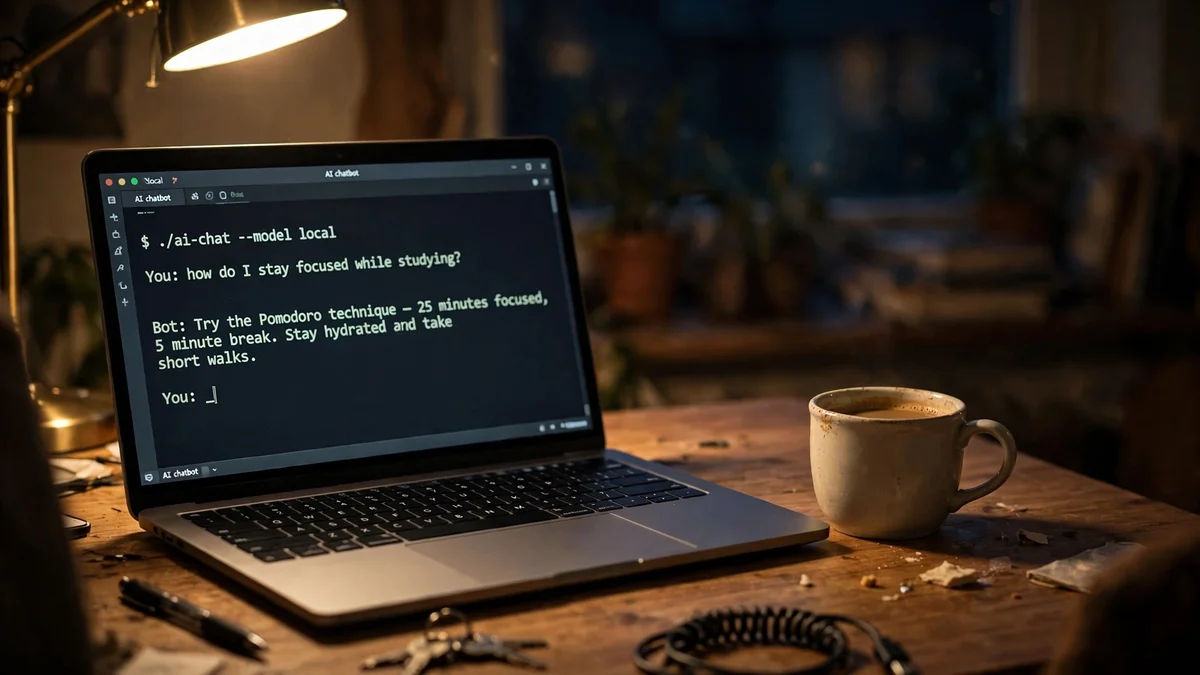
A local LLM is a large language model that runs entirely on your own computer instead of on a remote server. Rather than sending your prompts to a cloud service and waiting for a response to come back over the internet, the model lives on your hard drive and does all of its thinking on your machine, using your processor, memory, and graphics card. It is the same kind of technology that powers tools like ChatGPT, just packaged so it can work offline, in your home, on hardware you own.
The idea sounds technical, but it is becoming an everyday option. Open-weight models — versions of large language models that anyone can download and run — have grown powerful enough to write, summarize, and answer questions well, while the software for running them has become far simpler. Free apps now let you download a model, click a button, and start chatting in minutes, with no account and no data leaving your device.
This matters because cloud AI has trade-offs that many people are starting to notice. Every prompt you type into a hosted chatbot is data you hand to someone else’s servers, and every answer depends on a network connection and a monthly bill. A local LLM flips that arrangement: if you care about privacy, want AI that works offline, or simply like owning your tools, running a model locally is worth understanding.
Key takeaways
- A local LLM runs entirely on your own device, so your prompts and documents never leave your computer.
- It works fully offline once downloaded, making it useful for travel, spotty internet, and private work.
- You need enough RAM and storage — smaller models run on ordinary laptops, while larger ones need a strong GPU.
- Local models are generally less powerful than flagship cloud models, but they handle writing, summarizing, and coding tasks well.
- Popular ways to run one include apps like Ollama and LM Studio, which make setup as simple as installing any other program.
What Is a Local LLM?
A local LLM is a large language model installed and executed on a device you control — a laptop, a desktop PC, or even a small home server. It has been trained on vast amounts of text, just like the models behind major cloud chatbots, and it predicts the next word in a response based on patterns it learned during training. The difference is purely about where the computation happens: with a cloud model, your words travel to a data center; with a local model, they never leave the room.
The models themselves usually come from the open-weight ecosystem. Organizations release model files that anyone can download, often in several sizes. A small model might be a few gigabytes and run on a modest laptop, while a large one can be dozens of gigabytes and demand serious hardware. The file you download is the model’s “brain” — its trained weights — and the app you use to run it loads those weights into memory and turns your prompts into responses.
People sometimes confuse a local LLM with a small language model, but the two ideas overlap rather than match. Many local models are genuinely large, with billions of parameters — the term refers to where the model runs, not how big it is. If it executes on your hardware, it counts as local.
How a Local LLM Works
Running a model locally follows a simple chain. First, you download a model file and a runner app. The app loads the model into your computer’s memory — system RAM, or the memory on your graphics card — and then listens for your input. When you type a prompt, the app breaks your words into tokens, feeds them through the model’s neural network layer by layer, and generates a response one token at a time. The speed of that generation depends on your hardware: a good GPU can produce dozens of tokens per second, while an older laptop may manage only a handful.

Because the model is a fixed file, it does not learn from your conversations the way a cloud service might refine itself from user data. Your chat history stays in files on your disk, and nothing is sent anywhere unless you choose to share it. Most local models are also “quantized” — compressed so they fit in less memory at a small cost to quality — which is the main reason an ordinary laptop can run a 7-billion-parameter model in about 4 to 5 gigabytes of RAM.
Types of Local LLMs
Local models come in several families, and each suits different needs. General-purpose chat models are the most common — they handle writing, questions, and everyday tasks, and they are the ones most people mean when they talk about running a local LLM. They include open-weight releases from major labs as well as community-tuned versions optimized for conversation.
Coding models are a second major type, trained heavily on source code. They autocomplete functions, explain bugs, and write scripts, and developers often run them inside editors so they can get AI help without sending proprietary code to an external service. There are also specialized models fine-tuned for summarizing documents, translating languages, or answering questions about your own files — a setup called retrieval-augmented generation, which turns a laptop into a private research assistant.
Benefits of Running a Local LLM
Privacy is the headline benefit. Your prompts, documents, and chat history never leave your device, which matters for sensitive work: medical notes, legal drafts, business plans, or anything covered by a confidentiality agreement. There is no terms-of-service clause to worry about and no risk of a provider data breach exposing what you typed.
Offline access is the second big win. Once the model is downloaded, it works anywhere — on a flight, in a rural cabin, during an outage, or in a country with unreliable connectivity. There is also no subscription. The model file is free, the runner apps are usually free, and the only cost is electricity and the hardware you already own. Heavy users who would otherwise pay for a top-tier cloud plan can save real money over time.
Control is a subtler advantage. You choose exactly which model to run, you can switch models in seconds, and nobody can change the model’s behavior, throttle your usage, or retire a feature you depend on. For researchers and developers, local models also allow experimentation — fine-tuning, custom prompts, and system instructions — without asking a provider for permission or paying per token. Many people who compare options start by reading a roundup of the best AI tools and the best AI writing tools to see how cloud and local options stack up before choosing a path.
Risks and Downsides of Local LLMs
The biggest drawback is capability. The very best cloud models are still ahead of anything you can run on a single computer, especially for hard reasoning and long documents. A local model can be excellent for everyday tasks, but it will occasionally give a weaker or less accurate answer than a flagship cloud model would. You are trading peak intelligence for privacy and control.
Hardware demands are the practical constraint. Small models run almost anywhere, but the models that produce the best results need a modern graphics card with plenty of video memory, or a machine with 32 gigabytes of RAM or more. Downloading models also takes time and disk space, and running one can drain a laptop battery quickly and make fans spin up. It is not a lightweight background app.
There are also safety and maintenance considerations. A local model has no built-in content filter unless the model itself was trained with one, so it may produce biased or inappropriate content more readily than a guarded cloud service. Updates, backups, and troubleshooting fall on you, and there is no support team when something breaks.
Real-World Uses for Local LLMs
Writers and editors use local LLMs to draft, rewrite, and proofread without sending unpublished work to a third party. Journalists working on sensitive stories, authors drafting manuscripts, and students organizing research notes all benefit from a tool that keeps their material on their own machine. Creators face the same trade-off with visuals, and many weigh the best AI image generators the same way — cloud convenience against local privacy — before deciding where their images get made.
Developers use local models as private coding companions, especially in companies where code cannot leave the network. Businesses use them to summarize internal documents, answer employee questions from company handbooks, and prototype AI features before committing to a cloud vendor. Hobbyists run them for creative projects — role-playing games, interactive fiction, and personal knowledge bases — and some use them as always-available study partners.
Local LLM vs Cloud AI
The choice between local and cloud AI comes down to what you value most. Cloud models win on raw power, convenience, and features like web search and image generation; you open an app and the most capable models in the world are ready instantly. Local models win on privacy, offline use, cost over time, and control. There is no single right answer — many people use both, keeping sensitive work local and sending general questions to the cloud.
Think of it like the difference between cooking at home and ordering delivery. Delivery is faster and someone else does the work, but you pay per meal and you do not control the ingredients. Cooking at home takes effort and equipment, but it is cheaper over time and you know exactly what went into it. A local LLM is the home kitchen of AI: more work up front, more control forever after.
Frequently Asked Questions
Can I run a local LLM on an ordinary laptop?
Yes, for smaller models. A laptop with 16 gigabytes of RAM can comfortably run a 7-billion-parameter model, which handles writing, summarizing, and Q&A well. Larger models need more RAM or a dedicated graphics card, but you do not need a gaming rig to get started.
Do I need the internet to use a local LLM?
Only to download the model and the runner app in the first place. After that, everything works fully offline. You can use a local LLM on a plane, in a basement, or anywhere without a connection.
Is a local LLM really private?
Yes, in the sense that your prompts and files never leave your device. The model runs entirely on your hardware, and reputable runner apps do not phone home with your data. Just be careful with any app that offers “cloud sync” features, and keep your machine itself secure.
Are local LLMs as good as ChatGPT?
For everyday tasks like drafting, summarizing, and brainstorming, a good local model is close. For the hardest reasoning, long-context analysis, and cutting-edge features, flagship cloud models are still ahead. The gap shrinks with every new open model release.
How much storage does a local LLM need?
Small models need about 4 to 5 gigabytes, while larger ones can need 20 to 50 gigabytes or more. Most people keep two or three models on disk, so setting aside 30 to 50 gigabytes is a sensible starting point.
What software do I need to run a local LLM?
Runner apps like Ollama and LM Studio handle the hard parts — downloading models, managing memory, and giving you a chat window. Install one, pick a model from its library, and you can start chatting within minutes.
Bottom Line
A local LLM brings the power of a large language model onto your own device, with no cloud, no subscription, and no data leaving your computer. It is not quite as capable as the best cloud models, and it asks more of your hardware, but for private work, offline use, and long-term savings it is a genuinely compelling option that keeps getting better as open models improve.
If privacy matters to you, or you simply like the idea of owning your AI tools the way you own your files, try it. Download a runner app, grab a small model, and spend an evening chatting with an AI that lives entirely on your laptop. You may find that for most of what you actually use AI for, local is more than enough — and once you have tried it, the idea of sending every thought to a distant server starts to feel unnecessary.