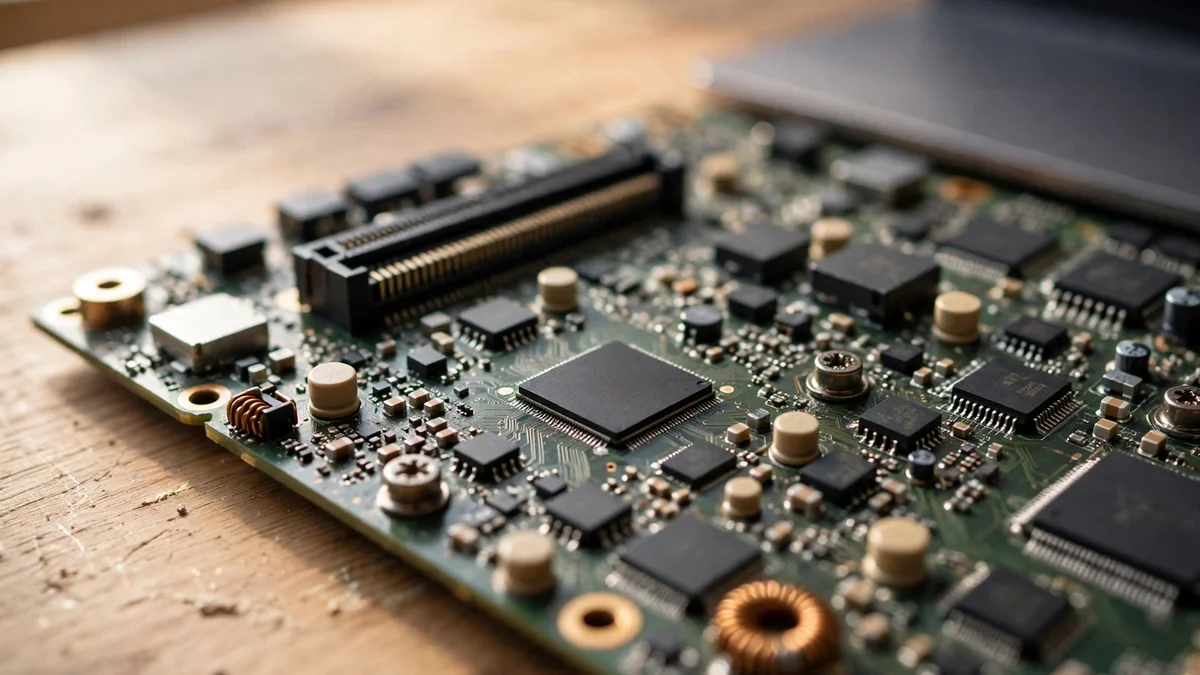
If you have shopped for a laptop or phone lately, you may have noticed a new term on the spec sheet: NPU. It sits alongside the CPU and GPU, usually with a number measured in TOPS, and it is marketed as the chip that makes your device “AI-ready.”
An NPU, or neural processing unit, is a processor designed for one job: running AI calculations quickly and efficiently. Where a CPU is a generalist that handles a bit of everything, and a GPU is a parallel workhorse built for graphics, an NPU is a specialist. It runs the mathematical operations behind neural networks using far less power than a GPU would for the same task.
This guide explains what an NPU is, how it works, how it compares with the CPU and GPU, where you will actually notice it, and whether it matters for your next device.
Key takeaways
- An NPU is a specialist chip built to run AI models fast and efficiently, alongside the CPU and GPU in a modern device.
- Its headline number, TOPS, measures trillions of AI operations per second — useful for comparison, but not the whole story.
- NPUs shine at always-on, low-power AI tasks like background blur, noise removal, live captions, and photo enhancement.
- For heavy AI work such as training models, a GPU or cloud service is still the right tool.
- When buying a laptop or phone, treat the NPU as a bonus for AI features you will actually use, not the main reason to choose a device.
| Processor | Built for | AI strengths | Weaknesses |
|---|---|---|---|
| CPU | General computing | Flexible, runs anything | Slow, power-hungry for AI |
| GPU | Graphics, parallel math | Fast at large AI workloads | High power draw, heat |
| NPU | Neural network inference | Very efficient, always-on AI | Narrow: only AI math |
What an NPU Actually Is
A neural processing unit is a piece of silicon designed around the way neural networks compute. A neural network is, at its core, a huge number of simple multiplications and additions, performed in layers. A CPU can do those calculations, but only one or a few at a time, which is slow and wasteful. An NPU arranges thousands of tiny arithmetic units so it can do many of those operations at once, in a pattern that matches how AI models are structured.
Think of it like a kitchen. A CPU is a single skilled chef who can cook any dish but only one at a time. A GPU is a large team of cooks who can all chop vegetables at once. An NPU is a machine built to make one specific dish thousands of times a minute, with almost no wasted effort. It cannot cook the whole menu, but for its one job it is faster and far cheaper to run.
How an NPU Works
When an app needs AI, it hands the NPU a trained model and some input — a photo, a voice clip, a sentence. The model is a web of numbers called weights, organised in layers. The NPU’s job, called inference, is to push the input through those layers, multiplying and adding as it goes, until an output comes out: a caption, a cleaned-up photo, a transcription.

Most NPUs also work with reduced-precision numbers. A model trained with full 32-bit precision can often be shrunk to 8-bit or even 4-bit integers with barely any loss in quality. Smaller numbers mean faster math, less memory traffic, and lower power — and the NPU is built to crunch exactly those small numbers in bulk. This technique, called quantisation, is why a phone can run a capable image model in a fraction of a second.
Types and Variants of NPUs
Not all NPUs are the same, and the differences matter more than the marketing suggests. The first split is between phone and laptop NPUs. Laptop NPUs, like Intel’s AI Boost or AMD’s Ryzen AI, are larger and faster, aimed at video calls, transcription, and running small language models locally.
The second split is between integrated NPUs and dedicated AI accelerators. Most consumer devices use the integrated kind, built into the main processor. When you compare devices, look past the brand name and check three things: the TOPS rating, the memory bandwidth feeding the NPU, and — most importantly — which apps actually use it. A high TOPS number with no software support is a paper advantage.
NPU vs CPU vs GPU: Which Does What?
The three processors are teammates, not rivals, and each wins at different work. The CPU is the manager: it runs the operating system, juggles apps, and handles anything that needs flexible, sequential logic. It can run AI models, but slowly, and it burns a lot of power doing it. The GPU is the heavy lifter: thousands of small cores that excel at parallel math, making it the best choice for training models and running large ones.
The NPU is the efficient specialist. It cannot train a large model and it cannot run your spreadsheet, but for running a trained model on a live input — inference — it delivers the best performance per watt. That is why it handles the background jobs that never stop: blurring your background on a video call, removing noise from your microphone, transcribing speech as you talk, or recognising objects in a photo. The CPU stays free for your actual work, the battery lasts longer, and the device stays cool. This division also shapes the AI chip market — the AI hardware loop that threatens Nvidia’s future shows how quickly fortunes shift when every buyer depends on one GPU supplier.
Benefits and Risks of NPUs
The clearest benefit is efficiency. An NPU can run a video-call background blur or a live caption for hours using a fraction of the power a GPU would need, which means longer battery life and a cooler, quieter device. The second benefit is privacy: because the work happens on the device, your voice, photos, and documents do not have to be uploaded to a server to be processed.
The risks are subtler but real. First, the NPU is only as good as the software that uses it, and support is uneven: a feature may work brilliantly in one app and not at all in another. Second, TOPS numbers are easy to inflate — vendors measure them differently, and a chip rated at 45 TOPS may perform worse in real apps than a rival rated at 40. Third, on-device AI raises its own privacy questions: a chip that can transcribe everything you say is powerful, and the rules about what leaves the device are set by software, not by silicon.
Real-World Uses of NPUs
You have probably used an NPU already without knowing it. On phones, it powers the computational photography that turns a dim snapshot into a clean photo, the face unlock that works in the dark, and the voice assistant that answers without waking the main processor. On laptops, it handles background blur and eye-contact correction on video calls, noise suppression that removes a barking dog from your meeting, and live captions that transcribe speech in real time.
The next wave is local language models. It also changes the cost equation: running models on hardware you already own can be far cheaper than paying a subscription for every query, which is why many people now weigh local AI hardware cost versus annual AI subscriptions before renewing. There are limits, though — an NPU will not turn a thin laptop into a machine-learning workstation, and like any AI system it can inherit a model’s biases, which is why researchers keep working on techniques such as machine unlearning to remove unwanted knowledge from trained models.
How to Choose a Device With an NPU
Start from the software, not the spec sheet. List the AI features you actually use — video-call effects, dictation, photo editing, local assistants — and check whether they run on the NPU in the device you are considering. If your apps do not use the NPU, a bigger TOPS number buys you nothing. An NPU should be a tiebreaker between two good devices, not the reason to pick a bad one.
Check the TOPS figure, but treat it as a rough guide. In current laptops, 40 TOPS or more is the line Microsoft uses for its Copilot+ branding, and it is a reasonable floor if you want the newest on-device features. Also check memory: an NPU with too little RAM to hold the model will be slow no matter how fast the chip is.
- List the AI features you actually use, and confirm they run on the NPU in that device.
- Look for at least 40 TOPS in a new laptop.
- Check RAM and storage, since the NPU needs memory to hold the models it runs.
- Confirm the device will keep receiving driver and operating-system updates.
- Judge the whole device first — the NPU is a tiebreaker, not the main event.
- Test the features you care about in person, or buy from a seller with a fair return policy.
Frequently Asked Questions
What does TOPS mean on an NPU?
TOPS stands for trillions of operations per second, and it measures how many AI calculations the chip can perform. Higher is generally faster, but vendors measure it differently, and memory speed, drivers, and software support all affect real performance.
Do I need an NPU in my next laptop?
It depends on what you do. If you spend your day on video calls, dictate notes, edit photos, or want a local AI assistant, an NPU will make those tasks faster, quieter, and more battery-friendly.
Can an NPU replace a GPU?
No. An NPU is built for running trained models efficiently, while a GPU handles a much wider range of parallel work, including training models, 3D graphics, and video rendering. For heavy AI work and gaming, a GPU is still essential.
Does an NPU work without the internet?
Yes, and that is one of its biggest advantages. Because the model runs on the device, features like live captions, dictation, and photo enhancement work offline, with no delay and no data leaving your machine.
Will my old laptop get NPU features through a software update?
Almost certainly not. An NPU is physical silicon, so a software update cannot add one to a device that lacks it. If on-device AI matters to you, it needs to be in the hardware you buy.
Is an NPU a privacy risk?
An NPU itself is not a risk — it is just a processor, and running AI locally is generally more private than sending data to a server. The real question is what the software does with the results: what gets stored, what gets uploaded, and who controls those settings.
The Bottom Line
An NPU is a specialist chip that runs AI models quickly and efficiently, right inside your phone or laptop. It is the reason video-call effects, live captions, noise removal, and photo enhancement now work all day without draining your battery or heating up your device. It does not replace the CPU or the GPU — it works alongside them, taking over the everyday AI jobs so the other chips can focus on what they do best.
When you buy your next device, treat the NPU as a useful bonus rather than the headline feature. The chip matters, but only because of what it lets your software do — and the best device is still the one that fits the way you actually work.