A fluent AI answer can still be outdated or miss details that matter to your question. You might need current rules, product details, or facts from your own workplace, not only general information learned during training. That gap matters when a user needs an answer they can act on, such as a policy detail or a product instruction.
This guide explains how an AI system can draw on outside knowledge while responding, what that approach can and cannot do, and where it fits. You will see how outside data is found, how a response is built, and what to check before trusting the result. Retrieval can make an answer more relevant, but it does not make every response correct. The useful distinction is whether an AI answer can draw on the information your task actually depends on.
Key Takeaways
- RAG lets an AI system use selected outside information while answering.
- The system retrieves information that may not be part of the model’s training data.
- A knowledge base can hold documents, database records, or API data.
- Good answers depend on relevant, current information and sound retrieval.
- RAG is an application design, not a model that guarantees accuracy.
What Is RAG in AI?
RAG stands for Retrieval-Augmented Generation, a method that gives a language model relevant outside information to use while answering. In simple terms, the AI looks up useful material before composing its answer. That gives the user a response shaped by both the question and the retrieved context.
RAG is a system design, not a single model. It combines information retrieval with an LLM, or large language model, which generates a response. A RAG model is often an LLM inside a larger application that can search a knowledge base or other external knowledge.
Retrieved information can improve the context for an answer, but it cannot guarantee a correct answer.
The difference from model training is practical. Training data helps shape a model’s general abilities and knowledge, while retrieval gives it material for a particular response. The LLM can use retrieved context without being retrained on that data.
That can help when facts change or when an application needs details from private documents. A chatbot might search a company’s policy files instead of relying only on patterns learned during training. Connected search and tools can help chatbot users, but they still need to check important claims against evidence.

Retrieval gives the model more useful context for a response, but the quality of that response still depends on what it finds.
How Does a RAG System Find and Use Information?
A RAG answer begins with a user’s question and a search of the system’s connected information. The system finds relevant information, then gives the question and retrieved material to the LLM. Vector search is one way to find matching material, though it is not the only search method.
An embedding is a numerical representation of data that lets a search system compare meaning and find similar items. A system can turn both stored text and a query into vectors, then compare them. Other systems may use keyword search, database queries, or a mix of methods.

- The user submits a question in natural language.
- The system searches its knowledge base for matching information.
- The search returns relevant data from connected sources.
- The system adds that material to the user’s prompt.
- The LLM uses the expanded prompt to generate a response.
External data can come from APIs, databases, or document repositories. Those sources may hold files, database records, or long-form text. Some systems refresh source data and embeddings as changes happen; others update them in periodic batches.
| Source type | Examples of data | Update approach |
|---|---|---|
| APIs | Product details, service status | Real-time or scheduled |
| Databases | Customer records, order fields | Real-time or batch |
| Document repositories | Policies, guides, reports | Batch or on document change |
Applications may combine several sources, so one answer can draw on more than one kind of data. A comparison of AI chatbots can help you see how connected tools and search may support generated answers.
Refreshing both the source documents and their embeddings keeps retrieval aligned with changing information.
What Are the Main Parts of a RAG Pipeline?
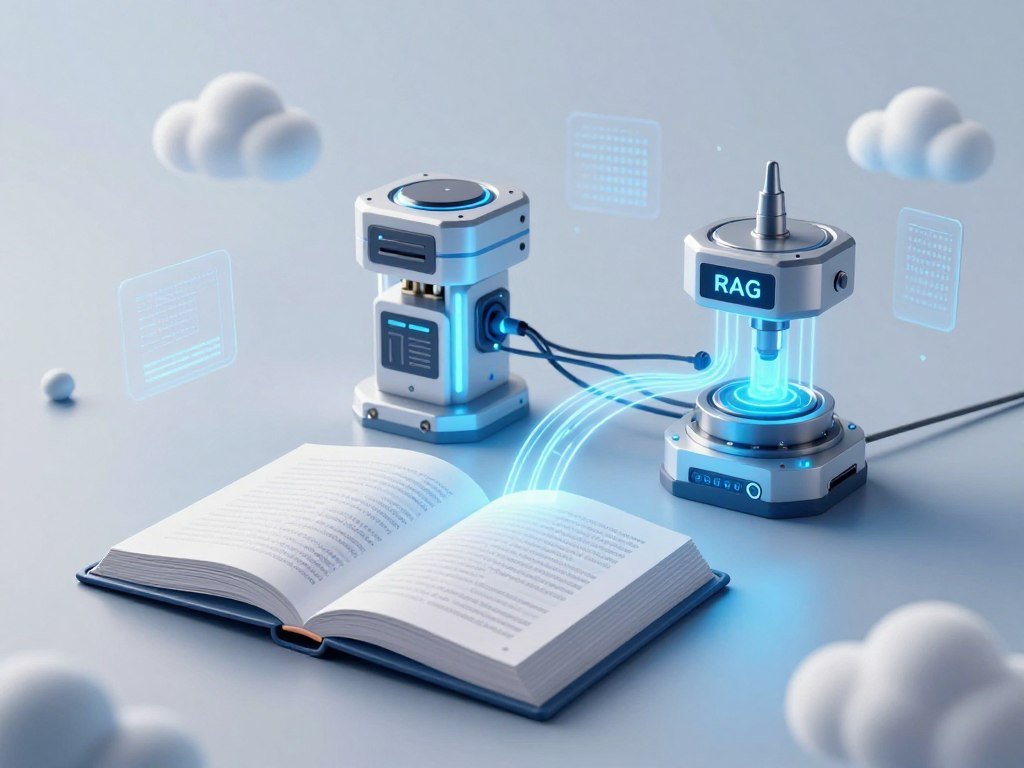
A basic RAG pipeline has four main parts, each with a distinct job. The knowledge base holds information, the retriever searches it, the integration layer prepares context, and the generator writes the response. Each part can affect the final answer.
A RAG pipeline connects data preparation to answer generation. A RAG model usually means an LLM-based system that includes these parts, rather than a newly trained model. Some designs add a ranker or an output handler when the task calls for them.
Preparing the knowledge base
The knowledge base may draw from documents, databases, or other approved data sources. Before search, the system often cleans the content by removing repeated text, fixing layout problems, and keeping useful titles or labels.
Long files are commonly split into smaller sections called chunks. The system creates an embedding for each chunk so a search tool can compare its meaning with the user’s query. Chunk boundaries matter because a passage needs enough detail to make sense, without pulling in too much unrelated text.
These steps help create knowledge bases that reflect the material people actually need. A policy collection might include the policy name, section title, and effective version alongside each passage. That extra detail can help retrieval return a passage with useful context.
Retrieving and generating an answer
The retriever searches the knowledge base and returns likely matches. It may use vector search, keyword search, or both. An optional ranker can score the matches and place the most useful passages first.
The integration layer combines the query with retrieved context in a prompt for the LLM generator. The generator writes the answer from that input. An optional output handler can format the result, add citations, or apply a response rule before sending it to the user.
The simple flow looks like this:
Knowledge base → Retriever → Integration layer → Generator → Answer to user
User query → Retriever
These arrows show the main connections, not every detail a production system needs. A system can also log errors, check access, and track which source passages supported each response.
The integration layer is the handoff point that combines the user’s question with retrieved context before generation.
What Does RAG Look Like in a Real Example?
Imagine a customer asking a support chatbot whether a recently purchased item can be returned. The chatbot searches its knowledge base for the return policy and instructions for that product. Instead of guessing, it uses the documents that match the question.
The retrieved evidence should shape the reply, not invite the chatbot to invent policy terms. A knowledge base might contain the current return policy, a product page, and support documents. The search finds three relevant details:

- Eligibility rule: the item must be marked as returnable.
- Return window: the policy allows returns within 30 days.
- Item condition: the item must be unused and in its original packaging.
Those details give the chatbot a basis for a short response. It can explain that the item appears eligible if the purchase falls within the stated window and the item meets the condition rule.
For example: “The policy allows returns within 30 days for eligible items. This product must be unused and in its original packaging. Check your order details to confirm its return eligibility.” That response points to the policy without claiming that every item qualifies.
A chatbot can retrieve current product information, company policies, and support documents from different sources. That is useful when the answer depends on more than one file. It still needs to keep the response within the claims those sources support.
A grounded answer should leave out a return condition if the retrieved policy does not support it.
What Can RAG Improve, and What Can’t It Fix?
RAG can make an answer better grounded, but it cannot guarantee that the answer is true. It can reduce the risk of unsupported claims by giving an LLM relevant information to use. Good retrieval helps, but poor evidence can lead to a poor response.
RAG does not eliminate hallucinations or other model mistakes. A system may retrieve irrelevant information, miss a key passage, or use an outdated document. The LLM may also misunderstand correct evidence or make a claim the sources do not support.
- Refreshed information: retrieval can access material updated after model training.
- Domain context: a knowledge base can supply details from a specific field or workplace.
- Source traceability: citations can help you find the material behind a claim.
- Ongoing risk: weak search, old sources, or model errors can still produce wrong answers.
Citations help you verify where a claim came from, but a citation alone does not prove the claim is correct. The cited passage may be old, incomplete, or unrelated to the response. A trustworthy review checks both the source and the wording of the answer.
RAG may also return several passages that disagree. A system then needs a clear way to handle dates, versions, and conflicting rules. Without that, a fluent response can hide a real conflict in the knowledge base.
Check whether the retrieved evidence directly supports each important claim before relying on a high-stakes response.
How Does RAG Compare With Fine-Tuning and Long-Context Models?
Choose RAG when the answer depends on precise facts from an external source that can be searched. Fine-tuning changes model behavior through additional training, while long-context input lets a model process more text at once. The best fit depends on the task.
RAG supplies external information at answer time; fine-tuning changes the model through training. Long-context models can take in large documents, but more context does not ensure that a model will use every detail well.
| Approach | How knowledge is supplied | Good-fit task | Key trade-off |
|---|---|---|---|
| RAG | Searchable external sources | Precise facts with source attribution | Depends on retrieval quality |
| Fine-tuning | Additional model training | Changing style or task behavior | Does not refresh facts by itself |
| Long-context input | Large text input in one prompt | Reasoning across a whole document | More input can raise cost and attention demands |
Context windows vary by model and version. Gemini 2.5 Pro lists 1 million tokens; Claude’s standard context is 200,000 tokens. Eligible Claude beta API organizations on higher tiers can access up to 1 million tokens.
GPT-4o lists 128,000 tokens, while the GPT-4.1 family lists up to 1 million tokens. These are model-specific examples, not a promise of equal accuracy across a full context window. A comparison of ChatGPT, Claude, and Gemini also explains how context capacity differs from product features.
Across 12 question-answering datasets, RAG and long-context approaches produced identical answers for roughly 60% of questions. Long-context models had an advantage on reasoning across whole documents. RAG performed better for precise factual retrieval with source attribution.
Standard transformer attention has an O(n²) term in sequence length, so doubling context length roughly quadruples attention computation needs. Tests also found accuracy could drop 10-20 or more percentage points when key information sat in the middle of long contexts. The long-input RAG study examines how passage placement and irrelevant text affect answers.
For reasoning across a whole document, a long-context approach can be a better fit than retrieving isolated passages.
How Do You Build a Basic RAG System?
Start with one narrow question-answering task and a small set of trusted documents. A beginner usually builds a retrieval-and-generation application around an existing LLM, rather than training a new LLM. Keep the first version small so you can see where its answers come from.
A focused knowledge base makes a first RAG system easier to test. You can use documents, database records, or an API, but start with sources that directly support the task. The source data should be available to the people and systems that need it.
Select and prepare a focused knowledge base
Choose one use case, such as answering questions about a staff handbook. Collect only the relevant files or records, then check who has permission to read them. Remove duplicate or broken content before creating chunks and embeddings.
Keep useful titles and section labels with each passage. They can help a retriever find and identify the right part of a file. Plan how the knowledge base will receive changes, either as they happen or through a regular batch update.
Connect retrieval, generation, and evaluation
Add a retriever that can search the prepared content. Put the user’s question and retrieved context together in the prompt sent to the LLM. Then test whether the response answers the question and stays within the source material.
A beginner’s build sequence can look like this:
- Pick one task and write down the kinds of questions it should answer.
- Gather a small set of current, approved source files or records.
- Clean the content and create searchable chunks and embeddings.
- Connect a retriever and send its results with the user’s question to an LLM.
- Test known-answer questions, then refresh the index when source data changes.
Testing should include questions the system can answer and questions outside its scope. Watch for missing details, unsupported claims, and answers that cite the wrong passage. Keep the test questions and expected answers so later changes can be checked against them.
Source documents and their embeddings need to stay in step. A new policy version may require re-indexing before the retriever can find it. Test the system with questions whose answers are already known before expanding its knowledge base.
When Should You Use Agentic RAG?
A single lookup is usually enough when one relevant document can answer the user’s question. Standard RAG normally uses one retrieve-then-generate pass. Agentic RAG can plan, choose tools, search more than once, assess results, and stop when it has enough context.
Use standard RAG for simple questions and agentic RAG for tasks that need several steps. An agent may route a question to different sources, gather more evidence, or check whether its findings agree. That can help with questions that need multi-step reasoning or validation.
For example, a basic policy question may need one search. A request that compares a contract clause with a policy and an account record may need several searches. The agent can keep track of what it still needs before writing an answer.
Those extra steps have a cost. Agentic RAG can use more tokens and add latency because it may retrieve and validate information several times. It is not automatically an upgrade for every chatbot, especially when a direct lookup works.
Good agent design also needs a clear stopping rule. Without one, an agent may keep searching after it has enough evidence or take actions the task does not need. Use repeated retrieval only when the task benefits from the extra reasoning or validation it enables.
How Do You Improve Retrieval and Answer Quality?
A relevant answer starts with retrieving the right passage, not with choosing the most elaborate language model. Chunking and search settings affect which data reaches the LLM. Small changes can alter whether a result includes the fact the user needs.
Judge retrieval relevance and answer groundedness separately. A useful passage can still lead to a weak answer, and a fluent answer can hide a poor match. Test both stages on questions that reflect real use.
Choose chunk boundaries and search methods
Chunking splits documents into smaller sections before the system embeds and indexes them. Recursive chunking uses separators in order, often paragraph breaks, line breaks, then spaces. Semantic chunking compares embeddings of nearby sentences and uses a threshold to spot topic changes.
Chunk size affects what a search result contains. On entity-heavy data, reducing chunks from 1,024 tokens to 64 tokens improved fact-based recall@1 by 10 to 15 percentage points. Yet very small chunks can lose context that explains a name, rule, or relationship.
Hybrid search combines keyword search with semantic search, which looks for meaning. A reranker can then score the matches and move stronger results up. Metadata, such as document section numbers, can also help a system follow references.
A task-specific benchmark tested models on cross-modal and cross-lingual retrieval, among other tasks. Its scores show how those models performed on those tests, not a universal ranking of all embedding models.
| Model | Supported inputs | Dimensions | Relevant benchmark score |
|---|---|---|---|
| Gemini Embedding 2 | Text, image, video, audio, PDF | 3,072 | Cross-lingual: 0.997 R@1 |
| Qwen3-VL-Embedding-2B | Text, image, video | 2,048 | Cross-modal: 0.945 R@1 |
| Voyage Multimodal 3.5 | Text, image, video | 1,024 | Cross-modal: 0.900 R@1 |
| Jina Embeddings v4 | Text, image, PDF | 2,048 | Cross-lingual: 0.985 R@1 |
Qwen3-VL-Embedding-2B is open source, has 2 billion parameters, and scored 0.988 R@1 in cross-lingual retrieval. Jina Embeddings v4 has 3.8 billion parameters. Voyage Multimodal 3.5 supports text, images, and video.
OpenAI text-embedding-3-large is a text model with 3,072 dimensions. BGE-M3 is open source, supports more than 100 languages, and has 568 million parameters with 1,024 dimensions. Generation quality can start to decline beyond about 2,500 tokens of context.
Evaluate what retrieval and generation return
Metadata aliases can pair a section number with the original text chunk, helping an agent follow references through search. In a benchmark with a five-turn limit, metadata and content search scored 75.43% accuracy, compared with 67.81% for content search alone. With 10 turns, the scores were 81.85% and 80.58%.
Check whether retrieved sources directly answer each test question. Then check whether every key claim in the generated response matches those sources. Research on retrieval for financial documents discusses methods such as metadata, reranking, and document-aware chunking.
Compare retrieval relevance and groundedness on representative questions before changing the chunking or search configuration.
What Should You Know About Privacy and Security?
Connecting an AI system to private documents does not automatically make every part of the system private. The knowledge base may have its own access rules, while the AI provider has separate rules for prompts and outputs. Check both sides before handling sensitive information.
Do not submit passwords, secret keys, or sensitive personal or confidential information unless you have checked the service’s data controls and rules. Connecting an LLM to a private knowledge base does not, by itself, say how a provider handles submitted prompts.
OpenAI says API data is not used to train or improve its models unless a customer opts in. By default, abuse-monitoring logs may include prompts, responses, and metadata derived from customer content. Those logs are retained for up to 30 days unless an exception applies.
Eligible API customers can request Zero Data Retention or Modified Abuse Monitoring, subject to prior approval and other requirements. With Zero Data Retention enabled, the store parameter for the /v1/responses and /v1/chat/completions endpoints is treated as false, even if set to true.
Some endpoints or features that do not qualify may still store application state when Zero Data Retention is enabled. These API controls are not a claim about every ChatGPT product or account. Account settings and product rules can differ.
Limit access to the records each task needs. Teams should also consider where a connected system sends prompts, retrieved passages, and generated responses. A password manager can help you store unique passwords without typing them into a chatbot.
Confirm access permissions and the applicable data-retention controls before connecting sensitive records.
Where Can RAG Be Used?
RAG is most useful when an application needs to answer from information that changes or is specific to a domain. It can support chatbots, research tools, market analysis, content generation, and recommendations. The task sets the sources the system should search.
Connect a knowledge base that fits the task and limit access to the needed information. A system may search internal documents, databases, or approved search results. The best source depends on what a useful response must know.
Customer support and internal knowledge
Support chatbots can search product guides, service details, and current policies. An internal knowledge tool can help employees find company rules, onboarding steps, or guidance for routine work. Virtual assistants can answer from the same approved material instead of relying on a staff member to locate every file.
These applications work best when a policy or product record has a clear owner and update path. A support response may need current return rules, while an employee tool may need the latest travel policy. Each knowledge base should reflect the task it serves.
Research and document analysis
Research tools can find relevant passages across reports, studies, and other large collections. A system can summarize several documents while keeping references to the passages behind its claims. Market research teams may use it to compare reports or find themes in customer feedback.
Legal document tools can help locate relevant clauses and organize large sets of files. A lawyer still needs to verify citations and review the actual text, since AI can return outdated or made-up references. Human review matters when decisions depend on exact wording.
Personalized recommendations and content
A recommendation system can use product details and permitted user preferences to suggest relevant items. A content tool can draw on brand guidance, product facts, and approved examples when drafting material. The system’s inputs need to reflect the user or product at the time of the request.
Personalization requires appropriate permissions and current inputs. A stale profile or incomplete product record can steer a recommendation in the wrong direction. Keep private user data out of the search space unless the task and permissions allow its use.
Match the connected knowledge base to the task, and keep its access limited to the information that task requires.
Conclusion
RAG is a practical way to connect a language model’s response to information selected for a particular task. It gives an LLM access to external information at answer time, rather than changing the model’s training. Its value depends on whether the system can find relevant information and use it well.
Start with one small question-answering task and a focused knowledge base. Write down a few questions with known answers, then check whether the system retrieves the right passages and responds accurately. Pick one trusted document set and test whether a simple retrieval workflow can answer a real question accurately.
FAQ
What is RAG in AI and how does it work?
RAG means Retrieval-Augmented Generation, a design that lets an LLM use external information while answering. The system searches connected sources for material related to the user’s question. It adds the retrieved information to the prompt, then sends that augmented prompt to the LLM. The LLM uses both the question and context to write a response. The result still needs review.
What is the full meaning of RAG?
RAG means Retrieval-Augmented Generation. “Retrieval” refers to finding useful information, while “generation” refers to the model writing a response. The approach connects those tasks so an LLM can use selected external material during an answer. It does not name one specific model or guarantee that an answer is correct.
Is ChatGPT RAG model?
ChatGPT is an AI application, not another name for RAG. An application can connect an LLM to search tools or selected sources, then use retrieved information in a response. That design may use retrieval, but ChatGPT and RAG describe different things. The features and data controls can vary across products, plans, and account settings.
What shouldn’t you tell ChatGPT?
Do not enter passwords, secret keys, or sensitive personal or confidential information unless you have checked the service’s applicable data controls and rules. A private document connection does not automatically control how every prompt is handled. Use unique passwords for accounts and store them in a password manager rather than sharing them with an AI tool.
What are the best RAG models?
No single embedding model is best for every RAG task because embeddings are only one system component. In a task-specific benchmark, Qwen3-VL-Embedding-2B led cross-modal retrieval with 0.945 R@1. Gemini Embedding 2 led cross-lingual retrieval with 0.997 R@1. Those scores describe separate tasks and do not establish a universal ranking for every dataset.
Is RAG becoming obsolete?
No, RAG remains useful for precise factual retrieval with source attribution. Across 12 question-answering datasets, RAG and long-context approaches produced identical answers for roughly 60% of questions. Long-context models had an advantage when reasoning across whole documents, while RAG suited precise retrieval. The better choice depends on whether a task needs searchable facts or full-document reasoning.
What is the new alternative to RAG?
Agentic RAG extends retrieval by letting a system plan, use tools, and search repeatedly; it is not a universal replacement. It can help with complex tasks that need several rounds of evidence gathering or checks. Long-context models may fit reasoning across a whole document. A simple question that one search can answer may not need either approach.