
AI is changing software work by making generated code easier to produce while increasing the importance of deciding what to build and checking what ships. For developers, that means more time spent setting direction, reviewing changes, and fitting code into systems. Engineering leaders must decide where AI tools help without weakening quality or trust. Business readers need a practical view, not a promise that whole jobs will vanish.
The software development lifecycle (SDLC) is the stages a team takes software through, from planning and design to release and ongoing maintenance. AI may shorten some tasks, though the time saved depends on the work and the review it needs. Experience still matters: a developer who knows a system can spot when a plausible suggestion breaks its rules.
Expect daily work to shift, not every role to disappear. Teams still need people to set goals, handle tradeoffs, and own the result. The practical question is how to use AI where its output can be tested and its risks can be managed.
Key Takeaways
- AI can draft code, tests, and designs, but people must judge the fit.
- AI tools suit tasks with clear checks better than open-ended work.
- Benchmarks test set tasks, not a tool’s ability to own production systems.
- Measure time, review effort, quality, and cost before expanding use.
- Keep human ownership of security, data, and production behavior.
How AI Is Changing Software Development Across the SDLC
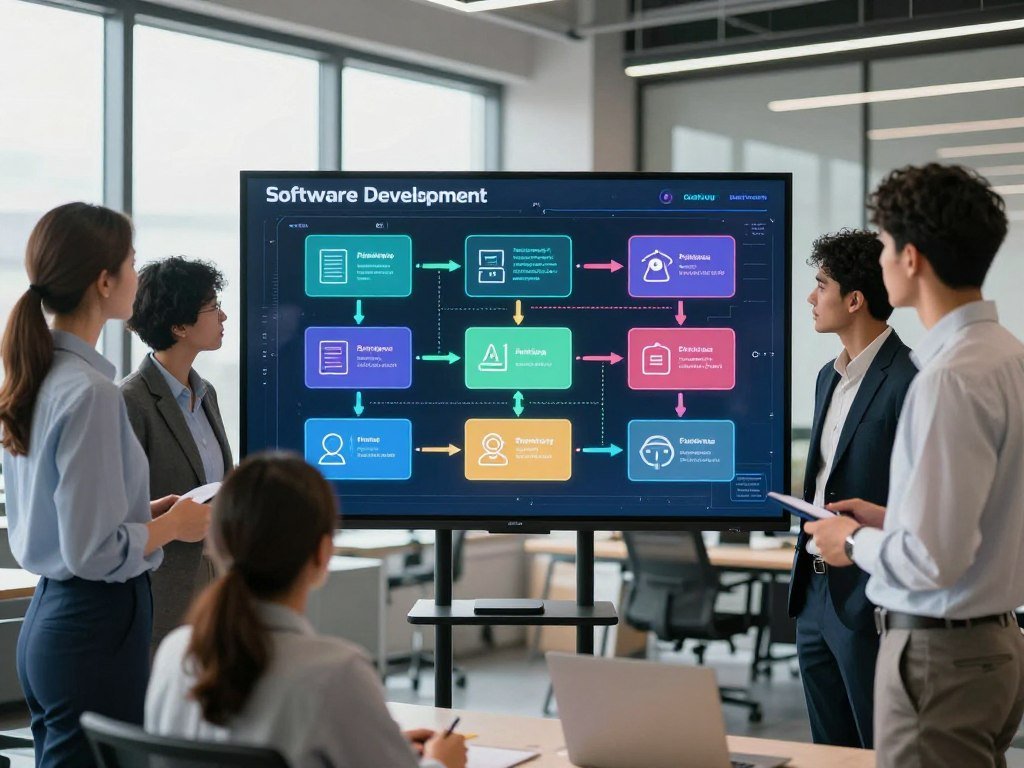
A team can use AI before it writes code, then keep it in the loop through testing and maintenance. Natural language processing (NLP) lets coding tools interpret descriptions and suggest or generate code. AI can assist at each SDLC stage, but a person remains responsible for decisions that affect users.
That help can save effort on routine tasks, yet it does not make a tool an autonomous decision-maker. A generated screen or a set of requirements still needs review against user needs and system limits. Clear checkpoints help teams catch a wrong assumption before it spreads.
From requirements to design
Early in software development, AI can sort feedback, group common requests, and draft requirement summaries. A product manager can ask a tool to turn notes into user stories or identify missing details. Those drafts help teams discuss the work, but they cannot decide which need matters most.
Design tools can suggest screen layouts, data fields, and alternate user flows. A quick layout may look polished while hiding a confusing step or an inaccessible control. Developers and designers still need to compare the proposal with user needs, existing systems, and technical constraints.
Coding and testing in the same loop
During implementation, coding tools can suggest code, explain unfamiliar files, draft tests, and help review changes. Developers can ask for a small function, then inspect how it handles edge cases. The same loop can help with debugging and refactoring, as long as the developer checks the result.
Tests generated beside code can reveal gaps sooner, but generated tests may repeat the same mistaken assumption. Teams should check that tests cover the intended behavior, not just the code the tool produced. A test that passes is useful only when it checks the right thing.
Deployment and ongoing maintenance
After release, AI can summarize logs, flag unusual patterns, draft incident notes, and suggest maintenance tasks. Monitoring tools can help teams spot a change that deserves attention. They should not make a high-impact production change without a clear approval path.
Keep a human decision-maker responsible for accepting requirements and release changes.
Support teams can use AI to draft answers from approved help material or sort incoming issues. A person should handle cases where the answer affects access, money, safety, or a customer’s rights.
Teams can use these five checkpoints to keep tasks visible across the lifecycle:
- Requirements: clarify the user need.
- Design: check system fit.
- Implementation: inspect proposed code.
- Validation: test expected behavior.
- Release and maintenance: approve changes and watch results.
Keep a human decision-maker responsible for accepting requirements and release changes.
Which AI tools fit each development task?
A lightweight autocomplete tool suits inline suggestions, while an agent suits work that spans files or steps. Match each tool to the task and the control the team needs. Models differ in performance, and benchmark scores show results on defined tests, not a guarantee for a real codebase.
Task fit matters more than a leaderboard spot. A coding assistant can suggest code in an editor, while an AI agent can take a broader request and propose changes across files.

Autocomplete, chat assistants, and coding agents
Autocomplete works best for short, local suggestions, such as completing a line or drafting a familiar pattern. A chat assistant can explain code, outline a test, or help debug a function. Both leave the developer in charge of accepting each change.
Coding agents can handle longer tasks across files, run commands, and propose a pull request. Claude Code and GitHub Copilot are examples of coding-agent tools. Their broader reach can help with bounded work, but teams should review the files changed and the commands run.
Developers comparing tools can see how Copilot and JetBrains AI differ in editor use and agent control. A separate code editor comparison for 2026 covers where an AI-first editor, an assistant, or a terminal agent may fit.
What benchmark scores can and cannot tell you
As of October 29, 2026, BenchLM ranked Claude Opus 5.5 first, Claude Sonnet 5.5 second, and Gemini 4 Carbon third. Their BenchAlign scores were 82.9, 81.7, and 81.1, respectively.
| Rank | Model | BenchAlign score |
|---|---|---|
| 1 | Claude Opus 5.5 | 82.9 |
| 2 | Claude Sonnet 5.5 | 81.7 |
| 3 | Gemini 4 Carbon | 81.1 |
Those rankings are dated results, not permanent winners. As of that date, Claude Opus 5.5 scored 89.9 on SWE-bench Pro and 93.9 on SWE Multilingual. AI performance on SWE-bench Verified rose from 60% to near 100% in one year, but the result still reflects a defined test.
SWE-bench Verified uses 500 human-filtered issues from popular Python repositories. SWE-bench Multilingual uses 300 tasks from 42 repositories across nine programming languages. They test different task sets, so their scores should not be compared as if they measured the same thing.
The BenchLM rankings dated October 29, 2026 offer a useful snapshot of model performance. Before choosing a tool, run it against representative tasks from the team’s own codebase.
How widely are developers using AI?
AI use is common in both organizations and individual developer workflows, but the figures measure different kinds of adoption. Access, regular use, and organization-wide adoption are separate measures. Survey results show fast growth, though they do not say that every developer uses the same tools or uses them well.
Use is not impact: a developer may have access to a tool without using it each day, and a company may adopt AI without changing every team’s workflow.

Stack Overflow surveys reported individual AI-tool use at 44% in 2023, 62% in 2024, and 79% in 2025. Almost half of 2025 respondents said they used AI tools daily. Each survey reflects its own respondents and time window, rather than a count of every U.S. developer.
At the organization level, AI adoption reached 88% in 2026. That figure describes organizations, not the share of individual developers who use AI each day. A company might offer access while some teams use it rarely or not at all.
In Stack Overflow’s 2026 Developer Survey, coding assistants and agents were the leading AI use case at 66%, ahead of general-purpose LLM chatbots at 63%. Among respondents who used coding assistants and agents, 73% used them daily. Also, 31% of daily AI users spent more than four hours a day using AI.
The 2026 Stack Overflow AI survey also reports that 59% of respondents used AI agents in its April 2026 pulse survey. That compares with 31% in the 2025 Developer Survey, while Claude Code use rose from 41% to 55%. Agent use rose quickly, but it remains distinct from broader coding-assistant use.
These results show reported use, not proof of better delivery or lower costs. Treat adoption as a starting point, not proof that a tool improves delivery.
Do AI coding tools actually save time?
AI coding tools do not reliably save time on every task, and one controlled 2025 study found the opposite for its participants. Sixteen experienced developers took 19% longer to complete issues when they could use AI tools. That result describes a specific study, not every developer or kind of work.
The test involved 246 issues from large open-source repositories. Participants had contributed for multiple years to projects averaging more than 22,000 stars and one million lines of code. Each issue took about two hours on average.

What the randomized study measured
The researchers randomized the issues and measured completion time. Before using AI, developers expected to work 24% faster. Afterward, they still believed AI had made them 20% faster, even though their measured completion time was longer.
| Measure | Result |
|---|---|
| Developers’ expected speed change | 24% faster |
| Developers’ post-use belief | 20% faster |
| Measured issue completion time | 19% longer |
The 2025 randomized study of experienced developers does not establish how AI affects all software tasks. The developers worked in large codebases they knew well, where checking generated work could add time. A smaller or newer project might produce a different result.
Why perceived speed can differ from measured speed
AI can feel helpful because it produces a draft quickly. Yet a developer may spend time checking logic, adapting patterns, or fixing a suggestion that does not fit. Familiarity with a large codebase can make that review more demanding, especially when a change crosses older design choices.
Survey responses point to a similar gap between usefulness and measured time. In Stack Overflow’s 2026 survey, 48% of respondents said they trusted AI when they could easily validate its answers. More than 70% found AI useful or very useful for technical tasks such as implementation and debugging.
Usefulness is a judgment about help; task time measures how long work takes. Both matter, but one cannot stand in for the other. A tool may help a developer understand an issue even if the full task takes longer.
Measure completion time for comparable tasks, including review and rework, before claiming a local productivity gain.
Can AI-generated code be trusted?
Code that runs can still expose an application to a security vulnerability. Syntax checks alone do not show whether AI-generated code is safe. In Veracode’s 2026 testing, 44% of AI code-generation tasks produced code with a risky security vulnerability.
The average security pass rate was 56%, compared with 55% in the first report, while models produced syntactically correct code nearly 100% of the time. Running is not the same as safe. Results also varied by model and type of security task.
Correct syntax is not secure code
GPT-5.5 had a 68% security pass rate, which still means it failed nearly one in three security tasks. Reasoning models averaged 56%, compared with 51% for non-reasoning models. These results describe test performance, not a fixed risk level for every model or codebase.
Models passed 83% of SQL injection tasks and 87% of cryptographic algorithm tasks. They passed only 15% of cross-site scripting tasks and 12% of log injection tasks. A strong result on SQL injection or cryptography does not imply strong performance on cross-site scripting or log injection.
In organizations that had adopted AI coding tools, AI authored roughly half of committed code in 2026. That scale makes review practice important, since a small defect can spread through many changes.
Build a review gate around generated code
A review gate should cover the parts of a change that can expose users or systems. A five-step check gives reviewers a repeatable way to inspect risk:
- Inspect sensitive data flows.
- Run tests for expected behavior.
- Use static analysis to flag code patterns.
- Conduct a security review.
- Verify dependencies and permissions.
Teams can set different review depth for a text label and a change to account access. The reason is not that every generated line is dangerous. It is that the impact of a mistake depends on what the code can reach.
For a closer look at assistant behavior and review needs, see how JetBrains AI and Copilot compare. Require a human security review for changes that handle authentication, payments, personal data, or external input.
How is AI changing software products?
AI changes a product when it helps users complete a task, not just when a team adds a chatbot. Useful AI features connect a clear user need to approved data and permitted actions. A feature might summarize records, answer questions, suggest a next step, or complete a bounded workflow.
Grounded answers matter when a product must reflect current information. Retrieval-augmented generation (RAG) retrieves relevant information at response time to ground a model’s output in approved material.
AI features users can act on
A support application could summarize a customer record before a call. An internal tool could answer questions over approved policy documents. A planning product might suggest a next step from a project’s status, while a bounded workflow could route a request for review.
Natural-language interfaces can turn a user’s request into a software action. Access controls must decide which actions that user may take. A model can understand a request without having the right to approve a refund or change account access.
Teams building AI products can start with a specific problem and keep people responsible for review. The guide to earning income from AI services and products also covers human-reviewed workflows and business use.
When low-code prototypes need engineering
Low-code and no-code platforms let nontechnical users assemble a simple prototype without writing much code. That can help a team test a form or workflow before it commits engineering time. A prototype can reveal whether users understand the idea.
Yet a fast prototype is not automatically ready for sensitive or high-consequence use. Production systems need sound data handling, permissions, reliability, and integration with existing software. They also need a plan for errors and service interruptions.
An AI feature should not gain access to more data or actions than its task requires. A useful boundary also makes testing clearer: the team can check what the system may read, what it may change, and when a person must step in.
Define the user problem and the data or actions the feature is allowed to touch before choosing a model.
What changes in the software engineer’s role?
AI changes an engineer’s role most when the engineer spends less effort typing routine code and more effort deciding whether a change is correct. Engineers still own how software behaves after release. That work includes clarifying needs, setting system boundaries, and reviewing changes against the real design.
In Stack Overflow’s 2026 Developer Survey, 67% of respondents used AI with familiar code, and 61% used it for debugging or refactoring. Those figures describe current practice, not evidence that AI replaces a job.
From typing code to owning system behavior
Generated code may make implementation easier to delegate, but engineers still need to decide whether a change belongs in the system. They clarify requirements, review system design, check generated changes, and own behavior in production. A short draft can still create a long support problem if it ignores an edge case.
That shift changes the shape of software development, not the need for engineering judgment. Developers who know how a service handles errors or stores data can judge whether a suggestion fits. The team also needs a clear owner when a change causes harm.
For interview questions about AI in software development, the future of software engineering with AI, and the impact of AI on software engineering, the shared answer is that implementation becomes easier to delegate, while judgment and accountability remain central.
More overlap between product and engineering
Product managers and designers can use AI to explore ideas or make a simple prototype. Their early work can help the group see a flow before it becomes a full application. Engineers then handle integration, system limits, reliability, and the code that supports real use.
That overlap can improve discussion when product and engineering share the same example. A clickable draft may reveal a missing permission or a confusing handoff sooner than a written request. Still, a prototype cannot prove that the finished system will work under real conditions.
Teams can agree on who owns a decision before work begins. That makes review more useful and reduces the chance that a generated change reaches production without an accountable person.
Keep ownership of system behavior with the team that understands its users and operating constraints.
How should teams measure AI’s impact?
A team should measure whether AI improves useful delivery, not just whether developers opened the tool. Track utilization, outcomes, and cost as separate dimensions. A tool can be popular and still add review work or fail to improve what customers receive.
Useful measures include task completion time with review, pull request throughput, change failure rate, developer satisfaction, and spend per developer. Pick measures that fit the work rather than counting clicks alone.
Start by defining the work being measured and the team’s usual process. A code suggestion accepted in seconds does not show how much time the developer spent testing it. Review, rework, and failed changes belong in the same picture as drafting time.
Changes in tool choice can reveal what teams value, but they do not prove return on investment. In Stack Overflow’s 2026 Developer Survey, 25% of developers switching AI tools cited better output quality, 11% said their organization required the switch, and 6% cited cost. Those are reasons for a change, not evidence of business gains.
A team can use a short measurement plan before making a wider decision:
- Adoption by task: record which work uses AI.
- Time: include review and rework.
- Quality: track defects or change failures.
- Tool cost: measure spend per developer.
Teams assessing how AI affects software companies can also consider the cost of errors and delays. A workflow that saves time on drafts may still add expense if it raises support needs or creates more failed releases.
A practical guide to testing AI in a business workflow uses a low-risk task and measures time, accuracy, and review effort.
Compare a baseline and an AI-assisted period on similar work before expanding a rollout.
What skills do developers need as AI adoption grows?
The most durable advantage is being able to judge and improve what AI produces. Prompt writing cannot replace core engineering skills. Developers need technical knowledge, clear communication, and sound judgment to make a generated change fit its purpose.
A Gartner projection put the share of the engineering workforce needing to upskill through 2027 at 80%. That is a planning signal for teams, not a guarantee about any one employer or worker.
Technical foundations for reviewing generated work
Programming languages such as Python and JavaScript help developers read and change generated code. SQL helps them understand how an application stores and retrieves data. Git version control and software testing help teams track changes and check behavior.
Developers also need to read unfamiliar code, write tests, and follow data flows through a system. Those skills make it easier to spot a suggestion that looks right but sends information to the wrong place. Familiarity with a codebase can turn review from guesswork into informed judgment.
Communication across product and engineering
Teams need developers who can explain constraints to product partners in plain language. A request may sound simple but depend on access rules, old systems, or data that the product cannot safely use. Clear questions early can prevent a polished but unusable implementation.
It helps to explain tradeoffs without turning every concern into a blocker. For example, an engineer can describe how a narrower feature reduces privacy risk while still meeting the user’s main need.
Judgment, risk, and continuous learning
Developers should evaluate security and privacy, learn the team’s AI policy, and adapt workflows as tools change. They also need to review outcomes after release, since an answer that worked in a test may fail with real data.
Five practices can help build these habits:
- Maintain coding fundamentals.
- Test generated changes.
- Learn the team’s AI policy.
- Practice explaining tradeoffs.
- Review outcomes after release.
A team can support learning by pairing on review and discussing why a suggestion was changed. Developers can also use AI explanations as a starting point, then check them against code and tests.
Practice reviewing generated changes in a familiar codebase before relying on them in an unfamiliar one.
What does AI mean for software jobs in the United States?
U.S. software-development postings have risen recently, but they remain below their pre-pandemic level and the gains are uneven. Current hiring signals and long-range job projections measure different things. Neither one promises an easy search for every developer.
Software-development postings rose nearly 15% from February 2025 to October 2026, while October postings remained about 27.5% below their pre-pandemic level. Senior roles made up 71% of posting growth from May 2025 to May 2026, and titles mentioning AI made up 37% of that increase.
Job postings and early-career pressure
Those posting gains came alongside early-career pressure. Employment among U.S. workers aged 22 to 25 in AI-exposed fields fell 16% since generative AI rose. Early-career software developer employment fell 20% over that period.
A January 2026 analysis counted 140,068 U.S. postings matching “Software Engineer.” Recent U.S. computer science graduates had a 7.0% unemployment rate in January 2026, based on 2024 American Community Survey data. A count of job ads and an unemployment rate describe different parts of the labor market.
The 2026 software engineer statistics report compiles employment measures, including the federal job outlook. Its figures should be read alongside current job postings and graduate outcomes, not as a promise about an individual search.
Employment projections and what they do not promise
U.S. software developer employment is projected to grow 10% from 2025 to 2035, from about 1.72 million to 1.89 million jobs. That amounts to roughly 174,700 added positions across the occupation.
| Measure | Figure | Period or condition |
|---|---|---|
| Software-development postings | Nearly 15% higher; about 27.5% below pre-pandemic levels | February 2025 to October 2026 |
| Projected software developer employment | 10% growth; roughly 174,700 added jobs | 2025 to 2035 |
| Early-career software developer employment | 20% lower | Since generative AI rose |
The projection concerns the occupation as a whole, not the odds that a new graduate will get a specific job. Hiring can shift by experience level, region, and skill needs while total employment grows. Read job postings, employment projections, and graduate unemployment as different measures rather than interchangeable forecasts.
What risks should teams manage as AI use grows?
A safe AI workflow protects more than the code itself; it also protects data, access, and the ability to keep working if a tool changes. Teams need rules for inputs, outputs, access, and fallback work. A model can produce a useful answer and still create risk through how people use it.
Sending private code or customer details to an unapproved service can expose sensitive information. Misleading or biased outputs can lead people toward poor decisions, especially when they accept an answer without checking it. Product risk affects users and systems; workforce concerns affect people’s skills, privacy, and trust.
Tool availability can change, too. A service may alter its features, access, or cost, leaving a team without a workflow it depends on. A fallback lets developers keep working if an AI service is unavailable or no longer approved.
Documented AI incidents rose to 362 in 2025, up from 233 in 2024. In Stack Overflow’s 2026 survey, six in ten respondents who avoided AI cited a concern such as losing job skills, privacy, or AI’s ethical and environmental effects. These signals point to both operational risks and human concerns.
Teams can set an acceptable-use policy, restrict tool access to approved accounts, and define what data may leave their systems. Policies should also explain who reviews outputs and who owns a decision made with AI. A clear fallback workflow helps when a tool fails or a team must stop using it.
Responsible AI use also calls for a real problem and a clear review path, not just a new service. Set a clear rule for what information developers may send to an external AI service.
Will AI replace programmers in 10 or 20 years?
No reliable evidence establishes a date when AI will replace programmers, whether in 10 years or 20. Present evidence supports a changing mix of tasks, not a dependable countdown to replacement. AI can automate parts of implementation, but people still need to set requirements and make production decisions.
The future of software development may include teams that delegate more code drafting and routine implementation to AI agents. Those teams would still need accountable engineering judgment for architecture, verification, and system behavior. More automation does not mean every decision becomes safe to hand over.
Claims that programmers will be replaced on a fixed timetable are scenarios, not established forecasts. One possible scenario gives AI more bounded work as tools improve. Another keeps people deeply involved because systems, users, and rules vary across projects.
Either way, software development is not dying simply because AI can produce code. Code is one part of building software; teams also decide what should exist, how parts fit together, and what happens when systems fail. Those choices carry consequences for users and businesses.
The NIST AI Risk Management Framework offers a named way to think about accountable AI use. A framework cannot predict which jobs will exist decades from now, but it can help teams assign responsibility and assess how AI affects a system.
AI is not, by itself, proof that software development is dying. Treat long-range replacement claims as scenarios and plan for the work that still requires accountable human decisions.
Teams can plan for change without claiming to know the exact shape of future jobs. Keep people responsible for high-impact choices, and adapt workflows as real results appear.
Conclusion
AI is changing how software gets made, but the value comes from sound engineering decisions around the generated work. Teams can extend their capacity when they choose tasks with clear acceptance checks and keep people accountable for quality and production behavior.
A useful first step is to choose one low-risk task, record the time and review effort, and compare the result with the team’s usual workflow. Start with one measurable, low-risk workflow and expand only when its quality holds up.
FAQ
Can AI write production-ready code without a developer reviewing it?
No, a developer should review AI-generated code before it enters production. Tests can check expected behavior, while security checks can catch risks that a basic test misses. Reviewers also need to see whether the change fits the existing system and its data rules. A clean build alone does not show that a change is ready to merge.
Is AI-generated code safe to use with customer data?
Yes, when the team uses an approved tool and follows its data-handling policy. Developers should not send sensitive customer information to an unapproved external service. They can often test a workflow with sample or masked data instead. The team should also know which files and inputs the tool can access, not just what appears in its final answer.
Should beginner programmers use AI coding assistants?
Yes, beginners can use coding assistants as tutors and drafting aids while building independent skills. They can ask for an explanation, then trace the code and test whether the explanation holds. Regular practice with debugging and reading code helps new programmers spot mistakes. Treating every suggestion as correct can make it harder to learn the reasoning behind a program.
How can a team tell whether an AI coding tool is worth keeping?
Compare the tool with a baseline using similar tasks and include review time. Track quality indicators, such as defects or failed changes, alongside developer experience and tool cost. A fast draft may not help if it creates extra correction work. Teams should also check whether the tool improves the work that matters to their users, rather than counting accepted suggestions alone.
Which software tasks are poor candidates for unsupervised AI work?
Unreviewed changes to authentication, payments, personal data, or safety-critical behavior are poor candidates. Mistakes in these areas can affect access, money, privacy, or physical safety. AI can still help draft or explain code, but a qualified person should review the change and its tests. Teams should set stricter approval rules when a task can cause serious harm.
How can developers use AI without losing coding skills?
Keep writing and debugging code regularly, even when an assistant can draft a solution. Use AI explanations as prompts to check concepts in the code, tests, or trusted documentation. Developers can also try solving a problem first, then compare their approach with the tool’s. That habit keeps the developer active in the work instead of turning code review into guesswork.