Apple’s current range spans straightforward everyday phones, premium camera models and a foldable, so the best fit depends on what you will actually use. The newest or most expensive model is not automatically the right choice. A phone that fits your budget and daily habits can serve you better than one with features you rarely touch.
Camera needs, battery life, screen size and portability all shape the decision. Your routine matters, too. A large display can help with video and reading, while a smaller phone may feel easier to carry. The price you pay can also change with storage, carrier activation and other deal terms.
Key Takeaways
- Choose for the features you use most, not the highest model number.
- Camera choice depends on the kinds of photos you take.
- Screen size affects comfort, reading and video viewing.
- Battery life matters more during travel and heavy daily use.
- Compare the total cost, including storage and offer terms.
- Start by deciding which two or three features matter most in your everyday routine.
What Is the Best iPhone to Buy for Most People?
For most people, we recommend the iPhone 17 because it balances everyday features without requiring a Pro-level purchase. Its mix of screen, camera and storage features suits a wide range of routines. Most buyers do not need to pay extra for specialized tools they will rarely use.
The iPhone 17 is our best all-round choice for everyday use. Here is how the other models fit when one need matters more. If photography is your main concern, our iPhone camera buying guide compares options by shooting style and price.
| Need | Pick | Why it fits |
|---|---|---|
| Most people | iPhone 17 | Balanced everyday feature set |
| Tighter budget | iPhone 17e | Lower-cost essentials |
| Photography | iPhone 18 Pro | Advanced camera controls |
| Battery life | iPhone 18 Pro Max | Endurance priority |
| Thin and light | iPhone Air | Portability priority |
Start with the model that fits your main need, then pay more only when a specific feature will improve your daily use.
The iPhone Duo is a specialist choice for people who specifically want a foldable phone. Its open screen changes the way you can read, watch and work, but that format is not necessary for everyone. The standard iPhone offers a simpler fit for daily tasks.
Think about the features that affect your routine, rather than comparing model names alone. A larger camera system may help someone who takes many photos, while someone else may value a lighter phone or lower cost. Treat the shortlist as a starting point, then choose the model that fits your actual habits.

Why the iPhone 17 Is the Best All-Around Choice
The iPhone 17’s strongest everyday upgrade is that its display now combines smooth scrolling with an always-on mode. The refresh rate is the number of times a display updates each second, measured in hertz. It can vary from 1Hz to 120Hz, so motion looks smooth while the screen can stay on. That range makes the display more flexible for daily use.
The screen reaches 3,000 nits of peak brightness and has an antireflective finish. Those details can make outdoor viewing easier in bright light. The display also supports always-on viewing, so useful information can remain visible without waking the phone fully.
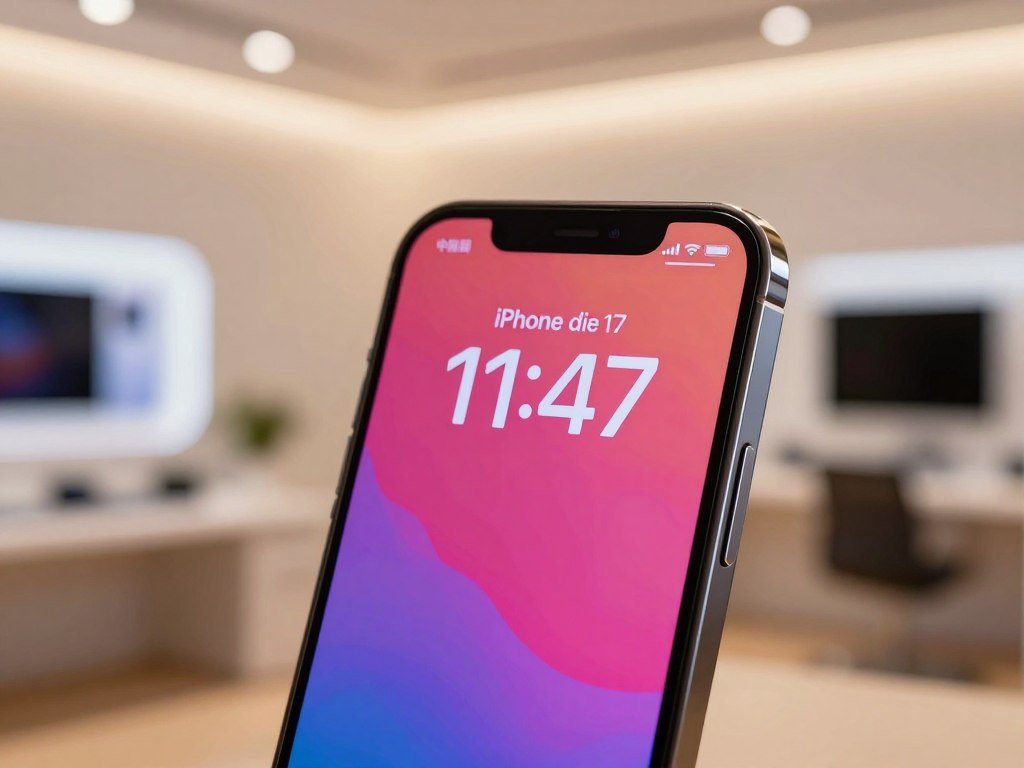
The camera upgrade adds a 48-megapixel ultrawide camera. The iPhone 16 had a 12-megapixel ultrawide camera, so the newer phone captures more detail in wide scenes. This can help with group shots, buildings and landscapes when stepping farther back is not practical.
The standard iPhone has a capable camera system, but it does not include a dedicated telephoto camera. That means you do not get a separate lens built for distant subjects. Digital zoom can help frame a shot, yet it is not the same as having a dedicated telephoto lens.
Storage also starts at 256GB, compared with 128GB on the iPhone 16. More starting space can be useful if you keep many photos, apps and videos on your phone. The iPhone 17 also has a newer chip, supporting strong everyday performance across common tasks.
These updates matter most to people who keep a phone for several years or use its screen and camera often. The display feels more fluid, and the ultrawide camera gives you more ways to frame a picture. Choose it when those daily upgrades matter more than having a dedicated telephoto lens.
Is the iPhone 17e the Best Budget iPhone?
The iPhone 17e is the sensible budget choice if you would rather save money than pay for a faster-refresh display or an ultrawide camera. It includes an A19 chip and 256GB of starting storage. For basic daily use, that mix can cover calls, messaging, maps and everyday photos without extra camera tools.
The main trade-off is a simpler screen and rear-camera setup. Its display has a 60Hz refresh rate, and the rear camera system has no ultrawide camera. The phone can still handle routine tasks, but it offers fewer ways to capture a scene.
- 60Hz screen instead of a faster-refresh display
- No ultrawide camera for wider framing
- Single rear-camera setup
- 256GB starting storage
The A19 chip also supports Apple Intelligence, though you should check compatibility for your exact model and software setup. For people who mainly use a phone for messages, directions and regular snapshots, the simpler hardware may be enough. The lower-cost model is not automatically a poor choice just because it has fewer camera options.
Frequent wide-angle photography is a different matter. A single rear camera can limit the way you frame a group or a large scene. If you often take those shots, a model with an ultrawide camera may feel more useful than the money saved.
Storage is another point to consider. A 256GB starting option gives room for many apps and photos, but people who record lots of long videos may still need to manage space. Think about what stays on your phone instead of assuming every buyer needs the same amount.
If the display and camera limits seem minor, the 17e keeps the feature set focused on essential use. If those two omissions would frustrate you often, spend the extra amount on a more capable camera and screen.
iPhone 16e vs. iPhone 17: Which One Should You Choose?
Choose the iPhone 16e to keep the listed purchase price lower, or the iPhone 17 if its camera, screen and connectivity upgrades matter to you. AT&T lists the 16e at $599.99 and the 17 at $929.99. The lower price can make the older model appealing, but the feature gap affects daily use.
The iPhone 17 adds a larger screen, an ultrawide camera and newer wireless standards. AT&T lists up to 26 hours of battery life for the 16e and up to 30 hours for the 17. These are listed ratings, not a promise that every user will get those results.
| Feature | iPhone 16e | iPhone 17 |
|---|---|---|
| Display and size | 6.1-inch OLED | 6.3-inch OLED |
| Chip | A18 | A19 |
| Storage configurations | 128GB, 256GB, 512GB | 256GB, 512GB |
| Rear-camera setup | 48MP Fusion, 2x telephoto option, no ultrawide | 48MP Fusion and 48MP ultrawide |
| Wireless connectivity | Wi-Fi 6, Bluetooth 5.3 | Wi-Fi 7, Bluetooth 6 |
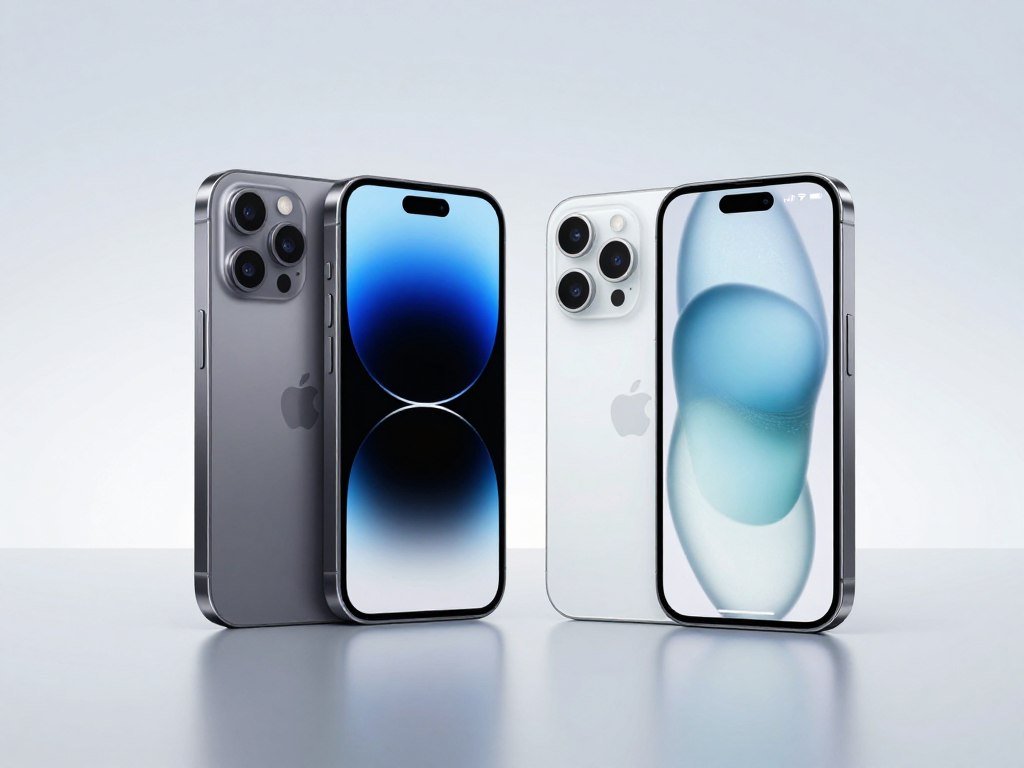
The 16e uses a 48-megapixel Fusion camera with a 2x telephoto option. It lacks an ultrawide camera, while the 17 adds one. That difference matters if you often photograph groups, rooms or broad outdoor scenes.
Both models support two active eSIMs and do not support physical SIM cards. If you use two phone lines, the eSIM setup may work well. People who rely on a physical SIM should check their carrier needs before choosing either model.
AT&T lists Wi-Fi 6 and Bluetooth 5.3 for the 16e, compared with Wi-Fi 7 and Bluetooth 6 for the 17. The newer standards may matter if you use compatible networks and accessories. For buyers who only need basic service, they may not change the daily experience much.
The iPhone 16e is the better fit when a lower listed price matters most. The iPhone 17 is the better fit for a larger screen, ultrawide photography and newer connectivity. Compare the exact plan and device terms before deciding that the lower upfront figure is the lower total cost.
Is the iPhone 18 Pro the Best iPhone for Photography?
For photography-focused buyers who want advanced controls in a conventional phone, choose the iPhone 18 Pro. It has a 6.3-inch screen and a Pro camera system with three 48-megapixel rear cameras. The main camera has variable aperture, which lets you adjust how much light reaches the sensor.
The iPhone 18 Pro and iPhone 18 Pro Max share the same camera features. Both use the A20 Pro chip and offer manual camera controls and Focus Tracking. The smaller Pro can be a more manageable way to get the camera tools without choosing the largest Pro model.
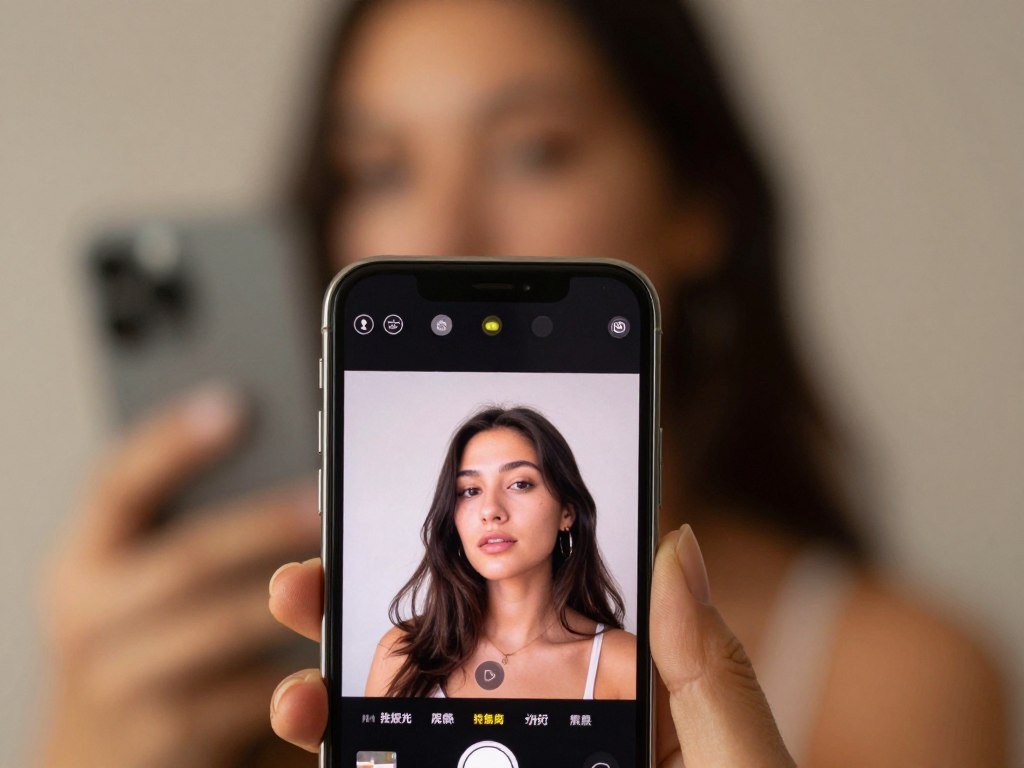
Variable aperture changes the opening that lets light into the main camera. More light can help in dim scenes, while less can help control bright conditions. This gives photographers another way to shape an image before they take it.
Manual camera controls can help you adjust the shot rather than relying on automatic choices. Focus Tracking helps keep a moving subject in focus as it changes position. Those tools may matter to someone who takes portraits, action shots or planned photos often.
The three-camera system also gives you different views, including a telephoto option for distant subjects. A dedicated lens can be useful when you want a closer frame without moving toward the subject. It is especially handy for travel, events and outdoor photography.
Casual snapshots do not require a Pro model. Many people take photos for family chats, social posts and personal memories without needing manual controls. Pay for the Pro camera system if you will use its zoom and controls regularly, not just because the feature list is longer.
Is the iPhone 18 Pro Max Best for Battery Life?
The iPhone 18 Pro Max is the best choice if getting through long days without charging is your top priority. Its video-playback rating is up to 45 hours, while its larger battery lasted well into a second day of use in testing. That endurance makes it a strong pick for people who spend long hours away from an outlet.
The Pro Max weighs 249 grams, so its battery advantage comes in a larger, heavier phone. A large display can make video and reading more comfortable, but it may feel less handy in a pocket or one hand. Try to think about carrying comfort as well as runtime.
Video-playback ratings and mixed-use testing measure different things. A playback test runs video under set conditions, while everyday use can include calls, messages, apps, maps and idle time. Your screen brightness and signal strength can also affect how often you need to charge.
The larger model can suit people who stream, travel or work away from home for much of the day. Its size may be less comfortable for someone who prefers a small phone or often uses one hand. That is a real trade-off, not a minor detail.
An iPhone 18 Pro and Pro Max side-by-side review describes one reviewer’s typical end-of-day battery readings. The reviewer reported about 40% on the Pro and 60% on the Pro Max during personal use, rather than a controlled test.
The Pro Max pairs strong endurance with a form that some buyers may find bulky. Its video rating is useful for comparison, but your daily routine is the better guide to expected performance. Try holding the larger phone before buying if you are unsure about carrying its weight.
Is the iPhone Duo Worth It for a Foldable Design?
Pick the iPhone Duo only if unfolding the phone would change how you read, watch or work on it. Its inner display opens up more space for video, long reading and side-by-side multitasking. The added room can be useful, but not every app makes good use of it.
Screen-crack reports exist, but their cause and failure rate are unclear. Those reports do not establish a confirmed defect or show how often damage occurs. The foldable design is a first-generation choice, so buyers should weigh the new format against the usual phone experience.
The iPhone Duo has a 7.6-inch inner display and a 5.4-inch outer display. Folded, it works more like a standard phone for quick tasks. Open, it can give you a broader space for reading, video or two apps at once.
App layouts may not always take advantage of the larger screen. Some apps may simply stretch their usual view, while others can place useful content side by side. A real-world account of one buyer collecting two iPhone Duos describes an individual choice, not broad demand or a durability test.
The phone weighs 254 grams and has two 48-megapixel rear cameras. Video-playback ratings reach up to 44 hours on the outer display and 31 hours on the inner display. Those ratings differ by screen, so they should not be treated as identical use.
- Check the layout of your essential apps.
- Try opening and closing the phone in person.
- Test typing on both displays.
- Consider whether you will use the foldable form often.
The foldable format is most useful when the open screen changes what you do, rather than simply looking different. If you mostly use a phone for brief messages and calls, the extra screen may not earn its place. Test the apps you rely on in both folded and open modes before committing to the foldable format.
A buyer’s iPhone Duo launch-day account offers a personal example of someone choosing the foldable model. It describes enthusiasm at pickup, not a general measure of demand or phone durability.
Is the iPhone Air the Best Thin-and-Light iPhone?
The iPhone Air is the design-first choice for people who want a large screen in a remarkably thin, light phone. It is 5.64mm thick and weighs 165 grams. That low weight can make it appealing if you notice every extra ounce in your pocket or hand.
The Air pairs a 6.5-inch 120Hz display with an A19 Pro chip. It offers a large screen without the weight of a much larger phone. The slim shape is its main draw, rather than a wide range of rear cameras.
The rear camera is a single 48-megapixel camera. That can cover ordinary photos, but it does not offer the same camera range as a multi-camera system. Buyers who often switch between wide views and zoomed shots should compare that trade-off carefully.
Battery life also deserves attention if you often use your phone for long days of video, navigation or recording. A slim phone may feel easier to carry, but design alone does not tell you how well it fits your routine. People focused on battery or camera versatility may prefer another model.
The Air suits buyers who care most about weight and feel. Its large display also gives you room for reading and video without choosing a foldable. Choose it for the feel in your hand and pocket, not on the assumption that thinness guarantees the best all-around experience.
Can a Used or Refurbished iPhone Be Better Value?
A previous-generation or refurbished iPhone can be a smart buy when its condition and discount justify giving up newer features. Used prices depend on the exact model, storage and listing measure. A low asking price is not enough by itself to show that a phone is good value.
Compare the listed amount with the same model and storage, not just its original price. On October 28, 2026, a used iPhone 17 Pro Max had a starting price of $840 and an average price of $1,205. The average sale price for its 256GB version was $1,006 that day.
How used prices differ by listing measure
| Measure | Model or condition | Listed amount and date |
|---|---|---|
| Used starting price | iPhone 17 Pro Max | $840 on October 28, 2026 |
| Average price | iPhone 17 Pro Max | $1,205 on October 28, 2026 |
| Average sale price | 256GB iPhone 17 Pro Max | $1,006 on October 28, 2026 |
These figures describe different measures, so they should not be treated as interchangeable prices. A starting price may reflect the lowest listing, while an average price describes a broader set of listings. A model with more storage can also cost more than the same phone with less space.
What to check before buying refurbished
Before you buy, make sure the phone works with your carrier and has the storage you need. Read the return window and warranty terms closely. Those details can affect how much risk you take if the phone has a problem.
- Confirm the storage capacity matches your needs.
- Check that the phone works with your carrier.
- Read the seller’s return window.
- Review the warranty and what it covers.
The October 28, 2026 used-price figures show why it helps to compare the same listing measure. A lower starting amount does not mean every device sells at that price, and averages can include phones with different storage or condition.
A refurbished phone may offer a lower entry cost, but its condition and support terms matter as much as the name on its case. Check the specific device, not only the model year. Compare the specific phone’s condition and protections with the real savings, not just the model name.
Which iPhone Should You Get Based on Your Current Phone?
Upgrade when your current phone is limiting something you care about, not simply because a newer model exists. The iPhone 17 supports iOS 27, but a software version alone does not make every upgrade worthwhile. A real need, such as a smoother screen or different form, is a better reason to switch.
Pick an upgrade based on the task your current phone struggles with. An older phone may still work well for messages and calls, while a newer model may help if camera quality, software support or battery life has become a daily problem.
- iPhone 12 or older: consider an upgrade if newer software support, camera features or performance are holding you back.
- iPhone 13 or 14: move up if a smoother display or a stronger camera would improve daily use.
- iPhone 15: upgrade when a newer camera feature or different phone format solves a clear need.
- iPhone 16 or 17: switch only for a feature or form factor that fixes a real problem.
Apple Intelligence can affect the choice, but compatibility depends on the exact model, software version, language and region. Check all four details before treating it as a deciding feature. Support for a feature can change, so the phone’s current setup matters.
A newer model may feel exciting, yet that alone does not improve your daily routine. If your current phone still handles your daily tasks comfortably, keep it until a specific upgrade benefit matters.
How Should You Choose an iPhone Screen Size, Camera and Storage?
Start with the size you can comfortably carry, then decide which camera and storage features you will genuinely use. A phone should fit your hand and pockets before its screen size wins you over. Daily comfort can matter more than a number on a spec sheet.
Choose the screen, camera and storage around your habits. A larger screen may help with reading and video, while smaller displays can feel easier to manage one-handed. The right balance depends on what you do most often.
Pick a screen that feels comfortable
Small screens are easier to use with one hand and can fit more pockets. Larger displays give you more room for reading, video and photo editing. Try holding a phone in the position you use most, since a screen that looks fine on a chart may feel awkward in your grip.
| Model | Screen size | Format |
|---|---|---|
| iPhone 17e | 6.1-inch | Conventional |
| iPhone Air | 6.5-inch | Thin conventional phone |
| iPhone 18 Pro Max | 6.9-inch | Large conventional phone |
| iPhone Duo | 5.4-inch outer, 7.6-inch inner | Foldable |
The iPhone Duo changes screen size by opening and closing. Its outer display works for quick tasks, while the inner screen gives more room when opened. A foldable shape adds choice, but it also changes how you hold and carry the phone.
Match the camera to the photos you take
An ultrawide camera fits more of a scene into one frame, which can help with group photos or buildings. A main camera handles the everyday shots most people take. A telephoto camera helps frame faraway subjects more closely.
Casual snapshots do not automatically call for a Pro model. Think about whether you use wide views or zoom often, or mostly take quick photos in familiar places. A camera system earns its cost when you use its extra views and controls.
Choose storage and confirm connectivity
Video recording can use a lot of storage, as can large local game libraries. If you keep files on your phone instead of in cloud storage, leave room for them. Your storage needs can grow as you save more photos, apps and videos.
The iPhone 16e and iPhone 17 support two active eSIMs and do not support physical SIM cards. Check the exact SIM setup before buying, especially if you use more than one line or rely on a physical card. Carrier support can also affect which setup works for you.
A screen that feels comfortable is easier to live with than one chosen only for its size. Your camera and storage choices should reflect what you actually save and shoot. If possible, hold your preferred size and check its SIM arrangement before ordering.
Which iPhone Has the Best Battery Life and Charging?
The iPhone 18 Pro Max is the strongest conventional pick for endurance, while the iPhone 17 also performed strongly in battery testing. Apple says the iPhone 17 provides up to eight more hours of video playback than the iPhone 16. Test results still depend on the type of use being measured.
In CNET’s three-hour streaming test, the iPhone 17 fell from 100% to 89%, while the iPhone 16 fell to 86%. The iPhone 17 had the second-longest battery life in CNET testing of 35 phones. A streaming test and a video-playback rating do not measure the same use.
The iPhone 17 supports 40-watt wired charging and 25-watt wireless charging. Those figures describe charging support, not how long the phone lasts between charges. Charging speed can matter when you have a short break near an outlet.
The iPhone 18 Pro Max gained 77% charge in 30 minutes in CNET testing. That result gives a sense of how quickly it can recharge under test conditions. It is separate from its endurance, which describes how long the phone runs between charges.
- Long travel days can leave fewer chances to recharge.
- Frequent navigation keeps the screen and location tools in use.
- Heavy video recording can use power during a busy day.
Your battery needs change with screen use, signal and the apps you run. Someone who travels with maps and records video may value endurance more than someone who spends most of the day near a charger. Compare battery ratings only when the use case and test method are clear.
How Much Do the Current iPhones Cost?
The lowest listed price is not always the lowest total cost once activation, trade-in and financing conditions are considered. The iPhone 17 starts at $929 in the United States, or $899 with carrier activation. Offer terms can change the amount due, so compare the conditions as well as the number.
Listed starting prices are a useful baseline, not a guarantee of your checkout total. Storage, trade-in value, activation and financing terms can affect what you pay. Promotions may also require a qualifying plan or other steps.
| Model | U.S. starting price | Price condition |
|---|---|---|
| iPhone 17 | $929 | $899 with carrier activation |
| iPhone 17e | $799 | Listed at $599 at Best Buy |
| iPhone Air | $1,099 | Starting price |
| iPhone 18 Pro | $1,199 | Starting price |
| iPhone 18 Pro Max | $1,299 | Starting price |
The iPhone Duo starts at $1,999. AT&T lists the iPhone 16e at $599.99 and the iPhone 17 at $929.99. Those retailer figures can differ from other offers because sellers set their own promotions.
Storage can raise the starting price if you choose a larger capacity. A trade-in may lower the amount due, but its value depends on the phone you hand in and the offer terms. Financing can spread payments over time without changing the model’s starting price.
Carrier activation prices may require a new line or a specific plan. Check how long an offer lasts and whether it applies to the storage size you want. A low advertised amount matters less if the required plan costs more than your current service.
For a wider comparison across phone types and budgets, our phone picks by budget and use can help frame the price decision. Confirm current terms before checkout, since promotions can change. Compare the full amount due and the conditions attached to any offer before choosing on price alone.
How Does iPhone Battery Health Affect Your Buying Decision?
A used iPhone’s battery condition can affect everyday speed and reliability, not just how often you recharge it. Rechargeable batteries lose capacity and peak performance as they chemically age, and they eventually need replacement. Battery aging can change how the phone feels during ordinary tasks.
Reduced battery capacity can affect both runtime and performance. As the battery ages, it may hold less charge and provide less peak power. That can make an older phone feel slower even when its apps and software have not changed.
What battery aging can change
Apps may take longer to launch, and screen motion may show lower frame rates. Wireless data can slow as the phone manages power. The display backlight may dim, and the speaker may play at a lower volume.
In extreme cases, the camera flash or other camera features may be temporarily disabled. These changes can affect daily use, not just the number of hours between charges. A phone that feels unreliable may need battery service.
Apple says an iPhone battery eventually needs replacement as it ages. Battery condition can be a key part of judging an older phone’s value. An attractive price may not feel like a bargain if the battery cannot support your routine.
What to check in Battery Health
On iPhone 15 models and later running iOS 17.4 or later, Battery Health settings show maximum capacity, cycle count, battery manufacture date, first-use date and whether replacement is recommended. These details help you assess the battery in the exact device you are considering.
The iPhone Duo shows separate battery-health information for each battery. The two batteries can have different cycle counts and manufacturing dates. Check both readings rather than assuming they have aged at the same rate.
Battery Health details in iOS 17.4 or later include the cycle count and whether replacement is recommended. Those readings can help explain why two phones of the same model may have different battery performance.
Apple advises storing an iPhone half charged when it will be stored for a long time. Avoid extended charging or storage in hot places, including direct sunlight. Heat can be hard on a rechargeable battery.
Apple’s long-term storage guidance also advises against leaving an iPhone charging or stored in a hot environment for extended periods. A partly charged phone kept away from heat is a better choice for long storage. Check Battery Health on the exact device and avoid storing it fully charged in a hot place for long periods.
What Is the Best iPhone for Students and Everyday Use?
For students on a strict budget, the iPhone 17e is the practical pick; choose the iPhone 17 if its extra camera and display features matter day to day. Everyday needs can vary between messaging, class work, photos and long school days.
The iPhone 17e fits students who want essential use at a lower cost, while the iPhone 17 suits those who will use its broader camera and display features. Consider what the student actually does on the phone before spending more.
- Budget: decide how much you can spend without stretching other school costs.
- Battery needs: consider whether the phone must last through a full school day.
- Storage: leave room for class files, apps, photos and media.
- Ultrawide camera: decide whether wider everyday photos would be useful.
The standard iPhone can be a better fit if the student often takes group photos or values a smoother display. The budget model can work well for messages, directions and basic school tasks. An extra camera view matters only when it will be used.
Students who also need a larger screen for notes, reading or video meetings may want a tablet as a second device. Our student tablet picks by study style compare options for school tasks and work. Match the phone to the student’s actual workload and spending limit, not to a feature they are unlikely to use.
Choose the phone that supports the student’s real school day, not the one with the longest feature list.
Conclusion
The right choice is the iPhone that solves your everyday needs without making you pay for features you will rarely use. The iPhone 17 is the sound default for most people, while the iPhone 17e suits tighter budgets. Pro models make more sense when camera control or long battery life is a clear priority.
Think about what you carry, photograph and do on your phone each day. A specific need is a better reason to upgrade than a new model name. Before ordering, confirm the exact storage option, carrier compatibility and total cost for your chosen model.
FAQ
Which iPhone has the longest battery life?
The iPhone 18 Pro Max has the longest video-playback rating among the conventional models, at up to 45 hours. That figure comes from video playback, not a mixed-use day of calls, apps and browsing. The iPhone Duo is rated for up to 44 hours on its outer display, but up to 31 hours on its inner display. Screen choice changes that rating.
Which iPhone is best for photography?
The iPhone 18 Pro is the best photography pick for people who will use its variable-aperture camera, manual controls and Focus Tracking. Those features give you more ways to manage light and focus on moving subjects. The iPhone 18 Pro Max shares the same camera features, so choose between them based on size and comfort. Casual snapshots do not require a Pro model.
Which iPhone version is the best?
The iPhone 17 is the best all-round choice for most people because it balances everyday features without a Pro-level purchase. A tighter budget can make the iPhone 17e a better fit. Buyers who focus on photography may prefer the iPhone 18 Pro, while the iPhone 18 Pro Max suits those who put endurance first. Your main use should guide the choice.
Why is the iPhone 16 so cheap?
The iPhone 16 may cost less because it is a previous-generation model competing with newer releases. Sellers can also set different prices based on storage, condition, stock and current offers. A used or refurbished phone may have a lower price than a new one, but those choices can come with different return and warranty terms. Compare the exact listing before buying.
Is the iPhone 16 still a good buy in 2026?
The iPhone 16 can still make sense in 2026 if its price is meaningfully lower than newer alternatives. It starts with 128GB of storage, while the iPhone 17 starts with 256GB. Consider whether that storage difference matters for your photos, apps and videos. The better deal is the phone that fits your needs at a worthwhile price gap.
Should I buy an iPhone 16e or 17?
Choose the iPhone 16e for a lower listed price, or the iPhone 17 for its larger display, ultrawide camera, newer chip and longer listed battery life. AT&T lists the 16e at $599.99 and the 17 at $929.99. The 16e has a 6.1-inch display and A18 chip; the 17 has a 6.3-inch display and A19 chip. Compare the plan terms, too.