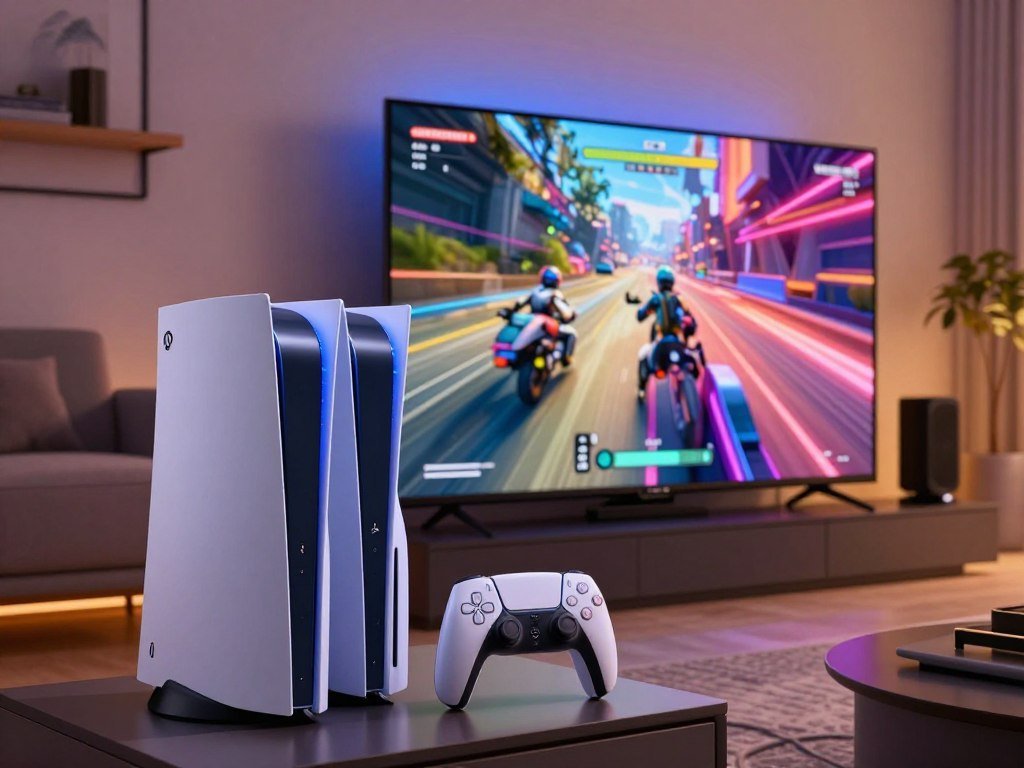
Most players should choose a standard PS5 or PS5 Slim for value, while the PS5 Pro makes more sense if sharper graphics are a priority. The choice comes down to price, visuals, and how well the console fits your gaming setup. Both consoles play the same PS5 games, so you do not need the Pro to get a separate library. PSSR means PlayStation Spectral Super Resolution, a machine-learning image reconstruction feature that uses a lower-resolution game render to produce a sharper output.
The Pro can make supported games look clearer or combine visual effects with a smoother frame rate. Those gains depend on each game and the screen you use. A standard model remains a strong choice if you want to play without paying extra for graphics features you may not notice.
Key Takeaways
- Standard PS5 and PS5 Slim offer the best value for most players.
- PS5 Pro adds graphics features for supported games, not a new game library.
- PSSR reconstructs a sharper image from a lower-resolution game render.
- A 4K or 120Hz display can help you see some Pro features.
- Check whether your model includes a disc drive before you buy.
Think about the games you play and the screen you own before paying extra for image quality.
Which PS5 model is best for most players?
For most buyers, the standard PS5 or PS5 Slim is the sensible pick because it offers the same PS5 library at a lower price tier. The PS5 Pro is the graphics-first choice, not a way to access more games. All three use the DualSense wireless controller, so the core controls feel familiar across models.
The Pro plays all PS5 games, but it does not unlock a separate game library. A PlayStation 5 vs PlayStation 5 Pro vs PS5 comparison can be confusing because “PS5” may refer to several non-Pro models. A listing might mean a Slim, a disc model, or a Digital Edition, so check the exact configuration.
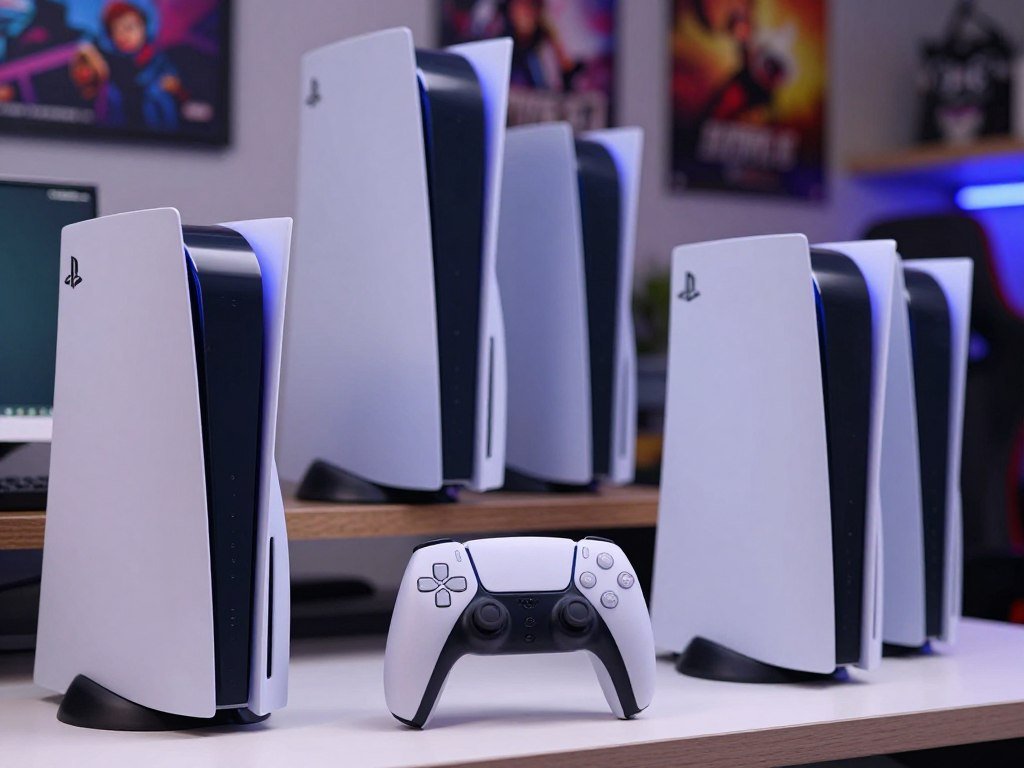
- Choose the standard disc PS5 for physical media without an add-on.
- Choose the PS5 Slim Digital Edition for a digital-first setup.
- Choose the PS5 Pro for supported visual upgrades.
A PlayStation 5 vs PlayStation 5 Pro vs PS5 Pro listing may compare the same Pro model against different non-Pro versions. The model names matter because a disc drive and other setup needs can change what you pay. Focus on the exact console rather than a short label in a store listing.
For most players, the standard PS5 or PS5 Slim is the better-value choice. The Pro fits buyers who put supported graphics upgrades first.
If you already own a capable display and care most about visual upgrades, the Pro is the exception to that value-first verdict.
PlayStation 5 vs PlayStation 5 Pro: Which Specs Matter?
The largest hardware gap is in graphics processing, not in the number of games either console can play. The Pro has more GPU compute units and memory bandwidth, which give games extra graphics headroom. The shared system memory and CPU still shape how much some titles can gain.
The Pro’s stronger GPU matters most when a game’s graphics work limits its image quality or frame rate. These specs help explain the difference, but they do not predict every game’s performance.
| Specification | Standard PS5 | PS5 Pro |
|---|---|---|
| GPU compute units | 36 | 60 |
| GPU power | 10.28 TFLOPs | 16.7 TFLOPs |
| Memory bandwidth | 448 GB/s | About 576 GB/s |
| System memory | 16GB | 16GB |
GPU and memory bandwidth
The PS5 Pro has 60 compute units, compared with 36 in the standard PS5. Its graphics power is 16.7 TFLOPs, while the standard model reaches 10.28 TFLOPs. Those figures describe compute capacity, not a fixed performance gain in every game.
Memory bandwidth also rises from 448 GB/s to about 576 GB/s. More bandwidth helps the GPU move data, while the extra units can process more graphics work. Together, they give developers more room to raise detail or improve output quality.
CPU and shared system memory
Both consoles use the same eight-core Zen 2 CPU and have 16GB of system memory. The Pro’s High CPU Frequency Mode raises the clock from 3.5 GHz to 3.85 GHz. That is a modest clock increase, not a new CPU generation.
Games that rely heavily on CPU work may see less change than graphics-heavy games. A simulation with many characters or complex systems can remain limited by CPU demands. Treat the spec table as a guide to graphics headroom, not as a promise that every game will run faster.
What do the PS5 and PS5 Pro cost in the US?
The current US recommended retail prices range from $599.99 for the PS5 Digital Edition to $899.99 for the PS5 Pro. These are Sony’s recommended retail prices effective April 2, 2026, not a promise about what a retailer charges. The difference matters most when you compare a complete setup, including a disc drive if you want one.
The Pro costs more than either standard configuration, while the disc-based PS5 sits between the two listed prices. A recommended price gives you a clear starting point for comparing models. Retailers may set their own prices or offer discounts.
| Model | US recommended retail price effective April 2, 2026 | Disc-drive setup |
|---|---|---|
| PS5 Pro | $899.99 | Disc drive sold separately |
| Disc-based PS5 | $649.99 | Disc drive included |
| PS5 Digital Edition | $599.99 | No disc drive included |
The Pro’s higher cost buys a graphics-focused console, while the Digital Edition keeps the starting price lower. The disc-based model includes the drive, which makes its listed price easier to compare with a digital console plus an add-on. Always compare like with like, not just the console name.
A US recommended retail price of $899.99 sets the Pro’s listed price, while retailer offers can differ. Buyers comparing used consoles should also account for condition and seller-specific terms. Compare the price of the configuration you actually need, including whether you want physical games.
How much faster are PS5 Pro graphics?
Sony’s approximately 45% faster-rendering figure describes supported rendering workloads, not a guaranteed 45% increase in every game’s frame rate. The Pro’s extra graphics capacity can help a game render more detail or use stronger effects. Each title still responds to its own design and limits.
GPU-limited games can gain more than CPU-limited games. Ray-tracing throughput is described as roughly two to three times the standard PS5’s in supported workloads. That extra headroom is most useful when a game uses ray-traced reflections, shadows, or global illumination.
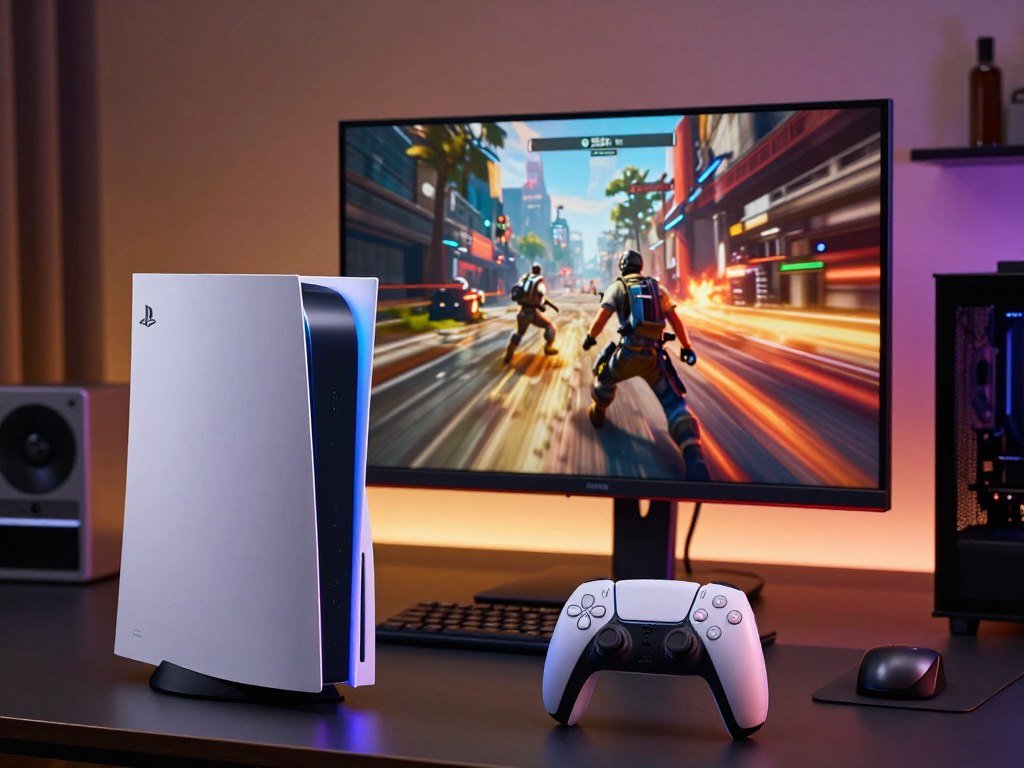
Higher graphics power does not always mean higher frame rates. Developers may spend the extra capacity on image quality instead, such as richer lighting or more detail. A game may look better at the same frame rate rather than run faster.
Returnal illustrates a graphics-heavy workload where extra GPU capacity can help. The game’s demanding visuals give the GPU more work to do, so graphics headroom can be useful. That does not mean every player will see the same gain in every scene.
Dragon’s Dogma 2 shows a different limit. Its CPU demands can constrain performance, so a stronger GPU may not raise frame rates as much. When the CPU sets the pace, graphics power alone cannot remove that limit.
Frame-rate results also depend on the mode a developer provides. A mode may target a steady rate while using added GPU power for image quality. Expect the clearest gains in games whose graphics workload, rather than their CPU demands, is holding them back.
How does PSSR change image quality?
PSSR helps the PS5 Pro reconstruct a sharper image from a lower-resolution game render. A game can use image reconstruction to reach a clearer output without rendering every pixel at full resolution. Developers can then direct some saved graphics resources toward detail or frame rate.
PSSR can improve image quality, but it does not make every game look sharper or cleaner. Its result depends on how well each game uses the feature. Fine detail, movement, and the chosen image settings can all affect what you see.
How image reconstruction works
A game first creates an image at a lower internal resolution. PSSR uses machine learning to rebuild that image into a sharper output. It can help a game balance image quality with other demands on the graphics hardware.
The broad idea is comparable to NVIDIA DLSS and AMD FSR, which also use image reconstruction approaches. They are not the same feature, and each has its own methods and game support. A name alone cannot tell you how the result will look.
What can affect the result
The game’s implementation matters. Poorly tuned reconstruction can create visual artifacts, such as unstable detail or distracting edges. One title may look crisp, while another may appear soft or show unwanted effects.
Comparison footage can help you judge what changes in a game you know. Look for these details:
- Fine edges and foliage, especially small leaves or wires.
- Motion stability as the camera or character moves.
- Image softness or sharpening around fine details.
Compare footage from the same game and similar scenes when possible. A still image may hide problems that become clear during motion. Judge the feature by the image in a game you actually play, rather than by the name of the upscaler alone.
Which PS5 Pro games make the difference visible?
The strongest PS5 Pro examples are games that offer sharper image quality without forcing players back to a slower visual mode. Sony lists more than 100 PS5 titles as enhanced for the Pro. The specific gains differ by game, so a mode label does not tell the whole story.
Some titles use PSSR for sharper output, while others combine image quality, ray tracing, and frame rate. These examples show the range of changes you might notice in games you already play.
| Game | PS5 Pro mode or result | What the example shows |
|---|---|---|
| The Last of Us Part II Remastered | 1440p render upscaled to 4K with PSSR at a 60fps target | Reconstructed resolution with a 60fps target |
| Final Fantasy VII Rebirth | 60fps enhanced mode with PSSR resolution on par with graphics mode | A clearer performance option |
| Horizon Forbidden West | Visual quality matching or surpassing regular PS5 Quality mode at 60fps | Quality and frame rate together |
| Ratchet & Clank: Rift Apart | Performance Pro combines crisp 4K and ray tracing with 60fps | A combined visual mode |
| Marvel’s Spider-Man 2 | Performance Pro combines crisp 4K and ray tracing with 60fps | A similar combined mode |
Sharper 4K output at a 60fps target
The Last of Us Part II Remastered renders at 1440p in its PS5 Pro-specific enhanced rendering mode. PSSR upscales the image to 4K, with a 60fps target. This pairs reconstructed resolution with a frame-rate target many players may prefer.
The Last of Us Part I Remastered uses a similar approach. Its enhanced rendering mode renders at 1440p, upscales to 4K with PSSR, and targets 60fps. The examples show how a title can use extra capacity to support both a sharper output and a faster mode.
Combining image quality and ray tracing
Ratchet & Clank: Rift Apart and Marvel’s Spider-Man 2 offer Performance Pro modes. Both combine crisp 4K output and ray tracing with a 60fps target. These modes aim to avoid the usual choice between visual effects and a faster frame rate.
Final Fantasy VII Rebirth offers another kind of balance. Its enhanced mode runs at 60fps and uses PSSR for resolution on par with its graphics mode. Horizon Forbidden West matches or surpasses the regular PS5 Quality mode’s visual quality while targeting 60fps.
Higher frame rates on compatible displays
Stellar Blade’s PSSR upscale mode supports 4K at 50fps or more. Its HFR option supports 80fps on a 120Hz display. That higher frame-rate option depends on both the game mode and a compatible screen.
Horizon Forbidden West also shows why mode details matter: its Pro result brings quality close to or above the regular Quality mode at 60fps. Games use the extra capacity in different ways, so “enhanced” can mean a different trade-off each time. Check the exact mode in a favorite title, since “enhanced” can describe different improvements from game to game.
What changed with upgraded PSSR in 2026?
Upgraded PSSR began rolling out to supported PS5 Pro games on March 16, 2026. Sony started the system software update at 10:00 p.m. Pacific Time. The change applies to Pro games that already support PSSR, not every PS5 Pro game.
Results vary by title, and players can turn the upgraded feature off. Supported games named for 2026 include Silent Hill 2, Silent Hill f, Dragon Age: The Veilguard, Control, and Alan Wake 2. The list also includes Senua’s Saga: Hellblade II, Final Fantasy VII Rebirth, Nioh 3, Rise of the Ronin, and Resident Evil Requiem.
Other named titles include Monster Hunter Wilds, Dragon’s Dogma 2, Crimson Desert, Assassin’s Creed Shadows, and Cyberpunk 2077. The update does not add the feature to games that lack PSSR support. A title’s own settings control whether the option is active.
Sony said most new PS5 Pro titles would launch with upgraded PSSR support. That is an expectation, not a guarantee for every future game. The feature can also look different from one supported title to another.
The March 16, 2026 rollout gave developers a way to add upgraded PSSR support to eligible games. Players can switch it off if they prefer the image without it. Check the individual game’s settings to see whether the upgraded image option suits you.
Does PS5 Pro improve PS4 games?
PS5 Pro Game Boost can improve performance across more than 8,500 playable PS4 games. The level of improvement differs by title, so the feature does not promise the same change everywhere. A small number of PS4 games are not compatible with the Pro.
Game Boost can help some older games, but it is not the same as a developer-made Pro patch. A patched game may include specific changes for the console, while Game Boost can affect compatible games without a new game mode. The difference matters when you compare results.
Before making an older favorite part of your purchase decision, use this quick check:
- Check compatibility for the specific PS4 title you want to play.
- Find out whether the game has a developer-made Pro patch or uses Game Boost.
- Compare the game’s actual frame rate or image quality after launching it.
Backward compatibility can make a new console useful for more than current-generation releases. Still, “playable” does not mean every title has the same performance or visual results. Some games may work much like they did before, while others can benefit from Game Boost.
For a game you play often, the title’s own behavior matters more than a broad compatibility count. A small number of PS4 games remain incompatible with PS5 Pro. Verify compatibility for a specific older title before making it the deciding reason to buy.
How do storage and Wi-Fi compare?
The PS5 Pro’s clearest convenience upgrade is its 2TB SSD, while Wi-Fi 7 matters only with a compatible router. The larger built-in storage leaves more room for installed games than the PS5 Slim’s 1TB SSD. The original launch PS5 had a custom 825GB SSD.
Wi-Fi 7 needs a compatible router, and the benefit depends on your home network. Neither feature changes the PS5 game library, but both can affect day-to-day use. The SSD capacity is a clear number; wireless results depend on your setup.
Built-in SSD capacity
The Pro’s 2TB SSD gives you more space for installed games than the Slim’s 1TB drive. The Slim also holds more than the launch PS5’s custom 825GB SSD. A larger drive can reduce how often you need to remove games to make room.
Your available space still depends on what you install and keep. Large games can fill storage quickly, while a smaller collection may leave plenty of room. Compare the capacity with your own library rather than assuming every player needs the larger drive.
Wi-Fi 7 and your home network
The Pro supports Wi-Fi 7 when paired with a compatible router. A newer console cannot add Wi-Fi 7 to a router that does not support it. The benefit also depends on the network conditions in your home.
For some buyers, the feature may not change online play at all. Your router, internet plan, and wireless setup affect the connection you get. Check your available router and how often you remove installed games before treating either feature as a deciding advantage.
Can you play discs on each PS5 model?
The disc-based PS5 is ready for physical games, while the PS5 Pro and PS5 Slim Digital Edition need an add-on drive. A built-in drive is the simplest fit if you already own disc games. Both digital configurations can be upgraded with a separately sold drive.
The PS5 Pro does not include an optical disc drive. Its optional drive accessory costs $79.99, and the Slim Digital Edition can use a separately sold 4K Blu-ray drive for the same price. Add that cost when comparing complete setups.
| Model | Drive included | Drive option or cost |
|---|---|---|
| Disc-based PS5 | Yes | No add-on needed |
| PS5 Pro | No | Optional accessory costs $79.99 |
| PS5 Slim Digital Edition | No | 4K Blu-ray drive sold separately for $79.99 |
Disc-ready PS5 models
Buyers who own physical games or use disc-based media can choose a disc-ready model. The standard disc PS5 includes its drive, so you can use compatible physical media without adding another accessory. That setup is useful if you want to keep using discs you already own.
A drive also gives you a physical-media option alongside digital downloads. The key difference is whether the console includes the drive when you buy it. Check the model name carefully, since “Digital Edition” means the drive is not included.
Adding a drive to a digital console
The PS5 Pro and PS5 Slim Digital Edition can both be upgraded with the stated add-on drive. The Pro accessory costs $79.99, and the Slim’s separately sold 4K Blu-ray drive also costs $79.99. This makes either digital configuration usable with physical media after the extra purchase.
The add-on changes the total cost of the setup, not the console’s base configuration. If you rely on discs, compare the complete configuration rather than the console alone.
Does a 4K or 120Hz TV make PS5 Pro worthwhile?
A 4K screen makes the Pro’s image-quality gains easier to appreciate, while a 120Hz display is needed for compatible higher-frame-rate modes. A matching display helps you see what a game mode can offer. The screen alone does not create a higher frame rate.
A 120Hz display does not mean every game supports 120fps. The game must offer a mode for the frame rate you want. Compatible PS5 Pro games can combine 60fps or up to 120fps with ray tracing and PSSR-enhanced 4K output.
A 4K screen for image detail
A compatible 4K display can show more of the detail in a sharper output. That makes image reconstruction easier to appreciate than on a screen with lower resolution. The Pro’s output still depends on the game and its chosen mode.
If you are shopping for a screen, check the exact ports and supported modes. A PS5 monitor buying guide can help explain how resolution and refresh features work together. The same screen may offer different options through different inputs.
A 120Hz display for higher frame rates
A 120Hz refresh rate means the display can refresh up to 120 times per second. It does not mean a game will render 120 frames every second. The game must support a compatible higher-frame-rate mode for you to see that result.
Use this checklist when choosing your display:
- Confirm the TV or monitor supports 4K if image detail is your priority.
- Check for 120Hz support if higher frame rates matter to you.
- Confirm the game supports the mode you want to use.
Some compatible games can combine ray tracing and PSSR-enhanced 4K output with 60fps or up to 120fps. A PS5 and PS5 Pro TV guide also explains how display features affect gaming. Match the display’s capabilities to the games you play, not just the highest number printed on a TV box.
How does PS5 Slim compare in size and design?
The PS5 Slim is a smaller-volume redesign of the launch PS5, with dimensions that differ slightly between its disc and Digital Edition. It is about 30% smaller by volume than the launch console. These are design differences, not a separate performance tier.
The Slim’s disc edition measures 14.1 × 8.5 × 3.7 inches, while the Digital Edition measures 14.1 × 8.5 × 3.14 inches. The lower profile can help with some shelves, but you should measure your own space before placing it.
Slim dimensions and weight
The Slim Digital Edition weighs 2.6 kg, compared with 3.4 kg for the launch PS5 Digital Edition. That makes the newer digital model lighter as well as smaller in volume. The disc and Digital Edition also have different listed depths.
These measurements compare the Slim with the launch PS5, not the Pro’s graphics performance. The Slim remains a standard-model option for buyers who want a smaller console. Its form is a design choice rather than a new level of game power.
Ports, stand, and physical fit
The Slim has two front USB-C ports. The launch PS5 has one front USB-C port and one front USB-A port. That means the type of cable or accessory you use may affect which front port feels most convenient.
A PS5 Slim vertical stand is sold separately for $29.99. The stand can help if you need to place the console upright, but it adds to the setup cost. Measure the available shelf or cabinet space, and include the stand only if your setup needs it.
What can PS5 Pro tell us about GTA 6 performance?
GTA 6 is not a confirmed reason to expect a particular PS5 Pro frame rate or graphics mode. A Notebookcheck report dated October 28, 2026, said leaked development builds referenced Fidelity and Performance modes. Those references do not confirm which modes will be available at release.
Leaked mode names do not establish how either console will perform in the final game. Development builds can differ from the released version. The game’s release-date performance options remained unclear in the report.
The report’s leaked Fidelity and Performance mode references are not a promise of frame rate or image quality. They do not confirm a final mode for the standard PS5 or the Pro. A mode name alone cannot tell you what the released game will deliver.
Use these checks closer to your purchase:
- Look for confirmed details about the final game modes.
- Compare those modes with the display you plan to use.
- Judge the Pro by games already available, not GTA 6 alone.
For more context, read this update on reported GTA 6 console performance. Reports about development targets or demo footage do not confirm the final launch options. Base a console purchase on confirmed performance information, not on a mode name seen in a development build.
Which PS5 should you buy for your setup?
Choose the standard PS5 or Slim for value, the disc-based model for built-in physical media, and the PS5 Pro for supported graphics upgrades. The right model depends on your screen, game library, and how you use physical media. Every standard model and the Pro share the PS5 game library.
The Slim is a size-focused standard-model option, not a separate performance tier. The model names can be easy to mix up, so choose by the features you need rather than assuming every PS5 listing has the same setup.
Best value for a first console
A standard PS5 or PS5 Slim is the better fit for a first-time buyer who values cost and access to the shared game library. You can play PS5 games without paying extra for Pro graphics features. Pick between available standard configurations based on the setup you want.
If space matters, the Slim offers the smaller design. It remains part of the standard PS5 range, not a different performance class. That makes it a practical choice if you want the main PS5 experience in a smaller form.
Best fit for physical-game owners
Choose the disc-based PS5 if you want a drive built into the console. That configuration suits buyers with physical games or other disc-based media. Digital models need a separately sold add-on drive to use physical media.
Check the drive setup before buying a digital model. An add-on can make it work with discs, but it changes the total cost of your system. A PS5 Pro price and availability update can also help put seller listings in context.
Best choice for graphics-focused players
Choose the Pro if you care most about supported graphics upgrades and own a display that can show them. It fits players who regularly play enhanced titles and value sharper output or added visual effects. The gains depend on the title’s available modes.
Buying the Pro does not give you a new game library. It gives supported games more graphics options, while standard models keep access to the same PS5 titles. Make the final choice by matching the model to your display, game library, and preference for physical discs.
Is upgrading from PS5 to PS5 Pro worth it?
An existing PS5 owner should upgrade only when the Pro’s improvements address a real gap in the games they play. The upgrade makes sense when several regular games have Pro enhancements you value and your display can show the difference. If you like your current image and frame-rate options, keep your console.
Compare the 3-5 PS5 games you play most before deciding. Note which ones have a Pro mode, then ask whether those changes matter enough to justify replacing or keeping your current system. A short list of your real favorites is more useful than a broad promise about graphics.
The Pro remains part of the PS5 platform, not a new generation or a separate game library. Your choice is about improved performance and image options in supported titles. Owning an existing PS5 does not make an upgrade necessary by itself.
Consider how often you notice frame-rate changes or fine image detail. A visible change on your main display may matter more than a feature you rarely use. Your most-played games should guide the decision, not a general claim about what the Pro can do.
Before buying, check the Pro modes for your most-played titles and decide whether you would notice the improvement in your own setup.
Upgrade when several of your regular games offer Pro changes you value, and your display can show them. Keep your PS5 when its current image and frame-rate options already satisfy you.
That check also helps you avoid paying for modes you will not use. If the games you return to have no meaningful Pro option, the upgrade may not change your routine. Focus on the titles that earn the most time in your library.
Conclusion
For most players, the standard PS5 or Slim is the smarter value, while the Pro is the better fit when visual upgrades are the priority. The standard models keep the shared PS5 game library, and the Pro adds graphics options in supported games. Your display and disc habits help settle the choice.
Before you buy, check the modes for the games you play most. Then confirm whether your chosen model includes a disc drive or needs a separate one. Check your favorite games and the drive configuration you need before choosing a console.
FAQ
Is it worth upgrading PS5 to PS5 Pro?
Upgrade when your regular games have Pro modes you value and your display can show the improvement. Compare the 3-5 titles you play most and see which offer modes you care about. If you are satisfied with your current image and frame-rate options, keeping your PS5 is a sensible choice. The Pro remains within the same PS5 game library.
Which is better to buy, PS5 or PS5 Pro?
The standard PS5 or PS5 Slim is the better value for most players, while the Pro suits buyers who want supported graphics improvements. Both consoles play the PS5 game library, so the Pro does not add a separate set of games. Your screen, interest in enhanced modes, and need for a disc drive can change which configuration fits best.
What can PS5 Pro do that PS5 can’t?
In compatible games, PS5 Pro can combine 60fps or up to 120fps with ray tracing and PSSR-enhanced 4K output. Those features depend on the game’s mode and a compatible display. The Pro also offers higher GPU capacity, but that does not guarantee a higher frame rate in every title. Developers may use the added capacity for image quality instead.
What is the advantage of the PS5 Pro?
The PS5 Pro offers higher GPU capacity, PSSR support, a 2TB built-in SSD, and stronger graphics performance in supported games. Those features can give developers more room to improve image quality or frame rates. The value depends on the games you play and the screen you own. The standard PS5 remains the lower-cost way to access the same library.
Is it worth buying a PS5 Pro in 2026?
The PS5 Pro’s US recommended retail price is $899.99, so weigh its graphics upgrade against the lower price of a standard PS5. It is a stronger fit if you play enhanced titles and have a display that can show their improvements. If those features are not important to you, the standard model can deliver the same PS5 game library for less.
What is the difference between PS5 and PS5 Pro?
The Pro adds more GPU capacity, PSSR, Wi-Fi 7 support, and 2TB of built-in storage. Both consoles share the PS5 game library and use the DualSense wireless controller. The standard PS5 or Slim is usually the value choice, while the Pro focuses on graphics upgrades in supported games. Wi-Fi 7 also needs a compatible router to work.
Which model of PS5 is best?
The standard PS5 or Slim suits value buyers, a disc-based model fits physical-media owners, and the Pro is best for graphics-focused players. Choose a disc model if you want the drive included. Digital versions can use an add-on drive, which changes the total setup cost. The Slim is a smaller standard-model option, not a separate performance tier. This also answers, “Which type of PS5 should I get?”
What are the best games for PS5 Pro?
Strong examples include The Last of Us Part II Remastered, Final Fantasy VII Rebirth, Horizon Forbidden West, Ratchet & Clank: Rift Apart, Marvel’s Spider-Man 2, and Stellar Blade. Each shows a different Pro enhancement, from PSSR image reconstruction to combined 4K output and ray tracing. Check the mode details for the games you play, since improvements differ by title and display.



