
Choosing between Sony’s consoles is mainly a question of how much you value sharper visuals and steadier performance over a lower purchase price. The standard console costs less, while the premium model adds graphics features that can improve supported games. Those changes matter most when your screen and favorite games can show them.
PSSR is Sony’s machine-learning image-upscaling system that reconstructs a higher-resolution picture from a lower-resolution render. It is one of several tools that can shape the gaming experience, alongside the game’s own settings and your display. This comparison gives you a practical way to weigh graphics, features and value against your budget.
Key Takeaways
- The PS5 is the better-value pick for most budget-conscious players.
- The PS5 Pro can improve visuals in games with Pro-enhanced modes.
- A 4K screen and supported high-refresh mode help show the Pro’s gains.
- Both consoles play the same PS5 game library.
- Remember the cost of a Disc Drive or vertical stand if you need one.
The right choice depends on the games you play and the screen where you play them.
Which PS5 Is Better for Your Budget and Setup?
For most buyers, the PS5 is the better-value choice, while the PS5 Pro fits players who want the strongest image quality on a capable 4K screen. The Pro’s visual gains matter most when your games support enhanced modes and your display can show the difference.
A 4K display and a high-refresh-rate screen are the clearest setups for seeing what the Pro can do. The result still depends on each game’s Pro-enhanced mode, so a newer console cannot add features that a title does not use.
Choose the PS5 for a lower-cost way to play
Choose the PS5 if you want to play current PlayStation games without paying extra for graphics upgrades. It suits a family room with a standard 4K television, a smaller budget, or a game library that rarely uses Pro features.
The PS5 also makes sense if you mostly play games that already run well on the standard console. The difference in performance may be hard to spot when a title has no enhanced mode, or when your screen cannot show added detail.
Choose the PS5 Pro for visual upgrades
Choose the PS5 Pro if sharper graphics, steadier performance and advanced lighting matter more to you than the extra cost. It fits a player with a 4K high-refresh display who often plays titles with a Pro-enhanced mode.
That is the practical test for whether the Pro is worth it: look at your regular games and your screen, not just the hardware label. A Pro upgrade is less compelling when your favorite titles lack enhancements or your display cannot show them.
Choose the Pro for a visible graphics upgrade, not because you expect a different PlayStation game library.
A player who mainly wants access to new PS5 releases can get that experience on the standard console. Your best value comes from paying for features you will actually see and use.
For screen advice before you choose, compare your setup with these 4K TVs for gaming. Check that the TV’s ports and game modes suit the way you play.
PS5 Pro vs PS5 Specs Side by Side
The consoles share the same PS5 game library and controller, so the Pro’s case rests on hardware and image quality rather than exclusive content. The original PS5 launched in 2020, and the PS5 Pro released on November 7, 2024. The Pro adds no exclusive games, and both systems support the DualSense controller.
Here is a quick PS5 Pro vs PS5 specs comparison before looking at the parts in detail. The side-by-side view also answers what many mean by a PS5 PS5 Pro comparison: the game support is shared, while graphics features differ.

| Feature | PS5 | PS5 Pro |
|---|---|---|
| PS5 games | Same library | Same library |
| Pro-exclusive games | None | None |
| DualSense | Supported | Supported |
| PS4 games | Backward compatible | Backward compatible |
Both consoles play the same PS5 titles, and the PS5 Pro does not split the library into separate versions. Your existing DualSense controller also works with either console. The graphics experience can differ, but the games themselves remain shared.
The PS5 Pro supports Wi-Fi 7. That is a network standard supported by the console, not a promise of faster downloads or lower latency in every home. Your router, internet service and network conditions still matter.
The PS5 Slim belongs in this comparison as a size and storage variant of the PS5, not as another performance tier. It runs the same class of games as the standard PS5, so a PS5 Slim versus Pro question comes down to the Pro’s added graphics hardware.
Search terms such as “PS5 vs PS5 side by side” can refer to any PS5 model, so check whether a comparison means the Slim or the original design. The key distinction is the Pro’s enhanced hardware, not a new game library.
Treat the Slim as a PS5 variant when comparing performance, not as a third graphics tier.
How Much Faster Is the PS5 Pro GPU?
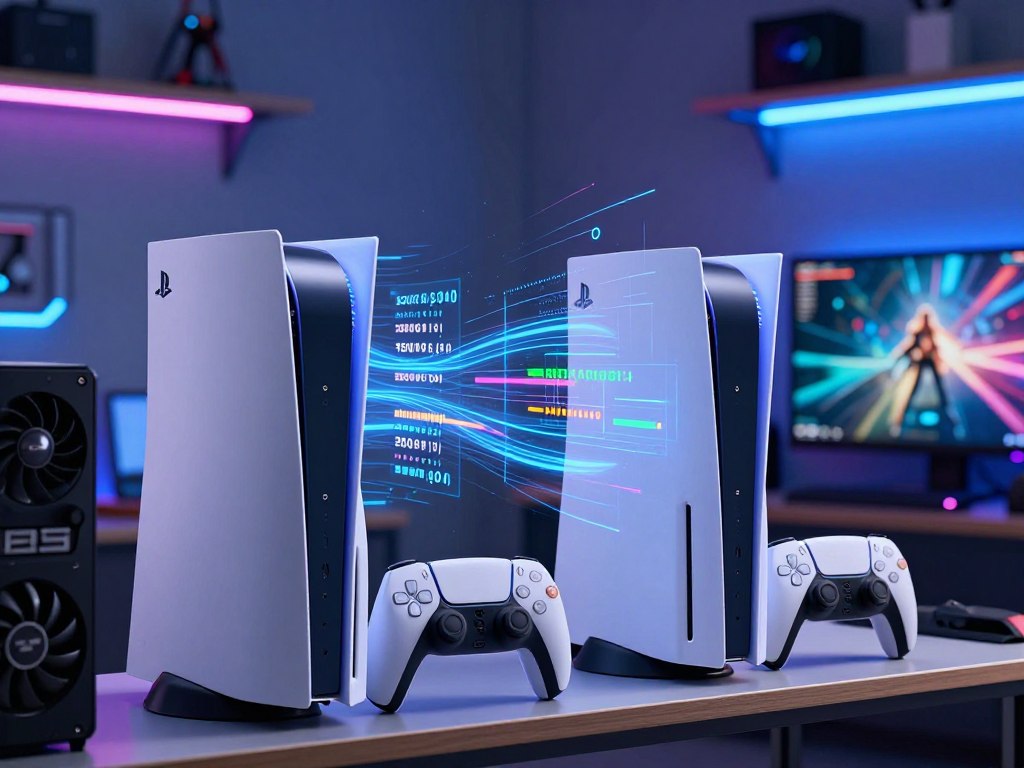
The PS5 Pro’s larger GPU is the main reason it can render supported games faster than the base PS5. Sony estimates roughly 45% faster rendering in supported games, but that figure does not mean every game gains the same number of frames. The GPU advantage helps most when graphics work limits a game.
The base PS5 GPU has 36 compute units and a rating of 10.3 TFLOPS. The PS5 Pro has 60 compute units and a rating of roughly 16.7 TFLOPS. These numbers help compare graphics capacity, but they do not predict a fixed result in every title.
What the GPU numbers measure
A compute unit is a group of graphics processors that handles work such as shading and rendering. More compute units can give a GPU more room to process visual effects and draw a scene.
TFLOPS means trillions of floating-point operations per second. It is a measure of graphics processing capacity, not a direct score for frame rates or image quality. Two GPUs with different designs can use that capacity in different ways.
The base PS5 uses an AMD RDNA 2-based GPU, rated at 10.3 TFLOPS and reaching up to 2.23 GHz. The Pro’s higher rating helps explain its stronger graphics hardware, but a number alone cannot show how a game feels.
Why the rendering gain varies by game
A GPU-limited game has more graphics work than its GPU can handle at the chosen settings. Extra GPU capacity can help it render more detail or hold a faster frame rate in that situation.
A game held back by its CPU may see a smaller boost. The same is true when a title has a fixed performance cap, because extra graphics power cannot remove a limit built into its mode.
This is why the Pro can improve one game more than another, even when both run on the same console. A demanding scene may use the added capacity, while a simple scene may not need it.
Read the 45% figure as a rendering estimate for supported games, not as a guarantee of 45% more frames in every title.
What Does PSSR Change in Games?
PSSR can make a game’s image look sharper without requiring the console to render every pixel at its final output resolution. It can help balance image detail and performance when a game uses the feature well. PSSR’s results depend on how each developer builds and tunes it into a game.
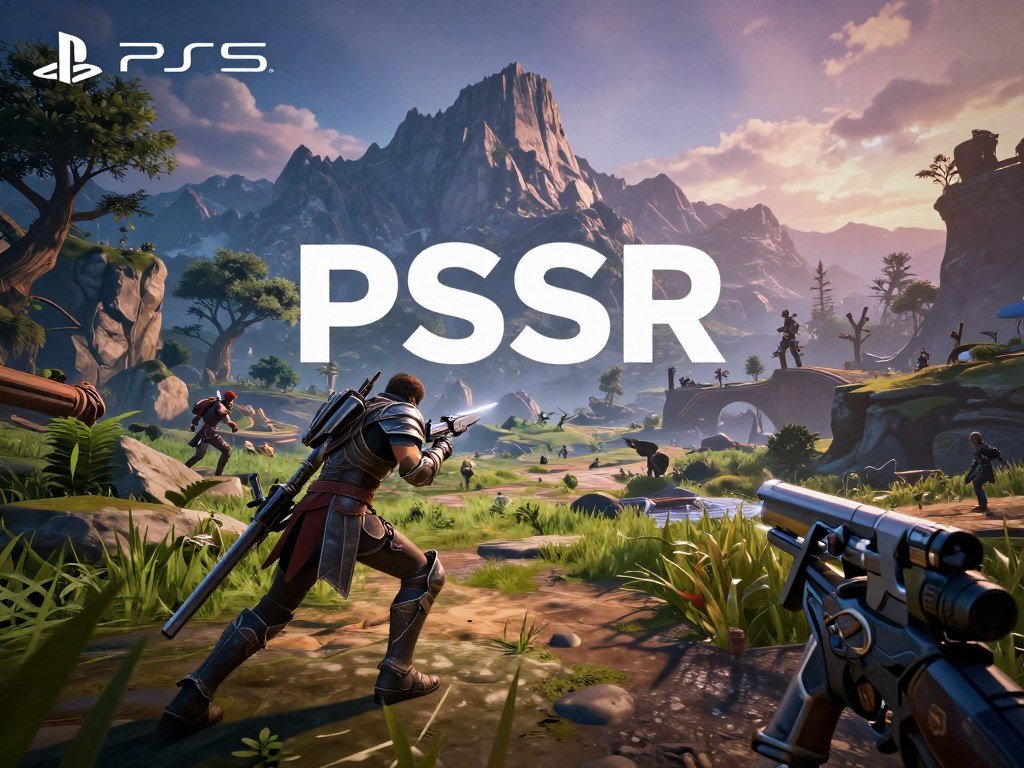
PSSR stands for PlayStation Spectral Super Resolution. It is the PS5 Pro’s image-reconstruction feature, and its general approach is conceptually similar to DLSS and FSR on other gaming systems.
How PSSR reconstructs an image
A game can first render a scene at a lower resolution, then use PSSR to reconstruct a higher-resolution image. The system studies image data and estimates the missing detail, aiming for a sharper result without rendering every output pixel directly.
This approach gives developers another way to use the Pro’s graphics capacity. They can choose settings that favor image clarity, performance or a mix of both, depending on the game and its visual demands.
When you compare a game, look closely at three details:
- Fine-detail clarity, such as small signs or distant leaves.
- Stability of thin or moving details, such as wires or fence lines.
- Image noise or shimmering around edges and bright surfaces.
Where image reconstruction can fall short
PSSR does not work in every game by default. Developers decide whether to use it and how to set it up, so one game may look clean while another shows flaws.
Poor tuning can create visible artifacts, such as unstable edges or details that look less natural during motion. These issues can stand out more on a large screen or in a scene with many fine lines.
A game comparison should include movement, not just a still frame. A clear image while standing still may look less stable when the camera moves or objects cross the screen.
Judge PSSR by the result in a game you actually play, not by the feature name alone.
How Does Ray Tracing Affect Visuals?
The PS5 Pro’s larger ray-tracing advantage is most useful when a game uses demanding reflections, shadows or lighting effects. Ray tracing models how light moves through a scene, helping developers create effects that react to objects and surfaces. The Pro can handle ray-tracing work about 2-3 times faster in supported workloads.
That throughput figure describes a specific kind of graphics work, not the frame rate of a complete game. A game also has to run its other visual effects, animation, sound and game logic.
Reflections can show objects and lights in shiny surfaces. Shadows can change with the light source, and lighting can respond to a room’s shape and materials. These effects may add depth, but they also use graphics power.
Developers decide how much ray tracing to use and what settings to offer. One title might add richer reflections, while another could focus its extra power on image detail or a faster mode.
The difference between a ray-tracing multiplier and frame rates matters. A CPU-limited game may not gain a major frame-rate increase just because its ray tracing runs faster. The processor or a game’s own cap can still set the pace.
Ray tracing can also trade against other settings. A game may offer a mode with more detailed lighting and a different mode that favors smoother motion. Your preferred balance depends on the scene and how you play.
A stronger ray-tracing pipeline improves the options available to developers, but it does not guarantee a higher frame rate in every scene.
What Do PS5 Pro Enhanced Games Actually Gain?
A Pro enhancement can mean a sharper image, steadier performance or added effects, and the result depends on the title. Some upgrades target image quality, while others add a graphics option that the base PS5 cannot offer in the same way. Game patches and selected settings shape the result.
The examples below show different kinds of PS5 Pro changes. They are not a promise that every player will see the same gain in every scene or mode.
| Game | Base PS5 experience | PS5 Pro change |
|---|---|---|
| Marvel’s Spider-Man 2 | Standard graphics modes | Enhanced performance modes and visual detail |
| Final Fantasy VII Rebirth | Standard image output | Cleaner image |
| Horizon Forbidden West | Standard image reconstruction | Improved reconstruction |
| Gran Turismo 7 | Standard reflections | Enhanced ray-traced reflections |
| Hogwarts Legacy | Standard graphics options | More demanding ray-traced option |
Games with a noticeable image-quality upgrade
Marvel’s Spider-Man 2 can combine enhanced performance modes with more visual detail. That kind of change suits players who want smoother motion without giving up as much image quality.
Final Fantasy VII Rebirth can provide a cleaner image, while Horizon Forbidden West can use improved reconstruction. The first benefit is easier to spot in fine details, and the second depends on how the game builds its image.
Gran Turismo 7 can add enhanced ray-traced reflections, which may be most visible on shiny cars and track surfaces. A busy race scene can make those effects easier to notice than a quiet menu.
Games that gain polish rather than a new experience
Hogwarts Legacy offers a more demanding ray-traced option on the Pro. That adds a graphics choice rather than a separate story, world or game version.
Game Boost can improve performance in select unpatched titles. It does not guarantee a specific frame-rate gain, and the result can differ by game. A title’s patch and chosen settings remain important to what you see.
Check the exact games in your library before paying for improvements that may not apply to them.
Does the PS5 Pro Have a Faster CPU or More Memory?
The PS5 Pro keeps the PS5’s Zen 2 CPU design, so its processor is a smaller upgrade than its graphics hardware. Its High CPU Frequency Mode raises the clock from 3.5 GHz to 3.85 GHz. That modest increase does not turn the Pro into a new processor class.
The base PS5 CPU is an AMD Zen 2 design with eight cores and 16 threads. It has a variable frequency of up to 3.5 GHz. The PS5 Pro keeps the same eight-core design.
CPU changes are modest
The CPU manages tasks such as game logic, character behavior and parts of a game’s simulation. A faster graphics processor cannot solve every limit if the CPU has to handle more work than it can complete.
CPU-bound simulations or game logic may see smaller gains than graphics-heavy scenes. A busy game world can demand more from the processor, while a scene with complex lighting can place more pressure on the GPU.
The Pro’s High CPU Frequency Mode raises its clock from 3.5 GHz to 3.85 GHz. That can help in some cases, but the change is smaller than the Pro’s graphics upgrade.
Memory bandwidth and system resources
The PS5 has 16GB of unified GDDR6 memory. The Pro adds 2GB of RAM for system resources beyond the original PS5’s allocation. Memory capacity tells you how much data a system can hold at once.
Memory bandwidth describes how quickly data can move between memory and other parts of the system. The PS5 has 448 GB/s of bandwidth, while the PS5 Pro reaches about 576 GB/s.
More bandwidth can help move graphics data, but it does not mean the console has more storage for installed games. Those are different parts of the system and solve different needs.
Expect a modest CPU-related improvement, not a new processor class.
How Much Storage Can You Add to a PS5?
A PS5 can use a compatible M.2 NVMe SSD from 250GB to 8TB for internal storage expansion. The PS5 Pro includes a 2TB internal SSD, compared with 1TB in the PS5 Slim and 825GB in the original PS5. A compatible 4TB M.2 SSD fits within the supported capacity range.
Four terabytes can suit a player who wants many games installed at once. Whether you need that much depends on library size and how willing you are to remove and reinstall titles.
Built-in storage and expansion capacity
The console’s internal SSD holds games and other files, while a compatible M.2 SSD adds more internal capacity. The PS5 Slim’s SSD has a raw read bandwidth of 5.5 GB/s.
A larger drive can reduce the need to manage installed games, but it does not change the console’s graphics performance. Pick a capacity that matches how many titles you keep ready to play.
M.2 SSD compatibility requirements
Check these five details before buying an M.2 SSD:
- Capacity: choose a drive from 250GB to 8TB.
- Interface: use PCI-Express Gen4x4 M.2 NVMe, not M.2 SATA.
- Sequential read speed: Sony recommends 5,500MB/s or faster.
- Drive length: supported sizes are 2230, 2242, 2260, 2280 and 22110.
- Combined dimensions: the drive and heat-dissipation structure must fit within the console’s limits.
The M.2 SSD capacity range spans 250GB to 8TB. The drive and its heat-dissipation structure together must be no wider than 25mm and no thicker than 11.25mm.
Check the drive and its heatsink together against the console’s size limits before buying.
Do You Need a Disc Drive for the PS5 Pro?
The PS5 Pro is digital-only out of the box, so playing physical games requires a separate Disc Drive. The accessory costs $79.99. Players who use discs should include that add-on in their console decision.
The standard disc PS5 includes an optical drive, while the PS5 Digital Edition does not. A digital-only setup can skip the accessory, but physical-media users need it to play disc-based games.
When the optional drive is worthwhile
The Disc Drive is useful if your library or habits include physical media. Consider whether you:
- Own physical PS5 or PS4 games.
- Buy or borrow used game discs.
- Watch movies on discs.
Using discs can make a digital-only console a poor fit without the accessory. A player who owns many physical games should compare the full setup, not just the console’s starting configuration.
What digital-only ownership changes
Digital-only ownership means you rely on games bought or accessed through online services. It can suit a player who already buys downloads and does not use movie discs.
The choice to sell the drive separately gives buyers another option, as discussed in BGR’s report on the PS5 Pro accessories. That choice still means physical-media users must budget for the add-on.
If physical discs are part of your routine, compare the complete setup rather than the console price alone.
What Should You Know About the PS5 Pro’s Design and Stand?
The PS5 Pro can sit horizontally, but standing it vertically requires a separate accessory. The PS5 Slim also does not include a vertical stand. Both consoles can rest horizontally without a stand purchase.
That gives you a simple choice: use a horizontal setup or make room in your budget for the separate vertical stand. The stand costs $29.99.
Check these three setup details before choosing a place for the console:
- Available shelf or cabinet space.
- Horizontal or vertical placement.
- Whether the separate stand belongs in your budget.
A horizontal position may suit a media shelf, while vertical placement can fit a narrow space better. Measure the space you plan to use and make sure the chosen orientation works there.
The stand is a separate accessory, not a required part of a horizontal setup. If you want the console upright, add its cost to your total rather than assuming it comes in the box.
Confirm your preferred placement before assuming a stand is included.
How Much Do the PS5 and PS5 Pro Cost in the U.S.?
The current U.S. recommended prices are $649.99 for the PS5, $599.99 for PS5 Digital Edition and $899.99 for PS5 Pro. Sony’s listed prices took effect April 2, 2026. The PS5 Pro costs $250 more than the disc PS5 at these recommended prices.
These are recommended prices, not a promise that every store has a console in stock at that amount. Retail listings can differ, so compare the model and included items before you buy.
Current recommended prices
| Model | U.S. recommended price | Disc drive included |
|---|---|---|
| PS5 disc model | $649.99 | Yes |
| PS5 Digital Edition | $599.99 | No |
| PS5 Pro | $899.99 | No |
Those figures answer the current U.S. price comparison using recommended prices, rather than older launch prices. The disc PS5 costs less than the Pro while including an optical drive.
Accessories that change the total
The Pro’s starting price does not include a Disc Drive or vertical stand. Add the accessory costs from the earlier sections if you want physical-media support or vertical placement.
Some listings may show a higher price for a pre-owned console or a bundle. For example, this PS5 Pro resale price report covers a GameStop pre-owned listing priced above Sony’s recommended price. A high resale listing is not the same as the manufacturer’s recommended price.
Check the exact model name as well as the box contents. A digital console and a disc model may look similar in a listing, but their included hardware differs.
Verify the model and included accessories on the final listing before checkout.
What PC Hardware Is Comparable to a PS5 or PS5 Pro?
A Ryzen 7 3700X and a Radeon RX 6700-class GPU are useful PC-family reference points for the base PS5. The Radeon comparison is a ballpark match, not an exact equivalent in every game. PC and console parts do not map one-to-one.
Console hardware is custom-built, and games use fixed settings for a known system. PC games must support a wider range of parts and settings, so matching a name does not guarantee matching performance.
| PS5 part | PC-family comparison | Caveat |
|---|---|---|
| PS5 CPU | Ryzen 7 3700X | Close family match |
| PS5 GPU | Radeon RX 6700-class | Ballpark performance match |
| PS5 Pro GPU | No exact PC equivalent | Custom hardware and game settings make direct ranking imperfect |
The PS5 CPU and GPU equivalents
The Ryzen 7 3700X is a close PC-family match for the PS5 CPU. It helps give PC players a familiar point of reference, but it does not mean every system with that chip will perform like a PS5.
A Radeon RX 6700-class card is a ballpark PC performance match for the PS5 GPU. It is a helpful starting point for comparison, not a precise match for every game or graphics setting.
The PS5 Pro’s custom GPU does not have an exact PC equivalent in this comparison. Its results also depend on how developers use the console’s hardware.
Why PC and console performance do not map exactly
PC comparisons depend on resolution, graphics settings, game optimization and whether the hardware is a desktop or laptop part. A desktop card and a laptop card can share a name yet deliver different results.
Console games often use settings built for one fixed hardware setup. PC players can change options such as image quality and resolution, which can shift performance up or down.
Treat those names as rough comparisons, not as a promise of identical performance.
Will You Notice the Difference on Your TV?
The Pro’s visual advantage is easiest to appreciate when both the display and the games can make use of its enhanced modes. A 4K screen can show higher-resolution output, and a 120Hz screen can show higher frame rates when a game supports a suitable mode. Your display and game must support the same feature for it to matter.
A high refresh rate alone does not create a faster game mode. The game must offer that mode, and the display must support it through the connected input.
What a 4K high-refresh display can show
A 4K display can show added image detail when a game offers a higher-resolution output. A high-refresh display can show smoother motion when the game supports a mode with higher frame rates.
Those features can make the Pro’s changes easier to see during play. If you are choosing a new screen, compare options in this PS5 monitor buying guide alongside your room and gaming needs.
Check four things before deciding whether your screen suits the Pro:
- Display resolution.
- Refresh rate.
- The games you play most.
- Whether image sharpness or smooth motion matters more to you.
When a standard display makes the upgrade harder to see
An older or standard display may not show the added detail or motion from a Pro-enhanced mode. The console can still run the game, but the screen may hide part of the visual difference.
A higher refresh rate only helps when both the display and game mode support it. A screen’s listed refresh rate cannot add a mode that the game does not offer.
Your own priorities matter too. If you value image sharpness, you may notice a different change than someone who mainly wants smoother motion. A TV with limited gaming features can narrow what you see.
Match the console to the display you already use, rather than paying extra for screen features you do not have.
Conclusion
If value is your priority, choose the PS5; if sharper visuals on a capable display matter more, consider the PS5 Pro. The PS5 gives most players a lower-cost way to enjoy the same game library, while the Pro suits players who want stronger graphics in supported titles.
Before you decide, check whether the games you play most often have a Pro-enhanced mode. Then compare the full setup, including any accessory you need for your preferred way to play.
Check support for your favorite games and confirm the complete console-and-accessory cost before buying.
FAQ
What is better between PS5 and PS5 Pro?
The PS5 is the better-value choice for most buyers, while the PS5 Pro is better for players seeking enhanced visuals on a compatible display. The Pro’s graphics features can improve supported games, but both consoles play the same PS5 library. If your favorite games do not use Pro enhancements, or your screen cannot show them, the standard console may suit you better.
Is PS5 stronger than 4060?
An RTX 4060 is a separate PC graphics card, so compare it with a PS5 by game, resolution and settings rather than treating it as a one-to-one match. The PS5 runs games with settings built for its hardware, while PC players can adjust visual options. Desktop and laptop versions can also differ, so check the exact card and game mode.
Which GPU is equal to a PS5?
A Radeon RX 6700-class GPU is a ballpark comparison for the base PS5, not an exact match in every game. Console games use settings tuned for one fixed system, while PC results change with resolution and graphics options. The card name gives you a useful reference point, but it cannot promise identical frame rates or image quality across titles.
Is 4TB overkill for PS5?
A compatible 4TB M.2 SSD falls within the PS5’s supported 250GB-to-8TB capacity range. It can suit players who want to keep many large games installed and ready to play. It may be more storage than you need if you play a few titles at a time and do not mind removing and reinstalling games.
Is a 3060 Ti better than a PS5 Pro?
A desktop RTX 3060 Ti and PS5 Pro are not directly interchangeable, so neither has a simple win across every game. Performance depends on the title, resolution, graphics settings and how well the game uses each system. A PC also lets you change settings, while PS5 Pro games use developer-selected modes built for the console.
What CPU is equivalent to a PS5 Pro?
The PS5 Pro shares the PS5’s Zen 2 CPU design, and a Ryzen 7 3700X is a close PC-family match. The Pro’s High CPU Frequency Mode reaches 3.85 GHz, compared with the base PS5’s maximum 3.5 GHz. That makes the processor a modest upgrade, not a new CPU class with a direct PC equivalent.



