

A laptop can compile a million lines of code and still ruin a developer’s day. The bottleneck is rarely raw speed. It is the keyboard that tires your fingers by 4 p.m., the fan that spins up during a video call, the battery that dies in a coffee shop with no outlet, or the RAM that runs out the moment you start a Docker container and a browser with 30 tabs. Choosing the best laptop for programming in 2026 means matching hardware to how you actually work, not chasing the highest benchmark score on a spec sheet.
This guide breaks down what matters for developers, which machine categories fit which workloads, and the mistakes that cost people money every year.
Why Most Laptop Buying Advice Fails Developers
Most “best laptop” lists are written for general consumers. They reward thin designs, bright screens, and headline processor numbers. Developers have different priorities. A programmer’s machine is a build server, a terminal host, a browser workstation, and often a video-call device all at once.
The practical failure pattern is predictable. Someone buys a beautiful ultrabook with 16GB of RAM and a fast chip, then discovers that a local database, a containerized backend, an IDE with heavy language tooling, and a browser with documentation tabs push memory usage past the limit. The machine starts swapping to disk, and suddenly the fastest processor in the store feels slow. Memory pressure, not clock speed, is the most common regret.
A second failure pattern is buying for peak performance instead of sustained performance. Thin laptops often boost fast for 30 seconds and then throttle hard. If your work involves long compiles, machine learning experiments, or running virtual machines, sustained performance and cooling matter far more than a burst benchmark.
The Specs That Actually Matter for Programming
Before comparing models, get the priorities straight. Here is how the major components rank for software development work.
| Component | Priority for Developers | Why It Matters | Practical Minimum |
|---|---|---|---|
| RAM | Highest | IDEs, containers, browsers, and VMs all compete for memory | 16GB; 32GB for serious work |
| CPU | High | Compile times, test suites, emulators | Modern 8+ core chip |
| SSD | High | Build artifacts, repos, databases | 512GB; 1TB preferred |
| Keyboard | High | You type all day, every day | Deep travel, good layout |
| Battery | Medium-high | Mobility and focus time | 8+ hours real use |
| Display | Medium | Text clarity, color accuracy | High resolution, matte preferred |
| GPU | Situational | Only for ML, game dev, 3D work | Integrated is fine otherwise |
RAM: The One Spec You Should Not Skimp On
If there is a single rule for 2026, it is this: buy as much memory as you can afford, and then consider buying more. Modern development stacks are memory-hungry. A typical web project might run a frontend dev server, a backend API, a database, a message queue, and a browser with dev tools open. Each of those eats hundreds of megabytes to several gigabytes.
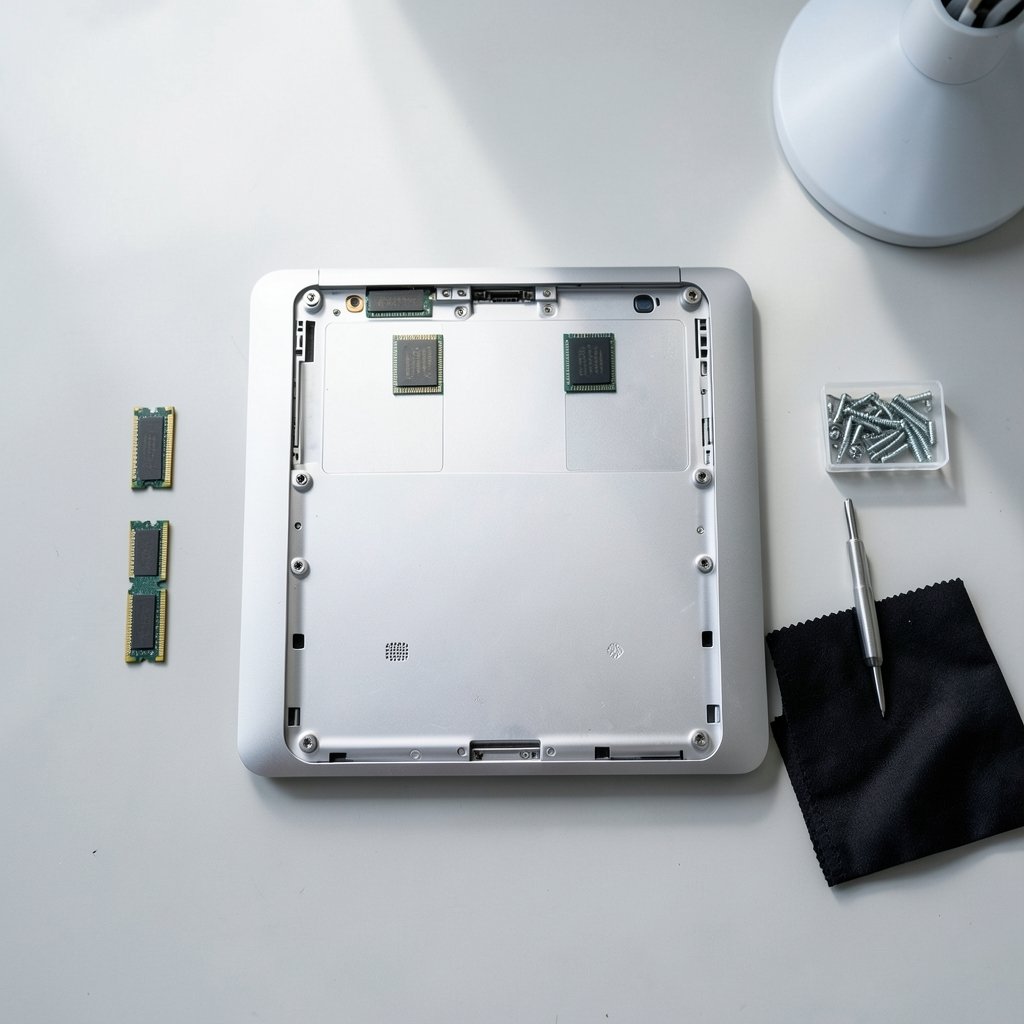
Sixteen gigabytes is the realistic floor. Thirty-two gigabytes is the comfortable target for professional developers. If you work with large datasets, run multiple virtual machines, or do local AI model work, 64GB is no longer extravagant. The catch is that many thin laptops solder RAM to the board, making it impossible to upgrade later. That single design decision can shorten a machine’s useful life by years.
CPU: Cores Beat Clock Speed for Builds
Compilation and test suites parallelize well. A chip with more performance cores will usually finish a large build faster than one with a higher peak clock but fewer cores. The practical advice is to avoid the lowest tier of any given generation and avoid paying for the absolute top tier unless your work is genuinely compute-bound.
One underrated consideration is efficiency cores. Modern processors mix fast cores with slower, power-sipping ones. Operating systems schedule background tasks onto the efficient cores, which keeps the machine cool and the battery alive during light work. This matters more for developer satisfaction than most reviews admit. (Intel Core Processors Overview)
Storage, Keyboard, and Display
Storage is simple: 512GB is the minimum, 1TB is the sweet spot, and cloud storage is not a substitute for local space when you are pulling large repositories or running local databases. Check whether the drive is replaceable.
The keyboard deserves more attention than it gets. Developers type more than almost any other laptop user. Key travel, layout, and the position of modifier keys affect comfort and speed. A machine that is 200 grams heavier but has a genuinely good keyboard is usually the better long-term purchase.
For displays, high resolution helps with dense code, and a matte finish beats a glossy one in bright rooms. If you stare at text for eight hours, sharp rendering reduces eye strain more than a slightly larger screen does.
Match the Machine to Your Workload
There is no universal best laptop because “programming” covers wildly different jobs. The right choice depends on what you build.
The Generalist Developer
Web developers, backend engineers, and mobile app developers mostly need a fast, reliable ultrabook with 32GB of RAM and a great keyboard. Portability matters because these developers move between meetings, desks, and home. Battery life in the 10-hour range is realistic and valuable.
If you are comparing options across price tiers, a broader roundup of the best laptops for 2026 across every budget is a useful starting point before narrowing to developer-specific needs.
The Systems and Infrastructure Developer
People running containers, Kubernetes clusters, or multiple virtual machines need memory and cooling above all. A slightly thicker laptop with strong sustained performance and user-upgradeable RAM is a better fit than the thinnest machine on the shelf. These developers should also think about ports: multiple USB-C connections, an HDMI output, and a card reader save daily friction.
The Machine Learning and Data Developer
Local model training and large dataset work change the calculus. A discrete GPU with substantial video memory becomes relevant, as does the ability to keep the machine cool under sustained load. These machines are heavier and have shorter battery life, and that is an acceptable trade for the workload.
The Student and Early-Career Developer
Budget matters, and the good news is that the floor has risen. A mid-range laptop with 16GB of RAM and a modern processor handles coursework, side projects, and internships comfortably. Spending the savings on a second monitor and an external keyboard often improves the actual working experience more than upgrading the laptop itself. (Laptop)
Operating System and Platform Tradeoffs
The operating system decision is personal, but it has real hardware consequences.
| Consideration | macOS | Windows | Linux |
|---|---|---|---|
| Hardware choice | Limited to one vendor | Widest selection | Widest selection |
| Battery efficiency | Generally strong | Improving, varies by model | Varies by driver support |
| Dev tooling | Unix-based, popular with developers | Strong with WSL | Native, fully customizable |
| Repairability | Often limited | Often good | Often good |
Linux users should check driver support before buying, particularly for Wi-Fi chips and fingerprint readers. Windows developers increasingly rely on the Windows Subsystem for Linux, which works well but benefits from extra RAM. Mac users get strong battery life and a Unix environment but pay a premium and often lose upgradeability.
Price Pressure and Timing Your Purchase
Laptop pricing in 2026 is not immune to broader economic forces. Component costs, tariffs, and supply chain shifts all feed into retail prices. Buyers watching the market should keep an eye on how semiconductor tariffs affect laptop and server pricing, since memory and chip costs ripple directly into final sticker prices.
Timing matters too. Seasonal sales events consistently produce the steepest discounts on previous-generation models, and a one-year-old flagship with 32GB of RAM is often a smarter buy than a brand-new mid-tier machine. The same discount logic that drives Black Friday car deals applies to electronics: the best prices cluster around a few predictable windows, and patience pays.
Common Mistakes That Cost Developers Money
A few recurring errors show up again and again in developer laptop purchases.
- Buying 16GB to save money, then hitting the ceiling within a year. Memory is the hardest spec to live without and the most expensive to fix after the fact.
- Ignoring upgradeability. Soldered RAM and glued batteries shorten a laptop’s useful life. Check the service manual before buying.
- Overpaying for a GPU you will never use. Most developers do not need discrete graphics. Put that budget into RAM and storage instead.
- Skipping the keyboard test. Read reviews that specifically discuss typing feel, or try the machine in person.
- Buying the thinnest option. Thinness trades away cooling, ports, and battery capacity, all of which developers notice daily.
- Forgetting the accessories budget. A second monitor, a decent external keyboard, and a laptop stand often deliver more comfort per dollar than a laptop upgrade.
What actually works is boring but effective: define your real workload, set a RAM floor, prioritize sustained performance and input quality, and buy slightly above your current needs rather than exactly at them.
What About Repairability and Longevity?
A developer laptop should last four to six years. That makes repairability a financial decision, not an ideological one. Machines with replaceable storage, accessible batteries, and documented service guides stay useful longer and retain resale value. Framework has built an entire business around this principle, and mainstream manufacturers have slowly followed with more serviceable designs.
The practical test is simple: before buying, search for the model’s teardown or service manual. If the RAM and SSD are soldered and the battery requires a full chassis disassembly, factor that into the price. You are effectively renting the machine’s lifespan.
Conclusion
The best laptop for programming in 2026 is not the fastest one on the market. It is the one whose memory ceiling sits above your workload, whose cooling handles sustained compiles, whose keyboard you can type on for eight hours, and whose design lets you upgrade or repair it when your needs grow. Start with 32GB of RAM if your budget allows, prioritize sustained performance over burst benchmarks, and treat the keyboard and display as tools rather than decoration. Get those fundamentals right, and almost any modern machine in the right category will serve you well for years.
Frequently Asked Questions
How much RAM do I really need for programming in 2026?
Sixteen gigabytes is the practical minimum for coursework and light development. Thirty-two gigabytes is the realistic target for professional work involving containers, virtual machines, or large IDEs. If you run local AI models or multiple VMs simultaneously, 64GB is worth considering, especially on machines where RAM cannot be upgraded later.
Is a MacBook a good choice for developers?
It depends on your stack. MacBooks offer strong battery life, excellent build quality, and a Unix-based environment that many developers prefer. The tradeoffs are higher prices, limited hardware configurations, and restricted upgradeability. Developers working primarily in Windows or Linux ecosystems may find better value and flexibility elsewhere.
Do I need a dedicated GPU for programming?
Usually not. Web, backend, and mobile development run fine on integrated graphics. A discrete GPU matters for machine learning work, game development, 3D rendering, and video processing. If your work does not involve those areas, redirect the GPU budget toward more RAM and storage.
Should I buy a laptop with upgradeable RAM?
Yes, if longevity matters to you. Upgradeable memory lets you extend a machine’s useful life as your workload grows, often for a fraction of the cost of a new laptop. Many thin premium models solder RAM to the board, so check the specifications carefully before purchasing.
What is more important for coding: CPU or RAM?
For most developers, RAM matters more day to day. Running out of memory causes slowdowns that no processor can fix, while modern mid-range CPUs handle typical development work comfortably. Once you have adequate memory, additional CPU cores help mainly with long compiles and heavy test suites.
When is the best time to buy a developer laptop?
Seasonal sales windows consistently offer the steepest discounts, particularly on previous-generation models. A one-year-old high-end machine with ample RAM often beats a new mid-tier laptop at the same price. Watch component pricing trends, since memory and chip costs directly influence retail prices throughout the year.



