A free antivirus can provide useful everyday protection, but the best choice depends on which devices you use and what protection you expect. This guide compares no-cost antivirus software for common U.S. computers and phones, so you can match security to your needs.
Real-time protection means security software continuously checks files and activity for threats instead of waiting for a manual scan. A genuinely free version stays free, while a free trial stops working or asks for payment after a set time.
A dedicated app may add useful safeguards on a phone or computer. For some Windows users, Microsoft Defender Antivirus may offer enough coverage without another install. Feature limits matter, too, since a free plan may leave out tools you expected.
Before installing anything, decide which devices need coverage and whether you want protection running continuously or occasional scans.
Key Takeaways
- Match protection to the computers and phones you use.
- Check independent test results, not just feature lists.
- Know what the free version includes before installing it.
- Compare phone protection separately from desktop coverage.
- Use real-time protection when you want ongoing checks.
- A built-in Windows option may suit some users.
How should free antivirus be evaluated?
A trustworthy comparison starts with protection results, then checks whether the software remains usable on the devices you rely on. Look at malware detection, phishing blocks, and ransomware safeguards, not a long menu of extras. Protection comes first, but a strong score cannot answer every question.
EXPERTE.com evaluated 15 antivirus solutions and selected eight freemium programs. ZDNET’s 2026 review checked whether software found and handled malware without undue CPU or system strain. Independent results help you compare tools, but they do not promise the same outcome on every device.
Protection and test results
Labs test large sets of threats under controlled conditions. Hands-on tests can show how an antivirus program responds to real files, suspicious sites, and risky downloads. The results may differ because each test uses different samples and methods.
Check whether the app scans files as you open or download them. That ongoing check is real-time protection. Also look for web safeguards that block phishing pages, and ransomware tools that help protect personal files.
- Confirm real-time protection is included.
- Compare independent test results across more than one test type.
- Check system impact during scans and normal use.
- Read the exact free-tier limits for your devices.
Usability, performance, and free-tier limits
Setup should be clear, alerts should explain what happened, and updates should arrive without confusing steps. A scan that slows a laptop during a video call may be less useful than a lighter tool. Check supported systems and the number of devices covered before deciding.
Free antivirus software is not always a short trial. A free version can remain available while leaving out support, privacy tools, or advanced web features. Limited features may still fit your needs, but only if you know what is missing.
Choose the app that protects your main risks without making your device hard to use.
Treat a product’s free-tier boundaries as part of its protection profile, not as fine print to ignore.
Best free antivirus software compared
Avast One Free and AVG AntiVirus Free lead this 2026 comparison, while the other picks suit more specific needs. Avast and AVG are the joint standouts if you value PCMag’s free-category ratings. Bitdefender merits a closer look for Windows, while Microsoft Defender is the built-in starting point.
PCMag’s 2026 ratings put Avast and AVG at 4.5 each. Bitdefender Antivirus Free for Windows scored 4.0, and Microsoft Defender Antivirus scored 3.5. The table separates each rating from the test result that may matter most to you.
| Product | PCMag rating | Notable test result | Primary device scope |
|---|---|---|---|
| Avast One Free | 4.5 | Near-perfect phishing score | Android, iOS, macOS, Windows |
| AVG AntiVirus Free | 4.5 | Perfect results from two labs | Desktop and mobile |
| Bitdefender Antivirus Free for Windows | 4.0 | Excellent lab results, poor hands-on malware result | Windows |
| Microsoft Defender Antivirus | 3.5 | Very good lab results, weaker hands-on results | Windows |
Avast One Free had a near-perfect phishing-test score. AVG earned perfect scores from two testing labs. Bitdefender’s lab results were excellent, yet its hands-on malware-protection result was poor. Microsoft Defender had very good lab scores and weaker hands-on results.
Lab and hands-on results can differ because they test protection in different ways. A rating is a useful guide, not a guarantee that an app will stop every threat on your computer. Consider which test result matches the risks you care about.
The best free antivirus in 2026 depends on your device and what you want tested. Avast and AVG suit readers who favor the highest PCMag ratings. Windows users can compare Bitdefender’s focused approach with Defender’s convenience.
Use the rating as a starting point, then check the test result that matters most to your own risk.
Is Avast One Free a good all-around pick?
Avast One Free is a compelling first option if you want one recognizable name across desktop and mobile devices. It covers Android, iOS, macOS, and Windows, though the iOS version has narrower protection. That difference matters when you expect the same safeguards on every device.
PCMag rated Avast One Free 4.5 in its 2026 free antivirus category and named it an Editors’ Choice winner. It also earned a near-perfect phishing-test score. That result makes Avast a strong pick when blocking deceptive websites is high on your list.
Where Avast One Free stands out
One app name across several major platforms can make it easier to keep track of protection. You can consider Avast for a Windows computer, Mac, Android phone, or iPhone. The benefit is a familiar product across devices, not a promise that every app works alike.
Phishing can trick you into sharing a password or payment details on a fake site. Avast’s strong test result is useful evidence for people who often shop, bank, or check email online. Keep in mind that one test cannot show how every new fake page will behave.
The app’s coverage also depends on the operating system. Desktop protection can check files and activity in ways that a phone app may not. Compare the safeguards listed for each platform rather than assuming the same feature set follows your account.
Check its coverage before installing
On an iPhone, check the exact protective features the iOS app provides. iOS limits how third-party apps can inspect other apps and system files. That means an iPhone app should not be treated as if it can monitor the whole phone like a Windows computer.
Review the app’s requested permissions before granting access. A permission should make sense for the feature you plan to use. For example, a tool that checks web links may need different access than one that scans files on a computer.
When you compare apps, look at each platform’s feature list and the tasks it can perform. That helps you spot a gap before you rely on the app for a particular job. On an iPhone, verify the specific safeguards available in the app before treating it as equivalent to desktop protection.
What does AVG AntiVirus Free do well?
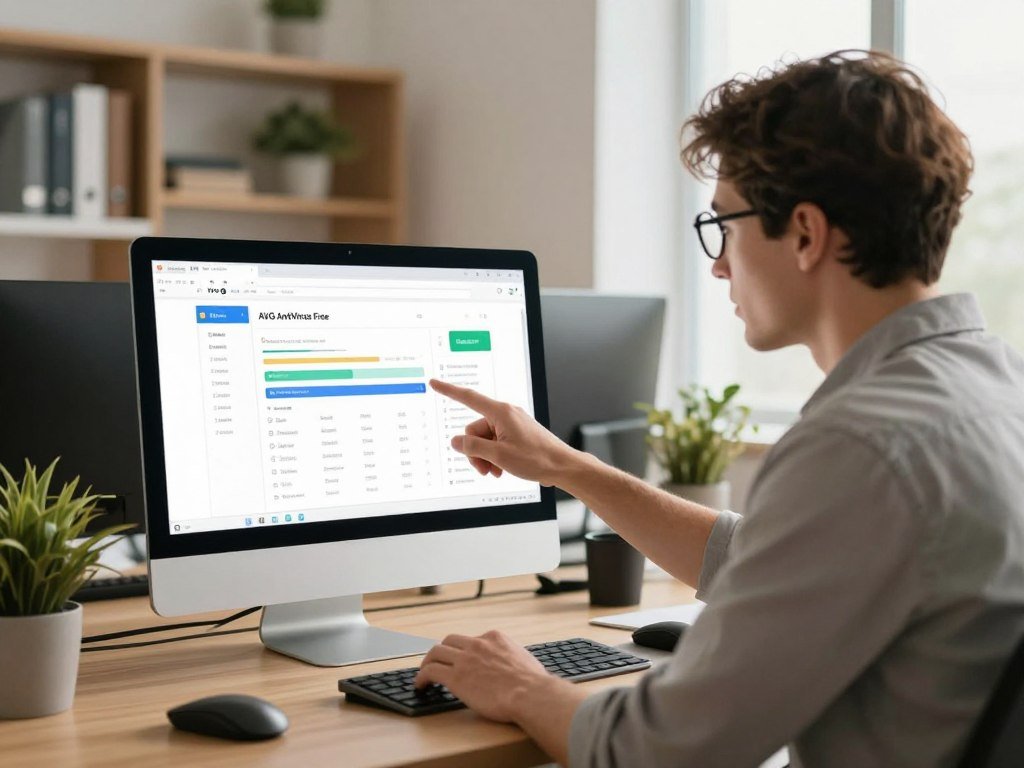
AVG AntiVirus Free pairs highly rated malware protection with a background firewall and tools for routine checks. PCMag gave it a 4.5 rating in 2026, and two testing labs gave it perfect scores. Its hands-on results were very good, too, making it a strong option for everyday use.
The free version includes a background firewall, email protection, and a performance tuneup scan. The scan can identify performance issues, but identifying a problem is different from fixing it. Check what the app offers before you accept an upgrade prompt.
Its everyday protection tools
A background firewall helps manage network traffic while you use your computer. It can add a layer of defense without asking you to start a scan each time. AVG also checks email, which can help when a message contains a risky attachment or link.
Those features sit alongside malware protection. They do not make every email or network connection safe, so keep using care with unexpected messages. If a note asks you to sign in or open a file, pause and check whether you trust the sender.
A performance tuneup scan can flag issues that may affect how a computer runs. That report can help you see what the app found. It does not mean that every fix is included at no cost, so read each screen closely.
The performance scan’s catch
When a scan points out a problem, note what it says before choosing a fix. The free scan and a repair tool are separate things. A clear report can still be useful, even if resolving an issue calls for a paid feature.
Do not treat an upgrade prompt as proof that your computer needs a repair. First, check the details and decide whether the suggested change solves a problem you have noticed. You can also use your computer’s own settings to review ordinary performance concerns.
AVG’s test results and included tools make it a good fit for users who want more than a basic scan. Keep the difference between detection and repair in mind when using its tuneup tool. If the performance scan flags a problem, confirm what the free version can actually fix before acting on an upgrade prompt.
Is Bitdefender Antivirus Free best for Windows?
For a Windows 10 or Windows 11 computer, Bitdefender Antivirus Free is a strong option when essential background protection is the priority. PCMag rated it 4.0 in the 2026 free antivirus category. Its focused approach may suit you if you do not need a bundle of extra tools.
Bitdefender Antivirus Free uses the same core antivirus technology as the company’s commercial version. It focuses on essential antivirus protection rather than a large set of add-ons. That makes it a practical candidate for a Windows user who wants ongoing coverage with fewer extras.
What its free protection covers
The free app is available for Windows 10 and Windows 11. Bitdefender says its free protection has no validity due date, so it is not described as a short paid-product trial. Still, check the installer name and screen to confirm which product you are setting up.
A narrow set of tools can be a benefit if you want antivirus protection without sorting through a long list of features. You may prefer a separate app for another task, or you may not need those extras at all. The right choice depends on how you use the computer.
Do not judge a security app by lab results alone. Lab testing can show how well software handles known samples under set conditions, while hands-on tests examine other kinds of behavior. Compare malware and web-protection results as well as lab scores.
Who should choose it
Bitdefender is a strong Windows-focused choice for a person who wants basic, ongoing antivirus protection. It can suit a home computer used for browsing, email, documents, and downloads. A user who needs wider device coverage or a larger feature set may want to compare another option.
Think about what you actually do on the PC. Someone who mainly reads news and handles routine tasks may value a focused app. A person who needs more controls should compare those features before settling on a free version.
Keep the download separate from offers for paid products. A time-limited trial is not the same as a free version, even if both appear on the same provider site. Confirm that the download is the Windows free version and not a time-limited paid trial.
How does Microsoft Defender compare with third-party apps?
Microsoft Defender is the simplest starting point for a Windows user because it is already built into the operating system. It turns on when no other antivirus is present. Convenience is its clearest advantage, since you do not need to install another program to begin.
PCMag rated Microsoft Defender Antivirus 3.5 in its 2026 free antivirus category. It had very good lab scores, but its hands-on results were weaker. Those mixed results make it sensible to compare dedicated apps if you need stronger safeguards against specific threats.
The convenience of built-in protection
Defender is part of Windows, so it is ready when you set up a computer. It also switches on when another antivirus is not present. This can be a simple default if you want basic protection without adding another app.
Built-in does not mean that every security feature works in every browser. SmartScreen Filter protects only Microsoft browsers. If you use another browser, do not assume that this feature covers your web activity there.
The first scan was extremely slow in PCMag’s testing. Scan time can affect when you choose to run it, especially if you need the computer for work. You may want to avoid starting a full scan just before a call or a deadline.
Where its test results fall short
PCMag reported poor phishing detection in its hands-on testing. Its ransomware protection also failed in testing. Those results do not mean every user will face the same outcome, but they are important when those threats concern you.
Compared with AVG AntiVirus Free, AVG leads on the cited 2026 ratings and hands-on results. Microsoft Defender still has a clear ease-of-use benefit: it is built into Windows and needs no separate installation. Choose between those strengths based on whether you value test results or a ready-to-use default more.
Phishing can lead to stolen account details, while ransomware can block access to personal files. A Windows user who stores key work or family files should take those test weaknesses seriously. If phishing or ransomware protection is a priority, weigh the reported test weaknesses before relying on Defender alone.
What makes Avira Free Security a useful alternative?
Avira Free Security is worth considering if you prefer a resource-light app and want a small VPN allowance alongside antivirus protection. ZDNET named it the best free antivirus software pick for 2026, citing light system use and fast scans. The small VPN allowance is an extra, not the main reason to choose an antivirus.
The free VPN allowance is 500 MB per month. That cap fits only modest use, not a full-data VPN plan. You could use it for a brief task, but regular streaming or large downloads would quickly outgrow the monthly limit.
A lighter-feeling option with extras
A resource-light app may appeal if you dislike software that slows routine work. ZDNET also described Avira’s scans as fast. Those traits can make it a good alternative to try when a heavy-feeling security program gets in your way.
Keep the main job in view: antivirus software should help detect and block malware. A VPN handles a different task by encrypting internet traffic between your device and a VPN server. One tool does not replace the other.
Consider how much protection the free antivirus version provides on your own system. A short feature list is not a weakness if it covers the threats you care about. The number of extra tools matters less than whether the basic protection fits your device.
Keep its VPN limit in perspective
Avira’s free VPN is capped at 500 MB each month. That amount can suit a few brief connections, but it is small for regular use. Do not count it as unlimited privacy cover or as a replacement for a VPN plan with more data.
Check the VPN allowance against your intended use. A quick connection while handling a small task may fit the cap, while frequent use can exceed it. Keep antivirus protection and VPN use as separate parts of your choice.
Avira is most appealing when its light system use and fast scans match your priorities. The VPN can be a modest add-on, but malware protection should remain the deciding factor. Check whether 500 MB per month is enough for your planned VPN use before counting it as a meaningful extra.
Which free antivirus apps work across phones and computers?
A phone app can add useful safeguards, but mobile antivirus does not work identically on Android and iPhone. Android allows more access to apps and files, while iOS limits what third-party tools can inspect. Choose by platform, not by an app’s name alone.
Avast One Free covers Android and iOS, but its iOS protection is limited. App permissions and operating-system design shape what mobile security software can do. An iPhone app cannot scan the whole device like a Windows antivirus.
| Device platform | Practical protection focus | Selection check |
|---|---|---|
| Windows PC | File and download scanning | Confirm real-time protection |
| macOS computer | Malicious downloads and web risks | Check supported Mac version |
| Android phone | App and file risks | Review requested permissions |
| iPhone | Web and account risks | Confirm what the app can access |
Choosing protection for Android
On Android, focus on app and file risks. Review the permissions an app requests, then consider whether those requests fit its purpose. A tool that checks a downloaded file may need access that a basic web-safety app does not.
Use the official app store when you install a security tool. Check the developer name and the app description, since similar names can make the wrong download look familiar. Keep the operating system and apps updated as well.
Phone features can vary by device, operating system, region, and app permissions. You can also learn about phone features and app permissions before deciding what access to allow. Read each permission prompt rather than tapping through by habit.
What to expect on iPhone
Free antivirus apps may offer limited safeguards for iPhone users. iOS does not let third-party apps inspect the whole phone like a Windows antivirus can. An iPhone app may focus on web risks or account safety instead of scanning every app and system file.
That difference does not make phone security pointless. A security app can still provide a useful check or warning within the access iOS allows. Match the app’s stated job to the protection you want, and do not assume that “antivirus” means full-device scanning.
On either phone platform, install security apps from the official app store and review their permissions.
How to choose the best free antivirus for your devices
Start by listing every device you need to protect, then eliminate apps that do not support those operating systems. A Windows PC, Mac, Android phone, and iPhone may need different features. Start with the device list, then compare threats and free-tier limits.
Bitdefender can suit essential Windows protection, while Avast One Free offers coverage across major platforms with an iOS caveat. Microsoft Defender is a built-in Windows starting point. The best free antivirus is the one that covers your actual devices and risks without relying on extras you do not want.
Match the app to your operating system
Check the operating systems an app supports before you compare other features. A Windows-focused product will not cover your phone just because it has the same brand name. Check each device separately, especially when a household mixes computers and phones.
Think about who uses each device, too. A shared family laptop may need a different level of coverage than a phone used for calls and maps. Include all the devices that hold files, accounts, or personal details you want to protect.
- Supported operating systems for every device.
- Real-time coverage on each supported platform.
- Web or phishing protection that fits your risks.
- The number of devices included in the free version.
Prioritize the threats you want to block
Choose safeguards based on how you use your devices. If you often open email links, look closely at phishing protection. If you store important files locally, check how the app handles ransomware threats.
Real-time protection matters when you want files and activity checked as you use the device. An on-demand scan may suit a person who only wants to check for malware by hand. The two approaches do not offer the same day-to-day coverage.
System impact matters if your computer has limited resources or you run demanding programs. Try to compare scan speed and ordinary use, not just the number of features. A security app should not make routine work difficult.
Decide what you need beyond antivirus
Some free antivirus programs include extra tools, while others focus on malware protection. Decide whether you need a firewall, VPN, account alerts, or added support. If you do not need an extra, it should not outweigh stronger protection for your main device.
Check the number of devices covered and the limits that apply to each one. One free account may not protect every computer and phone in your home. Read the details for the exact app version you plan to use.
A simple comparison can prevent a mismatch: choose Bitdefender for essential Windows coverage, Avast for cross-platform options, or Defender for a built-in Windows start. Before choosing, verify the free version’s protections on each device rather than assuming one account covers them all.
Which features are free, and which require an upgrade?
A feature shown in an app is not always available in its free version, so check what the free tier actually lets you do. Some tools scan and report a problem without fixing it. The label alone is not enough to show what you can use without paying.
Free plans often include core protection while limiting added tools or support. AVG’s performance tuneup scan identifies issues, but resolving its findings requires an upgrade. Malwarebytes Free offers on-demand scanning and removal without real-time protection.
| Product | Free feature or limit | What requires payment or is absent |
|---|---|---|
| AVG AntiVirus Free | Performance tuneup scan | Resolving scan findings requires an upgrade |
| Bitdefender Antivirus Free | Up to 200 MB encrypted VPN traffic per device per day | Unlimited traffic and server selection require Premium VPN |
| Malwarebytes Free | On-demand scanning and removal | No real-time protection |
| Free antivirus versions generally | Core protection may be included | Some advanced tools or support may be limited |
Limits inside common free tools
Bitdefender Antivirus Free includes up to 200 MB of encrypted VPN traffic per device per day. Unlimited traffic and server-location selection require a separate Premium VPN subscription. The VPN allowance is separate from the antivirus protection.
Malwarebytes Free can scan for and remove malware when you run it. It does not include real-time protection, so it does not continuously check files and activity. That difference matters if you want background checks rather than occasional scans.
Limits can affect how useful an app feels in daily use. A scan that reports an issue may not repair it, and a VPN may have a data cap. Read the feature description before counting a tool as part of your free protection.
When a paid tier may be necessary
A paid plan can make sense when you need a safeguard the free version leaves out. It may also help if you need coverage for more devices or want more support. Consider a paid tier only for a specific gap that matters to you.
- You need a safeguard missing from the free version.
- You need to cover more devices than the free tier allows.
- You need more help or support than the free plan provides.
Not every user needs a paid plan. If a free version covers your devices and your main risks, an upgrade may add tools you will never use. Upgrade only when a specific missing feature solves a real need for your devices.
Can free antivirus secure a Windows 10 PC after 2026?
A free antivirus can add malware protection to Windows 10, but it cannot replace operating-system security updates. Use a reputable antivirus while updates remain available. Antivirus is only one layer of protection for an older computer.
Windows 10 extended Critical Updates allow continued online use while those updates are available. Antivirus alone cannot guarantee security after the updates end in 2026. Do not treat an antivirus app as a substitute for system fixes.
Separate antivirus from operating-system updates
Antivirus software looks for malware and harmful activity. Operating-system updates fix flaws in Windows itself. A computer can have antivirus protection and still face risks from an unpatched flaw.
Keep Windows updated for as long as its support remains available. The extended Critical Updates are useful only while those updates continue. They do not promise that a device will stay safe after the update period ends.
Keep your files backed up to a separate drive or trusted storage service. A backup gives you another copy if a device fails or files become unavailable. Make sure the backup runs often enough to protect work you cannot easily replace.
Plan for support to end
Think ahead about a supported operating system or a replacement device. The right option depends on how well your current computer runs and whether it can use a supported system. You can plan the change before the update window closes.
Do not wait for an antivirus warning to start planning. Software can reduce some risks, but it cannot take over Windows’ role in fixing system flaws. A transition plan gives you time to move files and check that needed programs will still work.
Windows 10 users can keep using a reputable antivirus alongside available updates, but neither removes the need to plan for later support. Make a transition plan before the available Critical Updates end rather than waiting for antivirus software to fill the gap.
How do you install and use a free antivirus?
Download only from the antivirus provider’s official website or a trusted app store, then confirm you have the free version before installing. A search result or download button may lead to a paid trial instead. Check the product name before you start.
Keep the setup simple and review each permission. Update the app and its malware definitions before relying on its protection. A full scan can temporarily slow a device, especially during resource-heavy work.
Download the genuine free version
Use the provider’s official website or a trusted app store. Avoid unfamiliar download pages that may bundle extra software. Read the product name on the download screen and make sure it matches the free version you chose.
Run an initial scan and review alerts
Follow these steps to get protection running and review the first results:
- Download the app from the provider’s official website or a trusted app store.
- Confirm the installer is for the free version, not a paid trial.
- Install it and accept only permissions the app needs.
- Update the app, run a full scan, and review any alerts.
A full scan may slow your device for a while. Schedule it when you are unlikely to be gaming, editing video, or doing other demanding work. A scan that runs during a busy task can make the device feel less responsive.
Read alerts before you delete or quarantine a file. The app may identify a threat, but you should understand what it found and which file it affects. If an alert is unclear, use the app’s help details before taking a step you cannot undo.
Keep protection current
Turn on automatic updates so the app can receive new malware definitions. Those updates help the program recognize more recent threats. Check that updates are working if the app reports an error or has been offline for a long time.
You can keep up with product and guide updates through a technology and product newsletter. Choose updates that fit your interests rather than signing up for every topic. Automatic app updates still matter because they do not depend on reading email.
Keep automatic updates enabled so protection does not depend on remembering to refresh it manually.
Keep automatic updates enabled so protection does not depend on remembering to refresh it manually.
Conclusion
The strongest free option is the one that protects the devices you actually use without leaving a key need uncovered. Avast One Free and AVG AntiVirus Free lead the 2026 free-category comparison, while Windows users may prefer Bitdefender or Microsoft Defender based on coverage and test priorities.
Check platform fit and free-tier limits before you settle on an app. Your phone and computer may need different safeguards, even when one brand supports both. Choose your best-fit app, download it from its official source, and run its first update and scan.
FAQ
What is the best free antivirus in the world?
Avast One Free and AVG AntiVirus Free are PCMag’s joint 2026 Editors’ Choice winners in the free category. Neither is the best fit for every person, because each device and protection need differs. Avast covers several major platforms, while Bitdefender’s free product focuses on Windows. Compare the safeguards you need, including web protection and real-time checks, before you choose.
Do I need antivirus on my phone?
Phone security apps can help, especially when you download apps or follow links from messages. Use trusted app stores and keep your phone’s operating system updated. iOS limits what third-party apps can inspect, so an iPhone security app cannot scan the whole device like desktop antivirus. Android and iPhone apps can offer different safeguards, even when they share a brand name.
Which is better, Windows Defender or AVG Free?
AVG AntiVirus Free leads on the cited PCMag 2026 ratings and hands-on results. Microsoft Defender is built into Windows, so it requires no separate installation and can be a simple starting point. AVG’s higher rating does not mean every user needs to switch. Consider whether you value the reported test results more than the convenience of a tool already on your computer.
Is Avast Free Antivirus safe?
Avast One Free received a 4.5 rating and a near-perfect phishing-test score in the 2026 comparison. Download the app from the official provider and review its permissions before granting access. Read the privacy terms and consider which data choices the app offers. Those checks can help you decide whether the app’s protections and terms fit your comfort level.
Why is Avast so shady?
A question or suspicion alone does not show that an app has done something wrong. Assess Avast’s current privacy policy, requested permissions, data choices, and independent protection results before installing it. Apply the same checks to any security app, including products you already know. If the terms or permissions do not suit you, choose another product that better matches your needs.
What are the top 3 antivirus?
For this 2026 free-software comparison, three leading options are Avast One Free, AVG AntiVirus Free, and Bitdefender Antivirus Free for Windows. Their device coverage and test results differ. Avast and AVG are broader choices across devices, while Bitdefender’s free product is focused on Windows. Compare the exact operating system and protection features before choosing one for your home.
Is Avast worth it anymore?
Avast One Free remains a strong option if you want protection across major desktop and mobile platforms. Its iOS protection is limited, so an iPhone user should compare the app’s specific safeguards with their needs. A good fit depends on your devices and the features you expect from a free version. Check permissions and free-tier limits before installing it.



