For most beginners who want to start speaking, Speak is the strongest first app to try. The best app to learn Spanish depends on the skill you want to build first, your budget, and the time you can set aside each day. A useful first tool should make it easy to begin and return for another lesson.
Speak leads for spoken practice, while other picks suit free daily study, young children, audio lessons, or tutoring. Comprehensible input means understandable Spanish content that you can follow from context, even when some words are new. You can add other practice later, once you know what your first tool does well.
Key Takeaways
- Speak gives beginners structured prompts to answer aloud.
- Duolingo offers a free way to build a short daily habit.
- Studycat is designed for young children learning Spanish.
- Rocket Spanish, Pimsleur, and iTalki suit audio study or live teaching.
- Choose one main tool that matches your priority rather than splitting your attention across several apps.
Best App to Learn Spanish
Speak is the best starting point for most beginners who want structured speaking practice, while Duolingo is the clearest fit for a free daily habit. Speak focuses on producing Spanish aloud, not just recognizing words. The right pick changes when you need a course, child-friendly lessons, or a live teacher.
Rocket Spanish suits learners who want a course with audio and grammar explanations. Studycat is built for young children, Pimsleur centers on audio-led study, and iTalki connects learners with human teachers. Each serves a different kind of language learning need.
Choose a first app for the skill you want to use soonest, then add practice that fills a real gap.
An app can help you start a routine and learn useful patterns. It cannot replace live conversation in every situation, especially when you need to respond to a person’s changing questions. A teacher or language exchange partner can add that human practice.
For beginners, the best way to start is to pick one format that feels manageable and use it often. A long list of features does not tell you how much time you will spend speaking, listening, or reviewing. Match the course to the practice you want to repeat.
Pick by the skill you want to use first, not by the number of features on an app’s store page.
Compare the Leading Spanish Apps
The strongest app for you is the one whose main lesson format matches the skill you need to practice. Format matters because a learner who wants to speak needs a different kind of practice from someone who wants clear grammar lessons. Use the table to compare the leading course-style choices.
A core course gives you a planned path; a supplement fills one specific gap. These five apps differ in how they teach and what they ask you to do. The best Spanish app is not the same for every learner.
| App | Best fit | Lesson format | Main practice |
|---|---|---|---|
| Speak | Speaking-focused beginners | Structured prompted lessons | Spoken responses |
| Rocket Spanish | Learners seeking a complete course | Interactive audio lessons with explanations | Listening and grammar |
| Duolingo | Learners building a short daily habit | Gamified bite-sized lessons | Vocabulary and pronunciation |
| Babbel | Learners who want practical structure | Guided lessons | Grammar and vocabulary |
| Rosetta Stone | Visual learners | Image-led immersion | Associating words and images |
Speak guides you through prompts and spoken responses. Rocket Spanish combines listening with explanations, while Duolingo keeps practice brief and game-like. Babbel arranges practical grammar and vocabulary lessons into guided units.
Rosetta Stone uses images to connect new words with context. That can suit learners who prefer visual clues over direct translations. A supplement, such as a vocabulary game, can support one skill, but it does not offer the same planned course as these main options.
Use this comparison to narrow the field to one core course and, at most, one targeted supplement.
Speak: Best for Speaking Practice
Speak’s strongest advantage is that lessons ask beginners to say Spanish aloud instead of only tapping answers. That active step makes it a strong choice for early speaking practice. The app uses prompted speaking, short AI conversation exchanges, pattern practice, and built-in review.
Speak Premium costs $6.99 per month when billed annually, or $83.99 per year. Premium Plus costs $13.74 per month when billed annually, or $164.99 per year. As of October 15, 2026, Speak offers a 7-day free trial and requires an annual subscription.
During a lesson, you hear or read a prompt and respond aloud. Pattern practice lets you reuse a sentence shape with new words, while review brings earlier material back. Short AI exchanges add guided conversation practice without a scheduled tutor-led lesson.
Speech recognition can misread an answer, especially when your accent or pace differs from its expectations. An AI exchange also cannot match an unrestricted conversation with a person who reacts in unexpected ways. You can learn more about how AI chatbots handle different tasks, but those tools are not Spanish tutors.
Speak teaches Latin American Spanish and has no Castilian Spanish option, as of October 15, 2026. That focus may not suit you if you plan to study or live in Spain. Its annual-only purchase model may also feel restrictive if you prefer a monthly plan.
Before starting the trial, confirm that an annual commitment and Latin American Spanish match your plans.
Rocket Spanish: Best One-Time Course
Rocket Spanish is a course-style alternative for learners who prefer audio lessons and a one-time purchase. Its audio-led format combines interactive lessons with grammar explanations and cultural insights. The course teaches Latin American Spanish.
Rocket Spanish costs $149.95 per level, with lifetime access and lifetime updates. That price applies to one level, not every level in the course. The one-time payment may suit learners who want a substantial Spanish course without a recurring subscription.

Audio lessons ask you to listen, think through a response, and say it aloud. The grammar explanations help clarify why a phrase works, while cultural notes add context to the words and situations. Together, these parts make the lessons feel more like a course than a set of isolated drills.
The format works best when you take part instead of letting the lesson play in the background. Pause when needed, answer aloud, and listen for how the lesson builds a phrase. Background listening may expose you to Spanish sounds, but it does not give the same active practice.
The per-level price matters if you plan to complete more than one level. A learner who wants several levels should compare the full cost with other course models, rather than treating one payment as access to everything.
Check the number of levels you intend to complete before comparing a per-level purchase with a subscription.
Duolingo: Best for a Free Daily Habit
Duolingo is a useful free starting point when short, game-like practice helps you return each day. Its short lessons make it easy to fit a little language learning into a busy routine. The app covers grammar, vocabulary, and pronunciation, with speech recognition for spoken answers.
In 2026, Duolingo’s free tier allows roughly two to three lessons a day under its Energy system. The limit can affect learners who want longer practice sessions. Duolingo Super costs about $12.99 per month or about $84-$96 per year in 2026, and removes the free-tier constraint.
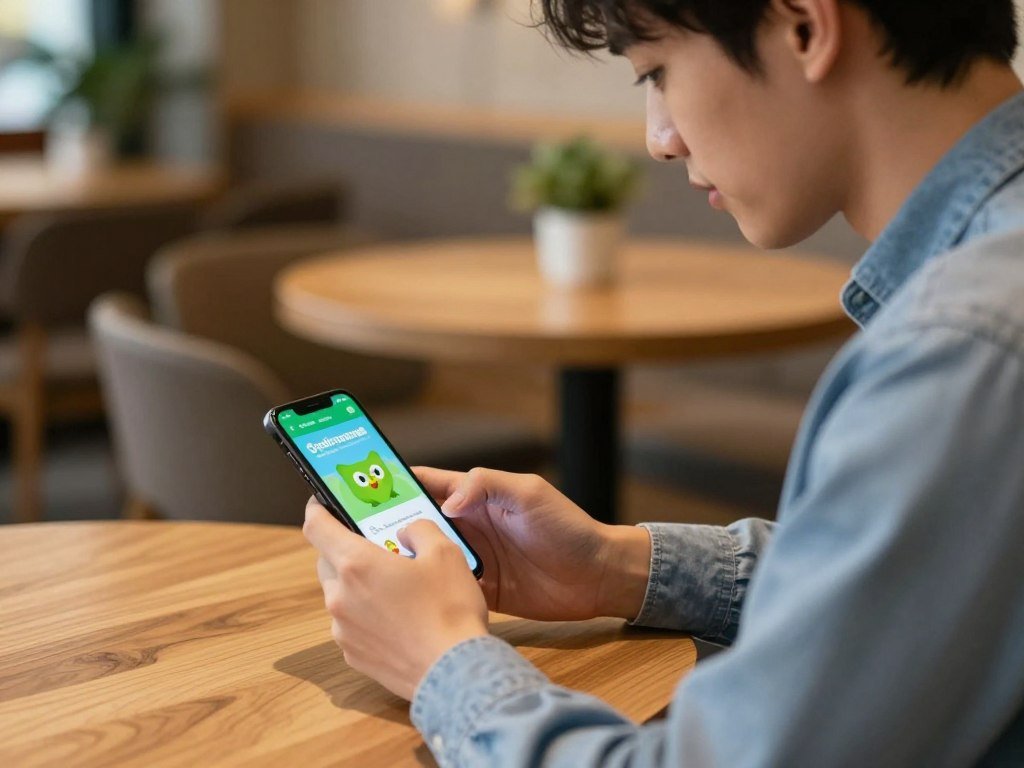
Super is an upgrade, not a required purchase. You can keep using free lessons if the daily allowance fits your routine. A study of Duolingo’s effect on writing looked at Indonesian students learning English, not US learners studying Spanish, so it does not show how well this Spanish app works for every learner.
Try these three ways to get more from the free tier:
- Practice a small set of new material instead of rushing through every lesson.
- Say prompted answers aloud to add speaking practice.
- Pair app work with Spanish listening outside the app.
Duolingo can help you return to a Spanish lesson each day, but a capped lesson allowance may interrupt longer study. If that happens, compare an upgrade with pairing the free app with another resource.
If the daily lesson allowance interrupts your routine, compare the cost of an upgrade with using another free resource alongside it.
Babbel or Busuu: Which Course Fits Your Budget?
Babbel is the stronger fit for a learner who wants structured practical lessons, while Busuu is the lower-cost annual Premium option. Babbel gives you a fuller planned course, while Busuu’s free access is a short demo. The table compares their main plans in 2026.
Babbel has no free tier, and Busuu’s demo is not a full free course. The lower annual cost on Busuu may help with budget, but it does not mean unlimited free study.
| Plan | Price | Free access | Best fit |
|---|---|---|---|
| Babbel annual | About $9 per month in 2026 | No free tier | Structured lessons over a longer commitment |
| Babbel month-to-month | About $17.95 per month in 2026 | No free tier | A shorter commitment |
| Busuu Premium | About $70 per year in 2026 | Short free demo | Lower annual subscription cost |
Babbel for Structured Grammar and Practical Lessons
Babbel organizes practical grammar and vocabulary into guided lessons. This can help if you want explanations as you learn, rather than relying mainly on images or game-like drills. Babbel also offers separate European and Latin American Spanish streams.
The annual plan suits learners who expect to study over a longer stretch. The month-to-month option gives you a shorter commitment, at a higher monthly price. Either way, Babbel’s lessons offer a clear structure for learners who like planned units.
Busuu for a Low-Cost Paid Step
Busuu’s short free demo lets you try a little of the course, but it does not provide a full free plan for ongoing study. Premium costs about $70 per year in 2026. That makes it a lower-cost annual paid option than Babbel’s listed annual plan.
Choose a plan by the length of commitment you can sustain, not by the monthly equivalent alone.
Rosetta Stone: Best for Visual Immersion
Rosetta Stone is the visual-immersion choice for learners who prefer associating Spanish with images and context. Image-led lessons can help you connect a new word with what you see, rather than starting with an English translation. This approach may suit you if visual clues help new words stick.
Rosetta Stone’s monthly plan costs about $15.99, while lifetime access is often promoted for $149-$199 in 2026. The listed lifetime price is $399, so a promoted offer can differ from the listed amount. Compare the length of access you want with the price shown.
Visual immersion gives you a way to learn from images and the surrounding context. It may feel less direct than a course that explains a grammar rule in English. Learners who need explicit grammar lessons may prefer a course with direct explanations.
The monthly plan keeps the commitment shorter, while lifetime access is aimed at longer-term use. The promoted lifetime price may change, so the figure you see can differ from the regular listed price. Consider how often you plan to return to the course before choosing a longer access term.
Check whether you want a short monthly commitment or long-term access before comparing the displayed lifetime offer.
Studycat: Best Spanish App for Kids
Studycat is the clearest child-focused pick for families seeking an app designed for children rather than adults. Its lessons suit children ages 3 and up, with offline learning and no ads. Families can set up to four learner profiles.
Studycat offers a 7-day free trial, not a permanently free full course. A subscription includes printable worksheets and animated stories. These extra materials can give children more ways to see and use Spanish outside the app.
What Studycat Offers Young Learners
Studycat’s Learn Spanish app is made for young learners, with offline access for use away from a connection. Its ad-free design keeps lesson time focused on the child’s activity. Four profiles can help households with more than one child.
With a subscription, printable worksheets and animated stories add practice beyond the screen. These tools can help a child return to words through play, pictures, and simple tasks. Parents can check the app against their family’s needs before making it part of a routine.
Free Spanish App Options for Kids
The seven-day trial gives families a limited time to test the app. It does not equal a permanently free course, so plan around the trial period before setting up a longer routine. Free options for children can also serve as supplements rather than a complete learning plan.
Parents can make three quick checks before choosing:
- Does the app suit your child’s age and comfort with a screen?
- Will offline access matter during travel or at home?
- Does your household need more than one learner profile?
Confirm that the trial period and subscription format suit your family before setting up learner profiles.
Learn Spanish for Beginners: Best Offline Supplement
Learn Spanish for Beginners stands out as an offline reference for learners who want vocabulary and basic material without signing in. It works without an account and advertises more than 10,000 Spanish vocabulary items. That makes it handy for basic review when you do not have internet access.
Use this Spanish app as a supplement, not as a guaranteed route to conversation-level fluency. An advertised vocabulary collection can help you look up words, but it does not ensure you can use them in a live conversation. A main course can give your study more structure.
Three sensible uses can make the app easier to fit into your day:
- Review vocabulary during travel when you have no internet connection.
- Check basic phrases before using them in a familiar situation.
- Reinforce a main course with extra reference material.
The app listing describes offline access, no sign-in, and a large advertised vocabulary collection. Still, an offline claim does not mean every linked or translated feature will work without a connection. Test the parts you need before counting on them away from home.
A reference app can help you read full entries or check a word quickly, but it will not replace the give-and-take of conversation. Use it to support lessons that include listening and speaking practice.
Try a short lesson offline before relying on the app during a trip.
Is Pimsleur Spanish Worth It for Audio Practice?
Pimsleur Spanish is worth considering if you learn well by listening and want prompts that require spoken responses. The audio format can make practice easier when you are away from a screen. Lessons use structured repetition and ask you to answer aloud.
An audio lesson is active practice only when you follow the prompts and respond. Playing a lesson while your attention is elsewhere may expose you to Spanish sounds, but it will not give you the same chance to retrieve words or form replies.
Audio prompts can help you practice during a quiet moment when you can focus. Repetition brings words and phrases back, giving you chances to recall them before hearing the answer. That can be useful for learners who want to speak more readily.
Listening alone does not build reading and writing equally. Pair audio study with short Spanish reading, then use a real conversation to test what you can say without a prompt. A few written sentences can also help you notice words that sound familiar but look new.
Use an audio lesson in a quiet moment when you can answer, not as background sound you barely notice.
Where Can You Practice with Native Speakers?
One-to-one lessons offer the most direct route to guided human conversation, while Tandem suits informal language exchange. A teacher can guide a planned lesson, and a language partner can help you use Spanish in a more casual way. Both let you practice with another person.
Choose a teacher when you need a planned curriculum; a language partner may not provide one. iTalki connects students with teachers and native speakers for online lessons. Preply offers online one-to-one lessons with a teacher.
| Platform | Interaction | Channel | Best use |
|---|---|---|---|
| iTalki | Teacher or tutor | Zoom, Skype, or built-in tools | Personalized lessons |
| Preply | One-to-one teacher | Online lesson | Structured individual instruction |
| Tandem | Language exchange partner | Text, audio, or video | Informal conversation and exchange |
One-to-One Lessons on iTalki and Preply
On iTalki, you can choose among teachers and native speakers, then meet through Zoom, Skype, or built-in tools. Preply also offers one-to-one online lessons. The choice of teacher can help you focus a lesson on a current need, such as travel phrases or asking follow-up questions.
A tutor-led lesson gives you time with a person who can respond to your answers and adjust the practice. You can bring a question or ask for feedback on a phrase. That human response differs from rehearsing a prepared dialogue.
Language Exchange on Tandem
Tandem is designed for language exchange, not a tutor-led class. Members can practice by text, audio, or video. You can share your own language skills while working on Spanish with a partner.
A language exchange partner may not plan a full lesson or follow a set course. If you need steady instruction, choose a teacher instead. For a first exchange, keep your goal small and easy to explain.
Set one clear goal for a first conversation, such as introducing yourself or asking follow-up questions.
Build Listening and Reading with Spanish Media
Spanish media adds listening and reading context that a lesson app may not provide on its own. Real stories and voices can help you hear how words fit together. Choose content you can follow without stopping for every new phrase.
Comprehensible input should be understandable enough to follow from context, even when some words are unfamiliar. Dreaming Spanish offers free videos built around this kind of listening. Lingopie uses Spanish shows with transcripts, translations, and clickable phrases.
Video and Shows for Comprehensible Input
Free comprehensible-input videos give you listening practice with context to help you follow the meaning. Spanish shows can add natural speech and story clues. Transcripts and translations help you check a phrase without leaving the scene for long.
Lingopie’s clickable phrases let you look at words in context. It does not offer offline downloads, which matters when you travel without internet access. Save or download media only when the service clearly supports that option.
Podcasts and Reading for Flexible Practice
Podcasts make it easy to add listening practice while walking or doing a quiet task. Coffee Break Spanish offers free podcasts and paid courses. ReadLang supports reading and vocabulary review across major browsers and mobile platforms.
| Resource | Format | Useful for | Access detail |
|---|---|---|---|
| Dreaming Spanish | Video | Understandable listening practice | Free videos |
| Lingopie | Shows and movies | Vocabulary in context | No offline downloads |
| ReadLang | Supported web and mobile reading | Reading and vocabulary review | Free, more than 60 languages |
| Speechling | Speaking and pronunciation practice | Coached sentence work | Free functionality plus an unlimited coaching option |
| Coffee Break Spanish | Podcast and course | Audio learning | Free podcasts, paid courses |
Speechling offers free functionality and an unlimited one-to-one coaching option. It can add coached sentence work alongside media and reading. A study of Japanese learners of English found that stronger auditory precision was linked with faster, more accurate learning of unfamiliar English sounds, not proof of Spanish app results.
Download or save a resource before travel only when that resource explicitly supports offline use.
Choose an App That Fits Your Schedule and Learning Style
The best fit for an adult learner is the resource they can use consistently for the skill they most want to improve. Your day matters as much as the app’s format. A short repeatable lesson may work better than a course you rarely open.
Pick one core course first, then use other tools only for a clear practice need. Some resources explain grammar, while others use games or speech recognition. The table shows how their formats differ.
Match the Practice Format to Your Goal
Ouino explains grammar and vocabulary, with review and tests for learners who want clear rules. Mondly uses speech recognition and augmented reality, with a 34-language curriculum. Digital Dialects offers interactive games and quizzes, while 4 Fotos 1 Palabra uses pictures to teach a word.
| Resource | Main format | Best for | Useful distinction |
|---|---|---|---|
| Ouino | Explained grammar and vocabulary | Learners who want explanations | Review and tests |
| Mondly | Interactive practice | Learners interested in speech recognition and augmented reality | 34-language curriculum |
| Digital Dialects | Spelling games, picture dictionaries, and quizzes | Short vocabulary practice | Interactive game format |
| 4 Fotos 1 Palabra | Picture-word puzzle | Quick vocabulary practice | One word connects four images |
Build a Realistic Routine Around Your Day
Adults with limited time can choose one core course and schedule brief, repeatable practice. A lesson during a regular break may be easier to keep than a long session at an unpredictable time. Decide when you can study before adding another app.
For extra practice, choose a tool that supports the same goal without taking over your routine. A spelling game can add vocabulary review, while a grammar course can explain a rule you keep missing. Keep the routine small enough to repeat through a busy week before adding another tool.
How Long Does It Take to Learn Spanish?
Basic travel communication usually takes less time than conversational fluency, and a useful estimate depends on the target level and weekly study time. A clear goal makes the timeline easier to use. A2 covers basic communication, while B1-B2 points toward broader conversation skills.
Self-study estimates place basic travel communication at A2 after 6+ months, and conversational fluency at B1-B2 after 18+ months. These are planning estimates, not promises. Your focused study time and the skills you practice affect your progress.
Basic Travel Communication at A2
A2 is a useful target for basic travel communication. One estimate gives A2 about 150-200 hours of study and places self-study at 6+ months. At this level, you can aim to handle common situations, such as asking for help or ordering a meal.
The calendar estimate assumes steady study, not occasional app sessions with long gaps. Set a small weekly schedule and track time spent on focused work. A short speaking check can show whether you can use a phrase without reading it first.
Conversational Progress and Higher Proficiency
Estimated study hours rise as learners move through the CEFR levels: A1 takes 70-100 hours, and A2 takes 150-200. B1 takes 300-400 hours, while B2 takes 500-600 hours. C1 takes 700-900 hours, and C2 takes 1,000+ hours.
The FSI places Spanish in Category I for English speakers, estimating 24-30 weeks or 600-750 class hours to reach Speaking-3/Reading-3. That defined benchmark is roughly equivalent to B2/C1 on the CEFR scale, not a guarantee for every learner.
Make the estimates useful with three checks:
- Choose a target level that fits your reason for learning Spanish.
- Count focused study time, not lessons playing in the background.
- Check progress in listening, speaking, reading, and writing.
Use proficiency estimates as planning guides, not as fixed deadlines for every learner.
Treat a proficiency estimate as a planning guide, then adjust your pace when your real speaking and comprehension show you are ready.
Conclusion
A good first choice is the app you can see yourself opening regularly for the skill you care about. One steady routine is a better start than signing up for several tools at once. Choose a core resource that makes the practice you want easy to repeat.
Pick one core app today, complete its first lesson, and add a real conversation when you are ready to speak beyond the prompts. That gives you a clear next step without turning language learning into a pile of subscriptions. Keep the plan simple enough to use again tomorrow.
FAQ
Is Babbel or Duolingo better?
Duolingo is better for free, short daily practice, while Babbel suits learners who want structured practical grammar and vocabulary lessons. Duolingo’s game-like format can help you return for a small session each day. Babbel offers more direct course structure, but it has no free tier. Choose based on the lesson style you will use and whether you want a paid course.
What’s better than Duolingo for Spanish?
Speak is a stronger fit for prompted speaking, while Babbel suits learners seeking explicit structure. The better choice depends on your main skill and budget. Speak asks you to produce spoken responses, and Babbel guides you through practical lessons. If you want free practice, Duolingo may still be a better fit than either paid option.
Is there a 100% free Spanish learning app?
Yes, free options exist, including ReadLang for reading support and Duolingo’s free tier. Free access may not provide unlimited lessons or a complete course, though. ReadLang can support reading and vocabulary review, while Duolingo’s free practice has a daily Energy limit. You can combine free tools, but choose one main learning path to keep your study focused.
What is the 80/20 rule for learning Spanish?
The 80/20 rule means focusing first on frequent words and useful situations, then practicing how to retrieve and use them. Start with phrases for greetings, directions, food, and basic questions if those match your needs. Do not spend all your time collecting low-priority vocabulary. Practice saying or writing useful words so they are easier to recall later.
Can I learn fluent Spanish in 3 months?
Most beginners should not expect to become fluent in three months, though they can build a useful foundation. Self-study estimates place conversational progress around B1-B2 at 18+ months. A three-month goal could focus on introductions, basic questions, and common travel phrases. Regular practice across listening, speaking, reading, and writing gives you a stronger start.
What is the no. 1 easiest language to learn?
Spanish is in the FSI’s Category I for English speakers, alongside other languages in that group. That category does not name one unique easiest language. Your experience also depends on your goals, study routine, and exposure to the language. Spanish may feel familiar because of shared words, but speaking and listening still take steady practice.



