
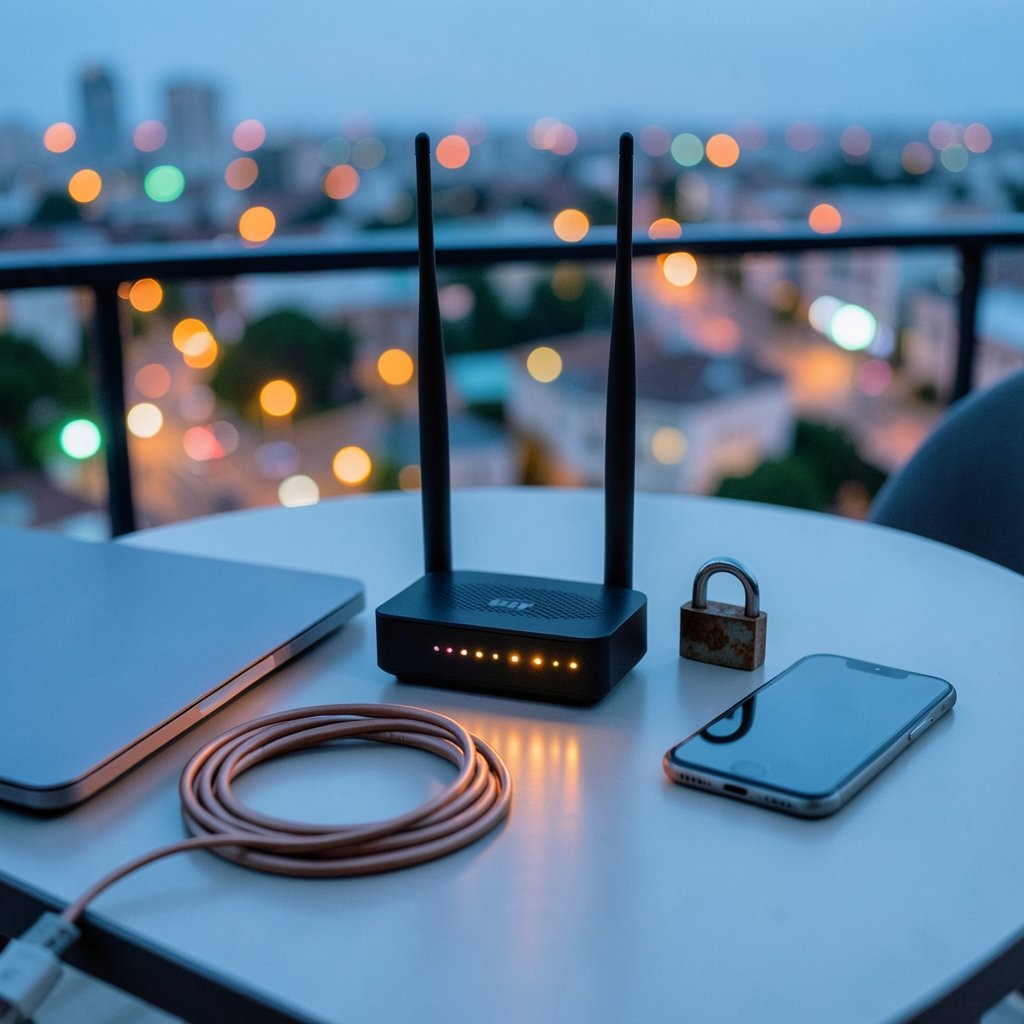
Quick Answer: How can i protect my devices and accounts from dns poisoning?
Protecting devices and accounts from DNS poisoning means making sure the domain names you type resolve to the addresses their real owners control. The most effective steps are enabling DNSSEC validation, using encrypted DNS like DNS-over-HTTPS or DNS-over-TLS, and choosing a reputable resolver instead of a default one.
Layered defenses matter because DNSSEC and encrypted DNS solve different problems: DNSSEC proves an answer is authentic, while encryption hides the query from anyone watching the network path. Neither one replaces the other, and both depend on a router and devices that are properly patched.
Before acting, check which resolver your router hands out, whether your device supports encrypted DNS, whether your router firmware is current, and whether your bank or email provider enforces HTTPS and certificate validation.
The Domain Name System is the internet’s phone book, quietly translating names like your bank’s website into numeric addresses. In 2008, security researcher Dan Kaminsky showed how a single flaw could let an attacker poison that phone book and redirect huge numbers of users to impostor sites. Nearly two decades later, the fix is well understood, yet plenty of home networks still run on default settings that leave the door ajar. The good news: the defenses are free, mostly built in, and take an afternoon to set up.
What DNS poisoning actually does

Every time someone types a web address, a resolver asks a chain of servers for the matching IP address and caches the answer. DNS cache poisoning, also called DNS spoofing, happens when forged responses trick that resolver into storing a wrong record. From then on, everyone using that resolver gets sent to the attacker’s server, even though they typed the correct name.
The damage is subtle because nothing looks broken. The page loads. The login form appears. The only difference is that a criminal now holds the credentials. That is why DNS poisoning attacks so often sit behind phishing campaigns, fake banking portals, and malware distribution. (Understanding Denial-of-Service Attacks)
A related attack, on-path tampering, works without breaking into the resolver at all. Anyone who can watch traffic between a device and its resolver, such as a hostile Wi-Fi hotspot, can inject fake answers in transit. Both variants are worth planning for, and both have practical countermeasures.
Turn on DNSSEC validation wherever you can
DNSSEC adds cryptographic signatures to DNS records so a resolver can tell a genuine answer from a forged one. The standards were published in 2005 as RFC 4033 through RFC 4035, and the core specification is still the reference point for how validation works (RFC 4033).
The catch is that DNSSEC only protects you when both sides cooperate. The domain owner must sign the zone, and the resolver must check the signature. Many domains remain unsigned, and plenty of home routers and ISP resolvers do not validate. In practice, the simplest path for most households is to point devices at a public resolver that validates by default, such as Cloudflare, Google, or Quad9.
For organizations, the guidance is more formal. A secure DNS deployment plan should include validation on internal resolvers, logging of unusual responses, and filtering for known malicious domains. NIST’s secure DNS deployment guide remains a solid starting checklist for that work (NIST SP 800-81-2).
A common mistake here is assuming that switching to a “secure DNS” setting in a router menu is enough. Many routers label plain DNS as secure simply because it is enabled. Read the fine print and confirm the resolver actually performs validation.
Use encrypted DNS to close the on-path gap
Encrypted DNS protects the conversation between a device and its resolver. DNS-over-HTTPS (DoH) wraps queries in ordinary HTTPS traffic and was standardized in RFC 8484 in 2018 (RFC 8484). DNS-over-TLS (DoT) does the same job over a dedicated encrypted channel, specified in RFC 7858 (RFC 7858).
The practical difference is where each one lives. DoH is built into most modern browsers and phones, so it works without touching the router. DoT is often available at the operating system level and on routers that support it. Either one shuts down the classic hotspot attack, where someone on the same café Wi-Fi slips fake answers into an unencrypted query.
What encryption does not do is verify that the resolver itself is honest or that its cached answers are correct. That is DNSSEC’s job. The two belong together: encryption hides the query, signatures prove the answer.
Harden the router, the front door of your network
The router is where most home DNS settings actually live, and it is also the most neglected device on the network. A few changes close the biggest gaps.
- Change the default admin username and password, and never leave remote administration switched on.
- Install firmware updates as soon as they appear; router vendors patch DNS-related flaws quietly and often.
- Set trusted DNS servers manually instead of accepting whatever the ISP hands out.
- Disable features you do not use, such as WPS and UPnP, which have a long history of abuse.
- Keep a separate guest network for smart plugs, TVs, and other devices that rarely get patched.
That last point matters more than it used to. Budget smart home gear often ships with outdated firmware and loose network behavior, so isolating it limits what a poisoned or compromised device can reach. A sensible starting point is to review which smart home devices are worth connecting at all before adding more to the network, and to treat each one as a small security decision rather than a plug-and-play purchase.
Government cyber agencies repeatedly flag unpatched home routers as a top weak point, and the advice is consistent: patch, change defaults, and reduce exposure. It is unglamorous work, but it removes the easiest path an attacker has into a home network.
Watch for the signals that something is wrong
DNS poisoning rarely announces itself, but it leaves fingerprints. Browser certificate warnings are the loudest one. If a site that normally loads cleanly suddenly throws a TLS error, stop. Do not click through. A forged redirect usually lands on a server that cannot present a valid certificate for the real domain. (Double counter discord bot breach 28 million accounts 2026)
Other warning signs worth taking seriously:
- Logins that suddenly demand extra information they never asked for before.
- A bank or email page that looks slightly off in layout, fonts, or URL spelling.
- Security software flagging a domain as newly registered or reputation-poor.
- Sudden redirects to unfamiliar search pages or ad portals.
Anyone who suspects a poisoned cache should flush it. On Windows, that means clearing the local DNS cache from the command line; on a router, a reboot usually clears cached entries. If a public resolver is the suspected culprit, switching to a different validating resolver is a fast test.
Protect accounts even when the network fails
The uncomfortable truth is that DNS defenses can fail, so account security should not depend on them alone. Multi-factor authentication is the single highest-value account protection available, because a stolen password is useless without the second factor. Hardware security keys and authenticator apps beat SMS codes, which can be intercepted.
Password managers also help beyond convenience. They match credentials to the exact domain, so an impostor site on a lookalike address gets no autofill and no password. That behavior defeats a large share of DNS-based credential theft.
It also pays to review account recovery settings. If an attacker can redirect password-reset emails by poisoning mail-related DNS records, recovery becomes the weakest link. Confirming recovery addresses and phone numbers, and enabling login alerts, closes that gap. For a broader grounding in the everyday habits that matter, a look at what internet privacy really involves helps frame the priorities.
A practical setup checklist
The table below summarizes what actually works, roughly in order of impact for a typical household.
| Layer | Action | What it stops |
|---|---|---|
| Resolver | Use a validating public resolver | Cache poisoning from a compromised local resolver |
| Protocol | Enable DoH or DoT on devices and browsers | On-path tampering on hostile networks |
| Router | Patch firmware, change defaults, disable remote admin | Router compromise and DNS hijacking |
| Network | Segment smart and guest devices | Lateral movement from an infected device |
| Accounts | Turn on MFA and use a password manager | Credential theft even when DNS fails |
| Awareness | Never click through certificate warnings | Impostor sites from forged redirects |
For anyone managing phones specifically, the same logic applies at the device level, and a guide to protecting a smartphone from malware covers the app-side counterpart to DNS hardening. People running emulation handhelds and retro consoles should also remember that these devices often ship with minimal security defaults, so the comparisons in this breakdown of EmuDeck, ES-DE, and RetroDeck by device are useful context for deciding which setup is easiest to keep updated. (Malware protection how to protect your devices)
Common mistakes that undo the work
The most frequent error is setting encrypted DNS on a laptop and then forgetting the phone, the tablet, and the smart TV. Attackers do not care which device on the network is softest. Set it everywhere, or set it at the router so every device inherits it.
The second mistake is trusting a single layer. DNSSEC without encryption still leaks queries on public Wi-Fi. Encryption without DNSSEC still accepts a lying resolver. Neither one fixes an unpatched router.
The third is skipping verification. After changing DNS settings, confirm the new resolver is actually in use and that validation is working, using a browser-based DNS leak test or a DNSSEC validation checker. Plenty of people configure carefully and then discover months later that a router setting silently overrode their choice.
Finally, do not overlook the human layer. A well-configured network still loses to a user who types credentials into a lookalike page after clicking through a certificate warning. The technical controls and the habits have to work together.
Conclusion
DNS poisoning is one of those threats that feels abstract until a familiar login page turns out to be a fake. The defenses, though, are refreshingly concrete: enable DNSSEC validation through a trustworthy resolver, encrypt DNS queries with DoH or DoT, keep the router patched and locked down, and back it all up with multi-factor authentication and a password manager. None of these steps is difficult on its own. Together they close the paths that cache poisoning and on-path tampering depend on, and they keep working even when one layer slips.
Frequently asked questions
Does changing my DNS server alone stop DNS poisoning?
No. Switching to a reputable validating resolver reduces exposure to a compromised local resolver, but it does not encrypt the path between your device and that resolver, and it does not protect you if the resolver itself is misconfigured. Pair the change with encrypted DNS and DNSSEC validation for real coverage.
Is DNSSEC the same thing as HTTPS?
They are different systems that solve different problems. HTTPS encrypts traffic between a browser and a website and proves the site’s certificate is valid. DNSSEC signs DNS records so a resolver can detect forged answers. Both are useful, and neither replaces the other.
Can DNS poisoning affect my phone on mobile data?
Yes. Mobile networks use DNS too, and hostile Wi-Fi hotspots remain a common vector. Enabling encrypted DNS in the phone’s settings, or using a browser that supports DNS-over-HTTPS, closes the on-path tampering route on both Wi-Fi and cellular connections.
How would I know if my router has been hijacked through DNS?
Look for DNS server addresses you did not set, unfamiliar admin logins, unexpected firmware changes, or devices redirecting to strange pages. A router reboot often clears a poisoned cache, but if settings keep reverting, reset the router to factory defaults, apply the latest firmware, and set a new admin password.
Do VPNs protect against DNS poisoning?
A well-built VPN routes DNS queries through the encrypted tunnel to the provider’s resolver, which removes the on-path tampering risk between your device and that resolver. It does not guarantee the resolver validates DNSSEC, so check the provider’s documentation rather than assuming.
What should I do first if I think I have been hit?
Disconnect from the suspect network, flush the DNS cache, and change passwords for any account used while the problem was active, starting with email and banking. Then check for certificate warnings, review account recovery settings, and enable multi-factor authentication if it was not already on.



