
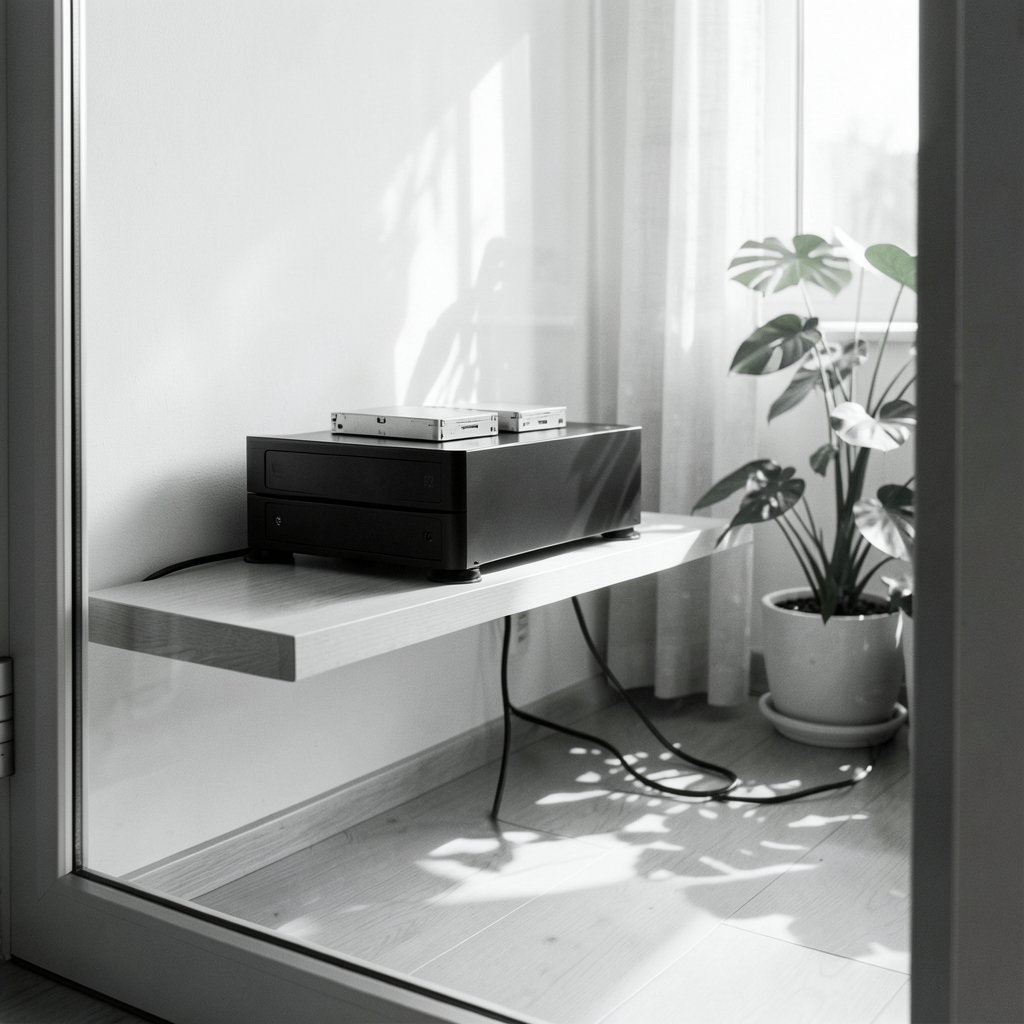
Is your NAS rattling the shelf it sits on, humming through the floor into the room below, or buzzing loud enough that you can hear it from the hallway? Other owners have the same problem. A network-attached storage box is supposed to sit quietly in a corner and do its job. Instead, many owners find that a stack of spinning drives turns a small cupboard into a low, droning noise machine. Most of that noise comes from a handful of predictable sources, and nearly all of them can be fixed without buying a new unit.
This guide walks through where NAS noise actually comes from, which fixes deliver the biggest drop in decibels, and which popular “solutions” are a waste of money. It covers hard-drive vibration, fan noise, chassis resonance, and placement, with practical steps you can try this weekend.
Why NAS Units Get Loud in the First Place
A NAS is a small computer packed with moving parts. The noise it produces comes from three main sources, and each behaves differently.
Hard drive vibration is the big one. Spinning platters and moving actuator arms create two kinds of vibration: rotational vibration from the spinning mass, and seek vibration from the read/write head snapping back and forth. In a multi-bay enclosure, drives sit inches apart, so vibration from one drive can travel through the chassis and into its neighbors. That coupling is why a four-bay unit with cheap trays often sounds worse than the sum of its parts.
Fan noise is the second source. NAS fans are small, and small fans must spin fast to move enough air. Fast fans produce a broadband whoosh plus a tonal whine that many people find more annoying than the drives themselves.
Chassis resonance is the multiplier. Thin metal panels, hard feet, and hollow shelves act like a drum. A modest vibration source becomes a much louder sound once the enclosure and the furniture start to resonate with it.
Start With the Drives, Because That Is Where Most Noise Begins

Before touching the chassis, look at the drives themselves. This is the highest-leverage step and the one people skip.
Choose Quieter Drive Models
Not all hard drives sound the same. Enterprise-grade drives built for 24/7 operation in data centers are often tuned for performance and durability, not silence, and they can be noticeably louder than desktop-class drives. When shopping, look for published acoustics figures in the datasheet. Be careful here: manufacturers report noise differently. Some quote sound power (LwA), others quote sound pressure at a stated distance (LpA), and the test conditions vary. Comparing raw numbers across brands is unreliable, so treat marketing decibels as a rough guide only.
Use Damping Mounts and Better Trays
Many NAS vendors ship drive trays with rubber or silicone grommets, and some ship none at all. If your trays are bare metal on metal, adding silicone damping grommets or aftermarket anti-vibration screws is cheap and often effective. The goal is to break the rigid path between the drive and the chassis so vibration has to pass through a soft material first.
A common mistake: over-tightening drive screws. Cranking them down compresses the grommets until they stop damping anything. Snug is enough.
Consider Acoustic Management Settings
Some hard drives support acoustic management features that trade a little seek performance for quieter operation. Support varies by drive family and firmware, and many modern drives have dropped user-accessible controls. Check your drive vendor’s documentation before assuming the setting exists. Where it does, the difference in seek noise can be noticeable in a quiet room.
Think About SSDs, but Do the Math
An all-flash NAS removes rotational and seek noise entirely. That sounds like the perfect fix, and for some people it is. But SSDs still generate heat, and the fans that cool them still make noise. In a small enclosure, an SSD-only setup can end up fan-limited rather than drive-limited. Flash also costs more per terabyte. If your noise problem is a constant low hum, SSDs help a lot. If it is a high-pitched fan whine, they may not help at all.
Tame the Fans Without Cooking Your Drives
Fan noise is the easiest problem to make worse. People often set fan curves to “quiet” and then wonder why drive temperatures climb.
Adjust the Fan Curve Carefully
Most NAS operating systems let you choose a fan profile or set custom temperature thresholds. The right approach is to find the highest temperature your drives are comfortable at, then set the fan to spin as slowly as possible while staying under that limit. Drive vendors publish operating temperature ranges in their datasheets, so use those rather than guessing.
Watch temperatures for a week after any change. A quiet NAS that cooks its drives is a bad trade.
Clean and Reposition
Dust on fan blades and heatsinks forces fans to work harder. A yearly clean with compressed air is boring advice that genuinely works. Also check that the unit has clearance on all sides. A NAS shoved against a back panel or stuffed into a closed cabinet recirculates its own hot air, which raises temperatures and fan speeds.
Replace Worn Fans
Fans develop bearing wear over time, and a worn bearing produces a rattle or whine that no fan curve can fix. If a fan has become the loudest part of the system and it is several years old, replacement is often the answer. Match the size, voltage, and connector type exactly.
Stop the Chassis From Acting Like a Drum
Once the drives and fans are handled, the remaining noise is usually resonance. This is where inexpensive fixes shine.
Isolate the Unit From the Surface
Hard feet on a hard shelf transmit vibration directly. Sorbothane pads, silicone feet, or a dense foam mat under the NAS break that path. A paving slab or heavy tile under the unit adds mass and lowers the resonant frequency, which often kills the annoying mid-frequency hum.
Damp the Panels
If the side panels ring when you tap them, they are contributing. Self-adhesive bitumen damping sheets or acoustic foam applied to the inside of removable panels can reduce that ringing. Do not block airflow or cover vents, and keep damping material away from drives and power supplies.
Check the Shelf as Well as the NAS
A NAS on a hollow IKEA-style shelf can turn the whole bookcase into a speaker. Moving the unit to a solid surface, or adding mass and isolation under the shelf itself, sometimes does more than anything done to the NAS.
Placement and Room Acoustics Matter More Than You Think
Where the NAS lives changes what you hear. A unit in a hallway with hard floors and bare walls will sound louder than the same unit in a carpeted room with soft furnishings. If relocating is an option, a cupboard, basement, or utility room solves the problem outright, provided airflow and temperature are managed.
If you cannot move it, consider a simple acoustic enclosure with a fan cutout, or line the inside of a cabinet with acoustic foam. Never seal a NAS in an airtight box. It will overheat, and modern drives will throttle or fail. (Deafness and hearing loss)
For anyone also dealing with noise from a workspace, the same principles apply to headphones and speakers, and there are practical picks in this guide to the best noise cancelling headphones under 300 if you would rather mask the hum than chase it.
A Practical Order of Operations
Trying everything at once makes it impossible to know what worked. Work through the fixes in order of cost and effort.
- Measure the baseline. Use a phone sound meter app at a fixed distance. Note the reading and the character of the noise (hum, whine, rattle).
- Isolate the unit from its surface. Add silicone feet or a foam mat. Re-measure.
- Check drive mounting. Add or replace grommets, and stop over-tightening screws.
- Tune the fan curve and monitor drive temperatures for a week.
- Damp the chassis panels if they ring when tapped.
- Address the shelf or cabinet with mass and isolation.
- Consider drive replacement only after the cheap fixes are exhausted.
Most people find steps two through five remove the majority of the annoyance. The difference between “I can hear it in the next room” and “I forget it is running” is usually isolation, not new hardware.
Common Mistakes That Waste Time and Money
A few traps come up again and again.
Buying “silent” drives without checking the datasheet. Marketing labels are not measurements.
Setting the fan to its lowest speed and walking away. Drive temperatures can climb quietly for weeks before anything fails.
Stuffing the NAS into a sealed cabinet. This trades noise for heat, which is a much worse problem.
Adding foam everywhere. Foam reduces high-frequency noise well but does little for low-frequency hum. Mass and isolation handle low frequencies.
Ignoring the floor and shelf. People spend money on the NAS and nothing on what it sits on, then wonder why it still hums.
When to Accept the Noise and Move On
Some NAS units are simply loud by design. High-capacity enterprise drives in a compact chassis will never be silent, and chasing perfection can cost more than the hardware is worth. If the unit lives in a room nobody sleeps in, and temperatures are healthy, a dull background hum is a reasonable trade for reliable storage. The goal is not silence. It is a noise level you stop noticing.
Conclusion
NAS vibration and noise reduction comes down to understanding three sources: drives, fans, and resonance. Drives create the vibration, fans add their own whine, and the chassis and furniture amplify both. The fixes that work best are rarely expensive. Damping grommets, silicone feet, a mass-loaded base, a sensible fan curve, and a solid shelf handle most cases. Replacing drives or switching to flash helps when vibration is the dominant problem, but it should come after the cheap steps, not before. Measure first, change one thing at a time, and keep an eye on temperatures throughout. A quiet NAS is usually a well-isolated one, not an expensive one.
Frequently Asked Questions
What is the single most effective fix for NAS vibration noise?
Isolating the unit from the surface it sits on. Silicone feet, Sorbothane pads, or a dense foam mat under the enclosure break the path that lets vibration travel into shelves and floors. This is cheap, reversible, and often produces the largest perceived improvement because it targets the resonance that amplifies everything else.
Will an all-SSD NAS be completely silent?
No. Removing spinning drives eliminates rotational and seek noise, which is a large share of the problem. But SSDs still produce heat, and the fans cooling them still make noise. In compact enclosures, an all-flash setup can end up limited by fan noise rather than drive noise. It is quieter, but rarely silent. (Noise-induced hearing loss)
Can I just set the fan to the lowest speed to reduce noise?
You can, but you must monitor drive temperatures afterward. Fans exist to keep drives within their operating range, and sustained overheating shortens drive life. Set the slowest fan speed that keeps temperatures comfortably inside the range published in your drive datasheet, then check readings regularly for at least a week.
Do acoustic management settings on hard drives really help?
Sometimes, but support is inconsistent. Some drive families expose acoustic management features that trade seek performance for quieter operation, while many modern drives have removed user access entirely. Check your specific drive vendor’s documentation before counting on it. Where available, the reduction in seek noise can be noticeable in a quiet room.
Does acoustic foam inside a cabinet actually reduce NAS noise?
It helps with higher-frequency sound but does little for low-frequency hum, which is usually the most annoying part of NAS noise. Foam is best used alongside mass and isolation, not instead of them. Never seal a NAS in an airtight enclosure, because trapped heat is a far bigger risk than noise.
How do I compare noise ratings between NAS and drive models?
Carefully. Manufacturers report noise as either sound power or sound pressure at a stated distance, and test conditions differ between brands. Comparing raw decibel figures across companies is unreliable. Use published numbers as a rough guide, and rely on user reports and return policies when silence is a priority.



