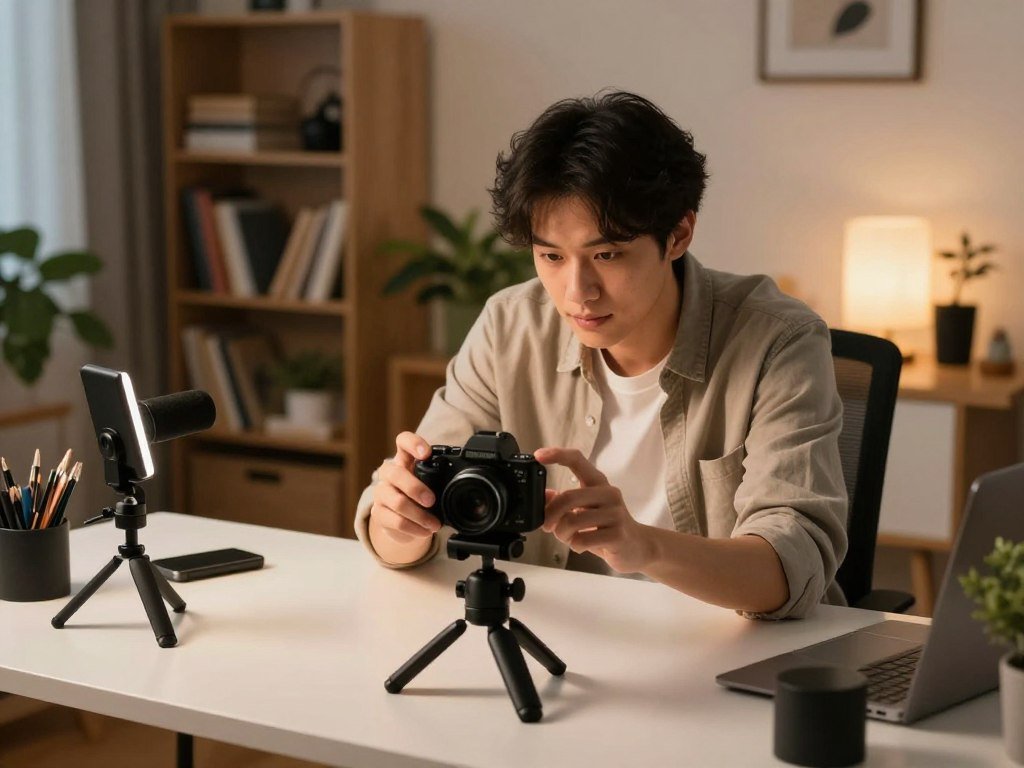
A useful vlogging setup is the one you can comfortably carry, frame, and operate while concentrating on what you want to say. These 10 picks include compact cameras and mirrorless options for content creators who film alone, travel, or record at home.
Equivalent focal length means a lens’s field of view expressed as if it were used on a full-frame camera. That number helps you judge whether a view will fit an arm’s-length shot or feel too tight.
The right choice depends on how much you move, how much control you want, and how much flexibility you need. A simple compact can save setup time, while a mirrorless camera can support more lens choices as your work changes.
Think about more than image quality. Battery life, sound connections, screen position, and price can shape whether you use a camera often or leave it at home.
Decide first whether you mostly film while moving or from a fixed position, since that choice narrows the field quickly.
Key Takeaways
- Choose a pocket setup for frequent walking and travel clips.
- Look for a self-facing screen when recording alone.
- Check sound connections if you plan to use a separate microphone.
- Compare recording limits with the video format you publish.
- Pick a mirrorless camera when lens choice matters more than small size.
Best Vlogging Camera for Solo Shooting: DJI Osmo Pocket 3
For a solo creator who films while walking, the DJI Osmo Pocket 3 combines a pocket-sized body with a mechanical gimbal. Its physical stabilization helps keep handheld footage steady as you move.
The camera has a 1-inch CMOS sensor and a 20mm-equivalent f/2.0 lens. It records up to 4K at 120 fps and supports 10-bit D-Log M for flexible color work.
A rotating 2-inch OLED touchscreen and a weight of 179 g, or 0.39 pounds, make quick handheld framing practical. The screen turns to support different recording orientations.
DJI wireless microphones work with the camera, so you can record your voice without a long cable. The camera has no weather sealing, which limits its use in rain or wet conditions.
PCMag’s DJI Osmo Pocket 3 review reports smooth three-axis stabilization and notes that the device is not weatherproof.
| Setup | Stabilization | Framing or lens approach | Maximum video detail |
|---|---|---|---|
| DJI Osmo Pocket 3 | 3-axis mechanical gimbal | 20mm-equivalent lens | 4K/120 fps |
| Canon PowerShot V10 | Digital stabilization | 18mm-equivalent lens | 4K/30p |
| Smartphone | Model-dependent | Model-dependent lens options | Model-dependent recording modes |
The best vlogging camera for travel is a pocketable setup when light packing and quick framing matter. The best handheld vlogging camera for walking has dependable physical stabilization.
Keep this model dry because it has no weather sealing.

Is the Sony ZV-1F a Good Beginner Camera?
The Sony ZV-1F keeps the setup simple with a wide fixed lens, a flip-out screen, and a directional built-in microphone. Its wide view suits creators who record themselves at arm’s length.
The camera has a 20.1-megapixel, 1-inch Exmor RS CMOS sensor and a fixed 20mm-equivalent f/2.0 lens. It records 4K at 30 fps and Full HD at 120 fps.
The ZV-1F is a straightforward choice for wide, self-facing clips, but it lacks zoom and smooth walking stabilization. Its digital stabilization is mediocre for walking shots.
At 256 g for the body, it is light enough for a small bag. The 3-inch fully articulating touchscreen helps you check the frame while facing the camera.
A directional three-capsule microphone includes a windscreen. That can make sound easier to manage without buying a lens or microphone at the start.
The best vlogging camera for beginners should make framing and sound manageable without requiring a lens purchase. The best affordable camera for vlogging depends on what the actual offer includes, not the model name alone.
Vlogging cameras for beginners on a budget can trade zoom and walking stabilization for simple controls and a wide fixed view. Check these four points before choosing:
- Does the wide view fit an arm’s-length shot?
- Can you see the flip screen while recording?
- Does the built-in sound suit your recording space?
- Is digital stabilization enough for your planned movement?
Choose a different camera if changing focal lengths is part of your regular shooting style.

Which Canon PowerShot G7 X Is Better for You?
Choose the G7 X Mark III if livestreaming to YouTube or connecting a microphone is central to your setup. Its creator-focused connections set it apart from the Mark II.
The Mark III has a 20-megapixel, 1-inch sensor, a flip-up screen, a microphone input, and Wi-Fi livestreaming to YouTube. Those features suit a creator who wants a compact camera with direct audio options.
Choose the Mark II if its 24-100mm-equivalent zoom range and stated still-photo battery rating matter more. It has a 20.1-megapixel, 1-inch sensor and a 3-inch flip-up screen.
Canon rates the Mark II for 265 still shots per battery charge. That rating is for still photos, not a promise of the same video runtime.
The Mark II records Full HD video. The Mark III’s listed creator features include microphone connection and Wi-Fi livestreaming, which may suit a home desk or live show better.
The Mark II gives you a broad zoom range in a compact body, which can help when you cannot move closer to a subject. The Mark III gives you a more direct route to external sound and YouTube livestreaming.
Both cameras have flip-up screens for self-facing shots. Compare the specific recording and connection features you will use instead of treating the model numbers as a quality ranking.
Before choosing the Mark II, decide whether Full HD recording meets your publishing needs.
Sony A5100 or A6400 for a Lightweight Vlog Setup?
The A6400 is the more direct fit when you need a microphone input and a screen that faces you. Its self-facing screen supports solo recording, while the input lets you connect a mic.
The Sony A5100 weighs 0.62 pounds and has a 3-inch monitor with no viewfinder. Its battery rating is 400 still shots or 75 minutes of video recording per charge.
The A5100 may suit a simple monitor setup, while the A6400 offers the listed mic input and user-facing screen. Neither fact set makes the two bodies equivalent in stabilization.
The A6400 has no in-body image stabilization, or IBIS. The A5100’s listed details do not establish matching stabilization, so do not assume the bodies will handle movement alike.
Both are older Sony APS-C bodies to consider only if their controls and recording limits fit your work. A used price does not tell you whether the battery or screen still works well.
Use this checklist when comparing a used or older body:
- Check the exact recording mode you need.
- Inspect microphone and power connections.
- Test screen movement and battery condition.
Keep still-photo battery ratings separate from video-runtime ratings. One measures shots under a test method, while the other describes a stated recording time.
Treat the A5100’s still-photo rating and video-runtime rating as separate measures, not interchangeable battery promises.

Is the Canon EOS M50 Better for Full HD Than 4K?
Treat the Canon EOS M50 as a 1080p camera unless its cropped 4K mode works for your framing and focus needs. Its Full HD use is the more practical fit for many self-facing clips.
The M50 can record 4K, but that mode has a severe crop and basic autofocus. Those limits can make it harder to keep your face in frame while recording at arm’s length.
Resolution alone does not decide whether a camera suits your video. Crop, focus behavior, and your planned composition also affect the result.
A crop narrows the camera’s field of view. That change matters when you cannot move the camera farther away or use a wider lens.
Basic autofocus can also make solo recording less predictable. You may need to pay closer attention to focus when you move or change distance from the camera.
Full HD is a clear option when your channel does not need 4K delivery. It can also avoid the narrow framing that the M50’s cropped 4K mode creates.
Think about the final viewing format and the distance between you and the camera. A high resolution does not help if the composition cuts off your face or focus slips.
Check the crop in the exact mode you plan to use before committing to a wide selfie composition.

Does the Sony ZV-1 Have the Right Screen and Audio?
A fully articulated screen makes it easier to check framing from the front or from an off-center position. The Sony ZV-1’s screen movement helps when you change camera placement.
The screen swings out and turns, so you can see the image from more than one angle. That is useful when the camera sits to the side or above your normal eye line.
The ZV-1 also has a microphone input, so you can change audio setups without changing camera bodies. You can start with built-in sound, then add a compatible external microphone later.
The camera’s built-in microphones are described as better quality than those on the RX100 VA. That may suit simple close recordings when a separate mic is not needed.
A mic input gives you more choice, but the connection still needs to match the microphone. The camera’s screen and sound options address separate parts of a solo setup.
For a talking clip, check the screen from the position where you will stand or sit. For an external mic, confirm the plug and cable reach before recording.
A screen that turns toward you can reduce the need to guess whether your face stays in frame. It is especially helpful when you cannot see the camera display from your filming spot.
Match the camera’s mic input to the connector on the microphone you plan to use.
Is the Xtra Muse a Good Pocket Alternative?
The Xtra Muse is a pocket alternative for creators who want mechanical stabilization and native vertical shooting in one device. Its vertical workflow may suit platforms where portrait video is your main format.
The camera has a 1-inch sensor, 3-axis mechanical stabilization, and normal video recording up to 4K at 60 fps. Its listed typical retail price is around $449.
Consider it when a small stabilized camera and native vertical capture match your routine. Its feature set is less useful if your videos rely on different modes or accessories.
Before you choose, work through four checks:
- Confirm the exact recording modes you need.
- Check that the vertical workflow suits your platform.
- Verify accessory compatibility.
- Compare stabilization needs with the movement you film.
Native vertical shooting can simplify portrait capture, but it does not decide whether the camera suits every video. Think about how often you record in portrait and whether your editing process supports it.
The sensor and stabilization address different needs. Sensor size affects image capture, while mechanical stabilization helps reduce unwanted camera movement.
Review the package contents as well as the camera features. Included parts can change which accessories you need to buy separately.
Check the exact package and current price before deciding whether its feature set fits your budget.
Is the Sony ZV-1 II Worth Choosing for Its Zoom?
The Sony ZV-1 II makes more sense than a fixed-wide camera when you want to change framing without swapping lenses. Its 18-50mm-equivalent zoom gives a solo creator room to adjust the view.
The camera has a 1-inch, 20.1-megapixel sensor and records 4K/30p or Full HD/120p video. Its 3-inch vari-angle screen can turn to face you during recording.
The ZV-1 II is a best compact option for creators who value zoom in a small body. It weighs 292 g with a battery and memory card.
Zoom lets you make a view wider or tighter without changing lenses. That can help when you move from a talking shot to a closer detail in the same location.
The available range is still limited compared with many interchangeable-lens setups. It offers framing choice in a compact body, not a way to reach every distant subject.
For solo filming, a vari-angle screen can help you check the composition while the camera points toward you. The zoom gives you more control over that composition than a fixed wide view.
Consider whether your typical videos need a tighter frame or mostly use a wide talking shot. The answer can show whether a zoom lens adds useful control or unused complexity.
Check whether the available zoom range reaches the tighter compositions you expect to film.
Should Creators Choose the Sony ZV-E10?
The Sony ZV-E10 is the stronger fit when lens choice and future system flexibility matter more than an all-in-one compact body. Its interchangeable-lens system lets you change how much of a scene fits the frame.
The camera has a 24.2-megapixel APS-C sensor and records oversampled 4K/30p or Full HD/120p. A 3-inch vari-angle screen helps you monitor the image while filming yourself.
The ZV-E10 gives you room to choose lenses, but each lens adds a decision and something to carry. A lens that suits a desk video may not suit a distant outdoor subject.
The body has a 3.5mm microphone input and a headphone jack. The separate connections let you attach a mic and monitor audio while you record.
Lens choice shapes framing, size, and how the camera fits your routine. You may also need to learn how a particular lens changes the view before recording.
A fixed-lens camera keeps the lens decision simple because the view is built in. The ZV-E10 makes more sense when you expect to change your filming needs or want a camera system that can grow.
Think about the lens as part of the camera’s cost and size. A small body may still need a larger bag once you add a lens and other gear.
Budget attention and bag space for the lens as well as the camera body.
Is the Fujifilm X-S20 a Strong Travel and YouTube Hybrid?
Choose the Fujifilm X-S20 when a creator wants a stabilized hybrid body with high-resolution recording options. Its in-body stabilization and lens system support a mix of video and still photography.
The X-S20 has a 26.1-megapixel APS-C sensor and weighs 491 g. It records up to 6.2K/30p, 4K/60p, and Full HD/240p.
Its 5-axis in-body image stabilization is rated up to 7 stops. That feature can help when you film without a tripod, though it does not remove every movement.
The range of recording modes makes the camera a strong travel and YouTube hybrid for creators who also want stills. It can support varied projects without relying on a pocket camera.
The body and lens system take more space than a pocket compact. Include the size of the lens you plan to carry when judging whether the setup suits your travel routine.
An APS-C sensor and interchangeable lenses give you choices beyond a built-in compact lens. Those choices can be useful for creators who want one system for video and photography.
High-resolution recording may matter for a project that needs flexible editing or a different final crop. For a simple talking video, those modes may add complexity without changing the shot you need.
Include the weight of the chosen lens in your carry decision, not just the camera body.
Should You Use a Phone or a Dedicated Camera?
A phone is enough for casual vlogging if its image, sound, framing, and storage meet your publishing needs. A dedicated camera helps when a specific limit gets in the way.
Smartphones, compact cameras, and mirrorless cameras are three distinct recording setups. YouTube accepts both horizontal and vertical video uploads, so choose the frame that suits your planned clips.
| Setup | Main advantage | Main tradeoff | Best fit |
|---|---|---|---|
| Smartphone | Ready to use | Limited control | Casual clips |
| Compact camera | Dedicated controls | Fixed lens | Repeatable solo recording |
| Mirrorless camera | Lens flexibility | Added system choices | Growing video and photo needs |
When a phone is enough
A phone can work well for casual clips when its framing, sound, focus, and storage suit the job. If you already like the image and can record a full clip without filling storage, a new camera may not solve a real problem.
Phone cameras use small hardware and image processing to shape the result. For everyday phone camera choices, compare phones for different budgets and uses with the video features you need.
What a compact camera adds
A compact camera gives you dedicated controls for recording and a screen that can face you. That can make solo clips more repeatable, especially when you film from the same desk or room.
It also creates a separate place for camera files and settings. The tradeoff is that a fixed lens can limit framing choices.
Why choose a mirrorless system
A mirrorless camera gives you lens flexibility, so you can change the view as your work grows. Each new lens also adds choices about framing, size, and what to carry.
Compare the setup you already own against the specific limitation you want to solve before buying another device. A new camera is useful when it fixes a clear problem in your workflow.
Which Setup Fits Your Vlogging Style?
The best setup for a teen creator is the one that feels manageable enough to use regularly and fits the places they film. Routine matters more than choosing a costly camera just because it has more settings.
Walking videos, indoor clips, and growing photo projects call for different tradeoffs. Match the gear to where you film and how much control you want.
| Filming situation | Suitable camera type | Useful priority | Main tradeoff |
|---|---|---|---|
| Walking travel | Pocket gimbal camera | Portability and stabilization | Weather exposure and reframing time |
| Fixed indoor video | Compact or mirrorless camera | Stable support and sound | Less freedom to move |
| Growing photo-and-video setup | Mirrorless camera | Lens flexibility | More gear and choices |
Walking and travel clips
For walking and travel clips, put portability and stabilization high on your list. A small camera can be easy to bring along, but weather exposure and time spent reframing still affect the shoot.
A pocket gimbal suits frequent movement, while a phone may be enough for occasional clips. If your phone is part of the plan, compare phone camera features for everyday use with the framing you need.
Home, studio, and livestreaming
For indoor video, prioritize stable support, sound connections, and a way to monitor the image. A camera on a desk or tripod does not need the same movement features as a walking setup.
Livestreamers may also value a screen they can see and sound connections that fit their microphone. A fixed camera position can make repeat framing easier.
Camera choices for teen creators
The best vlogging camera for teens is usually the simplest setup that fits their filming style. A Sony ZV-1F offers a straightforward wide view, while a pocket gimbal suits frequent movement.
The DJI Osmo Pocket 4 has a 1-inch sensor and a 3-axis gimbal. It records 4K up to 240 fps and includes 107GB of internal storage.
For a creator who records in changing weather, confirm the camera’s protection before taking it outdoors. Small size alone does not mean a camera can handle rain.
How Do Sensor Size and Lens Choice Affect Your Vlogs?
Sensor size and lens choice shape what fits in the frame and how much flexibility you have after choosing a camera. The lens changes the view, while the sensor is one part of how the camera records it.
Common vlogging options include compact models with 1-inch sensors and mirrorless cameras with APS-C sensors. A larger sensor does not guarantee better footage by itself.
| Camera setup | Sensor category | Lens arrangement | Practical strength |
|---|---|---|---|
| 1-inch compact with fixed lens | 1-inch | Fixed focal length | Simple, ready-to-use view |
| 1-inch compact with zoom | 1-inch | Built-in zoom lens | Adjustable framing |
| APS-C mirrorless with interchangeable lenses | APS-C | Interchangeable lenses | Flexible system |
Choosing between compact and APS-C sensors
A compact camera with a 1-inch sensor can keep the body small and easy to carry. An APS-C mirrorless system is usually built around lens changes and more choices.
Sensor size alone cannot tell you how a finished video will look. Lens choice, lighting, focus, and the way you frame the shot also matter.
Fixed lens, zoom, or interchangeable lenses
A fixed lens keeps the view simple because you work with one focal length. A zoom lens lets you adjust framing without changing lenses.
Interchangeable lenses give you more flexibility, but each one brings new choices. You need to decide which lens suits the subject, distance, and space you have.
Equivalent focal length helps you compare the field of view across different camera systems. A wider view can fit more of a room or make an arm’s-length shot easier.
Pick the setup around the distance you usually keep between your face and the camera. That distance often matters more than having a long list of lens options.
Check the lens’s equivalent focal length against the distance you normally hold the camera from your face.
How Do Stabilization, Autofocus, and Frame Rates Shape Footage?
Stabilization helps reduce unwanted movement, autofocus keeps the subject sharp, and frame rate controls how motion can be rendered. Each feature solves a different problem in a video.
Mechanical gimbals, in-body stabilization, and digital stabilization work in different ways. No type removes every bump or replaces careful movement.
| System | What it corrects | Useful situation | Main tradeoff |
|---|---|---|---|
| Mechanical gimbal | Camera movement across axes | Walking footage | Extra device to carry |
| In-body stabilization | Movement at the camera sensor | Handheld shots | Does not remove every bump |
| Digital stabilization | Movement through image processing | Light camera shake | May crop the frame |
Stabilization for movement
Choose stabilization based on how you move while filming. A gimbal is built to control movement, while digital stabilization adjusts the recorded image.
Walk smoothly even when your camera has stabilization. Fast steps, sharp turns, and uneven ground can still show in the footage.
Autofocus for solo recording
Reliable face and eye tracking matters when you cannot monitor focus continuously. It helps keep your face sharp while you speak or shift position.
Autofocus and stabilization do not do the same job. One controls sharpness on the subject, while the other reduces camera movement.
Frame rate and advanced video options
Footage recorded at 120 fps can create slow motion when played back in a lower-frame-rate timeline. Regular talking clips usually do not need such a high rate.
The Panasonic Lumix GH7 is a more advanced video-oriented option. It records 5.7K/30p ProRes RAW HQ and 4K/120p, supports 10-bit modes, and has a built-in cooling fan.
Those recording tools suit demanding video work, not a beginner default. A high frame rate also creates a different editing and file workflow than a standard talking clip.
Choose a high frame rate only when slow motion serves the edit and the camera can handle the resulting recording workflow.
What Should You Check Before Buying and Setting Up?
Before you buy, verify that the screen, sound connection, power plan, and file workflow match the way you actually record. A short test can uncover a mismatch before a long shoot.
Check microphone ports and power options before adding gear. A 3.5mm input and USB-C are common connections to consider for microphone and power plans.
| Check | What to verify | Why it matters | Practical action |
|---|---|---|---|
| Microphone connection | Port and mic plug | Sound needs a working connection | Match the plug to the input |
| Battery and recording time | Video runtime in chosen mode | Photo ratings do not promise video time | Test a video clip |
| Storage and file workflow | Card space and transfer method | Files must reach the editing device | Transfer a sample file |
Microphone and connection checks
Check that the camera’s mic input matches the microphone you intend to use. A plug that does not fit can stop an otherwise suitable setup.
USB-C may matter for power or file transfer, depending on the camera. Confirm what the port supports rather than assuming every connection works the same way.
Battery, recording time, and storage
CIPA battery ratings use standardized still-photo testing and do not promise the same runtime for video recording. A long video shoot needs a test in the actual recording mode.
A camera once called a best vlogging camera in 2021 should be judged today by battery condition, recording limits, autofocus, and accessory compatibility.
Use this separate four-point setup check:
- Check the screen from the filming position.
- Verify that the mic connection matches.
- Test a short clip in the chosen resolution.
- Confirm that the camera transfers files to the editing device.
Storage and file transfer matter as much as pressing record. A camera is less useful if clips cannot move to the device where you edit.
Record a test clip in your intended setup before relying on the camera for a long shoot.
Conclusion
A camera earns its place in a creator’s kit when its strengths match the shots they make most often. The DJI Osmo Pocket 3 suits solo handheld shooting, while an interchangeable-lens camera fits creators who value lens choice and system growth.
Before committing, make a short recording with the microphone, framing, and movement you plan to use. Check whether the footage and sound suit your channel, rather than judging the setup by features alone.
Choose your leading candidate, make a short test recording, and check the footage and sound before building the rest of the setup around it.
FAQ
Can I start vlogging with a smartphone?
Yes, you can start with a smartphone if its framing, sound, focus, and storage work for your planned clips. Record a sample in the place where you expect to film, then watch it with headphones. Upgrade only when you find a clear limit, such as a view that feels too tight, weak sound, or storage that fills too quickly.
Do I need an external microphone for vlogging?
No, you do not always need an external microphone for vlogging. Built-in audio can work for close recordings in a quiet room. A compatible external mic can help when the camera sits farther from you or the setting is noisy. Check the camera’s input and the microphone plug before buying, since the connection must fit.
Is 120 fps useful for regular YouTube videos?
120 fps is most useful when you want intentional slow motion, not for ordinary talking footage. A high frame rate captures more frames each second, which can create a slower look during editing. For a direct-to-camera clip, a standard recording mode is often simpler. Choose the frame rate to match the scene and the edit.
Can I use a vlogging camera in the rain?
Do not assume a vlogging camera has weather protection. Check the specific model’s sealing and the maker’s guidance before taking it into rain or spray. A camera without weather sealing can be damaged by moisture, even if it looks sturdy. Use suitable protection when needed, and keep water away from open ports and connections.
Is a mirrorless camera too complicated for a beginner?
No, a mirrorless camera can be manageable for a beginner with a suitable lens and automatic focus settings. Lens selection and extra controls add decisions, so start with a simple setup and learn one change at a time. A compact camera may be easier if you want a fixed view and fewer choices. The best fit depends on how you plan to film.
Should I buy a camera that was recommended in 2021?
A camera recommended in 2021 may still suit your work, but age makes its condition and limits important. Check battery health, recording modes, autofocus, ports, and accessory compatibility before buying. Confirm that the screen and controls work as expected. An older model can be a good fit when its current condition and features match your needs.
How do I know whether a camera’s battery will last through a video shoot?
Test the camera in the resolution and settings you plan to use, since a still-photo battery rating does not guarantee video runtime. Record for a set period and check how much charge remains. Screen use, recording mode, and camera condition can affect runtime. If your shoot is long, plan for the tested recording time rather than the photo rating.



