
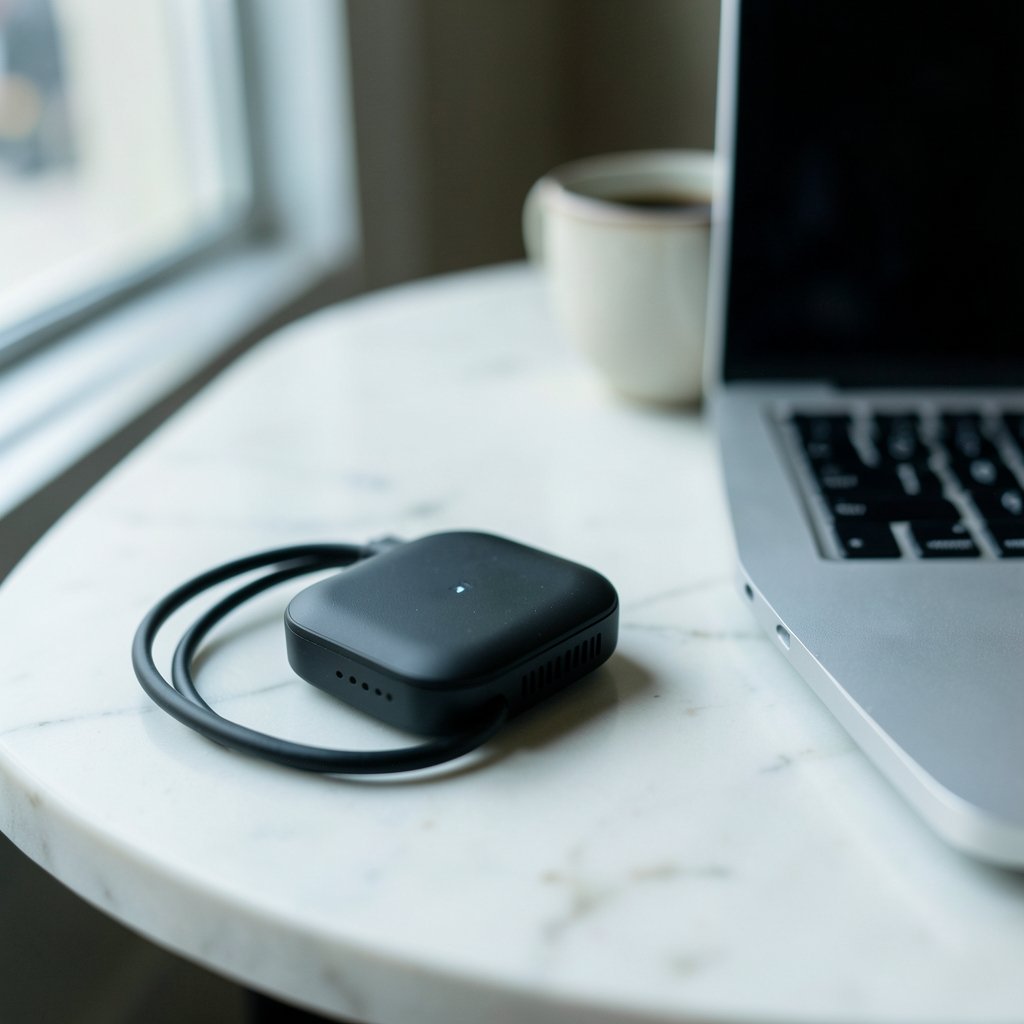
Quick Answer: What is a mobile hotspot?
A mobile hotspot is a feature or device that turns a cellular data connection into a small Wi-Fi network other devices can join. It comes in two main forms: tethering from a smartphone, or a dedicated portable hotspot device with its own SIM card. Both let laptops, tablets and other gadgets get online wherever there is cell signal. (Tethering)
A mobile hotspot differs from public Wi-Fi because the owner controls access and the connection is backed by a cellular plan rather than a venue’s router. Before relying on one, check your plan’s hotspot data allowance, network coverage in your area, speed limits or throttling rules, device battery life, and the encryption your hotspot uses.
Picture this: the café Wi-Fi is down, your laptop is open, and a deadline is two hours away. Most people reach for their phone, flip on a setting, and suddenly the laptop is online. That little trick is a mobile hotspot, and it has quietly become one of the most useful features on modern phones. Yet plenty of people still ask what a mobile hotspot actually is, how it differs from regular Wi-Fi, and whether they should buy a dedicated device. This guide answers those questions in plain language.
The Basic Idea Behind a Mobile Hotspot

A mobile hotspot takes a cellular data connection and shares it with other devices over Wi-Fi. In technical terms, it creates a small local network. Your phone or hotspot device acts like a mini router, handing out local addresses to the devices that connect to it. The internet traffic then travels out over the cellular network.
That local network usually relies on a protocol called DHCP, which automatically assigns IP addresses to connected devices; the Internet Engineering Task Force publishes the DHCP specification if you want the technical detail. In practice, you do not need to understand any of it. You turn the hotspot on, pick a name and password, and connect like you would to any Wi-Fi network.
The cellular side runs on standards developed by the 3GPP, the body behind LTE and 5G. That matters because hotspot speed depends on the cellular signal and the plan behind it, not on the hotspot feature itself.
Phone Tethering vs. a Dedicated Hotspot Device
There are two common ways to get a mobile hotspot, and they suit different people.
| Feature | Phone tethering | Dedicated hotspot device |
|---|---|---|
| Cost | Usually included with your plan | Device purchase plus a data plan |
| Battery impact | Drains your phone fast | Has its own battery |
| Number of connections | Often 5 to 10 devices | Often 10 to 15 or more |
| Best for | Occasional use | Travel, work, remote areas |
| Signal handling | Limited by phone antenna | Often better antennas |
Phone tethering is the zero-cost option most people already have. It is perfect for a quick session on a train or a backup when home internet fails. The catch is battery life. Running a hotspot while the phone also handles calls and background apps can heat the device up and drain it within a couple of hours.
A dedicated hotspot device, sometimes called a MiFi-style router, has its own battery and SIM card. It usually lasts longer and handles more connections. If you are weighing whether to buy one, this guide on whether a mobile hotspot is worth buying for beginners and everyday use walks through the trade-offs.
How to Turn On a Hotspot and Connect
The steps are nearly identical across phones, though the labels vary slightly.
- Open Settings on your phone.
- Find the section labeled Mobile Hotspot, Personal Hotspot, or Tethering.
- Turn the hotspot on.
- Set a network name and a strong password.
- On the other device, open Wi-Fi settings and select your hotspot name.
- Enter the password and connect.
A few practical tips make this smoother. Change the default network name so you can spot your hotspot easily. Use a password with at least eight characters, ideally more. Turn the hotspot off when you are done, because leaving it on drains battery and can attract unwanted connection attempts. If you want to get the most out of the feature, this guide on how to set up a mobile hotspot for best performance covers placement, band choice and battery-saving habits.
What Affects Hotspot Speed and Reliability
Hotspot performance is rarely about the hotspot itself. It is about everything behind it.
Cellular signal strength is the biggest factor. A hotspot in a basement with one bar will feel slow no matter how good the device is. Moving near a window often helps more than any setting change.
Network congestion matters too. During busy hours, cell towers share bandwidth among many users, so speeds drop.
Distance between devices is a smaller but real factor. Keeping the laptop within a few meters of the phone reduces dropouts.
Plan limits are the sneaky one. Many plans cap hotspot data separately from phone data, or slow hotspot speeds after a threshold. That is a billing policy, not a technical flaw.
Heat is the most overlooked issue. Phones throttle performance when they get hot, and a hotspot running in a warm car or a pocket can slow down or shut off. Taking the case off and keeping the device ventilated genuinely helps.
If things go wrong, this practical guide to common mobile hotspot problems and how to fix them fast covers the usual culprits, from devices that will not connect to hotspots that keep dropping.
Security: Why the Password Matters
Hotspots typically use WPA2 or WPA3 encryption, the same standards that protect home Wi-Fi. The Wi-Fi Alliance, which certifies Wi-Fi products, publishes an overview of Wi-Fi security and how WPA2 and WPA3 protect traffic that explains the difference in accessible terms.
The practical rule is simple: never run an open hotspot with no password. An open hotspot lets nearby strangers join your connection, and their activity travels through your data plan. A strong password plus WPA2 or WPA3 is enough for everyday use. (Use Strong Passwords)
One more habit worth building: treat your hotspot like a home network, not a public one. Do not share the password widely, and change it if you suspect someone else has been using your data.
Data Plans, Caps and Throttling
This is where most frustration with hotspots comes from. Carriers often treat hotspot data differently from phone data. Some plans include a set amount of high-speed hotspot data, then slow it down. Others block hotspot use entirely on certain plans.
Before you rely on a hotspot for work, check three things: how much hotspot data your plan includes, what happens after you exceed it, and whether your plan allows tethering at all. The U.S. Federal Communications Commission publishes consumer guidance on mobile broadband and data plans that helps explain your rights and what carriers must disclose.
A common mistake is assuming unlimited phone data means unlimited hotspot data. It rarely does. Reading the plan details once saves a lot of surprise bills.
When a Mobile Hotspot Makes Sense
Hotspots shine in specific situations. Remote work from a park, a backup connection during an outage, a road trip with kids who need entertainment, or a temporary office while moving house. In each case, a hotspot turns a phone into a lifeline.
They are less ideal for heavy, constant use. Streaming video for hours, running a home office on a hotspot every day, or downloading large files will burn through data caps fast and stress the device. For those needs, a fixed broadband connection is almost always cheaper per gigabyte.
For travel, a dedicated device often wins because it keeps your phone free and lasts longer. For occasional emergencies, your phone is enough. If you are traveling with children, pairing a hotspot with some best offline mobile games keeps them entertained without eating data.
Common Mistakes People Make
A few habits cause most hotspot headaches.
Leaving it on all day. The hotspot runs in the background, draining battery and using data. Turn it off when not needed.
Using a weak password. Short or obvious passwords invite unwanted users.
Ignoring heat. Running a hotspot in direct sun or under a pillow slows it down.
Assuming coverage. Signal varies block by block. Test before you depend on it.
Skipping updates. Outdated software can cause connection bugs. This guide on how to update a mobile hotspot safely without losing data explains the safe way to do it.
If your hotspot connects but the internet does not work, the problem may be the cellular connection itself. This step-by-step guide to fixing mobile data that is not working helps isolate whether the issue is the hotspot or the network.
Mobile Hotspot vs. Public Wi-Fi
Public Wi-Fi is convenient and often free, but it comes with trade-offs. You do not control the router, traffic may be unencrypted, and networks can be spoofed. A mobile hotspot is yours: you set the password, you control who joins, and the traffic rides on your cellular connection.
The trade-off is cost and data. Public Wi-Fi costs nothing and does not touch your data plan. A hotspot uses your data and battery. For quick browsing, public Wi-Fi is fine. For banking, work documents or anything sensitive, a hotspot is the safer choice.
Conclusion
A mobile hotspot is one of those features that seems minor until you need it. It turns a cellular connection into a private Wi-Fi network, either through your phone or a dedicated device. The concept is simple, but the details matter: plan limits, battery life, heat, signal strength and security all shape how well it works.
The best approach is to know your plan, keep your password strong, and match the tool to the job. Use phone tethering for quick sessions and a dedicated device for longer trips. Treat the hotspot as a backup and a bridge, not a replacement for home broadband. Do that, and the little setting will quietly save you more than once.
Frequently Asked Questions
Does using a mobile hotspot cost extra?
It depends on your plan. Many plans include hotspot data, sometimes with a separate cap. Others charge extra or block tethering entirely. Check your plan details before relying on it, because hotspot data is often counted differently from regular phone data.
Can a mobile hotspot replace home internet?
For light use, sometimes. For streaming, gaming or a household with several devices, usually not. Data caps, speed throttling and battery limits make hotspots expensive per gigabyte compared with fixed broadband. They work best as a backup or a temporary solution.
How many devices can connect to a mobile hotspot?
Most phones allow five to ten connections at once, while dedicated hotspot devices often support ten to fifteen or more. The real limit is usually speed and data, not the number of connections. More devices means slower performance for everyone.
Is a mobile hotspot secure?
Yes, when it uses WPA2 or WPA3 encryption and a strong password. The risk comes from open hotspots with no password, which let strangers join your connection. Set a password with at least eight characters and avoid sharing it widely.
Why is my mobile hotspot so slow?
The most common causes are weak cellular signal, network congestion, heat, and plan throttling after a data threshold. Moving near a window, cooling the device, and checking your data usage usually solves it. If the phone’s own internet is slow, the hotspot will be slow too.
What is the difference between a mobile hotspot and public Wi-Fi?
A mobile hotspot is a private network you control, backed by your cellular plan. Public Wi-Fi is provided by a venue and shared with strangers, and it is often unencrypted. Hotspots are safer for sensitive tasks; public Wi-Fi is free but less private.



