
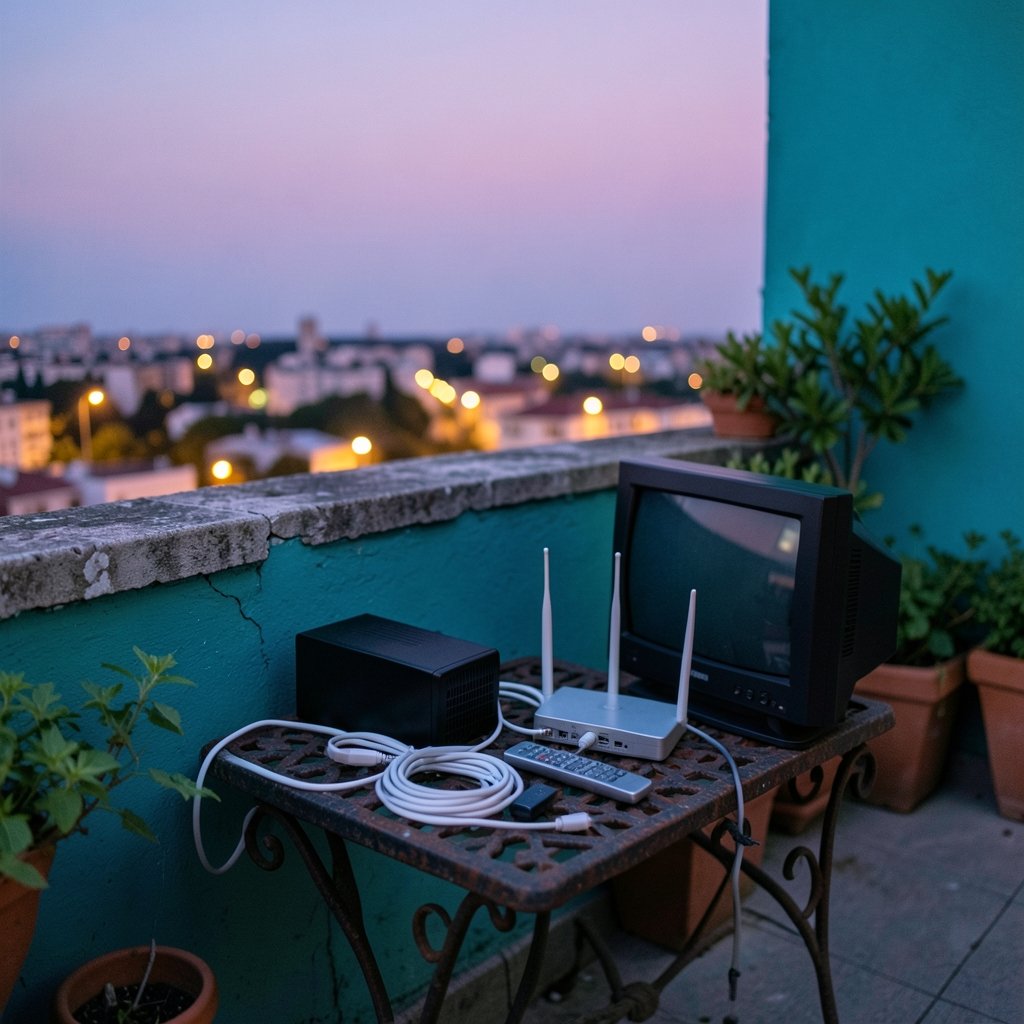
What do you actually get when you sign up for Spectrum TV? The name gets used for several different things, and that confusion causes real problems. People compare prices for products that work differently, expect channels they won’t receive, and blame the wrong part of the system when a stream stutters.
Here’s the short version: Spectrum TV) is the cable television service sold by Charter Communications, which took over Time Warner Cable and Bright House Networks in 2016 and put the Spectrum name on the combined residential business. But the modern product is a mix of old-fashioned cable and internet-delivered streaming, and the balance between those two has shifted a lot. This guide walks through what the service is, how it’s delivered, where the costs hide, and how to judge whether it fits how you actually watch television.
What Spectrum TV Is and How It Got Its Name
Charter Communications is one of the largest cable operators in the United States, behind Comcast. When it absorbed Time Warner Cable and Bright House Networks, it rebranded the whole residential lineup under one word: Spectrum. TV, internet and voice all carry the same badge now, which is convenient for marketing and mildly confusing for anyone trying to comparison shop.
The important thing to understand is that Spectrum TV is a subscription television service, not a piece of hardware and not a single app. It is a bundle of channel rights delivered through Charter’s network. How those channels reach your screen depends on which version of the service you buy and what equipment you use.
The service also carries a regulatory dimension most subscribers never think about. Cable television in the U.S. operates under a framework that covers carriage obligations, retransmission consent for local broadcast stations, and rules about set-top boxes. The Federal Communications Commission publishes an overview of cable TV regulation that explains how channels get onto a cable lineup in the first place. That framework is why carriage fights happen and why channels sometimes vanish for a few weeks.
The Two Ways Spectrum TV Reaches Your Screen

There are two delivery paths, and they behave very differently. Mixing them up is the single most common source of frustration.
| Feature | Traditional cable delivery | App-based streaming delivery |
|---|---|---|
| Signal path | Coaxial cable into a set-top box | Internet connection to an app |
| Equipment | Cable box, remote, possible DVR | Smart TV, streaming stick, game console |
| Channel count | Full lineup, including some channels not streamed | Usually a reduced or shifting lineup |
| DVR | Box-based or cloud, depends on package | Cloud DVR, capacity varies by plan |
| Portability | Tied to the home | Works on supported devices, in and out of home |
| Failure mode | Signal or box problems | Wi-Fi, app, or account authentication problems |
The app-based version is what most new customers picture, and it’s genuinely convenient. It’s also where expectations go sideways. The app does not always carry every channel in the traditional lineup, and the channel list can change. Before assuming a specific network is included, check the current lineup rather than a review from two years ago.
There’s a hardware lesson here that applies to any streaming setup. People blame the app for buffering when the real bottleneck is a weak Wi-Fi signal, an old streaming stick, or a router that can’t handle several devices at once. If the picture breaks up on one television but not another, the problem is almost certainly local, not the service.
Bundling, Pricing, and the Fine Print That Bites
Spectrum TV is rarely sold as a standalone product in practice. It’s usually packaged with internet, and often with voice. That bundling is where the value lives and also where the surprise costs hide.
A few patterns show up again and again in practice:
- Promotional pricing has an expiration date. The advertised rate typically applies for a defined period, then steps up. Write down the end date the day you sign up.
- Equipment fees accumulate. Each additional cable box, DVR service tier, and sometimes the router rental adds to the monthly total. Three televisions with boxes can add a meaningful amount.
- Broadcast and regional sports fees are separate line items. These are not part of the advertised package price and vary by market.
- Taxes and franchise fees are added on top. Cable service is subject to local franchise fees in many areas.
- Contract terms vary by offer. Some promotions carry a commitment; others don’t. Ask directly rather than assuming.
The practical advice: build a spreadsheet with the all-in monthly cost for year one and year two, including every fee. Compare that number, not the headline rate. The same discipline applies to any spec-sheet-heavy purchase, which is why reading how a monitor arm’s weight capacity spec can mislead is a useful mental exercise. The number on the box is rarely the number that matters in your living room.
Channels, Sports, and the Carriage Fight Reality
Channel lineup is the heart of any cable service, and it’s also the most volatile part. Spectrum carries regional sports networks and local broadcast stations in most markets, and those two categories are the most expensive and the most contested.
Carriage disputes are a normal feature of the industry, not a sign that something is broken. When a programmer and a distributor can’t agree on fees, the channels can go dark while negotiations continue. Charter has been through high-profile disputes over the years, and each one produced a temporary blackout for some customers. The FCC’s cable television resource explains the retransmission consent process behind these standoffs, which helps explain why they keep happening.
Regional sports is the specific pain point for many households. If a team’s games are the main reason someone keeps cable, that person should verify the exact network carrying the games in their zip code before signing anything. Lineups differ by market, and “available in your area” language in marketing materials is doing a lot of work.
Local broadcast channels are the other thing people assume and should confirm. In most markets they’re included, but the specific stations and any associated fees depend on where you live.
Internet, Wi-Fi, and Why the TV Experience Depends on Both
Here’s the part that trips people up: the quality of app-based Spectrum TV depends more on the home network than on the television service itself. A 4K television fed by a weak Wi-Fi signal will look worse than an older set with a solid wired connection.
A few practical rules that actually work:
- Wire the main television if you can. A short Ethernet run to the router eliminates an entire category of problems.
- Don’t hide the router in a cabinet. Metal, brick and water all absorb Wi-Fi. Fish tanks and radiators are enemies.
- Check the device before blaming the app. Older streaming sticks struggle with newer app versions.
- Restart in the right order. Router first, then the streaming device, then the app. It sounds silly and it resolves a surprising share of complaints.
The same lesson about reading specs carefully shows up in other electronics. A USB-C power bank’s input versus output rating is a good example: the number on the front is rarely the number that determines real-world performance. Streaming hardware works the same way. The box says 4K; the experience depends on the whole chain.
Spectrum TV vs. Streaming Services: An Honest Comparison
The honest answer is that these are different products solving overlapping problems, and the right choice depends on what someone watches.
| Consideration | Spectrum TV | Streaming-only setup |
|---|---|---|
| Live sports and regional networks | Usually included, market-dependent | Often requires separate sports add-ons |
| Local broadcast channels | Typically included | Depends on an antenna or a live TV service |
| Channel surfing | Native, familiar | Fragmented across apps |
| Cost predictability | Fees and promo steps complicate it | Subscription creep is real, but simpler to track |
| On-demand library | Included, varies | Deep, but split across services |
| Setup complexity | Installer or self-install kit | A few app logins |
The pattern in practice: households that watch a lot of live sports and local news tend to get real value from a cable package. Households that mostly watch on-demand series often pay more for cable than they need to. And a surprising number of people pay for both, which is worth auditing once a year.
One more angle worth considering: the device ecosystem. Phone and platform software now shapes how people watch television as much as the channel lineup does. The comparison between the Pixel 10’s AI software and Samsung’s spec-sheet approach is a good illustration of how feature lists and real experience diverge. A channel count is a spec sheet. What you actually watch is the experience.
Practical Tips Before You Sign Up
These are the steps that prevent most regrets, drawn from the patterns that come up repeatedly:
- Confirm the exact channel lineup for your address. Not the national list. Your zip code’s list.
- Ask for the all-in monthly cost, including fees, for months one and thirteen. Get it in writing if possible.
- Count your televisions. Each one may need a box or a supported streaming device, and each box may carry a fee.
- Check the equipment return policy. Unreturned boxes generate charges that surprise people months later.
- Test the internet speed at the television, not at the router. The number that matters is the one where the screen is.
- Note the promotional end date in your calendar. A reminder two weeks before the step-up saves money.
- Ask whether the app works on the devices you already own. Buying new hardware to access a service you already pay for is a hidden cost.
A related habit worth building: check the specs that actually govern the experience. If you’re adding a soundbar or headphones to the setup, headphone impedance versus sensitivity explains why two similarly priced models can behave completely differently with the same television. Small spec details have outsized effects.
Common Mistakes People Make
A short list of things that go wrong, so they don’t:
- Assuming the app equals the full lineup. It often doesn’t, and the gap includes channels people care about.
- Ignoring the equipment count. Three boxes and a DVR tier can rival the package price.
- Blaming the service for a home Wi-Fi problem. Test with a wired connection before calling support.
- Canceling without returning equipment. The charges follow you.
- Comparing a promotional price to a competitor’s standard price. Compare like to like, year two to year two.
- Forgetting that lineups change. Channels get added and dropped; a lineup from 2023 is not a lineup from today.
The pattern across all of these is the same: the headline number is not the whole picture. Whether it’s a cable bill, a storage card’s endurance rating, or a projector’s brightness claim, the details behind the marketing matter. If you’ve ever wondered why ANSI lumens and LED lumens aren’t the same measurement, you already understand the principle. Marketing numbers and measured performance are different animals.
Conclusion
Spectrum TV is best understood as a subscription television service with two delivery paths, a bundle-oriented pricing structure, and a channel lineup that varies by market and shifts over time. The name is simple; the product is not. The households that end up satisfied are the ones that checked the actual lineup for their address, calculated the all-in cost for year two, and made sure their home network could carry the signal before blaming the app.
For anyone weighing the decision right now, the useful move is unglamorous: get the real numbers, confirm the real channels, and test the real setup. The marketing will handle itself.
Frequently Asked Questions
What is Spectrum TV?
Spectrum TV is the cable television service offered by Charter Communications under the Spectrum brand. It includes traditional cable delivery through a set-top box and an app-based streaming option on supported devices. Channel lineups vary by market.
Do I need a cable box to watch Spectrum TV?
Not necessarily. Traditional cable delivery requires a set-top box, but the app-based version works on smart TVs, streaming players, and game consoles. Which channels are available differs between the two paths, so it’s worth confirming before choosing.
Is Spectrum TV the same as streaming?
Partly. The app-based version is streaming, delivered over an internet connection. The traditional version is cable. Many households use a mix, with boxes on the main televisions and the app on secondary screens.
Why do channels disappear from my lineup sometimes?
Carriage disputes between the cable operator and a channel owner can cause temporary blackouts while fees are negotiated. Local broadcast stations and regional sports networks are the most common flashpoints. Service usually returns once an agreement is reached.
Can I get Spectrum TV without Spectrum internet?
It’s possible in some cases, but the two are usually sold together, and bundling affects the price. The app-based version also depends on a solid internet connection regardless of which provider supplies it.
How do I lower my Spectrum TV bill?
Check the promotional end date, count and return unused equipment, confirm which package tier you actually need, and ask about current offers for existing customers. Building the all-in cost for year two before signing is the most reliable way to avoid a surprise.



