
You have a useful idea or a small task to handle, but it is scattered across several apps. You want one place to capture ideas or help draft an email. A personal assistant can turn that repeated bit of work into a clearer routine.
This beginner guide helps you choose a task, then pick a simple way to handle it. You can start with a chat-based helper that responds in natural language, or build an AI agent that uses tools and takes actions. Either path can support personal productivity without taking over your day.
Key Takeaways
- Start with one recurring task you already understand.
- Choose chat for answers and connected tools for actions.
- Give the assistant clear instructions and approved information.
- Test failures and unclear requests before relying on it.
- Keep a person in control of important actions.
Begin with a small job you can check, such as sorting notes or preparing a message. Add more only after the first workflow works well. Pick one recurring task as the starting point, not a digital helper expected to do everything.
What Can a Personal AI Assistant Actually Do?
A text assistant can draft an email, while an agent connected to a calendar may also create an event. The main difference is action: some assistants only answer, while others can use selected tools.
ChatGPT is an example of a text-based AI assistant. Siri, Google Assistant, and Alexa are familiar voice assistants. An AI agent is software that can select tools and take actions toward a task, rather than only replying with text.
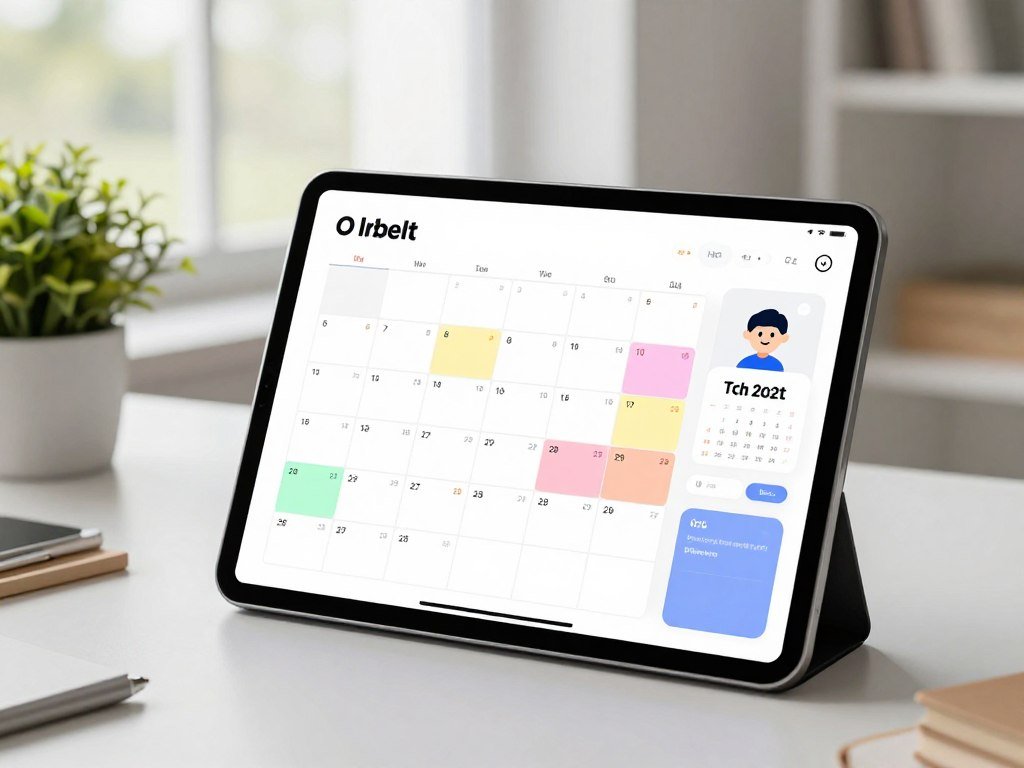
A Jarvis-style helper is best understood as a conversational interface connected to specific tools. You could ask it to look up a meeting time, then prepare a calendar event. It would not know everything or act safely without clear access and rules.
Treat “Jarvis-like” as a useful interface goal, not a promise of unrestricted autonomy.
A personal assistant may help with writing, summaries, idea sorting, or common questions. Its capabilities depend on the information and tools you allow it to use. A conversation can feel natural, but a smooth reply does not prove that the answer is right.
Keep the first job easy to describe. “Draft a reply using these notes” is clearer than “manage my work.” Treat “Jarvis-like” as a useful interface goal, not a promise of unrestricted autonomy.
What Should Your First Assistant Handle?
If you regularly rewrite the same kind of email, that is a stronger first project than an assistant that “does everything.” A good use case is narrow, repeatable, and easy for you to check.
Choose one clearly defined workflow before deciding what to automate. Common starter tasks include drafting an email for review, organizing ideas, or summarizing a document. Gmail, Google Calendar, and Notion are examples of tools a personal workflow might use.

Use this checklist to judge whether a task makes sense for a first build:
- It happens repeatedly.
- It has a clear input and output.
- The assistant may use the needed information.
- A person can easily verify the result.
A useful input might be a meeting note, a customer question, or a rough email. The output might be a short summary or a draft with a clear next step. Keeping the request and result specific makes the work easier to inspect.
Do not automate a process you do not understand. The assistant may repeat its weak spots faster, especially when no one checks the result. Choose a task whose result you can recognize as correct without needing the AI to judge itself.
Which Build Approach Fits Your Skills?
A chat-based builder is the quickest fit for a helper that answers questions, while connected actions call for an automation or coded application. The right approach depends on your skills and the interface you want.
Pick the simplest platform that can complete your chosen task. A custom GPT is a no-code option inside ChatGPT. Workflow builders connect apps, while an API application gives you more control but needs development.

| Approach | Skill level | Where it runs | Main tradeoff |
|---|---|---|---|
| No-code builder | Beginner | Chat platform | Limited interface control |
| Workflow automation | Beginner to intermediate | Connected apps | Limited by app actions |
| Custom code or local model | Intermediate to advanced | Your app or computer | More setup and upkeep |
No-code builders for a focused helper
A custom GPT works inside ChatGPT, so you can shape its instructions, knowledge, and selected capabilities without building a separate app. It is a practical choice for a helper you use there. Free AI tool options include hosted services and local software, but their limits differ.
An OpenAI custom GPT cannot be directly embedded on a public website. A custom API application can support a website interface, though you must develop it.
Workflow automation for connected apps
Workflow platforms link a request to app actions, such as saving a note or sending information to a calendar. They reduce coding, but each connection has its own setup and limits. Check that the tool can handle your exact sequence before you build around it.
Custom code and local voice options
Ollama runs open-weight language models locally through a command-line tool, desktop app, or API. Local use is free and unlimited without an account, but it uses your computer’s resources. That is not the same as creating a new model from scratch. Its local REST API runs at http://localhost:11434 and accepts OpenAI-style requests.
Home Assistant Voice Preview Edition offers a concrete voice-control option. Its recommended U.S. retail price is $69 before taxes. The device has an ESP32-S3 system-on-chip, 16 MB of flash storage, and 8 MB of octal PSRAM. It uses USB-C power at 5 V DC and 2 A, with 2.4 GHz Wi-Fi or Bluetooth 5.0.
Home Assistant’s Speech-to-Phrase option handles a limited set of common home-control phrases offline on low-powered hardware. Local Whisper Base speech-to-text needs at least an Intel N100 or equivalent processor. Fully local speech-to-text needs more powerful hardware for responsive, accurate results. If your goal is broad voice control, check the local hardware requirement before choosing an offline setup.
A custom GPT runs inside ChatGPT, while an API-based application can offer a proprietary interface and support complex transactions or workflows.
Which Model and Platform Should You Choose?
For a free online helper, start by checking the chosen model’s current usage limits, not just whether it has a free tier. A free option may suit light use, while frequent requests can call for paid access or local computing.
A free assistant is not the same as a free, newly trained AI model. A free tier may have quotas, and a local model shifts the computing work to your computer.

| Option | Cost or tier | Where it runs | Main limitation |
|---|---|---|---|
| ChatGPT free plan | $0 | Online | Some features have caps |
| Gemini API free tier | Free tier | Google API | Separate usage limits apply |
| Ollama local | Free local use | Your computer | Uses local hardware |
Free online and local choices
ChatGPT’s free plan costs $0. Unlimited text conversations were announced as rolling out the week of August 10, 2026, while image, file-upload, and voice use remained capped. A free online assistant can still be useful for basic writing and questions.
Ollama avoids hosted API quotas because the model runs on your machine. Your computer must have enough capacity for the model you choose. The answer quality and speed can differ from hosted options.
Gemini API free-tier limits depend on the model and usage tier. Request-per-minute, input-token-per-minute, and request-per-day limits are separate. Going over an active limit can trigger an error, and daily request quotas reset at midnight Pacific time.
When API pricing and limits matter
Gemini 4 Argon is unavailable on the free tier. Its standard-tier input costs $2.00 per 1 million tokens through November 30, 2026, then $4.00 starting December 1, 2026. Output costs $10.00 per 1 million tokens through November 30, 2026, then $20.00 starting December 1, 2026.
Google Search grounding includes 5,000 free requests per month shared across Gemini 3 and newer models. After that, the charge is $14 per 1,000 requests. To create your own AI model for free is different from building an assistant with a free model or tier.
If you want to make your own AI assistant like Jarvis for free, a local model can offer offline use, while an online free tier can be easier to start. A free online assistant still depends on provider limits. Estimate requests and tokens before depending on a paid API for a high-volume workflow.
An API setup guide can help you compare provider access and test a first request.
Write Instructions That Set Clear Boundaries
A useful instruction tells the assistant what job to do and what it must not do. Clear instructions shape its role, tone, steps, format, and limits.
Tell the assistant to ask for missing details instead of guessing. Custom GPT instructions can also set privacy rules and explain when the assistant should hand a task to a person.
Use this short template as a starting point: “You are [role] for [intended user]. Your task is [specific job]. Use a [tone] tone and return [format]. Do not [boundary]. If you are unsure or the request is outside your role, ask a question or refer the user to [person].”
The template names five useful parts: role, task, response style, limits, and what to do when uncertain. Add a clear audience so the assistant can choose the right level of detail. For example, “Write for a new employee” sets a more useful target than “write for anyone.”
For an email helper, say it may draft messages but cannot send them. Ask it to flag unclear names, dates, or promises rather than filling gaps. A conversation should make it easy for the user to see when the assistant is preparing text rather than taking action.
Instructions do not guarantee perfect behavior, so test them with requests that press against the stated limits. Change vague rules into specific actions, such as “ask which date” instead of “be careful with dates.” For any action that affects another person, require a clear confirmation step in the instructions.
Add Your Own Knowledge Without Retraining a Model
If the assistant needs to answer from your procedures or notes, give it approved reference material instead of expecting it to know those documents already. Relevant files can give a focused assistant information that general training may not contain.
Uploading a file usually makes its content available for retrieval; it does not retrain the underlying model. Retrieval-augmented generation, or RAG, retrieves relevant approved content and supplies it to a language model when it forms an answer.
A custom GPT can use uploaded knowledge files as reference material. Use current documents with clear filenames, such as “Expense policy, May 2026,” rather than “New final version.” Remove material the assistant should not access.
Static uploads stay as the material you added. A knowledge base connected through an integration can update as its source changes, which helps when policies or records shift often. The assistant still needs clear access rules for that external information.
Good retrieval depends on the quality of the stored data. If a policy file leaves out an exception, an answer may miss it. If a document is stale, the assistant may repeat outdated guidance with a confident tone.
Keep only the information needed for the use case. A small, well-named set of files is easier to review than a large folder full of old drafts. Remove outdated or sensitive files before connecting a larger knowledge base.
Connect Tools to One Useful Workflow
A connected assistant should turn a request into a small, inspectable sequence of steps. It can receive a message, identify the intent, send it to a service, take an action, then report what happened.
Start with a workflow that shows each action and its result. Common connected apps include Telegram, Gmail, Google Calendar, Google Drive, and Notion. The exact tool depends on where the task belongs.
Route a request to the right action
A message-based automation can use five stages to handle a request:
- Receive input from the user.
- Identify the user’s intent.
- Check for required details.
- Call the selected tool.
- Report the result or error.
For example, the assistant could create a calendar event, save a note, or prepare an email draft. These actions are useful because each result has a clear place to check. An automation might use a service such as Telegram to receive a request.
Keep the first automation easy to verify
A connection only grants the permissions configured for it. The assistant should not be able to read or change unrelated things just because an app offers those options.
If a request lacks a date or destination, the workflow should ask the user or return an error. It should not invent details to keep moving. For an email, return a draft for review instead of sending it without a person’s approval.
Use a small set of tools and confirm that each one returns a useful result. A successful tool call can still produce the wrong event or save a note in the wrong place. Begin with a draft or reversible action before allowing an automation to send or change anything.
App automation tools can connect common services, though free plans may limit the number of steps in each workflow.
How to Create Your Own AI Assistant: Configure a No-Code GPT
A no-code GPT is a practical first build when you want a focused helper inside ChatGPT rather than a separate app. It combines instructions, approved knowledge, conversation starters, and selected capabilities.
A custom GPT runs inside ChatGPT, not as a standalone website assistant. ChatGPT Plus costs $20 per month and includes custom GPTs.
Set up the role, knowledge, and capabilities
Use this five-step setup to make a focused assistant:
- Define one purpose and the users it serves.
- Write instructions for its task, tone, limits, and response format.
- Add approved knowledge files that support its work.
- Enable only the capabilities needed for that purpose.
- Test sample prompts, then choose who can access it.
Choose a name that makes the job clear, such as “Meeting Notes Helper.” Add conversation starters that show the kinds of requests it can handle. Avoid broad descriptions that encourage users to treat it as an expert in every field.
Test access and choose who can use it
Test the assistant with a routine question and a case that lacks key details. Check whether its answer uses the reference files and follows the limits you set. Change its instructions or knowledge when the result misses the mark.
Choose access settings that fit the people who need it. A custom GPT is designed for use inside ChatGPT. If you need a public website deployment, build an API-based application instead; a custom GPT cannot be directly embedded on a public website.
Keep the first version small, then adjust it based on real conversations. A focused assistant may need only a few capabilities, and adding extra ones can make its behavior harder to predict. Test with questions that should be refused as well as questions the assistant should answer.
Build a Python Assistant with the Agents SDK
Python is the right route when you need control over the application logic, interface, or tool behavior. The OpenAI Agents SDK helps build agents that can use tools and manage a multi-step workflow.
Keep API keys out of your source files and store them as environment variables. Create a key in the developer dashboard, then set it as OPENAI_API_KEY in your environment.
Install the SDK and configure the API key
Install the SDK with the command pip install openai-agents. Set OPENAI_API_KEY in your environment before running your program. The key gives code access to an API, so do not paste it into a public file or share it in a chat.
The Agents SDK includes agents, tools, handoffs, guardrails, sessions, human review, and tracing for AI workflows. It uses the Responses API by default for OpenAI models and manages turns, tool calls, handoffs, and sessions.
If you only need a basic text request, install the OpenAI Python package with pip install openai. Then use client.responses.create to send text to the Responses API. This approach is simpler when the assistant does not need an agent workflow.
Define an agent and run a first task
Define an agent with a name and instructions, then run a task with Runner.run. For example, you could name it “Note Organizer” and ask it to sort a short list of ideas into themes.
A Python function can become an agent tool. The SDK can build its schema automatically and use Pydantic to validate the inputs. Validation helps catch missing or badly formed details before a function acts.
Handoffs can route a request to another agent or person. Human review belongs in workflows that need an approval before a result takes effect. Tracing can help you inspect the steps when an agent does something unexpected.
Use the OpenAI Agents SDK documentation for its setup and agent features. A Mistral API setup guide covers a separate provider route and a first request. Keep the API key out of source files and use a harmless test task before connecting real accounts.
AI coding assistant options can also help you write code, but review their changes before running them.
Protect Data and Keep People in Control
Treat every connected inbox, calendar, file, and API key as a separate permission decision. Give an assistant only the access its task needs, and keep a person in charge of consequential actions.
Require human approval before the assistant sends messages or changes important records. The privacy terms also differ between services and plans.
| Plan or service | Listed price | Data-use condition | Practical implication |
|---|---|---|---|
| ChatGPT Plus | $20 per month | Opt-out setting | Check the data controls |
| ChatGPT Business | $20 per seat monthly, annual billing; $25 monthly billing | No training on customer data | Two-seat minimum |
| Gemini API free tier | Free for selected models | Content may improve products | Limit sensitive input |
ChatGPT Business has a two-seat minimum. OpenAI contractually guarantees it will not train on ChatGPT Business customer data, while ChatGPT Plus has an opt-out setting. Those terms make the plans different choices for private work.
Google’s Gemini API free tier offers free input and output tokens for selected models. Google says free-tier content may be used to improve its products. Avoid sending sensitive information when that data-use condition does not fit your needs.
Store API keys securely as environment variables, not inside application code. Use least-privilege access, which means granting only the permissions required for the task. A workflow that only drafts a message does not need permission to send it.
Set an approval step for actions that affect other people, money, or important records. Keep a clear record of what the assistant changed, so a person can review its work. Remove an integration as soon as the assistant no longer needs its access.
ChatGPT Business costs $20 per seat per month with annual billing, or $25 per seat with monthly billing, with a two-seat minimum.
Test, Launch, and Maintain the Assistant
Before relying on an assistant, test ordinary requests and the cases where it should stop or ask for help. Check realistic examples, including tool failures, before you let the workflow handle daily tasks.
Track task completion, correction rate, and whether a person can tell what action occurred. A smooth conversation does not prove the assistant handled the job correctly.
Use four kinds of test requests before launch:
- Expected requests that match the normal task.
- Ambiguous requests with missing or unclear details.
- Unsafe or disallowed requests the assistant should refuse.
- Failed-tool responses, such as a service that times out.
For each test, check whether the result meets the task goal and whether a person can understand the action taken. Track how often people correct the output. Repeated corrections can reveal a weak instruction, stale information, or a tool that returns incomplete results.
Testing lowers risk, but it cannot make an assistant infallible.
Launch with a small group or a limited task before expanding access. A custom GPT stays inside ChatGPT. An API-based application is the route for a proprietary website interface, and it takes development to support that deployment.
Review failed tasks and stale knowledge on a regular schedule. If a workflow causes repeated errors, disable it until you fix the cause. Keep a short record of changes, so you can connect a new problem to a recent update.
Conclusion
A useful first assistant is the one that reliably handles a small, real task. Its durable foundations are a narrow workflow, clear boundaries, and a person checking consequential actions.
You do not need to build a full app to get started. Write down one recurring task, its expected input and output, and where a person must approve the result.
That note gives you a simple test for any builder or code path. Choose that task today and write its success condition before opening a builder.
FAQ
Can I make my own personal AI?
Yes, you can make a personal AI with a no-code builder, an API, or a local model. Start with one job, such as sorting notes or preparing a draft, and choose a route that fits your skills. A no-code tool is easier to set up, while an API or local model gives you more control over the interface and tools.
Is ChatGPT an AI assistant?
Yes, ChatGPT is a general AI assistant that can answer questions and help with writing, summaries, and other tasks. A custom GPT adds tailored instructions, approved knowledge, conversation starters, and selected capabilities inside ChatGPT. It does not become a separate model or a standalone website just because you customize it.
Is there a free personal AI assistant?
Yes, free plans and local options can work as personal assistants. Hosted plans may limit features or usage, while local tools use your computer’s memory and processing power. A local option can suit offline work, but it may need suitable hardware and some technical setup before it feels convenient.
How do I setup my AI assistant?
Set up an assistant by defining one task, writing clear instructions, adding approved information, and connecting only necessary tools. Then test normal requests and cases where the assistant should ask for help or refuse. Keep a person in control of important actions, and adjust the setup when tests reveal unclear instructions or weak results.
Can I create my own AI agent?
Yes, no-code builders and code-based tools can create an AI agent that uses tools to work toward a task. An agent might check information and prepare an action instead of only writing a reply. For actions that affect another person or an important record, add a clear approval step before anything changes.
Which AI assistant is the best?
Choose the assistant that fits your task: a custom GPT for a focused helper in ChatGPT, a local model for offline control, or a coded API app for a custom interface. Compare the tools you need, the data you plan to share, and the work you must review. A good fit matters more than a single universal ranking.
What are the top 3 AI right now?
OpenAI, Anthropic, and Google are three leading AI providers, but no single ranking fits every task. Compare their current models by writing quality, coding help, tool access, privacy needs, and usage limits. Run the same small set of real requests through each option, then choose the one that best fits your work.



