
What if the biggest difference between a clean solder joint and a cold, grainy mess isn’t your skill at all, but the station sitting on your bench? That question trips up a lot of beginners. They buy a cheap fixed-wattage iron, fight it for a month, and conclude they’re bad at soldering. Usually the tool is the problem. A decent budget soldering station with real closed-loop temperature control changes the game, and you don’t need to spend a fortune to get one.
This guide covers what actually matters when shopping in the roughly $30 to $100 range, which features are worth paying for, and where cheap stations cut corners. Prices and model availability shift constantly, so treat any figure here as a snapshot rather than gospel. The engineering principles, though, hold steady.
Why Temperature Control Beats Wattage Every Time
Walk into any hobby forum and someone will insist you need 80 watts minimum. That advice is half right and mostly misleading. Wattage tells you how much power the heater can draw. It says nothing about how well that heat reaches the tip or how fast the station recovers after you touch a cold copper pad.
A 50 to 60 W station with tight tip-to-heater coupling and a responsive sensor will outperform a higher-wattage iron with sloppy thermal contact. The key spec is closed-loop control: a thermocouple or thermistor near the tip feeds temperature back to the station, which adjusts power to hold the setpoint. Entry-level pencil irons lack this loop entirely. They heat up, drift, and stay wherever physics takes them.
This matters more than it used to because of lead-free solder. Since the EU RoHS Directive took effect in July 2006, most commercial electronics use lead-free alloys, and common ones like SAC305 melt around 217 to 227 °C. Traditional tin-lead eutectic solder melts near 183 °C. That extra 35 to 45 degrees of headroom is exactly where weak stations fall apart. A station that claims 350 °C but sags to 280 °C under load will make lead-free work miserable.
Practical tip: when comparing stations, ignore the maximum temperature printed on the box. Look for whether the display shows measured tip temperature or just the setpoint. Many budget units show the setpoint, which is a polite fiction. An independent thermocouple check is the only honest way to verify accuracy.
What Separates a Good Budget Station From a Bad One
The price band between $30 and $100 is crowded, and the differences are not always visible in product photos. Here’s what to inspect before buying.
Heater type and thermal recovery
Ceramic heaters dominate this price range and are perfectly fine. What matters is how quickly the station bounces back after a solder joint pulls heat away. Good recovery means you can do a row of joints without waiting. Poor recovery means you sit there watching the display climb while your joint oxidizes.
Tip availability and long-term cost
This is the sleeper issue. Stations that accept standardized tips, particularly the widely cloned Hakko T18 and 900M styles, are dramatically cheaper to own. Tips wear out, get bent, and need replacing. Proprietary tips can cost more than the station itself over a few years. Note that clone-station tip compatibility varies by batch, so verify per unit rather than trusting a listing.
ESD safety
If you work on sensitive electronics, you want a grounded, ESD-safe tip. The relevant benchmark is ANSI/ESD S20.20, the ESD control program standard. A station that isn’t grounded can dump static into a microcontroller and kill it silently. Check the spec sheet for a grounded tip and a three-prong mains plug.
Safety certification
Mains-powered heating appliances should carry CE marking in the EU and UL or ETL listing in the US. UL 499 is the general safety standard covering electric heating appliances. Certification isn’t glamorous, but an uncertified station plugged into your wall is a fire risk you’re taking on trust.
Fume extraction
Budget setups almost always skip fume extraction. Rosin flux fumes are a recognized respiratory irritant, and occupational-health guidance from bodies like OSHA and the UK HSE treats soldering fume as something to control, not ignore. Plan for a small fan and filter, or at minimum work near an open window. This costs almost nothing and is the most overlooked upgrade in the hobby.
A Realistic Comparison of Budget Station Categories
Most budget stations fall into a few recognizable buckets. The table below maps them by what they’re actually good for, not by marketing claims. (Best gaming laptops under 1000 actually fits budget)
| Category | Typical price band | Best for | Main weakness |
|---|---|---|---|
| Analog adjustable station | $30 to $50 | Beginners, occasional repairs | Dial accuracy is approximate |
| Digital station with display | $50 to $80 | Regular hobby work, lead-free solder | Display may show setpoint, not tip temp |
| Digital station with sleep/standby | $70 to $100 | Daily use, tip longevity | Fewer features at the low end |
| Iron plus hot-air rework combo | $60 to $100 | SMD work, heat-shrink, reflow | Quality variance is high at low prices |
| Fixed-temperature pencil iron | Under $25 | Emergency field repairs | No control loop at all |
The combo units deserve a warning. A hot-air rework tool bundled with an iron for under $100 sounds like a bargain, and sometimes it is. But at low price points, the hot-air side often has poor airflow stability and weak safety margins. If you mainly solder through-hole parts and wires, a solid iron-only station is the better buy. Add hot air later when you actually need it.
If you’re building out a full budget workbench, the same logic of spending where it counts applies elsewhere too. The thinking behind choosing budget racing wheels follows a similar pattern: pay for the mechanism that determines performance, skip the cosmetics. (Lenovo xiaoxin 14 se intel wildcat lake budget laptop buyers)
Mistakes That Cost Beginners Money
A few recurring errors show up again and again among people buying their first station.
Chasing wattage numbers. As covered above, a well-coupled 55 W station beats a poorly built 75 W one. Read reviews that measure recovery, not spec sheets.
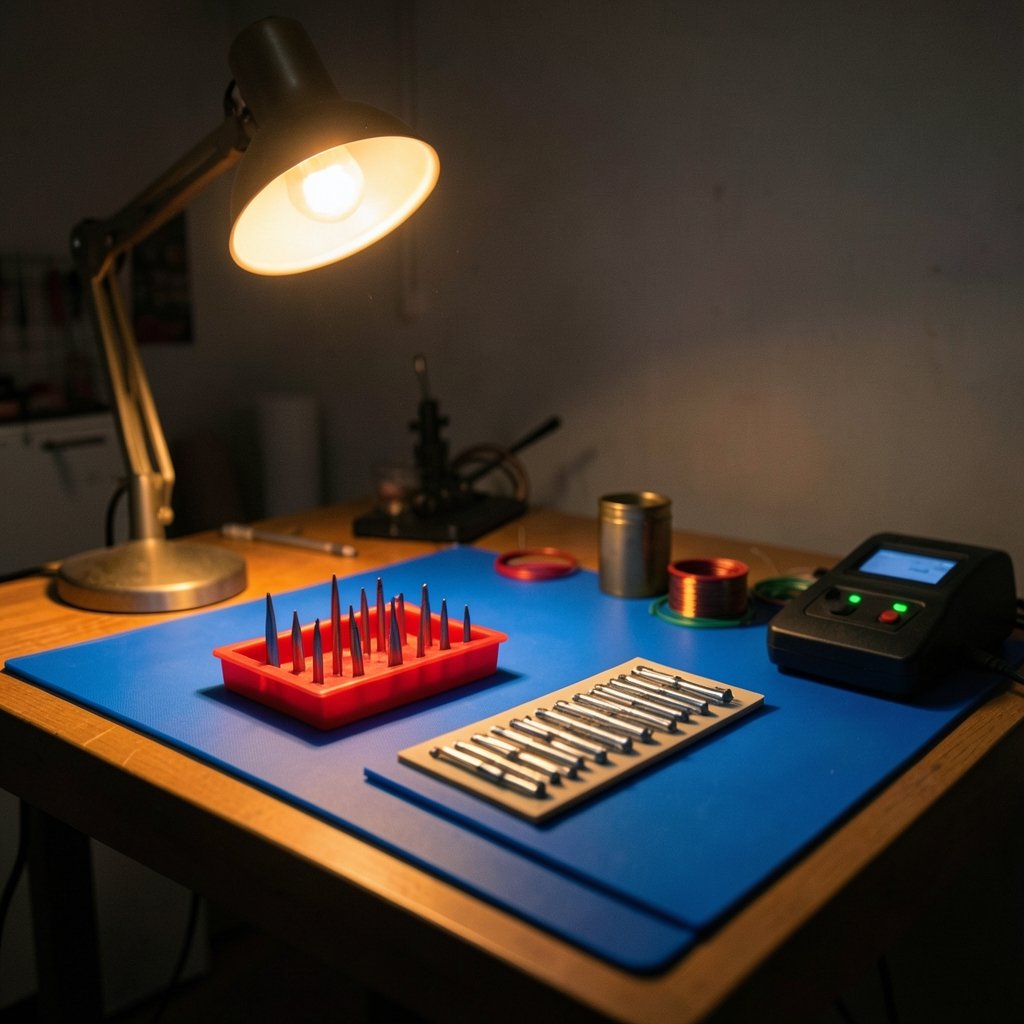
Buying a station with no tip options. If you can’t find replacement tips in three sizes, walk away. You will need a fine conical tip for small pads and a chisel tip for heavier joints.
Skipping the stand and sponge. Some budget stations ship with a flimsy stand. A stable stand and brass wool cost little and prevent burns and tip damage.
Ignoring the power cord and plug quality. Thin cords and ungrounded two-prong plugs are red flags. A grounded plug is part of ESD safety, not a luxury.
Believing the display. Verify tip temperature with a thermocouple once. You may find your station runs 20 to 30 degrees off, which you can compensate for.
Forgetting ventilation. Rosin fumes are the most common complaint after a long session. A $15 fan with a carbon filter solves most of it.
How to Set Up a Budget Station So It Performs Like a Better One
The station is only part of the system. These steps squeeze real performance out of modest hardware.
- Tin the tip immediately. A thin coat of solder protects the tip from oxidation and improves heat transfer from the first use.
- Set temperature by task, not by habit. Around 315 to 350 °C works for most leaded joints; lead-free often needs 350 to 380 °C. Running hotter than necessary burns flux and shortens tip life.
- Use brass wool, not a wet sponge, for cleaning. Thermal shock from a wet sponge cracks tips over time. Brass wool cleans without the shock.
- Keep spare tips on hand. A worn tip is the most common cause of sudden bad joints.
- Add a fume fan. Position it to pull air away from your face, not blow across the work.
- Check the ground. A quick multimeter test confirms the tip is grounded to the mains earth.
If you’re budgeting a whole workspace, the same discipline applies to software and subscriptions. The approach in a realistic AI ad generator cost breakdown shows how small recurring costs quietly outrun the upfront price, which is exactly what cheap proprietary tips do to a soldering budget. (Ai ad generators really cost 2026 realistic budget guide)
Where Budget Stations Fit in a Bigger Budget Picture
A soldering station rarely lives alone. It sits next to a multimeter, a power supply, maybe a 3D printer or a small repair business. Thinking about the whole bench helps you avoid overspending in one spot and underspending in another.
For anyone running a small electronics side business, the cost logic resembles what happens with cloud hosting. A realistic view of Amazon EC2 costs for small projects and businesses makes the same point: small recurring line items decide whether a project stays viable. A $60 station with $3 tips beats a $150 station with $18 tips over three years.
Even hobbyists who mostly fix game controllers and keyboards benefit from buying once and buying sensibly. The same “pay for the part that matters” reasoning applies to choosing budget gaming chairs without regret: the frame and mechanism decide comfort, and the extras are noise. With soldering stations, the heater, sensor, and tip supply are the frame.
When to Step Up From Budget
Budget stations handle a huge amount of real work: through-hole kits, wire repairs, connector reflows, Arduino projects, and most hobby repairs. But there are honest limits.
Step up if you regularly solder fine-pitch SMD parts, need precise temperature profiles, or work on boards where a cold joint means a failed product. At that point, a station with verified temperature accuracy, better thermal mass, and a proper sleep mode earns its price. For everyone else, a well-chosen $50 to $80 digital station with standardized tips will serve for years.
One more consideration: model churn. Budget-station lineups change fast, especially among Chinese brands, and a model praised in a review two years ago may be discontinued or quietly revised. Before buying, confirm the current version, check recent independent temperature tests, and verify the tip standard. A station that was great in 2024 might ship with different internals in 2026.
Conclusion
The best budget soldering station isn’t the one with the biggest wattage number or the flashiest display. It’s the one with genuine closed-loop temperature control, a grounded ESD-safe tip, standardized replacement tips you can afford, and honest safety certification. Everything else is detail. Spend your money on the heater, the sensor, and the tip supply, then spend a little more on ventilation and brass wool. Do that, and a modest station will out-solder an expensive one chosen for the wrong reasons. The tool matters, but knowing what the tool actually does matters more.
Frequently Asked Questions
What wattage do I need for a budget soldering station?
Most hobby work is well served by 50 to 60 watts with good thermal recovery. Wattage alone doesn’t determine performance; the heater-to-tip coupling and the control loop matter more. A well-built 55 W station will outperform a poorly designed 75 W one on real joints.
Is a cheap soldering station safe to use?
It can be, if it carries CE marking or UL/ETL listing and has a grounded three-prong plug. Uncertified stations are a fire and shock risk. Check the certification and test that the tip is grounded with a multimeter before trusting it with sensitive electronics.
Why does my budget station struggle with lead-free solder?
Lead-free alloys like SAC305 melt around 217 to 227 °C, roughly 35 to 45 degrees hotter than traditional tin-lead solder. Stations with weak thermal recovery sag under that load. Setting the station higher helps, but a station with a genuinely responsive sensor and good tip coupling is the real fix.
Do I need an ESD-safe soldering station?
If you work on microcontrollers, memory chips, or any sensitive electronics, yes. A grounded, ESD-safe tip protects components from static damage that may not show up until later. The ANSI/ESD S20.20 standard is the usual benchmark for ESD control programs.
Are soldering station tips interchangeable between brands?
Not usually, but many budget stations accept standardized tip families, especially the widely cloned Hakko T18 and 900M styles. Those are cheap and easy to find. Proprietary tips cost far more over time, and clone-station compatibility can vary by batch, so verify per unit.
How often should I replace a soldering tip?
It depends on use, but a tip used regularly with proper tinning and brass-wool cleaning can last a year or more. Signs it’s time to replace include a tip that no longer holds solder, visible pitting, or joints that suddenly need much higher temperatures. Keeping two or three spare tips avoids downtime.



