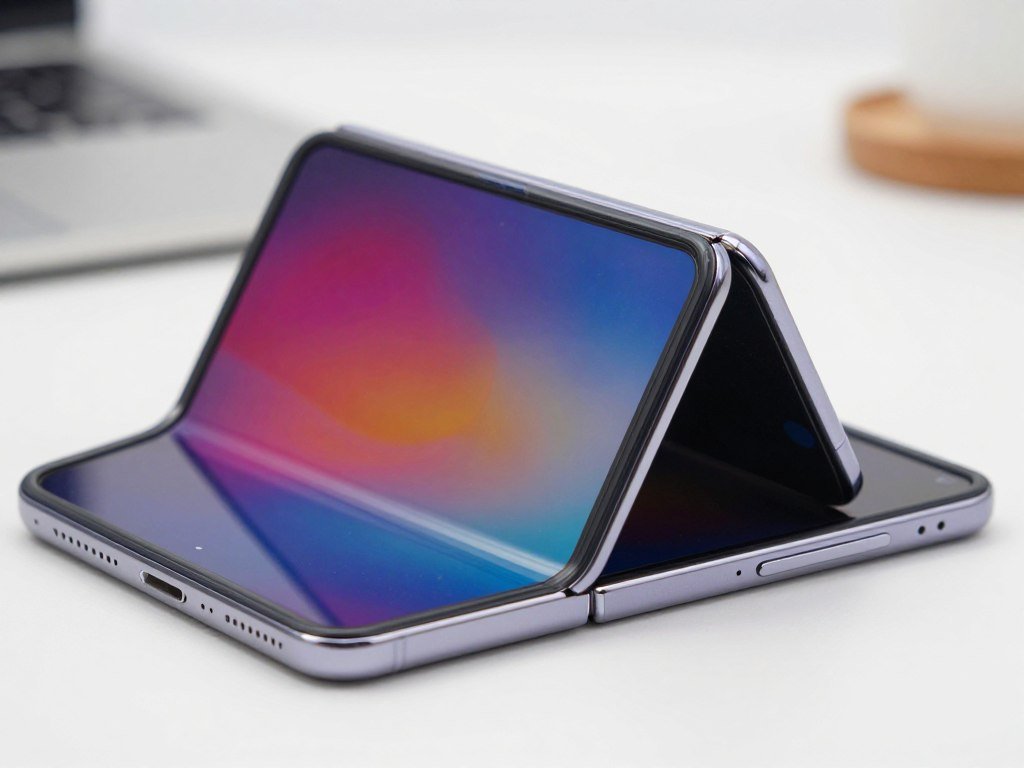
A report of a foldable phone cracking after very little use is alarming, but one account cannot establish how likely the problem is. For U.S. early buyers, the key question is how to read reports of damage after limited folding. The crease is the line where the flexible inner display bends when the phone folds. That spot matters because the display flexes there during normal use.
This 2026 update separates reported experiences from confirmed product information. Apple has acknowledged an issue, but that does not tell shoppers how often it happens. The first account described a crack after fewer than 20 openings, with the owner reporting that an Apple Store provided a replacement. Those details deserve attention, while the cause and rate remain unclear. One damaged phone is evidence of an experience, not proof of a widespread defect. Buyers should treat the reports seriously without assuming every unit is affected.
Key Takeaways
- One Australian owner reported a crack after fewer than 20 openings.
- Apple acknowledged an inner-display issue affecting a small number of units.
- The cause and the share of affected phones remain unknown.
- Independent tests have examined different risks under different conditions.
- Owners can document visible symptoms and ask AppleCare for an assessment.
What Happened to the Australian Owner?
The clearest early account describes a crack along the fold after fewer than 20 openings. The Australian owner said the problem appeared after about six hours of use.
The owner account described feeling something near the internal hinge, then hearing a crack while opening the phone. The owner saw damage along the fold, but reported no visible marks on the screen surface or external hinge. That account describes what one owner experienced, not a confirmed diagnosis of the cause.

| Account | Reported timing | Reported detail | What it establishes |
|---|---|---|---|
| Australian owner | About six hours, fewer than 20 openings | Crack along hinge, no visible external damage | One owner’s account |
| Other owner posts | Varied early use | Hinge-area display problems | Reports exist, not a failure rate |
| Australian store visit | After the crack | Immediate replacement, according to owner | One reported service outcome |
Other posts describe hinge-area display problems, including lines near the fold. Those reports add examples, but they do not show how many phones remain unaffected. A story can spread quickly when a new product draws attention, especially when the damage appears early.
Treat the account as a reason to pay attention, not as a measure of the odds of failure.
The owner said an Apple Store provided an immediate replacement after the visit. That outcome belongs to this account alone. A different device may receive another assessment or service option after inspection.
People may compare this case with their own opening phone experience, but a similar-looking mark does not prove the same cause. A service assessment would need to examine the specific device and its condition.
That distinction helps keep the story useful without turning it into a claim about all units. Treat the account as a reason to pay attention, not as a measure of the odds of failure.
When Did the Reports Begin?
The first public reports landed close to the phone’s U.S. availability date. The launch sequence places the first widely circulated owner account within days of that release, an early window for judging durability.
The dates show when reports surfaced, but timing alone cannot show whether a defect is systemic. The iPhone Duo announcement and U.S. sales dates mark a short period for early buyers and reviewers.
- September 9, 2026: Apple announced iPhone Duo.
- October 16, 2026: U.S. preorders began.
- October 23, 2026: U.S. availability began, alongside the first widely circulated report of the Australian owner’s crack.
Reports arriving close to availability can spread quickly through posts and news coverage. A first foldable from Apple is likely to draw close attention, especially when a problem appears during the first days of use.
That attention can help owners spot similar symptoms, but it can also make a small number of stories seem larger than the evidence supports. A visible display issue is easier to share than an uneventful week of use.
Early buyers have only a short public record to consider at this point. New reports may add useful details, but the number of posts alone does not tell how many phones have been sold or used.
Keep the short launch timeline in mind when judging how much evidence early reports can provide.
What Has Apple Said About the Failures?
Apple acknowledged an inner-display issue affecting a small number of iPhone Duo units. In its October 26, 2026 statement, Apple advised affected users to contact AppleCare for a replacement.
Apple did not identify a cause or confirm a product-wide defect. The company’s statement recognizes an issue, but it does not say how many units are affected or how they were damaged.
The words “small number” describe Apple’s statement, not a public failure rate. Without a count of affected units and a count of units in use, shoppers cannot turn that phrase into a percentage.
Apple’s advice gives owners a clear first step if they see a display problem. Contacting AppleCare does not mean every case will receive the same outcome; the device still needs an assessment.
The response also leaves open whether reported cases share one cause. A crack, a bright line, or another display symptom may look similar while arising from different conditions.
For shoppers, the statement is a meaningful acknowledgment, but it answers only part of the concern. It does not establish a failure rate or confirm a product-wide defect.
The cause remains unaddressed in Apple’s statement.
iPhone Duo Screen Damage Under 20 Folds Early Buyer Risk 2026: How Should Shoppers Read the Risk?
A crack after very limited use is a serious experience for that owner, but it does not tell shoppers how often the same thing happens. Reports of iPhone Duo screen damage sometimes describe bright lines along the fold, a symptom that merits attention.
The existence of reports is clear, but the share of affected phones is unknown. Repeated descriptions of a symptom can help owners recognize a problem without proving a common cause or likely outcome.
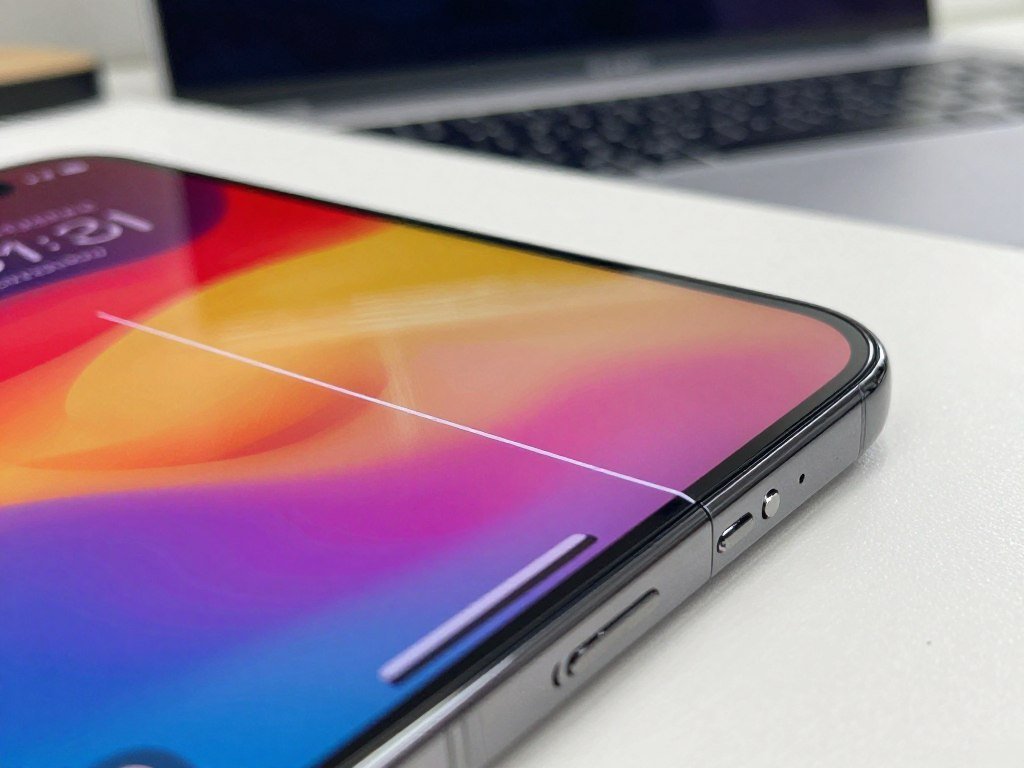
A bright line along the crease is a reported symptom, not a diagnosis. The appearance alone cannot show whether the display has a crack, a layer problem, or another fault.
Shoppers should separate three questions: whether reports exist, whether different reports share a cause, and how often the problem occurs. Current accounts answer the first question, but do not settle the others.
Apple’s phrase “small number” signals that the company has seen cases. It does not provide a count that can be compared with the number of phones in use.
That missing comparison matters. A handful of reports could describe a rare event, or they could be the visible start of a larger pattern; the reports alone cannot decide between those possibilities.
It is reasonable for early buyers to watch for more detail instead of dismissing the accounts or treating them as proof. Clear service findings and a meaningful count would make the risk easier to judge.
Until affected-unit counts can be compared with the number of phones in use, no reliable failure rate follows from the reports.
How Is the iPhone Duo Inner Display Built?
The phone pairs a 7.6-inch inner display with a 5.4-inch outer display. Apple describes several layers and frame parts intended to support the folding panel, though those details do not explain reported damage.
The crease is the bending point, while the hinge guides the phone as it opens and closes. The hardware includes display features for viewing and layers intended to help manage bending stress.
What the two displays offer
| Display | Size or comparison | Features | Peak outdoor brightness |
|---|---|---|---|
| Inner display | 7.6 inches, 50 percent larger than iPhone 18 Pro Max | ProMotion and Always On | Up to 3,000 nits |
| Outer display | 5.4 inches, 90 percent of iPhone 18 Pro screen area | ProMotion and Always On | Up to 3,000 nits |
| Both displays | Super Retina XDR | Both support ProMotion and Always On | Up to 3,000 nits |
ProMotion supports a smoother view, while Always On keeps key screen information visible. The inner display is larger for apps and video, and the outer display handles use when the phone is folded.
Shoppers comparing screen sizes can also review this iPhone camera and model guide, which covers other iPhone choices. The iPhone Duo display specifications remain distinct from those models.
How the folding panel is reinforced
Apple says the inner display has a nano-texture finish designed to reduce glare, reflections, and crease visibility. Its scratch-resistant coating and nano-textured cover layer use a custom polymer with up to 40 percent higher stiffness than other industry materials.
High-strength glass sits above and below the folding panel. Adhesives let the layers glide past one another to relieve bend stress, and a titanium plate sits underneath.
These parts serve different jobs. The finish affects glare, the coating helps resist scratches, and the layers support the panel as it bends.
What Apple says about the hinge and frame
The hinge has more than 100 components and is designed to support the display’s center when open. Support ribs reinforce the structure, while ceramic fiber inserts at antenna splits add frame rigidity.
The phone has a grade 5 titanium frame, Ceramic Shield on the back, and Ceramic Shield 2 on the outer display. Apple lists an IP68 rating for splash, water, and dust resistance.
These design details explain the intended protections, not how any particular damaged unit failed.
What Could Cause a Crack Along the Fold?
A crack at the crease identifies where damage appeared, not why it happened. In a foldable phone, the inner display layers flex there as the hinge guides each opening and closing motion.
Possible mechanisms are not confirmed causes of the iPhone Duo reports. Repeated bending loads the crease, and local stress can change with hinge alignment or the support beneath a layer.
Debris trapped between layers could create a pressure point in a small area. A flaw in a material could also concentrate force where the display bends.
Those are general mechanical possibilities, not findings about a specific phone. The same visible crack location does not distinguish a manufacturing issue from debris, handling, or another mechanism.
A phone may also be opened with uneven force, or a hard object may press against the folded display. The visible result alone cannot reveal what happened before the mark appeared.
Hinge movement matters because the mechanism guides the fold, but a crack near it does not prove the hinge caused the damage. A service inspection could look for signs that separate one explanation from another.
That is why a photo can document the symptom but cannot settle the cause. Even a bright line in the same place may come from a different layer or condition.
A teardown or service diagnosis would be needed to connect a specific mechanism to a specific failure.
What Do Durability Tests Show, and What Don’t They Prove?
The reported tests point to different vulnerabilities because they use different conditions. One set examined scratches, debris, and force, while another measured repeated hinge movement under controlled conditions.
A test result describes its test conditions, not every owner’s daily use. The results can show what happened in each test, but they cannot establish the cause or prevalence of owner reports.
Scratch and debris results
An independent test reported inner-display scratching at Mohs level 2. The outer Ceramic Shield 2 scratched at level 7 in that test.
In a sand and dirt test, debris entered the hinge and jammed it. Reverse-fold pressure left a green line and an unresponsive inner display.
Those outcomes show that debris and force can affect the tested hardware. They do not show that either condition caused the Australian owner’s crack or other owner reports.
Controlled fold endurance
A controlled hinge endurance test completed 32,640 folds without noticeable wear. That result applies to the tested unit and method, not a promise about every phone in everyday use.
A cycle test repeats a folding motion under set conditions. A debris test adds particles, while reverse-force testing puts stress on the display in a different direction.
Daily use can differ in handling, dust, pressure, and folding angle. A test that holds those factors steady cannot capture every combination that owners may encounter.
Nor does one test cancel out another. The endurance result can coexist with a separate test that jams a hinge after debris enters it.
Readers should use each result to understand the condition it examined, rather than treating any single test as a verdict on the product line. A test result should be read as evidence about its test conditions, not as a population-wide failure rate.
How Much Does an iPhone Duo Screen Repair Cost?
In 2026, the listed U.S. out-of-warranty inner-display repair price is $999. AppleCare+ lists a lower service charge for inner-display damage, while replacing only the cover layer costs less.
A cover-layer replacement is not the same service as repairing inner-display damage. The listed charges are separate options, and an inspection determines which service applies.
| Service | Without AppleCare+ | With AppleCare+ |
|---|---|---|
| Inner-display damage | $999 | $99 |
| Cover-layer replacement only | $49 | $19 |
For 2026, AppleCare+ lists a $99 fee for inner-display repair. The cover-layer-only option costs $49 without AppleCare+ or a $19 service fee with the plan.
Those figures do not mean every display problem qualifies for the same service. A visible line or crack may need inspection before Apple can decide whether the inner display or only its cover layer needs work.
Apple service estimates are finalized after inspection. Taxes or shipping can add to an out-of-warranty bill, so the listed amount may not be the final total.
Owners should ask which repair Apple proposes and whether the estimate includes added costs. Ask Apple to confirm which repair applies after it inspects the device.
Does Apple’s Warranty Cover a Cracked Inner Display?
A manufacturing issue and accidental damage fall into different coverage categories. Apple’s one-year limited warranty covers manufacturing issues, but it does not cover accidental damage in 2026.
Apple must inspect an individual phone before deciding its cause and eligibility. A crack’s appearance alone does not show whether it came from a product issue or accidental damage.
| Situation | One-year limited warranty | AppleCare+ |
|---|---|---|
| Manufacturing issue | Covered for one year if eligible | Plan terms apply |
| Accidental damage | Excluded | Damage repairs under plan terms |
| Repair outside coverage | Service cost applies | Plan service fee applies |
AppleCare+ uses its own plan terms for damage repairs. The table shows broad categories, not a promise about a particular device or service request.
A small crack may have a cause that is not clear from a photo. An inspection can help Apple decide whether the one-year warranty, AppleCare+, or paid service applies.
Owners should describe what happened accurately and avoid guessing about the cause. The service team can review the device and explain the available options.
Apple’s out-of-warranty fees are estimates, and inspection sets the final fee. Taxes or shipping may add to the cost of an out-of-warranty repair.
Ask for a coverage determination before authorizing a paid repair.
Should You Buy Now or Wait?
The decision comes down to how comfortable a buyer is with unresolved first-generation durability questions. Someone willing to accept uncertainty may buy now, while a cautious shopper may prefer more evidence.
Neither choice is objectively right for every buyer. The reports matter, but they do not yet show how often the issue occurs.
Buying while reports are still emerging
A buyer comfortable with unresolved questions can proceed while keeping purchase and service terms clear. That means understanding the coverage chosen and saving the sales and service records.
The reported U.S. starting price is $1,999, but that figure is a reported price, not an official Apple price in the information available here. Price matters because a costly first-generation phone can make an uncertain repair experience feel more serious.
Some buyers may value having the foldable phone now more than they value waiting for longer-term evidence. Others may decide that any open question about the inner display is too much risk for their budget.
Waiting for clearer evidence
A cautious buyer can wait for independent findings and more information about the scope of the issue. More repair diagnoses may help show whether the reports share a cause.
Waiting also gives Apple time to clarify service handling or share more detail. That does not ensure the issue will disappear, but it can help a shopper make a choice with more context.
Buyers comparing other models can use this guide to iPhone models and cameras while weighing alternatives. A different model may suit someone who does not need a folding screen.
A buyer who cannot accept uncertainty can wait for clearer evidence before committing.
What Should New Owners Check During Setup?
A careful first look can document the phone’s condition before normal use begins. Inspect the inner display and hinge in good light, then check the crease and nearby areas for visible lines or damage.
An initial inspection records condition, but it cannot rule out a later fault. Handle the phone gently during setup and keep the record with its purchase details.
- Inspect the inner display and hinge in good light before regular use.
- Check the crease and nearby areas for lines or visible damage.
- Open and close the phone gently during setup.
- Photograph the display and hinge to document the initial condition.
Bright, even light can make surface marks easier to see. Look across the display from more than one angle, without pressing on the crease.
Use a gentle opening motion rather than testing how far the hinge can move. Setup checks should be ordinary handling, not a stress test.
Photos can show the display and hinge before daily use adds fingerprints or normal wear. Keep the images unedited so they preserve a clear record of the phone’s condition.
New owners may also be choosing a case or screen accessory. A case guide for older iPhone models can help explain fit and surface coverage, but it does not establish fold protection for this phone.
Keep the initial photos with the purchase and service records.
What Should You Document if the Display Fails?
If a line, crack or other display problem appears, record what you can see before handling the phone further. Take clear photos and a short video that show the symptom, its location, and how the screen responds.
Accurate notes can help a service conversation, but they do not prove the cause. Record when the symptom appeared and what the phone was doing at that time.
- Take clear photos and a short video of the visible symptom.
- Write down when it appeared and what the phone was doing.
- Describe any visible impact accurately, without guessing about the cause.
A note can include whether the phone was open or folded and whether the display still responds. Keep the wording factual, such as “green line appeared while opening,” rather than naming a cause.
If there is a mark on the frame or glass, record its location and appearance. Do not claim an impact occurred if none was seen, and do not hide one if it did happen.
Clear records can help Apple compare the device’s current state with the owner’s first report. They cannot guarantee a replacement, free repair, or any specific service outcome.
Owners should keep the original files in their usual form. A screenshot may not capture a physical crack or how the screen changes as the phone opens.
Keep the original files rather than relying only on screenshots or edited copies.
How Can Owners Seek a Replacement or Repair?
Contact AppleCare to ask how Apple will assess a suspected inner-display issue. Owners can request a replacement assessment, book an in-person visit, or ask about mail-in service.
An inspection, not a report alone, guides the service options. A technician can examine the device and explain the next steps.
- Contact AppleCare for a replacement assessment.
- Arrange an appointment at a Genius Bar or Apple Authorized Service Provider.
- Ask about mail-in service using a prepaid shipping box.
Service availability can depend on location and parts. The nearest appointment may not offer the same route as a mail-in request.
Before an in-person visit, keep the photos and notes about the symptom ready. For mail-in service, follow Apple’s instructions for packing and shipping the phone.
A replacement assessment does not promise a replacement phone. Apple may instead offer a repair or another service option after inspection.
Owners should ask how long the next step is expected to take and whether the device will stay with the service team. Confirm the available service route and expected next step before handing over or shipping the phone.
What Happens After an Apple Repair?
Apple’s service and replacement parts are guaranteed for 90 days or the remaining Apple warranty term, whichever is longer. The guarantee applies to Apple service and replacement parts in 2026.
Keep the service paperwork to track the repair date and guarantee period. The paperwork can also show what work Apple performed and which parts it replaced.
Equipment supplied during service may contain new or previously used genuine Apple parts. Apple says those parts meet its functional requirements.
The specific service option can vary with parts availability and location. A repair, replacement device, or other service route may depend on what Apple can offer for that case.
After service, owners should keep the phone’s repair record with purchase and coverage details. Those records make it easier to discuss a later issue or check when service took place.
If a display symptom returns, note when it reappears and compare it with the repair paperwork. The written record can help the service team understand what changed after the earlier work.
Owners should retain any service communications along with the receipt. They may include details about the parts used or the service completed.
Keep the repair paperwork so the service date and guarantee period are easy to verify.
What Evidence Would Clarify the Risk?
A clearer risk assessment needs more than another isolated photo of a damaged screen. Buyers need evidence that connects affected phones, their diagnoses, and the number of units in use.
More anecdotes can raise attention, but they cannot establish a rate without a denominator. Three kinds of information would help distinguish scattered cases from a recurring issue.
- A clear count of affected phones compared with units in use.
- A teardown or service diagnosis that identifies a recurring failure mechanism.
- Further Apple clarification about the issue and service handling.
A count of affected phones needs a useful comparison group. Without the number of phones in use, even a growing list of cases cannot show how common the problem is.
A teardown could reveal damage to a layer, a hinge part, or another area. A service diagnosis across multiple devices could show whether the same mechanism appears repeatedly.
Further Apple clarification could explain how the company classifies the issue and handles affected devices. Clear service guidance would help owners understand what happens after they report a symptom.
Look for a consistent diagnosis and a meaningful count before treating the reports as evidence of a broad defect.
A new post can add useful details, but one post cannot show that a wide group of phones has the same fault. Look for a consistent diagnosis and a meaningful count before treating the reports as evidence of a broad defect.
Conclusion
The early reports deserve attention, but they do not yet show how often the problem occurs. Apple has acknowledged an inner-display issue affecting a small number of units, while the cause and failure rate remain unclear.
Early buyers can weigh that uncertainty against their need for a foldable phone. Current owners with a display problem should document what they see and contact AppleCare for an assessment.
If your display shows a problem, document it and contact AppleCare.
FAQ
Can I keep opening the phone if I see a bright line?
Avoid repeatedly folding the phone after a new display symptom appears. A bright line may signal a problem, and more folding could make the condition harder to assess. Photograph or record the symptom, then contact AppleCare for guidance. Do not press the display or try to test the hinge with extra force while you wait for an assessment.
Will Apple replace the whole phone if the inner display has a problem?
Apple may offer a replacement, but the outcome depends on its assessment of the device. Apple advised affected users to contact AppleCare for a replacement, but that does not promise a whole-phone swap in every case. The service team may offer another option after inspection. Bring clear photos or video of the display symptom to help explain what appeared.
Can a screen protector prevent a crack along the fold?
No screen protector can be promised to prevent a crack along the fold. A protector may guard a surface from some scratches, but the cause of the reported fold-area damage remains unclear. A protector also cannot show whether a display layer or hinge caused a problem. For general information about screen coverage and cases, see these iPhone case and screen protection tips for older models.
Does a crack automatically qualify for a free repair?
No, a crack does not automatically qualify for a free repair. Apple’s one-year limited warranty covers eligible manufacturing issues, while accidental damage is excluded. AppleCare+ follows its own plan terms for damage repairs. The service team must inspect the phone and decide which category applies before confirming coverage or any cost.
What should I bring when I ask Apple to assess a display problem?
Bring the phone, purchase or service details, and clear photos or video of the symptom. Notes about when the line or crack appeared can help explain the issue. Describe any visible impact accurately, and avoid guessing about the cause. If the phone was repaired before, bring the service paperwork so Apple can review that history.
Is a bright line along the fold always a crack?
No, a bright line is not always proof of a crack. It is a reported display symptom, but appearance alone cannot identify the cause or confirm which repair is needed. The line could reflect a display issue that requires inspection. Record what the screen shows and contact AppleCare rather than trying to diagnose the fault by sight alone.



